 microsoft/dbgshell
A PowerShell front-end for the Windows debugger engine.

A PowerShell front-end for the Windows debugger engine.
Ready to tab your way to glory? For a quicker intro, take a look at Getting Started.
This project is not produced, endorsed, or monitored by the Windows debugger team. While the debugger team welcomes feedback about their API and front ends (windbg, kd, et al), they have no connection with this project. Do not file bugs or feedback to the debugger team concerning this project.
This is not a funded project: it has no official resources allocated to it, and is only worked on by volunteers. Do not take any production dependency on this project unless you are willing to support it completely yourself. Feel free to file Issues and submit Pull Requests, but understand that with the limited volunteer resources, it may be a while before your submissions are handled.
This is an experimental project: it is not fully baked, and you should expect breaking changes to be made often.
Corollary of above disclaimers: I would avoid attaching DbgShell to live targets of high value.
https://aka.ms/dbgshell-latest
Have you ever tried automating anything in the debugger? (cdb/ntsd/kd/windbg) How did that go for you?
The main impetus for DbgShell is that it's just waaaay too hard to automate anything in the debugger. There are facilities today to assist in automating the debugger, of course. But in my opinion they are not meeting people's needs.
The goal of the DbgShell project is to bring the goodness of the object-based PowerShell world to the debugging world. When you do 'dt' to dump an 'object', you should get an actual object. Scripting should be as easy as writing a PowerShell script.
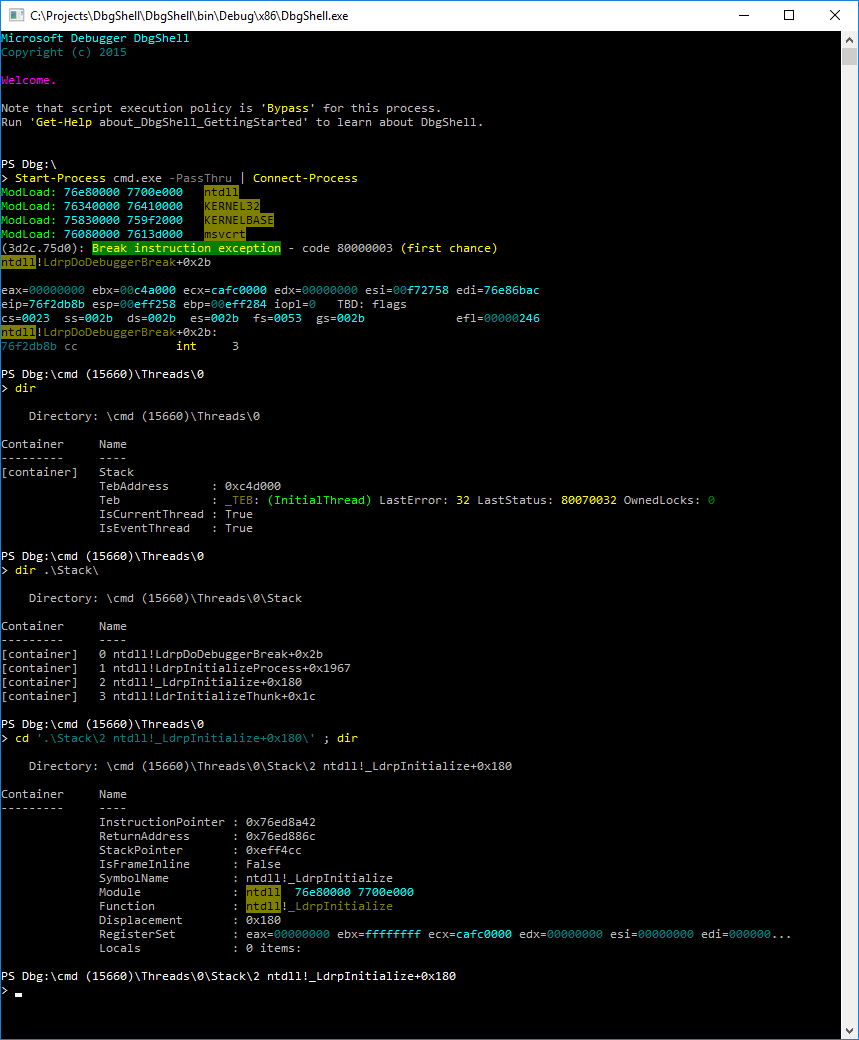
The DbgShell project provides a PowerShell front-end for dbgeng.dll, including:
The custom host is still a command-line (conhost.exe-based) program (analogous to
ntsd/cdb/kd), but it can be invoked from windbg (!DbgShell).
In addition to making automation much easier and more powerful, it will address other concerns as well, such as ease of use for people who don't have to use the debuggers so often. (one complaint I've heard is that "when I end up needing to use windbg, I spend all my time in the .CHM")
For seasoned windbg users, on the other hand, another goal is to make the transition as
seamless as possible. So, for instance, the namespace provider is not the only way to
access data; you can still use traditional commands like "~3 s", "k", etc.
I'm not only talking about the sort of thing where you open up a text editor and write some big script to do something complex—I'm also talking about being able to whip out relatively simple stuff directly on the command line. There are many situations where you would like to be able to use a little bit of logic, but nothing so big or re-usable that you would even want to save it. It should be easy to just whip off "one-liners" like "break on CreateFile if the file being opened is on the user's desktop and function Blah is on the stack."
Let me be clear: it took me approximately 4 years to "warm up" to PowerShell. I feel it has sharp edges, aspects that are just plain difficult, and plenty of bugs, both in design and implementation. Sometimes it really irritates me. However, the benefits of PowerShell are compelling, and have convinced me that it's the best thing to use for this project:
Get-Command, tab completion, the ability to expose
hierarchical data like a filesystem, the facilities for providing and synthesizing help,
are very good.dt" to "dump" an "object", and actually
getting an object. DbgShell does that.cd" over to the filesystem, registry, AD, etc.;
you can execute Send-MailMessage, Get-WmiObject, Invoke-WebRequest,
Invoke-RestMethod, run arbitrary programs, etc.