 michelcrypt4d4mus/yaralyzer
Visually inspect and force decode YARA and regex matches found in both binary and text data with colors. Lots of colors.




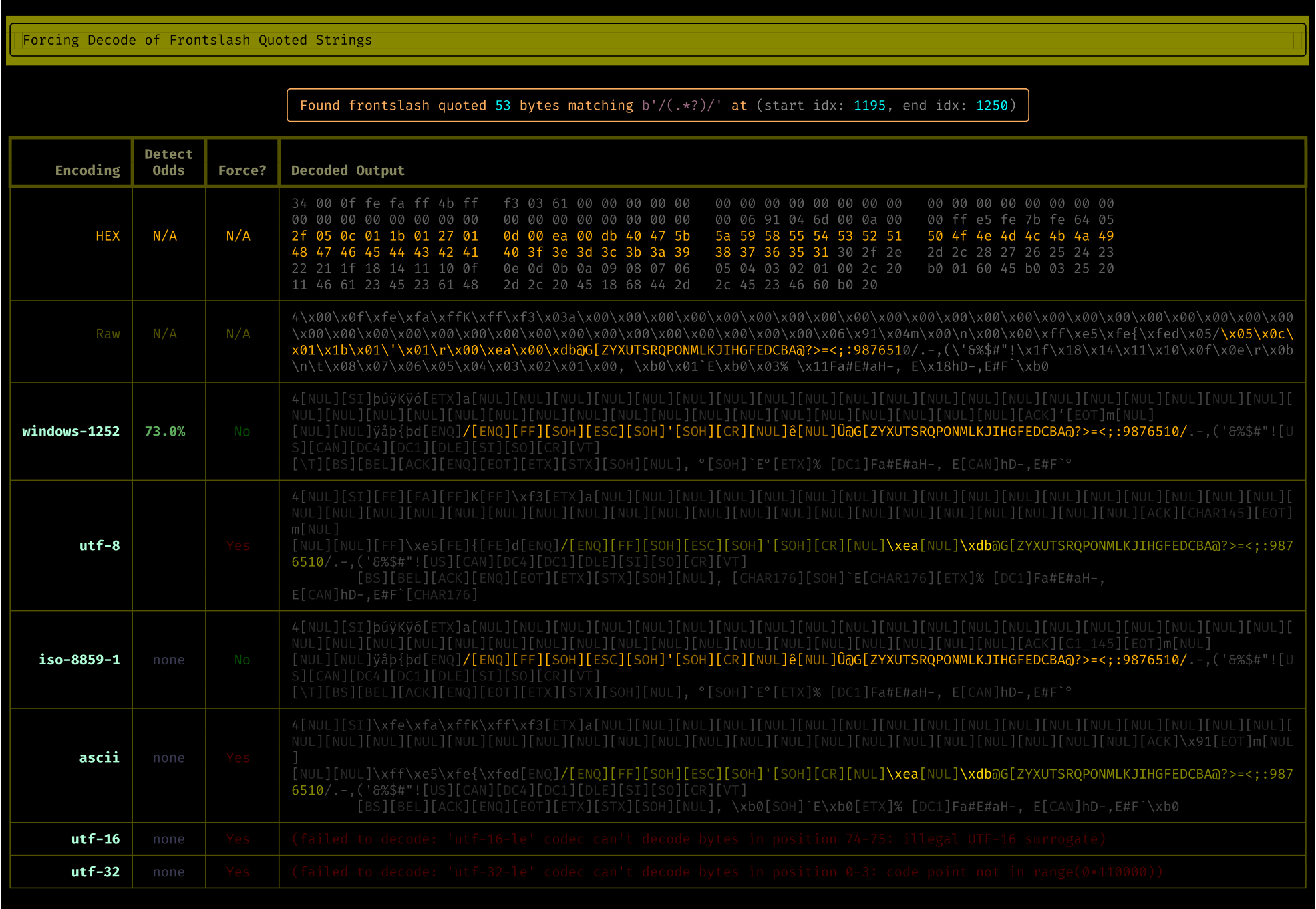
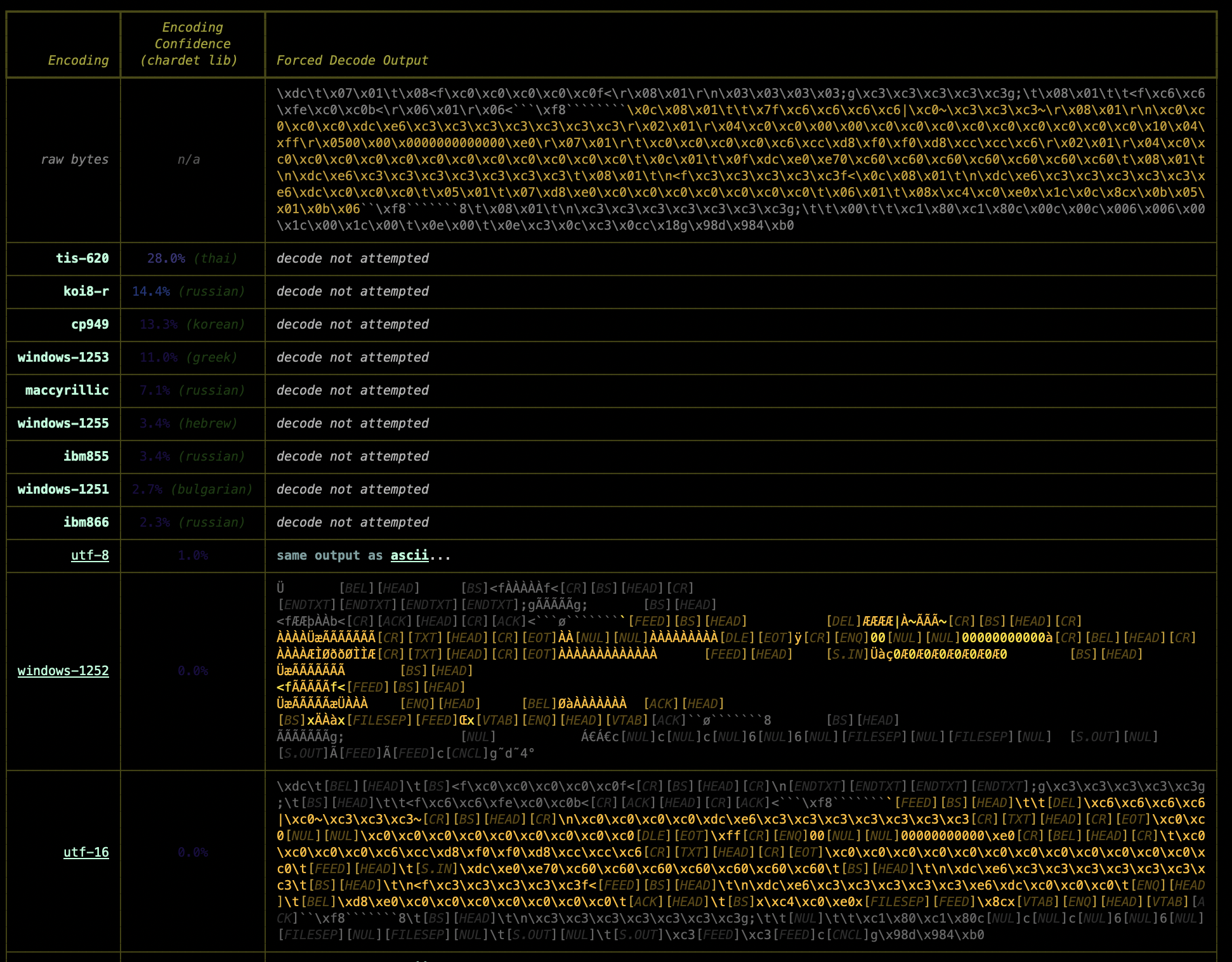
Visually inspect all of the regex matches (and their sexier, more cloak and dagger cousins, the YARA matches) found in binary data and/or text. See what happens when you force various character encodings upon those matched bytes. With colors.
pipx install yaralyzer

# Scan against YARA definitions in a file:
yaralyze --yara-rules /secret/vault/sigmunds_malware_rules.yara lacan_buys_the_dip.pdf

# Scan against an arbitrary regular expression:
yaralyze --regex-pattern 'good and evil.*of\s+\w+byte' --regex-modifier wide the_crypto_archipelago.exe

# Scan against an arbitrary YARA hex pattern
yaralyze --hex-pattern 'd0 93 d0 a3 d0 [-] 9b d0 90 d0 93' one_day_in_the_life_of_ivan_cryptosovich.bin
'/.+/' and immediately get a window into all the bytes in the file that live between front slashes. Same story for quotes, BOMs, etc. Any regex YARA can handle is supported so the sky is the limit.chardet is a sophisticated library for guessing character encodings and it is leveraged here.chardet will also be leveraged to see if the bytes fit the pattern of any known encoding. If chardet is confident enough (configurable) an attempt at decoding the bytes using that encoding will be displayed.The Yaralyzer's functionality was extracted from The Pdfalyzer when it became apparent that visualizing and decoding pattern matches in binaries had more utility than just in a PDF analysis tool.
YARA, for those who are unaware[^1], is branded as a malware analysis/alerting tool but it's actually both a lot more and a lot less than that. One way to think about it is that YARA is a regular expression matching engine on steroids. It can locate regex matches in binaries like any regex engine but it can also do far wilder things like combine regexes in logical groups, compare regexes against all 256 XORed versions of a binary, check for base64 and other encodings of the pattern, and more. Maybe most importantly of all YARA provides a standard text based format for
people to share their 'roided regexes with the world. All these features are particularly useful when analyzing or reverse engineering malware, whose authors tend to invest a great deal of time into making stuff hard to find.
But... that's also all YARA does. Everything else is up to the user. YARA's just a match engine and if you don't know what to match (or even what character encoding you might be able to match in) it only gets you so far. I found myself a bit frustrated trying to use YARA to look at all the matches of a few critical patterns:
\".+\" and \'.+\')/.+/). Front slashes demarcate a regular expression in many implementations and I was trying to see if any of the bytes matching this pattern were actually regexes.YARA just tells you the byte position and the matched string but it can't tell you whether those bytes are UTF-8, UTF-16, Latin-1, etc. etc. (or none of the above). I also found myself wanting to understand what was going in the region of the matched bytes and not just in the matched bytes. In other words I wanted to scope the bytes immediately before and after whatever got matched.
Enter The Yaralyzer, which lets you quickly scan the regions around matches while also showing you what those regions would look like if they were forced into various character encodings.
The Yaralyzer isn't a malware reversing tool. It can't the things a tool like CyberChef does and it doesn't try to. It's more intended to give you a quick visual overview of suspect regions in the binary so you can hone in on the areas you might want to inspect with a more serious tool.
Install it with pipx or pip3. pipx is a marginally better solution as it guarantees any packages installed with it will be isolated from the rest of your local python environment. Of course if you don't really have a local python environment this is a moot point and you can feel free to install with pip/pip3.
pipx install yaralyzer
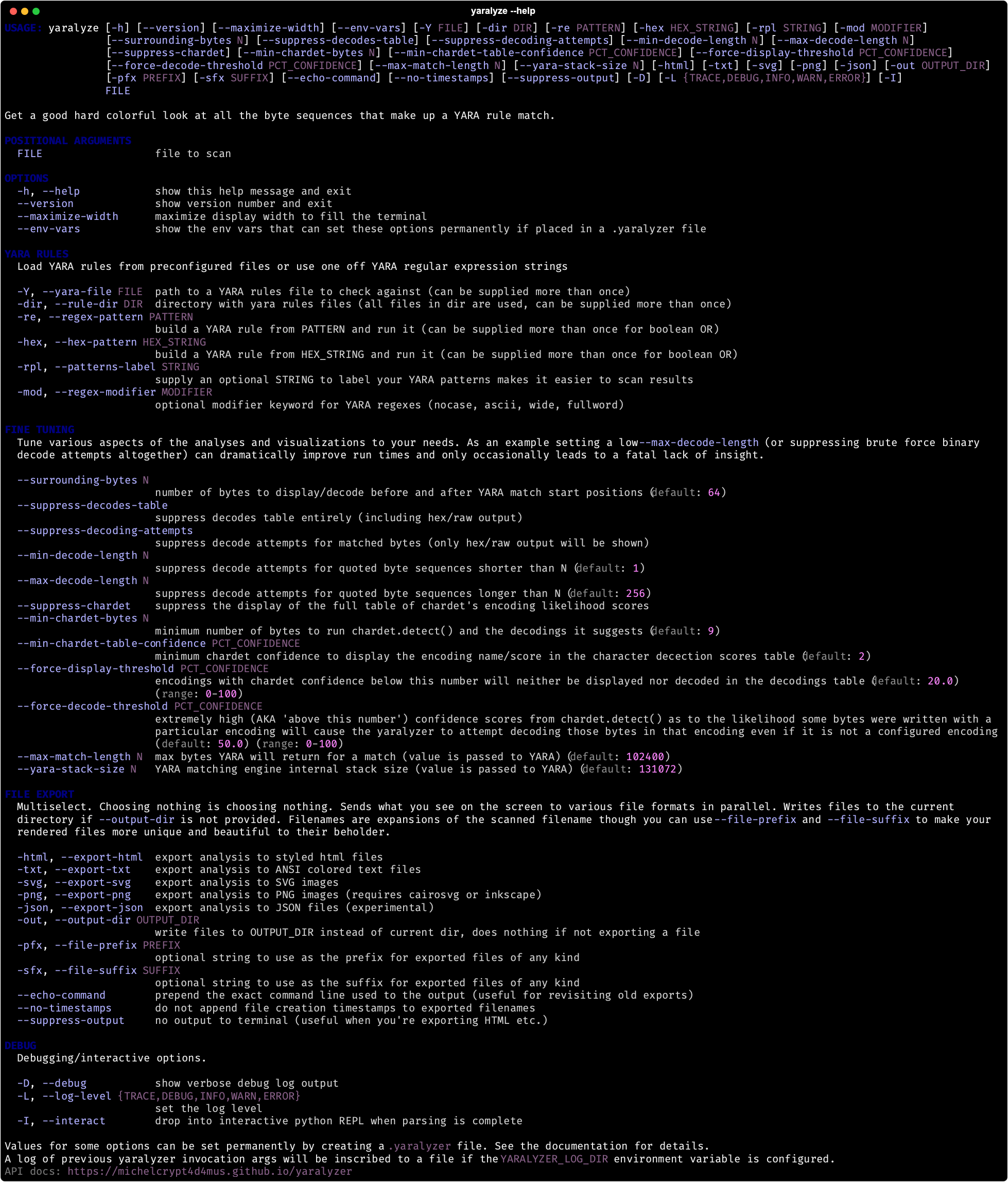
Run yaralyze -h to see the command line options (screenshot below).
For info on exporting SVG images, HTML, etc., see Example Output.
If you place a file called .yaralyzer in your home directory or the current working directory then environment variables specified in that .yaralyzer file will be added to the environment each time yaralyzer is invoked. This provides a mechanism for permanently configuring various command line options so you can avoid typing them over and over. See the comments in the example file .yaralyzer.example for more info.
Only one .yaralyzer file will be loaded and the working directory's .yaralyzer takes precedence over the home directory's .yaralyzer.
Yaralyzer is the main class. Auto generated documentation for Yaralyzer's various classes and methods can be found here. It has a variety of alternate constructors supporting:
.yara file in a directorybytesShould you want to iterate over the BytesMatch (like a re.Match object for a YARA match) and BytesDecoder (tracks decoding attempt stats) objects used by The Yaralyzer, you can do so like this:
from yaralyzer.yaralyzer import Yaralyzer

