 michal-pielka/punchline
Peer-to-peer encrypted messenger in Rust with Noise IK and UDP NAT hole punching

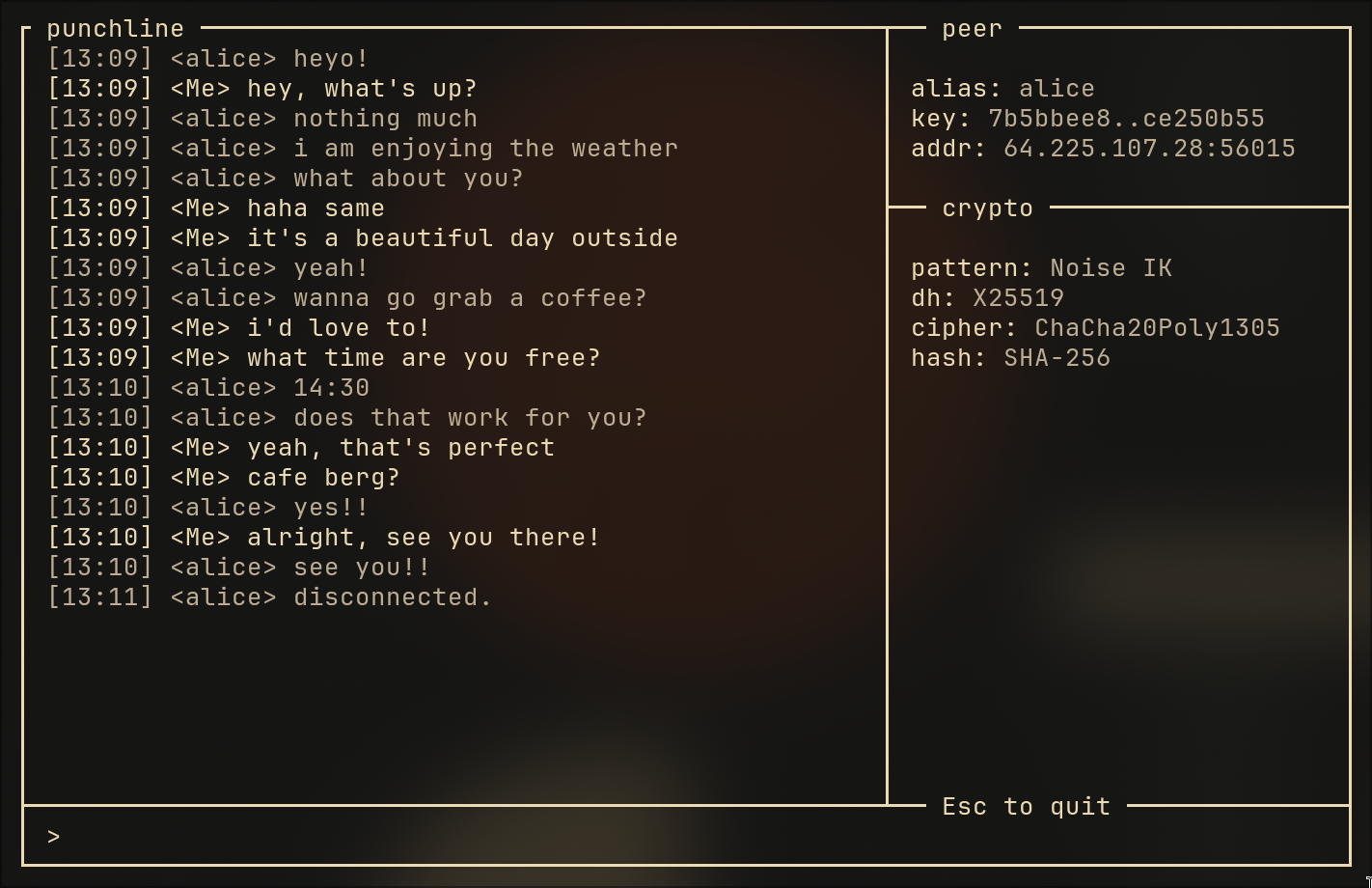
End-to-end encrypted peer-to-peer chat over UDP. No accounts, no central server relaying/storing messages, no middleman. Just two peers, a direct connection, and Noise protocol encryption.
https://github.com/user-attachments/assets/939e96d3-45e3-4484-9a27-28c3a0457b05
Two people run punchline connect <peer> on their machines. Punchline punches through their NATs, performs an encrypted handshake, and drops them into a private chat - all in a few milliseconds. The included STUN and signal servers handle discovery, then get out of the way.
cargo build --release
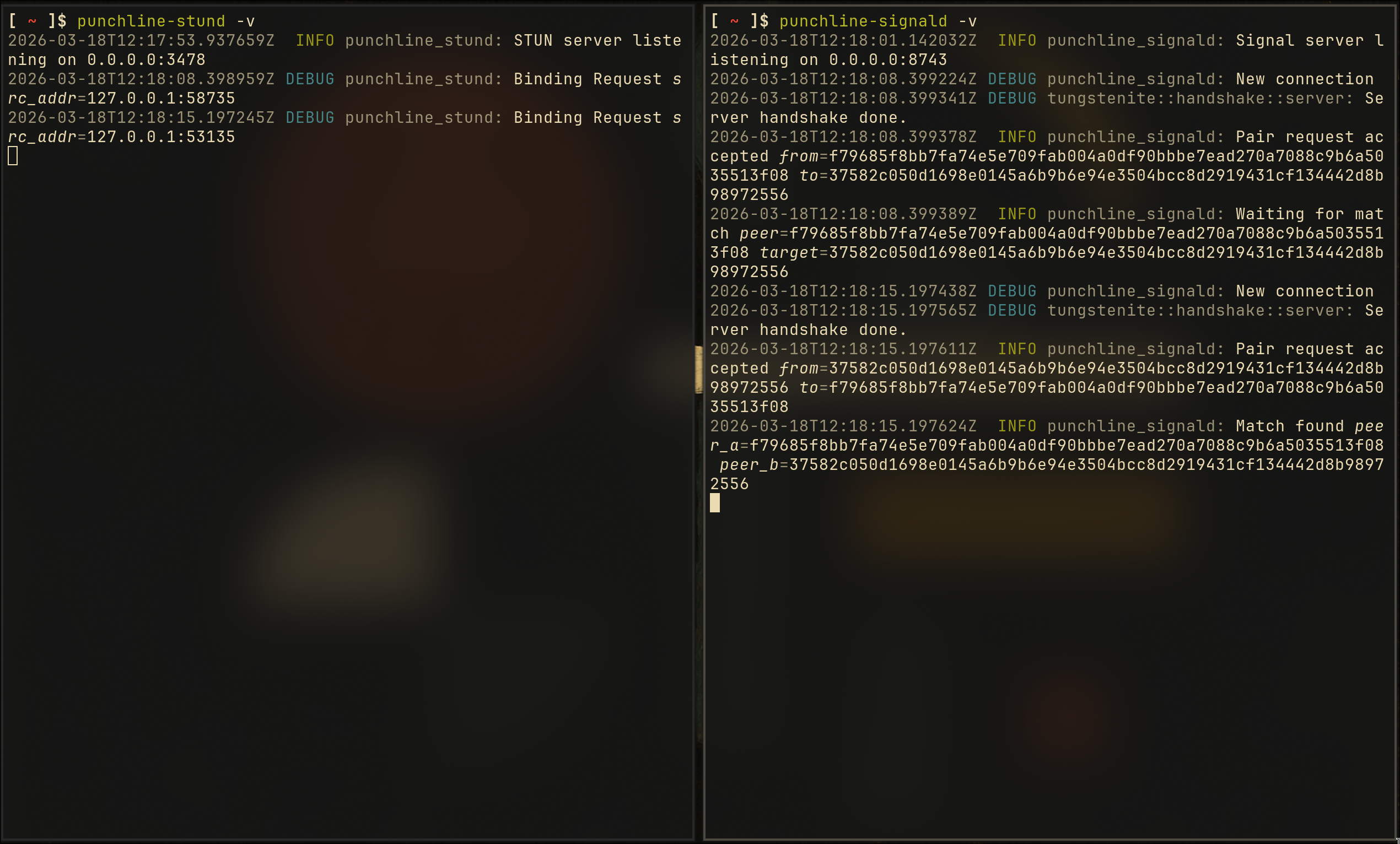
Start the servers (on a machine both peers can reach), or use my public ones hosted at 64.225.107.28 (STUN: port 3478, signaling: port 8743):
punchline-stund                  # STUN server - tells peers their public IP
punchline-signald                # Signal server - matches peers who want to talk
On each peer's machine:
# Generate your identity (X25519 keypair)
punchline keygen

# Share your public key with your peer
punchline pubkey

# Save their key
punchline peers add alice a1b2c3d4...64_hex_chars

# Connect (both peers run this, targeting each other)
punchline connect alice --stun <server>:3478 --signal <server>:8743
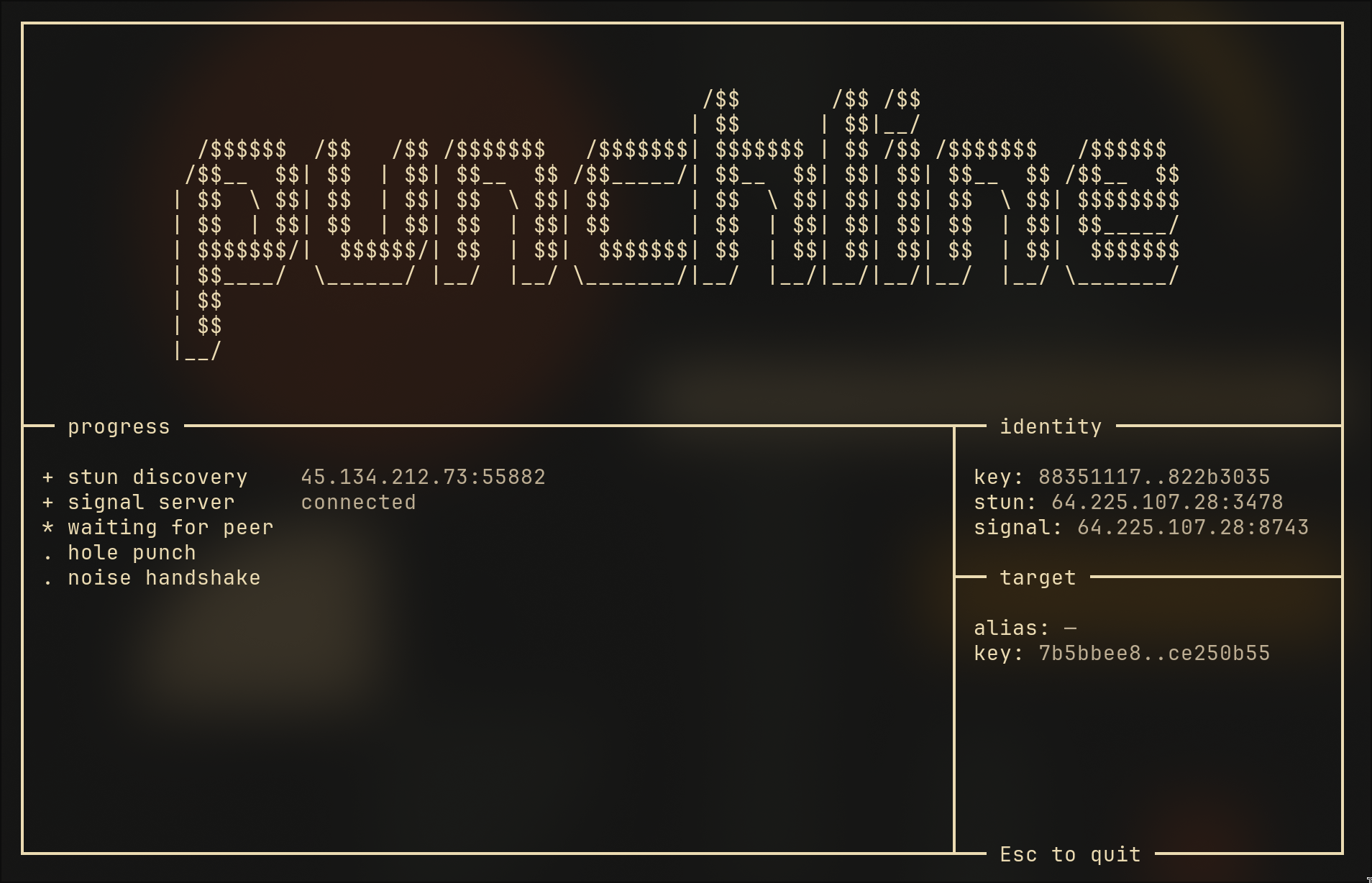
The TUI launches with a live connection progress view:
STUN discovery - resolving your external address via punchline-stund
Signal server - connecting to punchline-signald
Waiting for peer - signal server matches both peers
Hole punch - establishing the direct UDP path
Noise handshake - encrypted key exchange
Once complete, you're in the chat. Type and press Enter. Press Esc to quit.
The entire system consists of three binaries, all included in this repo:
| Binary | Role | When used |
|---|---|---|
punchline-stund | STUN server (UDP) - responds with the client's external IP:port | During setup only |
punchline-signald | Signal server (WebSocket) - matches peers and exchanges addresses | During setup only |
punchline | The messenger itself - CLI, TUI, crypto, hole punching | Always |
After the initial setup, the STUN and signal servers are no longer contacted. Everything flows directly peer-to-peer.
punchline| Command | Description |
|---|---|
keygen [--force] [-i path] | Generate a new X25519 identity keypair. Use --force to overwrite without prompting. Use -i to specify output path. |
pubkey [-i path] | Print your public key (64 hex characters). Use -i to derive from a specific key file. |
connect <peer> [-i path] [--stun addr] [--signal addr] | Connect to a peer by alias or raw hex key. Use -i to specify identity key. Launches the TUI. |
peers | List all known peers. |
peers add <name> <key> | Save a peer's public key under a nickname. |
peers remove <name> | Remove a peer by nickname. |
config path | Print the config file path. |
config show | Show current configuration values. |
status | Show identity, config, server reachability, and peer count. |
completions <shell> | Generate shell completions (bash, zsh, or fish). |
Global flags:
| Flag | Description |
|---|---|
-v | Increase log verbosity (-v = debug, -vv = trace). |
-q, --quiet | Suppress all log output. |
punchline-stund| Flag | Description |
|---|---|
--address <addr> | Bind address (default: 0.0.0.0). |
--port <port> | Bind port (default: 3478). |
-v / -vv | Debug / trace logging. |
-q | Quiet mode. |
punchline-signald| Flag | Description |
|---|---|
--address <addr> | Bind address (default: 0.0.0.0). |
--port <port> | Bind port (default: 8743). |
-v / -vv | Debug / trace logging. |
-q | Quiet mode. |
Instead of passing --stun and --signal every time, create ~/.config/punchline/config.toml:
stun_server = "203.0.113.10:3478"
signal_server = "203.0.113.10:8743"
punchline peers                              # list all
punchline peers add alice a1b2c3d4...        # add
punchline peers remove alice                 # remove
Aliases are stored in ~/.punchline/known_peers.toml. You can also connect with a raw 64-char hex key directly.
punchline status
Shows your identity, config, server reachability (sends a real STUN probe and TCP connect), and peer count.
Both servers support -v (debug), -vv (trace), -q (quiet), --address, and --port:
punchline-stund -v --port 3478
punchline-signald -v --port 8743
Customize the TUI via ~/.config/punchline/style.toml
Styles used in the video:
[colors]
my_text = "#ebdbb2"
peer_text = "#bdae93"
input_text = "#ebdbb2"
border = "#ebdbb2"
sidebar_key = "#ebdbb2"
sidebar_value = "#bdae93"

[padding]
chat_horizontal = 2
chat_vertical = 1
All colors are hex RGB. If the file is absent, the terminal's default colors are used.
punchline completions bash > ~/.local/share/bash-completion/completions/punchline
punchline completions zsh > ~/.zfunc/_punchline
punchline completions fish > ~/.config/fish/completions/punchline.fish
Full protocol name: Noise_IK_25519_ChaChaPoly_SHA256
| Component | Role |
|---|---|
| Noise IK | Handshake pattern - initiator knows responder's public key. Completes in 2 messages. |
| X25519 | Elliptic-curve Diffie-Hellman key exchange (RFC 7748). 128-bit security, constant-time. |
| ChaCha20-Poly1305 | AEAD cipher for message encryption (RFC 8439). Same cipher used in TLS 1.3 and WireGuard. |
| SHA-256 | Used internally by Noise for key derivation and handshake hashing. |
The IK pattern means the initiator knows the responder's static public key before the handshake begins. Both peers already have each other's keys (exchanged out-of-band or via the peer registry), so no trust-on-first-use is required.
