 mgeeky/packmypayload
A PoC that packages payloads into output containers to evade Mark-of-the-Web flag & demonstrate risks associated with container file formats. Supports: ZIP, 7zip, PDF, ISO, IMG, CAB, VHD, VHDX

PackMyPayload - Emerging Threat of Containerized MalwareThis tool takes a file or directory on input and embeds them into an output file acting as an archive/container. It can serve purpose for a Proof-of-Concept presenting emerging risk of container file formats with embedded malware, as well as helper for professional Red Team Operators to sharpen their Initial Access maneuvers.
Currently Threat Actors are known to smuggle their malware archived in various container file formats, to name a few:
7zipzipISOIMGThey do that to get their payloads pass file content scanners, but more importantly to avoid having Mark-Of-The-Web flag on their files. There're various motives on why adversaries don't want MOTW on their files: Protected View in Microsoft Office was always among them.
Should they provide container file to their victims, a foundation for disabling VBA macros in Internet-originated Office documents might be bypassed.
On Feb, 7th Microsoft announced default configuration change to block VBA macros originating from Internet. This is an incredible step towards hardening the baseline configuration of User's workstation and the client software installed within. Arguably overdue, yet an important step dramatically affecting in a positive way typical Windows+Office installation setups.
The implemented behavior is explained to work by differentating macro-enabled Office documents based on the MOTW (Mark of the Web) flag. That flag acts as a tainted label available for software clients (browsers, mail clients, file archivers, etc) to mark files originating from untrusted areas like The Internet.
Outflank shed more light on MOTW, back in 2020 by indicating areas where MOTW flag is not uniformly propagated. These areas serve defense gap role and are commonly abused by threat actors since years by now.
Their research disclosed, that some container file formats - namely ISO, VHD/VHDX - do not propagate MOTW taint flag onto inner files upon auto-mount or auto-extraction. Moreover, Windows 8+ is able to open these formats automatically upon double-click, making them notorius infection carriers, possibly devaluing MOTW in its security measure role.
Lets present how Mark of the Web flag looks like in practice:
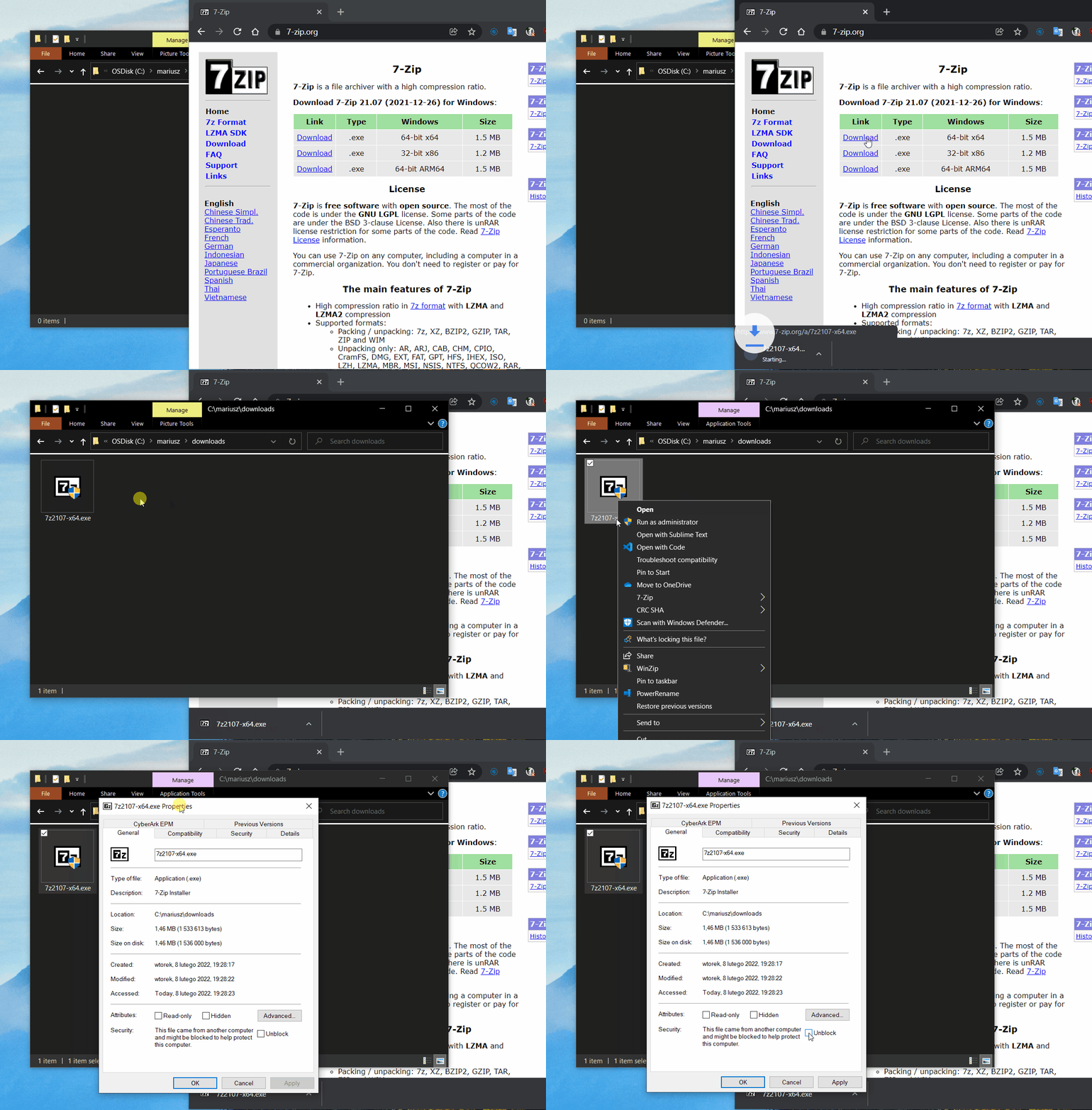
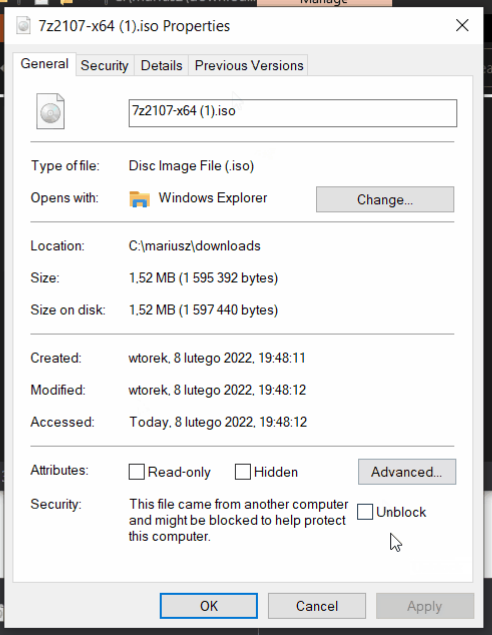
After downloading a file, right click on it and review its properties.
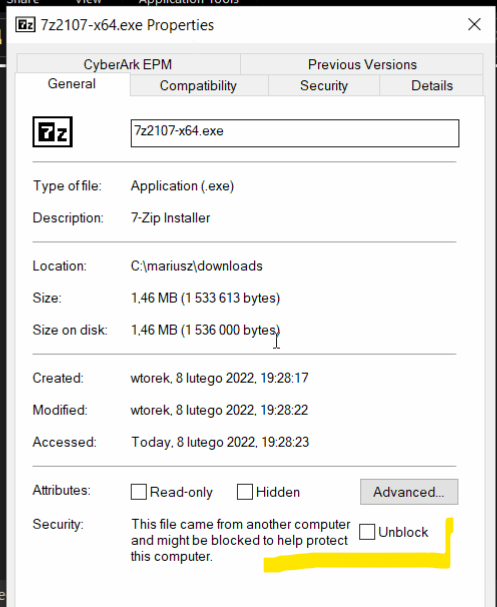
You'll see a message prompting to Unblock the file, because it originates from an untrusted zone.:
That information is stored in NTFS ADS (Alternate Data Stream) named Zone.Identifier which looks as follows:
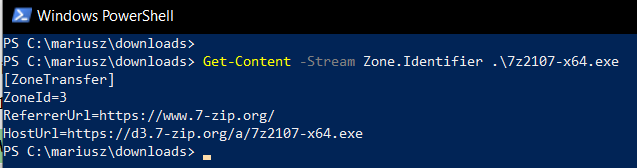
The ZoneId=3 plays the role of marking file tainted.
Using PackMyPayload.py emplace the file into an ISO Joliet disk easily with a command:
PS> py PackMyPayload.py 7z2107-x64.exe 7z2107-x64.iso
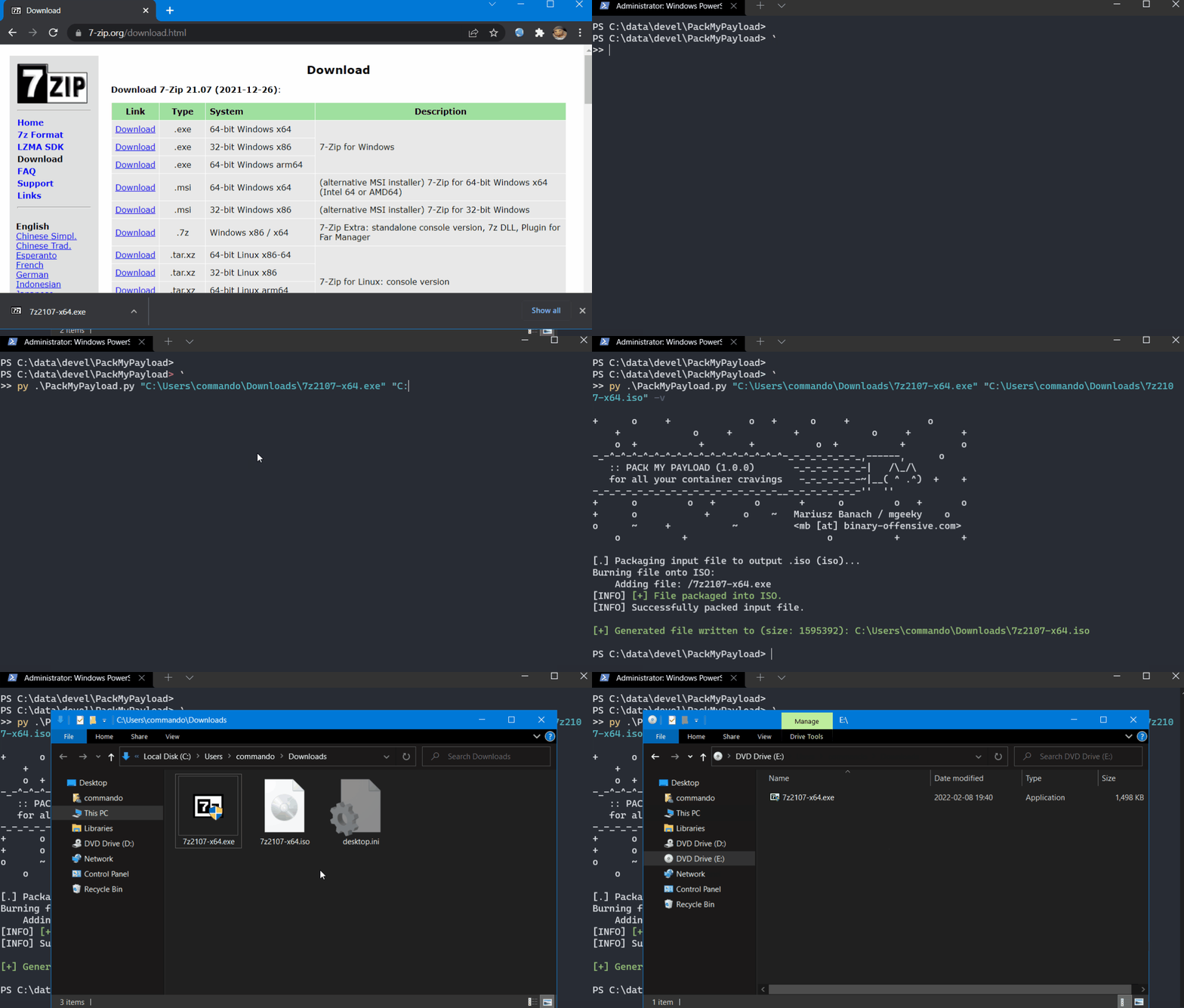
Having created ISO file, mimic a HTTP server using Python:
PS> py -m http.server 80
and then download the ISO file using your Browser.
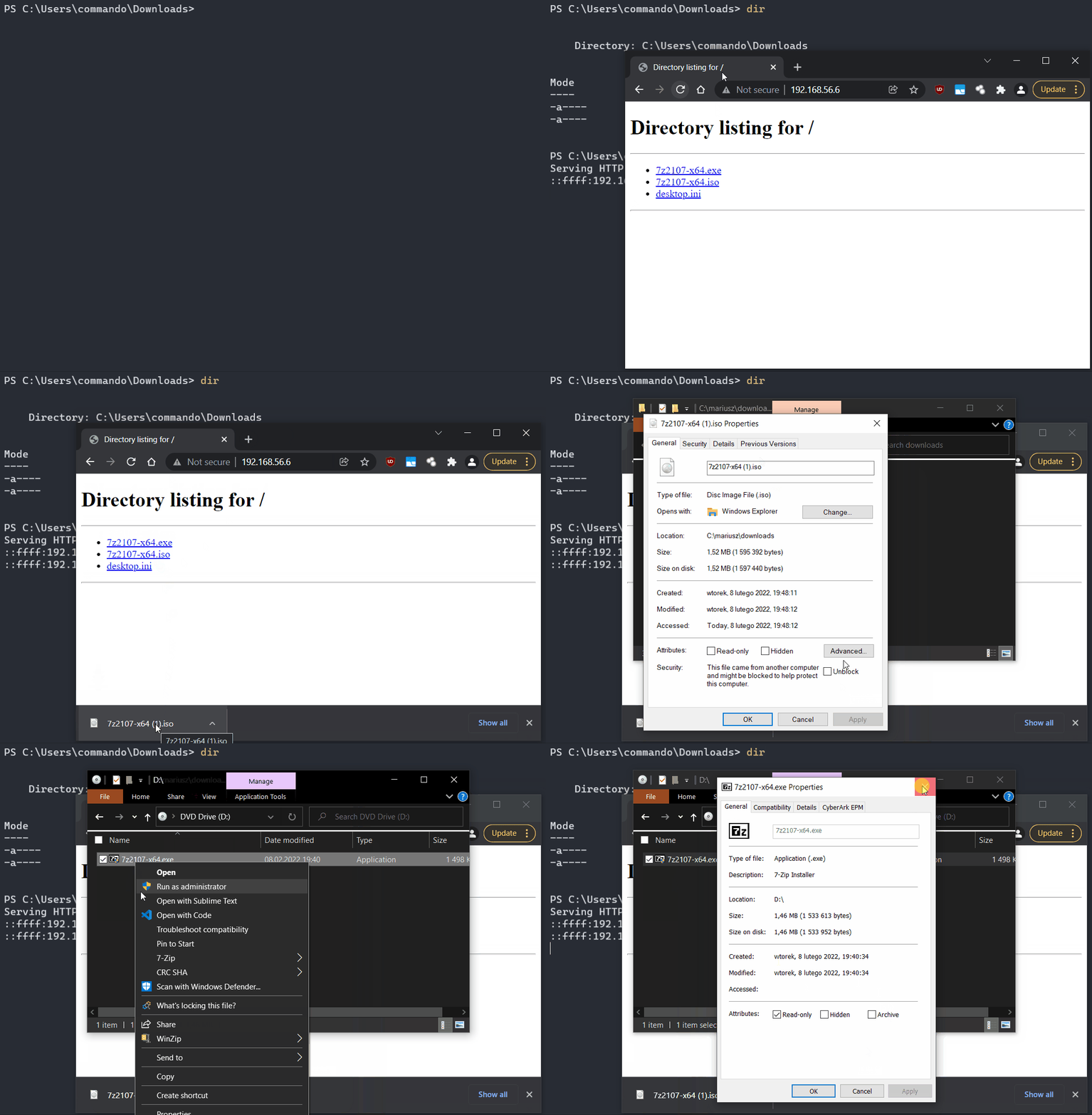
When you review Properties of that ISO file, you'll see its marked with MOTW flag.
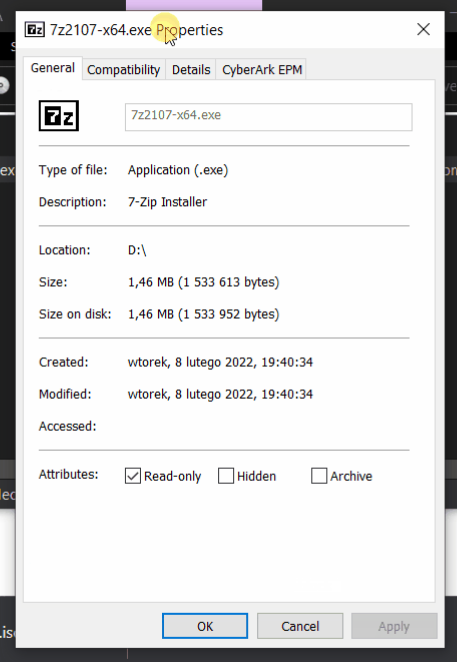
However, the inner 7zip installer EXE file is not MOTW-marked!
Using the occassion that Industry's eyes are turned on Microsoft's brave decision to block VBA Macros, we, professional Security Researchers taking the utmost consideration on increasing World's technologies resielience against their misuse, want to add following insight into current Threat Actor TTPs:
Threat Actors are well aware of the impact MOTW has on their phishing payloads. They've adapted long time ago and are now smuggling their malicious programs inside of containers. Among the most commonly observed ones we can highlight are ISO, IMG, CAB.
I am now releasing this tool to increase the momentum built on Microsoft's stand and to help intensify discussions on these evasion avenues.
It is advised to contain (and/or block) files having above listed extensions whenever they originate from untrusted zones & wherever applicable:
The tool released will hopefully enable more Red Teams to simulate discussed risks and help them identify detection gaps within their Partners defenses more easily.
This script offers following treats & goodies:
Formats supported:
| Format | Strips MOTW? | Off the shelf Windows support? | Elevation required? | Remarks |
|---|---|---|---|---|
Zip | No/Yes* | Yes | No | (MOTW stripped with CVE-2022-41091) |
7zip | Partially | No | No | MOTW stripped only on manual files extraction |
ISO | Yes | Yes | No | |
IMG | Yes | Yes | No | |
PDF | ? | Yes | No | Depends on Javascript support in PDF reader |
CAB | No | Yes | No | Requires few additional clicks on victim-side |
VHD | Yes | Yes | Yes | This script currently can't make directories |
VHDX | Yes | Yes | Yes | This script currently can't make directories |
--zip-noreadonly given.cmd> pip3 install -r requirements.txt
PS> py PackMyPayload.py C:\my\dir malicious.iso -v
