 mgeeky/decode-spam-headers
A script that helps you understand why your E-Mail ended up in Spam

Whether you are trying to understand why a specific e-mail ended up in SPAM/Junk for your daily Administrative duties or for your Red-Team Phishing simulation purposes, this script is there for you to help!
Idea arose while delivering a commercial Phishing Simulation exercises against MS Office365 E5 estate, equipped with MS Defender for Office365. As one can imagine, pretty tough security stack to work with from a phishing-simulation perspective. After digging manually through all these Office365 SMTP headers and trying to cherry-pick these SCL values, time come to write up a proper parser for SMTP headers.
Time went by, I was adding support for more and more SMTP headers - and here we have it. Tool that now comprehends tens of different headers.
This tool accepts on input an *.EML or *.txt file with all the SMTP headers. It will then extract a subset of interesting headers and using 105+ tests will attempt to decode them as much as possible.
This script also extracts all IPv4 addresses and domain names and performs full DNS resolution of them.
Resulting output will contain useful information on why this e-mail might have been blocked.
In order to embellish your Phishing HTML code before sending it to your client, you might also want feed it into my phishing-HTML-linter.py. It does pretty decent job finding bad smells in your HTML that will get your e-mail with increased Spam-score.
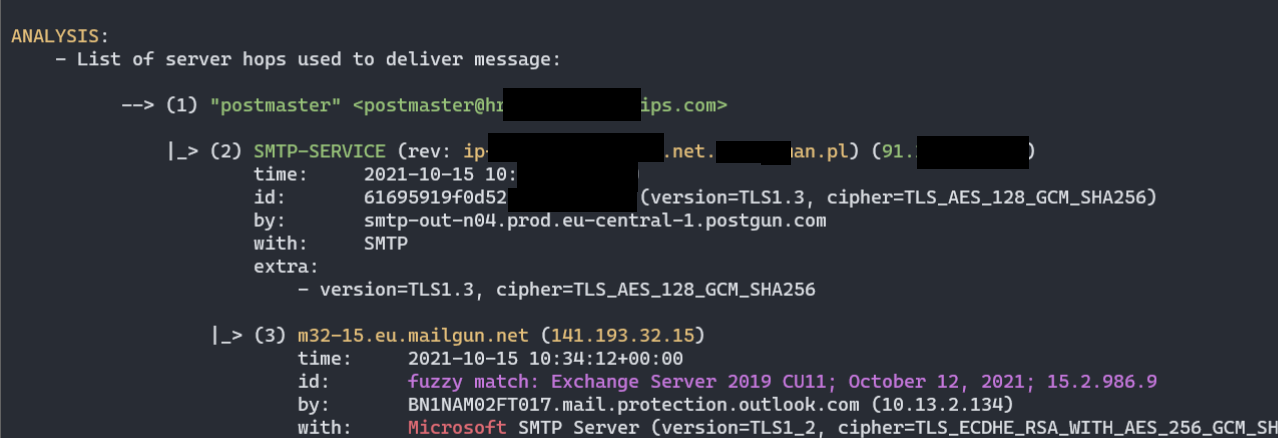
Received headers):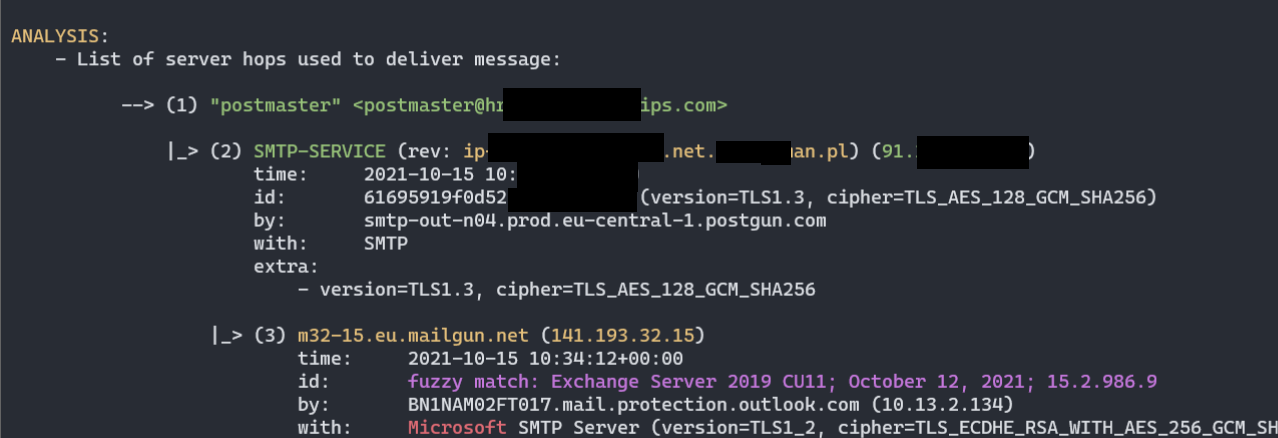
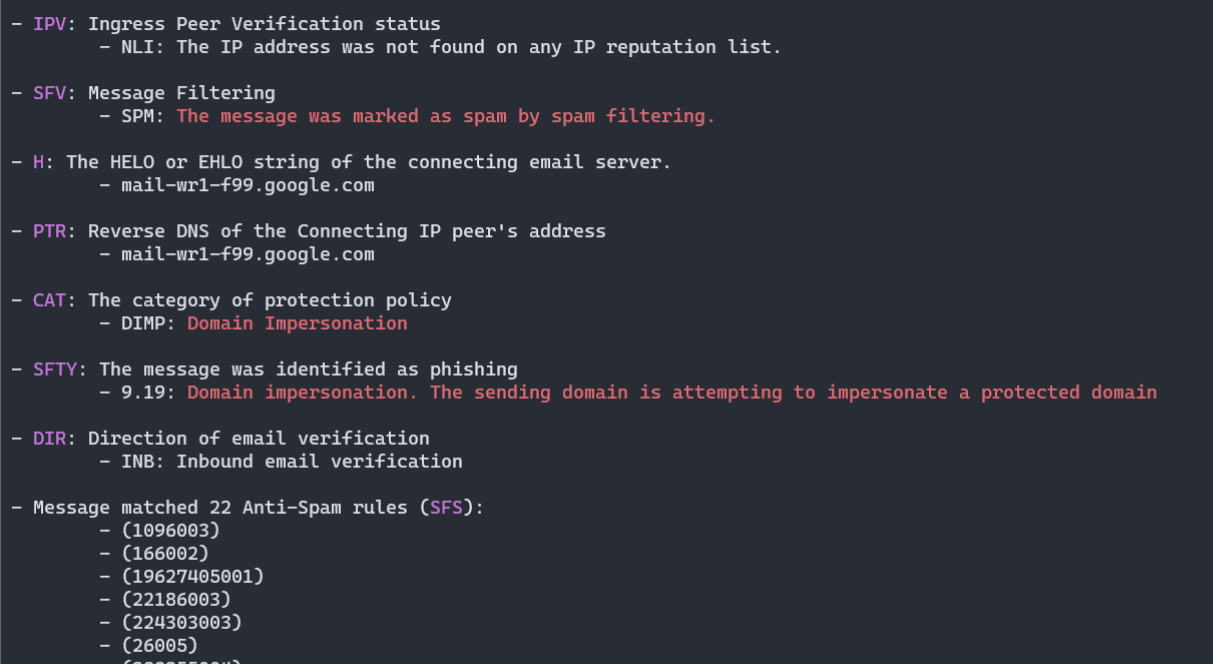
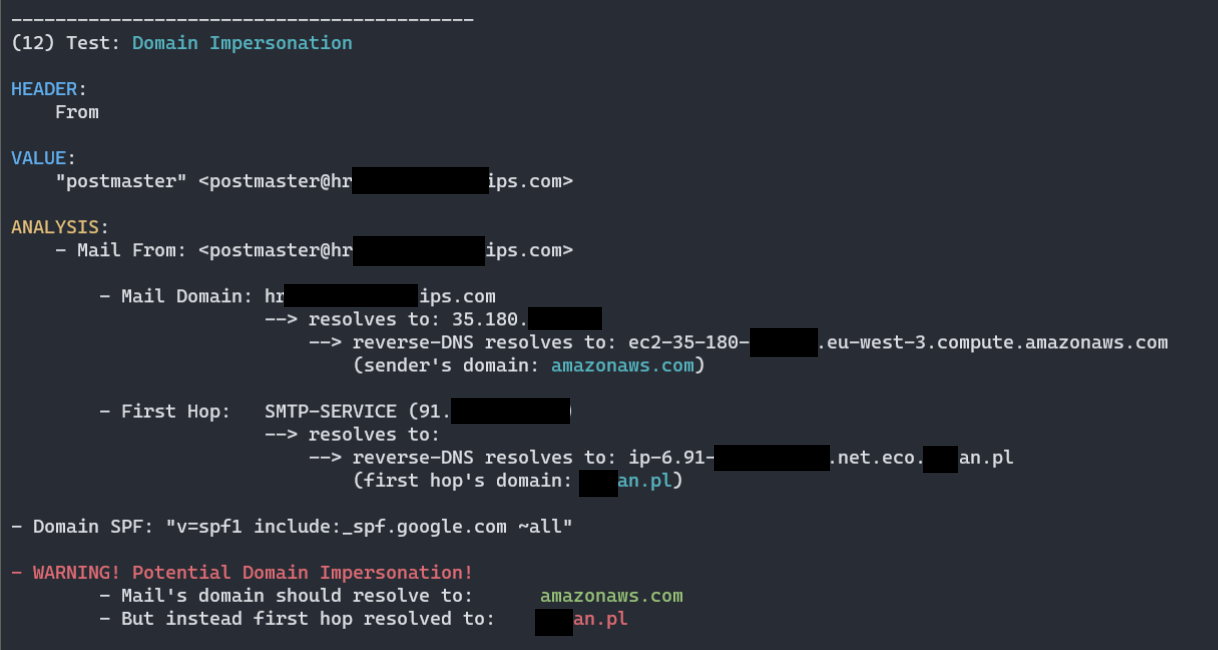

py decode-spam-headers.py headers.txt -f html -o report.html ):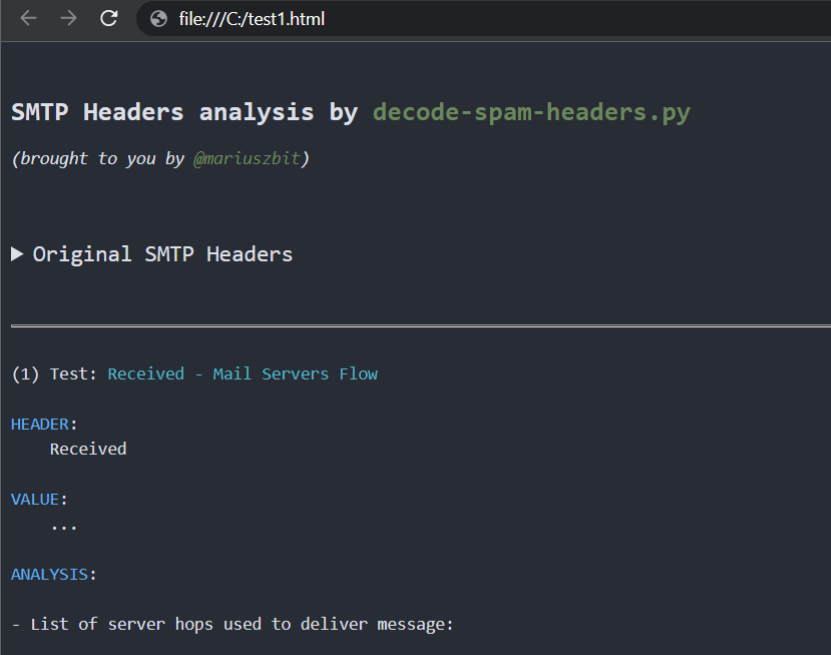
Processed headers (more than 85+ headers are parsed):
X-forefront-antispam-reportX-exchange-antispamX-exchange-antispam-mailbox-deliveryX-exchange-antispam-message-infoX-microsoft-antispam-report-cfa-testReceivedFromToSubjectThread-topicReceived-spfX-mailerX-originating-ipUser-agentX-forefront-antispam-reportX-microsoft-antispam-mailbox-deliveryX-microsoft-antispamX-exchange-antispam-report-cfa-testX-spam-statusX-spam-levelX-spam-flagX-spam-reportX-vr-spamcauseX-ovh-spam-reasonX-vr-spamscoreX-virus-scannedX-spam-checker-versionX-ironport-avX-ironport-anti-spam-filteredX-ironport-anti-spam-resultX-mimecast-spam-scoreSpamdiagnosticmetadataX-ms-exchange-atpmessagepropertiesX-msfblX-ms-exchange-transport-endtoendlatencyX-ms-oob-tlc-oobclassifiersX-ip-spam-verdictX-amp-resultX-ironport-remoteipX-ironport-reputationX-sbrsX-ironport-sendergroupX-policyX-ironport-mailflowpolicyX-remote-ipX-sea-spamX-fireeyeX-antiabuseX-tmase-versionX-tm-as-product-verX-tm-as-resultX-imss-scan-detailsX-tm-as-user-approved-senderX-tm-as-user-blocked-senderX-tmase-resultX-tmase-snap-resultX-imss-dkim-white-listX-tm-as-result-xfilterX-tm-as-smtpX-scanned-byX-mimecast-spam-signatureX-mimecast-bulk-signatureX-sender-ipX-forefront-antispam-report-untrustedX-microsoft-antispam-untrustedX-sophos-senderhistoryX-sophos-rescanX-MS-Exchange-CrossTenant-IdX-OriginatorOrgIronPort-DataIronPort-HdrOrdrX-DKIMDKIM-FilterX-SpamExperts-ClassX-SpamExperts-EvidenceX-Recommended-ActionX-AppInfoX-SpamX-TM-AS-MatchedIDX-MS-Exchange-EnableFirstContactSafetyTipX-MS-Exchange-Organization-BypassFocusedInboxX-MS-Exchange-SkipListedInternetSenderX-MS-Exchange-ExternalOriginalInternetSenderX-CNFS-AnalysisX-Authenticated-SenderX-Apparently-FromX-Env-SenderSenderMost of these headers are not fully documented, therefore the script is unable to pinpoint all the details, but at least it collects all I could find on them.
I'm making signifcant efforts to spot and understand different Office365 ForeFront Anti-Spam ruls (SFS, ENG) despite them not being publicly documented.
------------------------------------------
(5) Test: X-Forefront-Antispam-Report

HEADER:
    X-Forefront-Antispam-Report

VALUE:
    CIP:209.85.167.100;CTRY:US;LANG:de;SCL:5;SRV:;IPV:NLI;SFV:SPM;H:mail-lf1-f100.google.com;PTR:mail-l
    f1-f100.google.com;CAT:DIMP;SFTY:9.19;SFS:(4636009)(956004)(166002)(6916009)(356005)(336012)(19
    625305002)(22186003)(5660300002)(4744005)(6666004)(35100500006)(82960400001)(26005)(7596003)(7636003)(554460
    02)(224303003)(1096003)(58800400005)(86362001)(9686003)(43540500002);DIR:INB;SFTY:9.19;

[...]

        - Message matched 24 Anti-Spam rules (SFS):           <============ opaque anti-spam rules
                - (1096003)
                - (166002)
                - (19625305002)
                - (22186003)
                - (224303003)
                - (26005)
                - (336012)
                - (356005)
                - (35100500006)         - (SPAM) Message contained embedded image.
The process is purely manual and resorts to sending specifically designed mails to the Office365 mail servers and then manually reviewing and correlating collected rules.
Having sent more than 60 mails already, this is what I can tell by now about Microsoft's rules:
    #
    # Below rules were collected solely in a trial-and-error manner or by scraping any
    # pieces of information from all around the Internet.
    #
    # They do not represent the actual Anti-Spam rule name or context and surely represent
    # something close to what is understood (or they may have totally different meaning).
    #
    # Until we'll be able to review anti-spam rules documention, there is no viable mean to map
    # rule ID to its meaning.
    #

    Anti_Spam_Rules_ReverseEngineered = \
    {
        '35100500006' : logger.colored('(SPAM) Message contained embedded image.', 'red'),

        # https://docs.microsoft.com/en-us/answers/questions/416100/what-is-meanings-of-39x-microsoft-antispam-mailbox.html
        '520007050' : logger.colored('(SPAM) Moved message to Spam and created Email Rule to move messages from this particular sender to Junk.', 'red'),

        # triggered on an empty mail with subject being: "test123 - viagra"
        '162623004' : 'Subject line contained suspicious words (like Viagra).',

        # triggered on mail with subject "test123" and body being single word "viagra"
        '19618925003' : 'Mail body contained suspicious words (like Viagra).',
