
Skip to content
KitploitKITPLOIT
ToolsBlog
Submit
ToolsBlog
Submit

Hacking, PenTest, and Cybersecurity Tools for Your Security Arsenal!

Kitploit is a directory of hacking, cybersecurity, and pentesting tools. Discover the latest project updates to find vulnerabilities, analyze systems, automate testing, and strengthen your security.

··Feeds·Contact·Privacy·© 2026 Kitploit

Tool Directory

Categories

View all categories
Loading categories
ngrev — Tool for reverse engineering of Angular applications | Kitploit
Tools/GitHubGitHub/mgechev/ngrev
Static Code Analysis (SAST)Code AnalysisReverse Engineering
GitHubmgechev/ngrev

ngrev

Tool for reverse engineering of Angular applications
View Repository
1.6k1043 years agoReviewed by Kitploit

Most Popular

View all →

Discover the most used tools by our community.

Explore all tools

Browse our collection of tools

View all tools →
Share

ngrev

ngrev

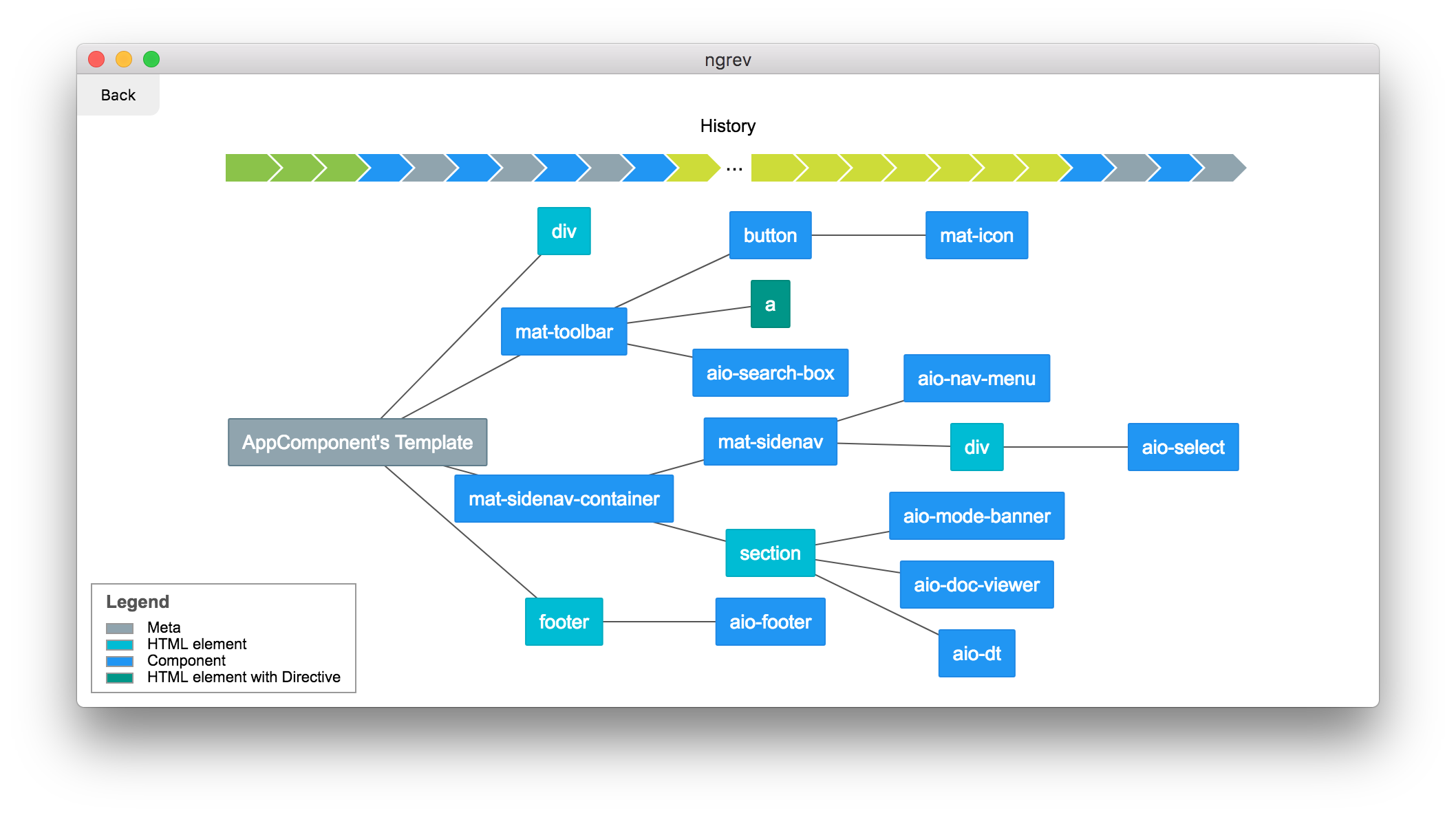
Graphical tool for reverse engineering of Angular projects. It allows you to navigate in the structure of your application and observe the relationship between the different modules, providers, and directives. The tool performs static code analysis which means that you don't have to run your application in order to use it.

ngrev is not maintained by the Angular team. It's a side project developed by the open source community.

How to use?

macOS

  1. Go to the releases page.
  2. Download the latest *.dmg file.
  3. Install the application.

The application is not signed, so you may have to explicitly allow your mac to run it in System Preferences -> Security & Privacy -> General.

Linux

  1. Go to the releases page.
  2. Download the latest *.AppImage file.
  3. Run the *.AppImage file (you may need to chmod +x *.AppImage).

Windows

  1. Go to the releases page.
  2. Download the latest *.exe file.
  3. Install the application.

Creating a custom theme

You can add your own theme by creating a [theme-name].theme.json file in Electron [userData]/themes. For a sample theme see Dark.

Application Requirements

Your application needs to be compatible with Angular Ivy compiler. ngrev is not tested with versions older than v11. To stay up to date check the update guide on angular.io.

Using with Angular CLI

  1. Open the Angular's application directory.
  2. Make sure the dependencies are installed.
  3. Open ngrev.
  4. Click on Select Project and select [YOUR_CLI_APP]/src/tsconfig.app.json.

Demo

Demo here.

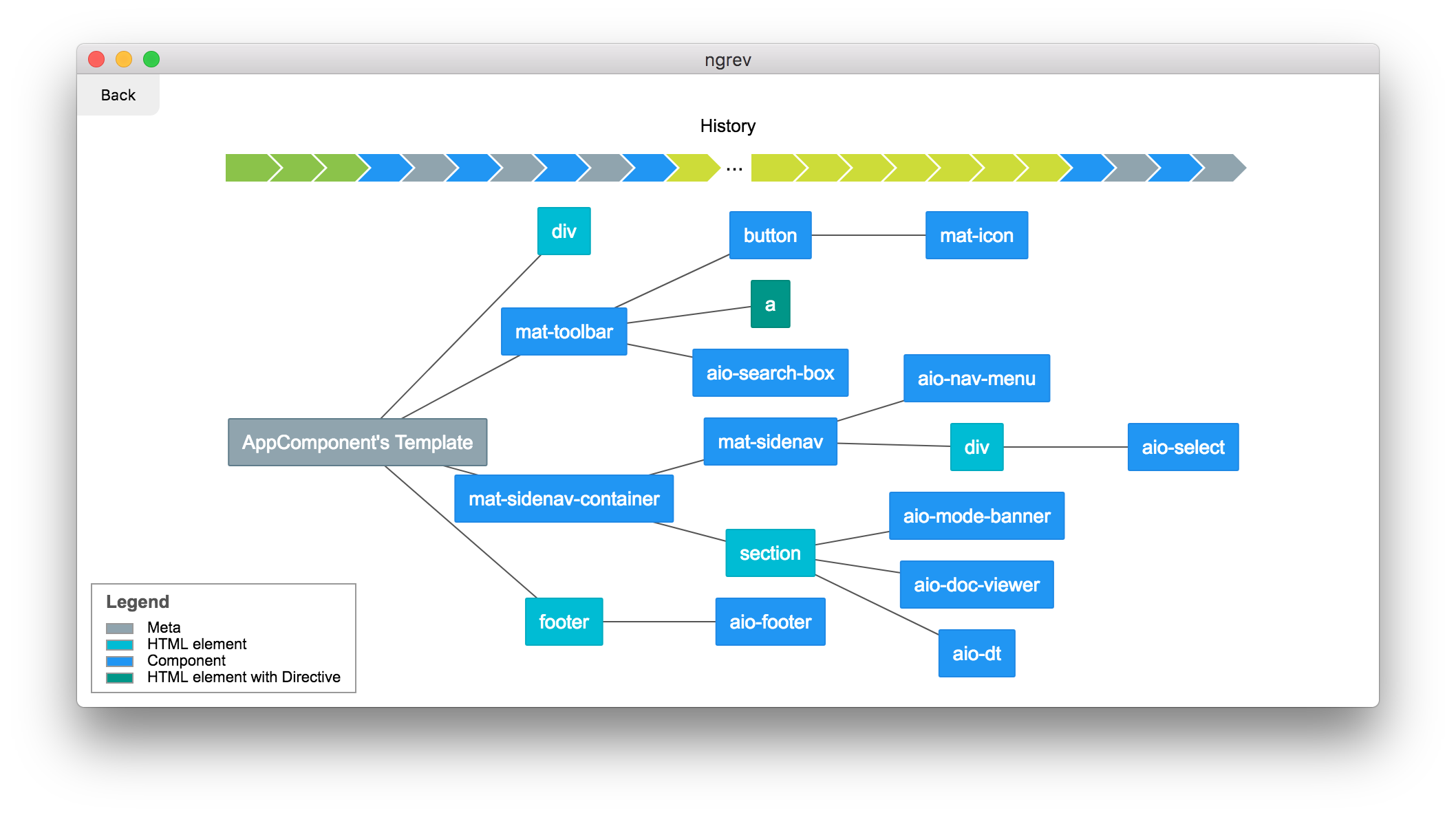
Component template

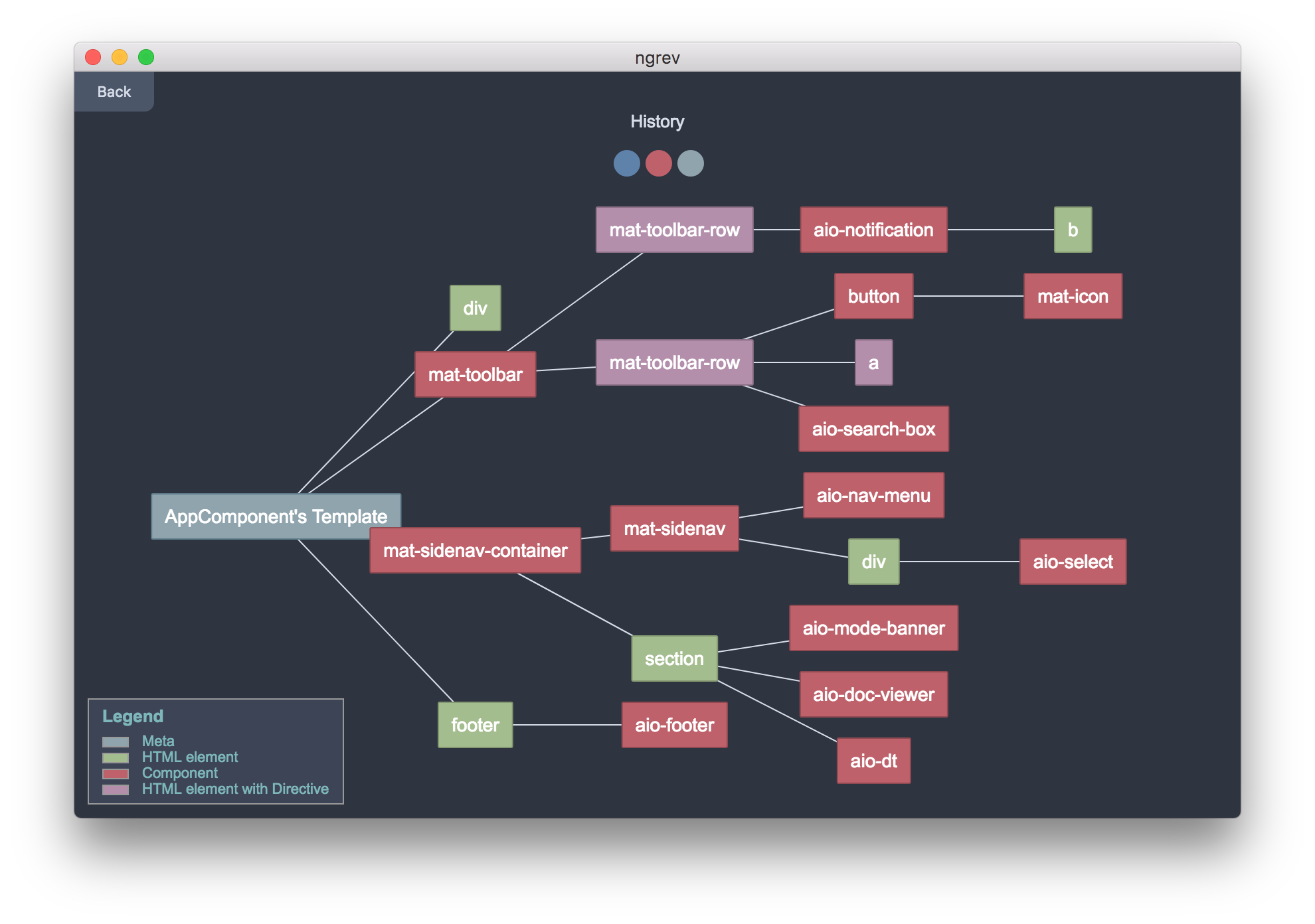
Themes

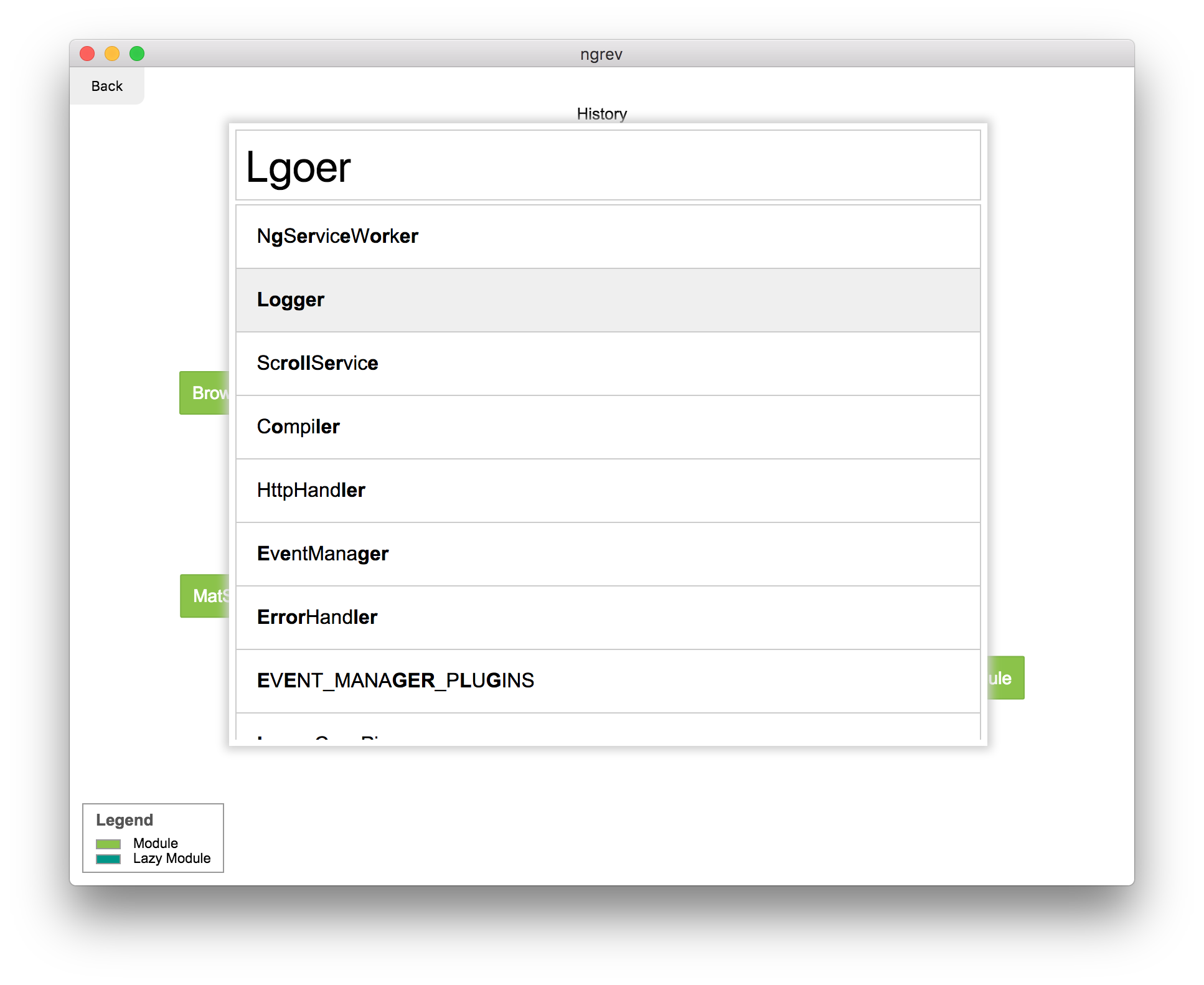
Command + P

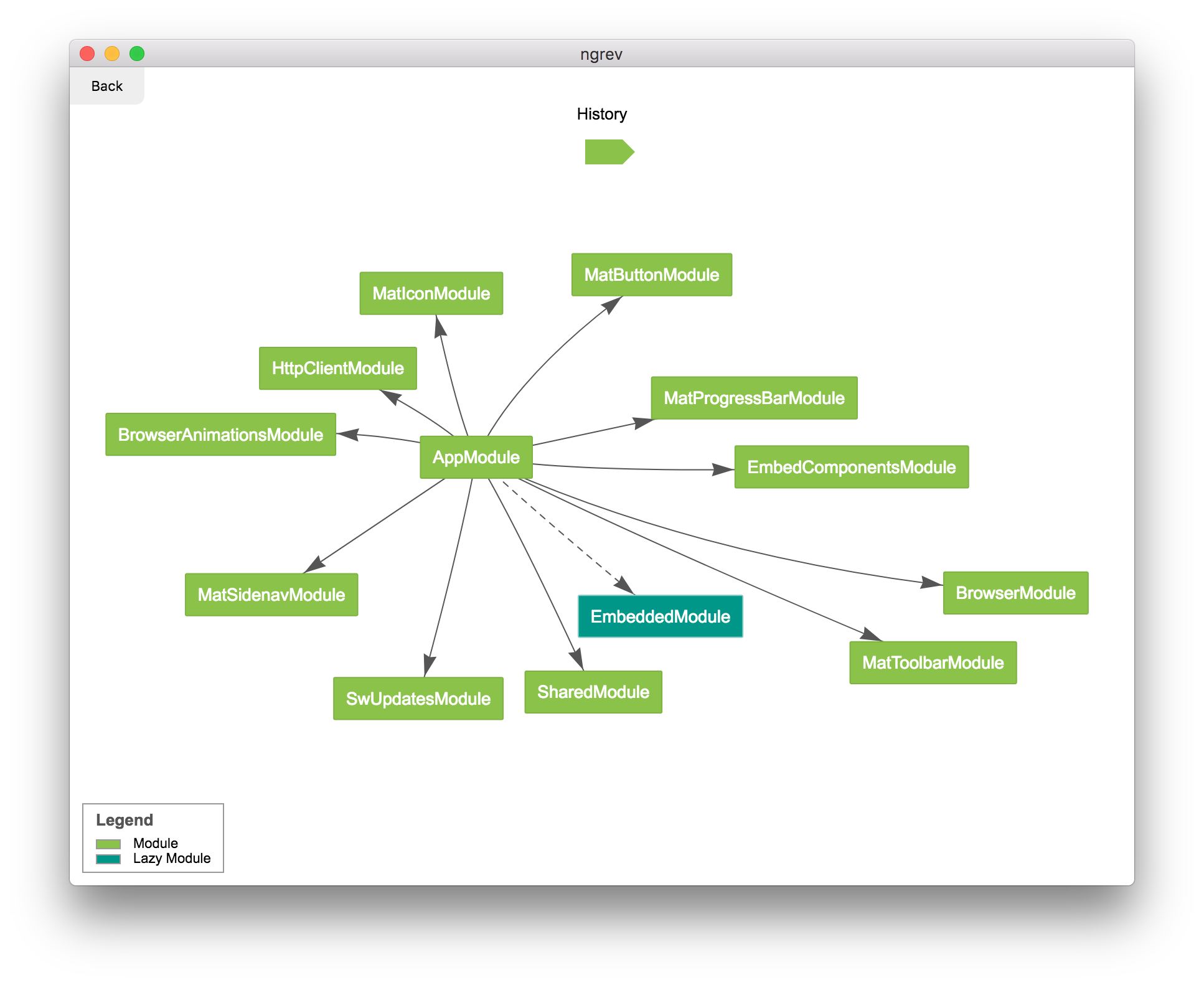
Module Dependencies

Release

To release:

  1. Update version in package.json.
  2. git commit -am vX.Y.Z && git tag vX.Y.Z
  3. git push && git push --tags

Contributors

mgechevvik-13
mgechevvik-13

License

MIT

Download Tool