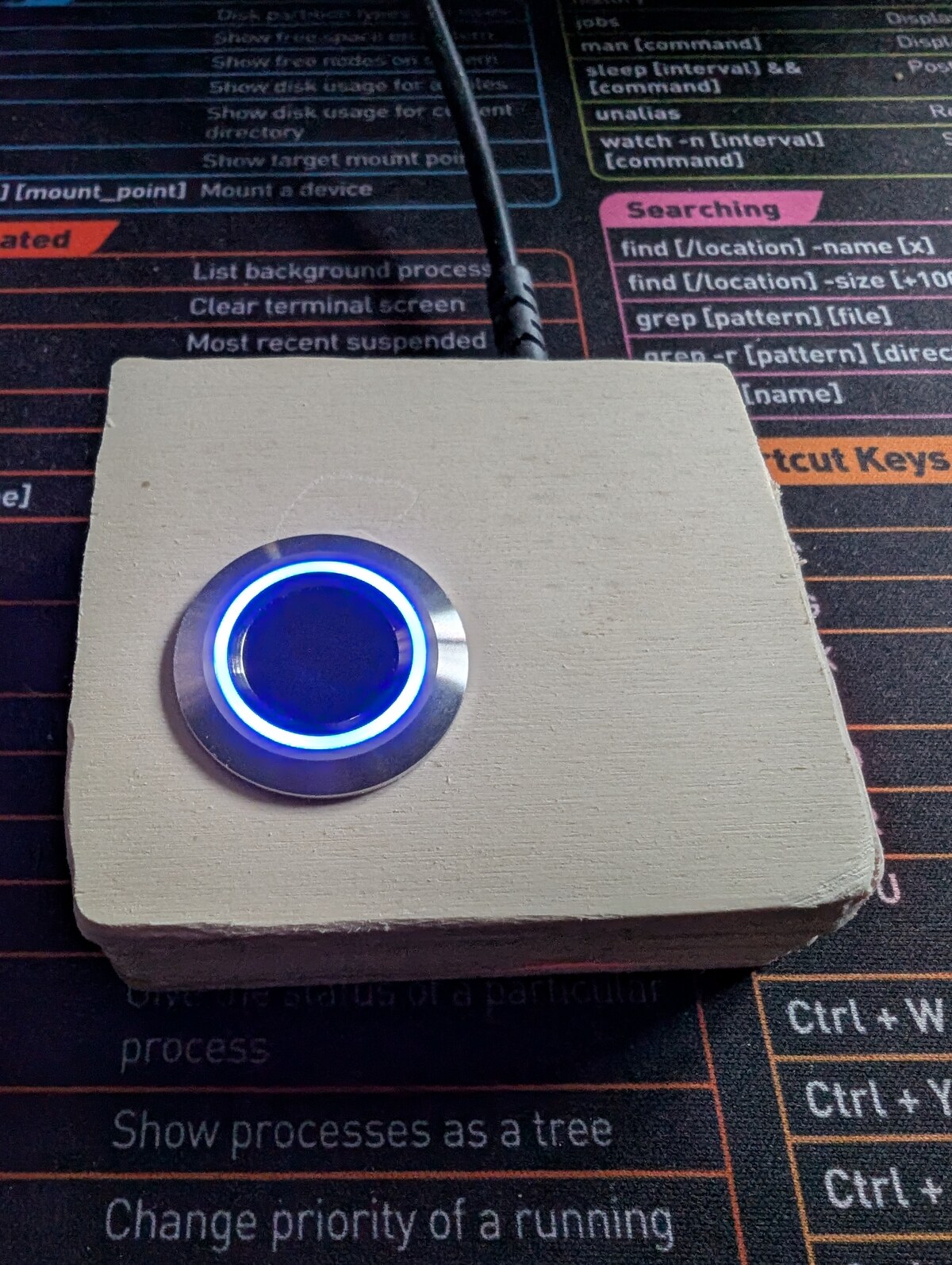

Linux desktop fingerprint login using a Grow R503 sensor + Arduino + a Rust fprintd-replacement daemon
A from-parts USB fingerprint reader for Linux desktops. Total parts cost
under $15. Drop-in replacement for upstream fprintd — PAM, KDE Settings,
GNOME Settings, fprintd-verify, sudo with finger, screen-unlock with
finger all work.
As of fw=1.0 / r503d 1.0.0 the Arduino↔host wire is authenticated:
every command and response carries a SipHash-2-4 MAC keyed to a
TOFU-paired secret in EEPROM. Replay and hot-swap attacks against the USB
serial link are blocked. See SPEC.md §13 for the full design,
including what the threat model doesn't cover.
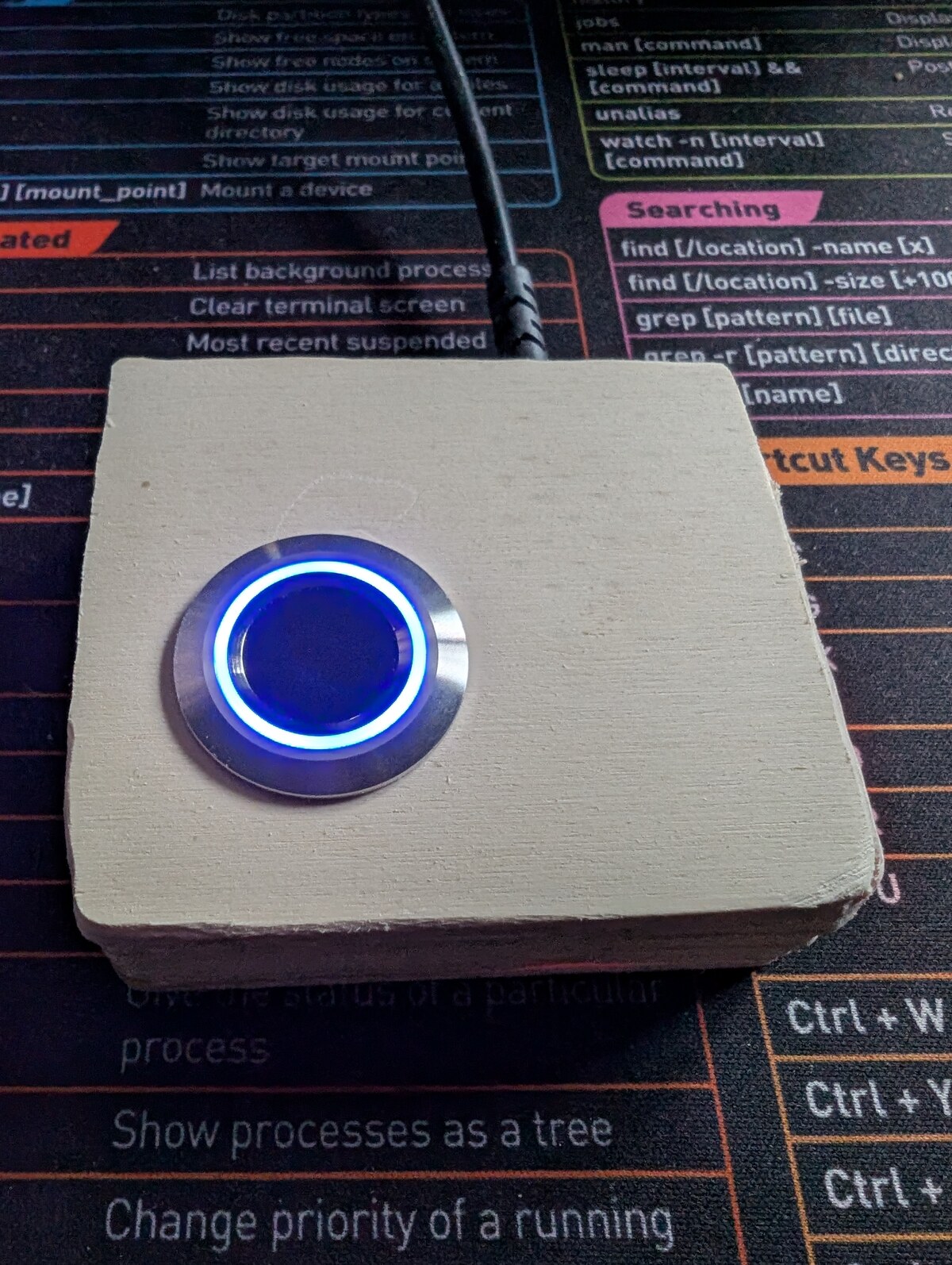
wish I had a 3d printer…
┌──────────┐ UART ┌─────────────┐ USB-CDC ┌──────────────────┐
│ Grow │ 57600 8N1│ Arduino │ /dev/r503 │ r503d daemon │
│ R503 │◀─────────▶│ (firmware) │◀──────────▶│ net.reactivated │
│ sensor │ 3.3V TTL │ │ framed, │ .Fprint on D-Bus│
└──────────┘ └─────────────┘ MAC'd └──────────────────┘
│
▼
PAM, KDE, GNOME,
fprintd-verify, …
Hardware USB fingerprint readers for Linux are scarce, expensive, and the ones that exist (Validity, Synaptics, etc.) are reverse-engineered through unstable libfprint drivers that break with vendor firmware updates. The Grow R503's protocol is public, the Arduino side is your own code, and the libfprint compatibility layer is just D-Bus.
You also end up with a fingerprint reader you can read the source of, top to bottom.
| Part | Notes | Approx cost |
|---|---|---|
| Grow R503 capacitive fingerprint sensor | The round one with the RGB ring | ~$10 |
| Arduino Uno R3 / Nano / Mega / any ATmega328 board | Anything that runs SoftwareSerial | $5–$25 |
| 4–6 jumper wires |
That's it. No level shifter, no voltage divider — see SPEC.md §3.1
for why (the R503's RX line is 5V-tolerant in practice; the datasheet lies).
R503 Arduino (Uno R3 / Nano / etc.)
---- ------------------------------
Red (VCC) 3V3
White (3.3VT) 3V3 (touch-IC supply; shares rail with red)
Black (GND) GND
Yellow (TXD) D2 ── SoftwareSerial RX
Brown (RXD) D3 ── SoftwareSerial TX (direct — no divider!)
Blue (WAKEUP) D4 (optional; not used by firmware yet)
If your R503 ships with the JST-SH connector, snip a 6-pin JST-SH-to-Dupont pigtail to break the wires out. Brown is sometimes green depending on the seller — verify against the wire that goes into the RXD pin of the JST header, not the colour.
Tested on Fedora 44 KDE; should work on any systemd-based distro with
fprintd, pam_fprintd, and a recent Rust toolchain.
System packages:
| Distro | Build | Runtime |
|---|---|---|
| Fedora / RHEL | rust cargo arduino-cli tpm2-tss-devel | fprintd pam fprintd-pam tpm2-tss |
| Debian / Ubuntu | rustc cargo arduino-cli libtss2-dev | fprintd libpam-fprintd libtss2-esys-3.0.2-0 |
The tss-esapi packages are only needed if you plan to use --pair --seal-tpm
(SPEC §13.12). The daemon builds and runs without a TPM otherwise — tss-esapi
is a hard build dep but a soft runtime dep (the code path is only entered when
/var/lib/r503d/key.tpm exists).
Rust 1.95+, arduino-cli on your $PATH.
Do you have a TPM2?
ls /dev/tpmrm0 && tpm2_pcrread sha256:7 | head -3
If both succeed, your host can use the sealed-key path. If /dev/tpmrm0 is
missing (older hardware, TPM disabled in BIOS, or a VM without a virtual TPM),
stick with the default plaintext-key flow.
Open firmware/r503fp/r503fp.ino in the Arduino IDE and upload. Or with
arduino-cli:
# Uno R3:
arduino-cli compile --fqbn arduino:avr:uno firmware/r503fp/
arduino-cli upload --fqbn arduino:avr:uno --port /dev/ttyACM0 firmware/r503fp/
# Nano (modern Optiboot, including most Elegoo / WAVGAT clones):
arduino-cli compile --fqbn arduino:avr:nano:cpu=atmega328 firmware/r503fp/
arduino-cli upload --fqbn arduino:avr:nano:cpu=atmega328 --port /dev/ttyUSB0 firmware/r503fp/
# Nano with legacy 57600-baud bootloader (older clones):
# replace `cpu=atmega328` with `cpu=atmega328old`
The firmware uses Adafruit_Fingerprint. The IDE will offer to install it
on first compile.
If arduino-cli upload fails with not in sync: resp=0x7e, your bootloader
is the other variant — swap atmega328 ↔ atmega328old and retry. Both
work; the difference is just bootloader baud rate.
Requires Rust 1.95+.
cd pcside/daemon
cargo build --release
sudo bash pcside/daemon/dist/install.sh
That script:
target/release/r503d to /usr/local/bin/r503d/var/lib/r503d/ (mode 0700 root:root) for the key, state, and
user-slot registry/dev/r503 and locks the
device node to root:root 0600 (only the daemon, running as root, needs it;
this closes the default 0660 root:dialout path so no other local user can
open the port — security audit 2026-05-28 / H1). Consequence: after
install, any manual arduino-cli/serial-monitor command against /dev/r503
needs sudo./etc/systemd/system/r503d.service)net.reactivated.Fprint/usr/share/polkit-1/actions/net.reactivated.fprint.device.r503d.policy)
used by the caller-identity gateIt's idempotent — re-run it after every cargo build --release to
redeploy the new binary.
A freshly-flashed Nano is unpaired — the daemon would talk to it but the firmware would reject every framed command. Pick one of the two flows below; both end with a paired Nano and a working daemon. The TPM-sealed flow is recommended if your host has a TPM2 (see Prerequisites for the quick check).
The opt-in file (/etc/r503d/allow-pair) used in both flows exists to
defeat an attacker racing to your desk with their own Nano — pairing
without root is impossible. r503d --pair deletes the marker before
sending the key to the Nano: if the host crashes between Nano-side commit
and host-side persistence, the gate is already closed, so the next pair
attempt requires admin to touch the marker again. A pre-send bail
(no marker, or "already paired") leaves the marker intact for retry.
Use this if you don't have a TPM2 device, or if you don't need offline-disk attack resistance.
sudo systemctl stop r503d
sudo mkdir -p /etc/r503d
sudo touch /etc/r503d/allow-pair # opt-in (see SPEC §13.5)
sudo r503d --pair # 128-bit key → /var/lib/r503d/key
sudo systemctl start r503d
sudo r503d --status
# port: /dev/r503
# firmware: fw=1.1 fmt=2
# firmware paired: true
# firmware counter: 42
# host key.tpm: (absent)
# host key: /var/lib/r503d/key
# host key.bak: /var/lib/r503d/key.bak
# tpm device: (absent)
# allow-pair: (absent)
Same flow, plus --seal-tpm. The generated key is sealed to PCR7
(Secure Boot policy + keys) and written to /var/lib/r503d/key.tpm
instead of the plaintext key file. Offline-disk attackers (dd of an
unmounted partition, SSD swap into a hostile host) get ciphertext only.
sudo systemctl stop r503d
sudo mkdir -p /etc/r503d
sudo touch /etc/r503d/allow-pair
sudo r503d --pair --seal-tpm # seals new key to current PCR7
sudo systemctl start r503d
sudo r503d --status
# port: /dev/r503
# firmware: fw=1.1 fmt=2
# firmware paired: true
# firmware counter: 12
# host key.tpm: /var/lib/r503d/key.tpm
# host key: (missing)
# host key.bak: (missing)
# tpm device: /dev/tpmrm0
# allow-pair: (absent)
Kernel updates, initrd updates, fwupd UEFI firmware updates, and grub2
updates do not change PCR7 and do not require a reseal. PCR7 only
changes on Secure Boot policy edits, MOK enrollments, or moving the disk
to a different host — at which point the daemon refuses to start with
TPM_RC_POLICY_FAIL and dist/reseal-tpm.sh recovers in ~90 seconds.
See Recovery: PCR7 changed.
# Enroll a finger (use KDE Settings → Users → Fingerprint Auth for a GUI):
fprintd-enroll mat
# Verify:
fprintd-verify mat
# sudo with finger:
sudo whoami
Both KDE Settings (Plasma 6) and GNOME Control Center's user-account
fingerprint dialogs drive r503d exactly as they drive upstream fprintd.
If you want a fresh key (key compromised, planned hardware swap, paranoia):
sudo systemctl stop r503d
sudo r503d --unpair # framed; wipes Nano EEPROM + host key
sudo touch /etc/r503d/allow-pair
sudo r503d --pair # plaintext-key rotation
# - or -
sudo r503d --pair --seal-tpm # TPM-sealed rotation
sudo systemctl start r503d
Match your original pairing path. If you originally used --seal-tpm,
rotate with --seal-tpm — otherwise the rotation silently downgrades you
to a plaintext key on disk.
If you used --pair --seal-tpm and later changed something that PCR7
measures (Secure Boot turned off/on, new MOK enrolled, disk moved to
another box), the daemon will refuse to start with a journal message
about TPM_RC_POLICY_FAIL. Recovery is one command:
sudo bash pcside/daemon/dist/reseal-tpm.sh
The script stops r503d, reflashes firmware/r503fp_wipe/ to wipe the
Nano EEPROM, reflashes the main firmware, creates /etc/r503d/allow-pair,
runs r503d --reseal-tpm to generate a fresh key sealed to the current
PCR7, and starts the daemon back up. Wall-clock: ~90 seconds. Enrolled
fingers are preserved — templates live on the R503 sensor's flash, not
the Nano.
The script needs arduino-cli available. If it's installed in your
user's $HOME/.local/bin it's auto-detected via $SUDO_USER; otherwise
set ARDUINO_CLI=/full/path/to/arduino-cli before running.
state.json (counter desync)If the host key is intact but /var/lib/r503d/state.json is gone or rolled
back (restored an old backup, accidental rm), the daemon's counter falls
behind the Nano's last_seen and every framed command bounces off
ERR replay. r503d --status flags this; the fix is one command:
sudo systemctl stop r503d
sudo r503d --resync # reads Nano last_seen, sets host counter to last_seen+1
sudo systemctl start r503d
No re-pair, no reflash — the key never moves. The status query --resync
relies on is unauthenticated, but it can only move the host counter forward
to match what the Nano already committed, so it can never make an old frame
replayable (worst case a lying MITM forces another ERR replay, which it
could already do by garbling frames). See SPEC.md §13.11.
The authenticated --unpair needs the key to authorize. If all the
on-disk copies are gone (disk crash, accidental rm, both key + key.bak
deleted, or key.tpm blob lost), you need the reflash-to-wipe escape
hatch — same procedure that dist/reseal-tpm.sh automates for the
PCR7-changed case above:
sudo systemctl stop r503d
# /dev/r503 is root:root 0600 since install (audit H1), so the uploads need root.
sudo arduino-cli upload --fqbn arduino:avr:nano:cpu=atmega328 --port /dev/r503 firmware/r503fp_wipe/
# Wait ~1s for the wipe to complete (LED starts blinking — that's the wipe sketch).
sudo arduino-cli upload --fqbn arduino:avr:nano:cpu=atmega328 --port /dev/r503 firmware/r503fp/
sudo touch /etc/r503d/allow-pair
sudo r503d --pair
sudo systemctl start r503d
If sudo arduino-cli reports command-not-found (arduino-cli lives in your
~/.local/bin, not on root's PATH), run it as
sudo env "PATH=$PATH" arduino-cli … or give the absolute path.
This isn't a backdoor an attacker can use: re-pairing requires root on
the host (the opt-in file and the --pair CLI both need root), so a
reflashed Nano can't be brought into trust without you already being
root.
sudo bash pcside/daemon/dist/uninstall.sh
Reverts everything, unmasks fprintd, leaves /var/lib/r503d/ (key,
state, users) in place in case you want to reinstall later. Delete that
directory manually if you want a true clean slate.
The Arduino runs a small ASCII-protocol firmware (firmware/r503fp/)
that talks the R503's native R30x ("Sync Word") binary protocol on its
UART side and exchanges line-oriented text commands with the host over
USB-CDC: ping, info, enroll N, verify, delete N, clear,
led off. Full v1 protocol in SPEC.md §5.
Since fw=1.0 (Milestone E of the v2 authenticated-channel work), every
command and response is wrapped in a C <counter> <body> M <mac> /
R <counter> <seq> <body> M <mac> frame, MAC'd with SipHash-2-4 over a
TOFU-paired 128-bit key. The Nano keeps a wear-leveled monotonic counter
in EEPROM; the daemon keeps a matching counter in /var/lib/r503d/state.json.
Replay attempts (firmware-side incoming <= last_seen) get rejected as
ERR replay; tampered frames get ERR mac_invalid. Full spec, threat
model, and known limitations in SPEC.md §13.
The Rust daemon (r503d) speaks D-Bus on net.reactivated.Fprint — bit-for-bit
the same interface upstream fprintd exposes — so every fprintd client
works unmodified. A JSON sidecar at /var/lib/r503d/users.json maps
(user, finger) to slot indices in the R503's internal flash.
Layout:
firmware/r503fp/ Arduino firmware (v2 framed ASCII protocol)
firmware/r503fp_wipe/ Emergency one-shot EEPROM wipe (lost-key recovery)
firmware/* Diagnostic / development sketches (ping, loopback, ...)
pcside/daemon/ Rust daemon (the fprintd replacement)
pcside/daemon/src/{crypto,framing,keystore,state,pairing}.rs
v2 wire protocol implementation
pcside/daemon/src/auth.rs caller-identity gating for D-Bus methods
pcside/daemon/dist/ udev rule, systemd unit, polkit + bus policy,
install scripts
docs/ Decision logs + troubleshooting
SPEC.md Full architecture + protocol spec (§13 = v2 auth)
The wire-level authentication targets a specific threat —
"evil maid with five minutes and a spare Nano" plus a hostile local
process on /dev/r503 — not nation-states or hardware attackers with
labs. Single-user desktop deployment with a documented out-of-scope list.
The full threat model lives in SPEC.md §13.1; the
implementation-and-review evidence lives in
docs/REVIEW-2026-05-28.md. A separate
adversarial privilege-escalation audit (2026-05-28) and its per-claim
validation/remediation pass are at
docs/SECURITY-AUDIT-2026-05-28.html
and
docs/SECURITY-AUDIT-2026-05-28-VALIDATION.html.
Defended:
/dev/r503. Two layers:
the device node is root:root 0600 (udev rule) and the daemon holds it
with TIOCEXCL, so a non-root process can't open it — and even if it
could, it has no key, so the frame fails MAC verify.OK match=... frames in a future session.--resync)
driving the monotonic counter to u64::MAX and permanently wedging the
channel is blocked by a reserved counter ceiling enforced on both ends
(fw=1.1+; SPEC §13.4 / 2026-05-28 audit DoS-2).Start/Stop (or concurrent-delete) flood can't wedge auth.mallory calling Claim "root" then enrolling her own
finger) — caller identity is checked on every -taking D-Bus
method, and the system bus policy denies non- callers at the
broker layer.Not defended:
/var/lib/r503d/key, 0600 root:root).
Root on a running host can unseal the TPM-sealed variant too — sealing
blunts offline attacks, not online ones.siphasher crate on 1024 random vectors in CI). Host MAC compare uses
subtle::ConstantTimeEq. Wire parsers property-fuzzed on every CI run
(~135 000 inputs). cargo audit clean. SipHash key wrapped in
zeroize::Zeroizing<...> so it scrubs on drop (as are the per-frame
MAC-input buffers). A cargo fuzz
libFuzzer target ships at pcside/daemon/fuzz/ for long-corpus runs on
nightly. No paid third-party human audit — that would still be
valuable, PRs welcome.Full threat model with rationale: SPEC.md §13.1.
wheel members. Caller identity is
checked on every D-Bus method that takes a username (Claim,
EnrollStart, VerifyStart, ListEnrolledFingers,
DeleteEnrolledFingers); self-requests and uid 0 (PAM) succeed
silently, cross-user from a non-root caller is denied with
net.reactivated.Fprint.Error.PermissionDenied. The system bus policy
further restricts which accounts can even start a conversation: only
root and wheel members reach the daemon, everyone else gets
org.freedesktop.DBus.Error.AccessDenied at the broker layer.
Need cross-user enroll? Become root: sudo fprintd-enroll target-user.
Need to loosen the cross-user gate for a kiosk / multi-user lab? Drop
a JS rule into targeting
— the action name mirrors upstream fprintd verbatim.# Daemon logs:
sudo journalctl -u r503d.service -f
# Confirm the sensor enumerates correctly:
ls -l /dev/r503
busctl --system call net.reactivated.Fprint /net/reactivated/Fprint/Device/0 \
net.reactivated.Fprint.Device ListEnrolledFingers s ""
# Confirm fprintd is masked and r503d owns the bus name:
systemctl is-enabled fprintd # should print "masked"
busctl --system list | grep -i fprint
If the daemon won't start or the sensor never responds, the most common
fix is the wiring — see SPEC.md §3, particularly the
"no voltage divider" note in §3.1. There's a more detailed runbook
in docs/TROUBLESHOOTING.md.
MIT — see LICENSE.
fprintd project — for designing a clean D-Bus interface that
this daemon could implement against without ever reading
libfprint's source.| Dupont / breadboard |
| trivial |
/etc/dbus-1/system.d/net.reactivated.Fprint.conf) — only root and
wheel members can talk to the daemon; everyone else hits
AccessDenied at the broker, before the daemon sees the callfprintd.servicer503d.serviceusernamewheel--seal-tpm:
the key on disk is TPM2-sealed to PCR7, so dd of an unmounted
partition or SSD swap into a hostile host yields ciphertext only.
Unwraps only on the same machine under the same Secure Boot policy.
See SPEC §13.12./etc/polkit-1/rules.d/PropertiesChanged emit for the finger-present / finger-needed
hint properties. Every common fprintd client (PAM, KDE Settings, GNOME)
drives off EnrollStatus / VerifyStatus signals (which are emitted),
not those polled hints — but a strict client that does
Get + PropertiesChanged will see stale values.state.json is lost
while the firmware still has a high last_seen, the daemon hits ERR replay
on first send. Run sudo r503d --resync to read the Nano's counter and
realign the host — no re-pair needed. See SPEC.md §13.11.


