
Skip to content
KitploitKITPLOIT
ToolsBlog
Submit
ToolsBlog
Submit

Hacking, PenTest, and Cybersecurity Tools for Your Security Arsenal!

Kitploit is a directory of hacking, cybersecurity, and pentesting tools. Discover the latest project updates to find vulnerabilities, analyze systems, automate testing, and strengthen your security.

··Feeds·Contact·Privacy·© 2026 Kitploit

Tool Directory

Categories

View all categories
Loading categories
Joomla-CMS-Full-Lifecycle-Pentest — A comprehensive full-lifecycle penetration testing project on Joomla 4.2.5 exploiting CVE-2023-23752 inside a Dockerized lab environment | Kitploit
Tools/GitHubGitHub/marwan651/joomla-cms-full-lifecycle-pentest
ReconnaissancePassword AttacksVulnerability AnalysisExploitationWeb Application ExploitationInformation GatheringPost-ExploitationPenetration TestingLearning & Education

Most Popular

View all →

Discover the most used tools by our community.

Explore all tools

Browse our collection of tools

View all tools →
Labs & Practice
GitHubmarwan651/joomla-cms-full-lifecycle-pentest

Joomla-CMS-Full-Lifecycle-Pentest

A comprehensive full-lifecycle penetration testing project on Joomla 4.2.5 exploiting CVE-2023-23752 inside a Dockerized lab environment

View Repository
353 months agoNot yet reviewed
Share

Full-Lifecycle CMS Penetration Testing (Joomla 4.2.5)

📌 Project Overview

This project demonstrates a full-lifecycle penetration test conducted on an open-source CMS (Joomla 4.2.5). The entire test follows standard methodologies (OWASP/PTES) from lab deployment up to exploitation, post-exploitation, and administrative account takeover.


🛠️ Phase 1: Lab Deployment Guide (Step-by-Step)

Follow these exact steps to deploy and replicate this vulnerable environment on your local infrastructure.

Step 1: Prepare the Target Machine (VM Server)

  1. Turn on your target Ubuntu VM and connect via SSH (or open the terminal directly inside the VM).

  2. Install Docker and the Compose utility based on your Ubuntu version:

    • For Ubuntu 24.04 LTS or older:
      root@kitploit:~
      sudo apt update && sudo apt install -y docker.io docker-compose-plugin
      
    • For Ubuntu 26.04 (Resolute) or newer:
      root@kitploit:~
      sudo apt update && sudo apt install -y docker.io docker-compose-v2
      

Step 2: Create the Configuration File

  1. Open a new file named docker-compose.yml using the nano editor:
    root@kitploit:~
    nano docker-compose.yml
    
  2. Copy the full content of the docker-compose.yml file available in this repository and paste it inside the terminal.
  3. Save and exit the editor by pressing: Ctrl + O then Enter, then Ctrl + X.

Step 3: Run the Environment

  1. Start the containers in the background (detached mode) by executing:
    root@kitploit:~
    sudo docker compose up -d
    
  2. Wait a few moments for the download to finish. Verify that the services are actively running:
    root@kitploit:~
    sudo docker compose ps
    

Step 4: Access and Configure from Host Machine (Attacker Box)

  1. Switch back to your Main Host Machine (or Kali Linux Box).
  2. Open your web browser and navigate to the target VM's IP address on port 8080:
    root@kitploit:~
    http://<YOUR_VM_IP>:8080
    
  3. Follow the Joomla installation wizard and enter these exact database credentials to link the containers:
    • Database Type/Connector: MySQL (PDO)
    • Host Name: db
    • Username: joomla_user
    • Password: joomlapassword
    • Database Name: joomla_db

🔍 Phase 2: Reconnaissance & Scanning

Acting as an attacker, network and CMS-specific scanning tools were deployed from Kali Linux:

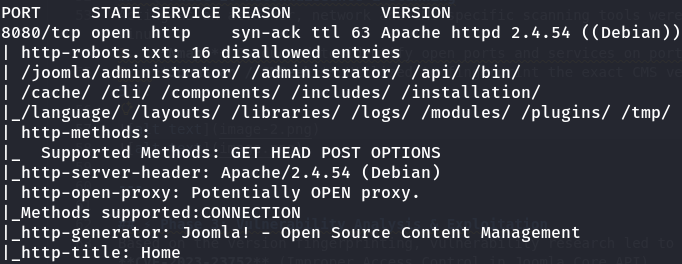
  1. Nmap: Conducted to identify open ports and services on port 8080.
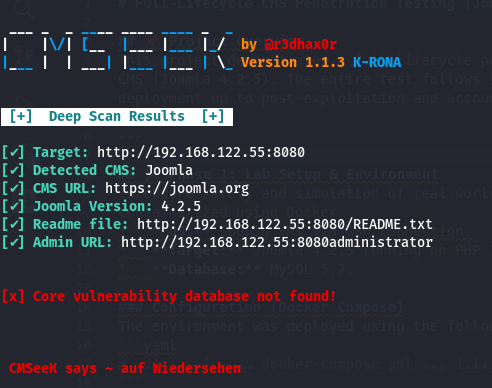
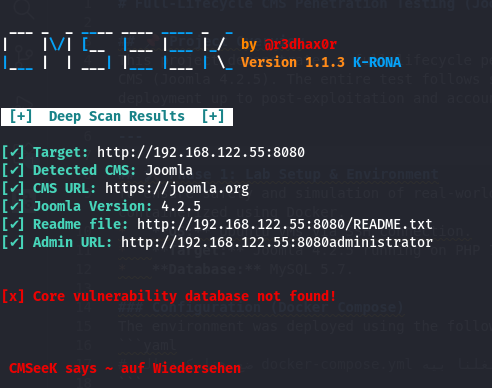
  2. JoomScan / CMSeek: Utilized to fingerprint the exact CMS version (Joomla 4.2.5).

namp command
Nmap Scan
cmseek command
cmseek result


⚡ Phase 3: Vulnerability Analysis & Exploitation

Based on the version fingerprinting, vulnerability research led to discovering CVE-2023-23752 (Improper Access Control in Joomla Core API).

Attack Execution:

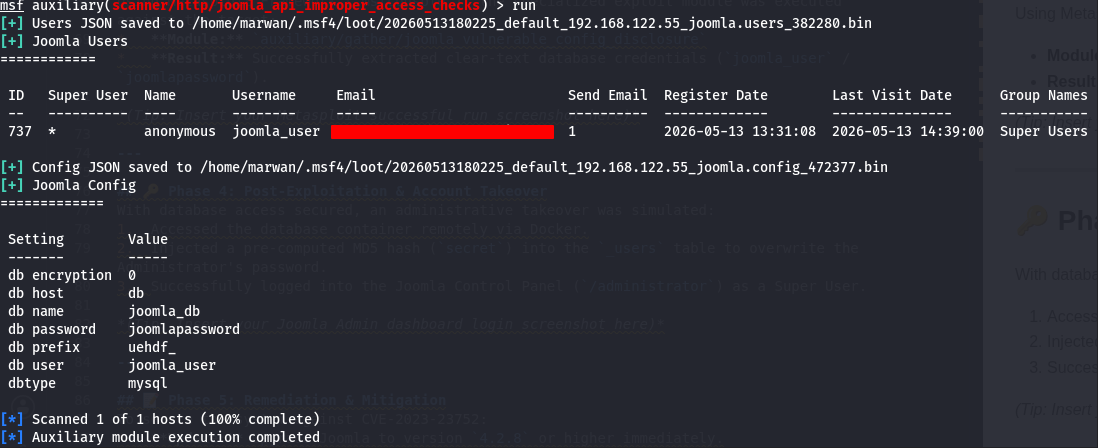
Using Metasploit Framework (msfconsole), the specialized exploit module was executed against the target:

  • Module: auxiliary/gather/joomla_vulnerable_config_disclosure
  • Result: Successfully extracted clear-text database credentials (joomla_user / joomlapassword).
Metasploit successful run

🔑 Phase 4: Post-Exploitation & Account Takeover

In a real-world assessment, misconfigurations often cascade. To test for Credential Reuse, the leaked database password was utilized to attempt an administrative takeover:

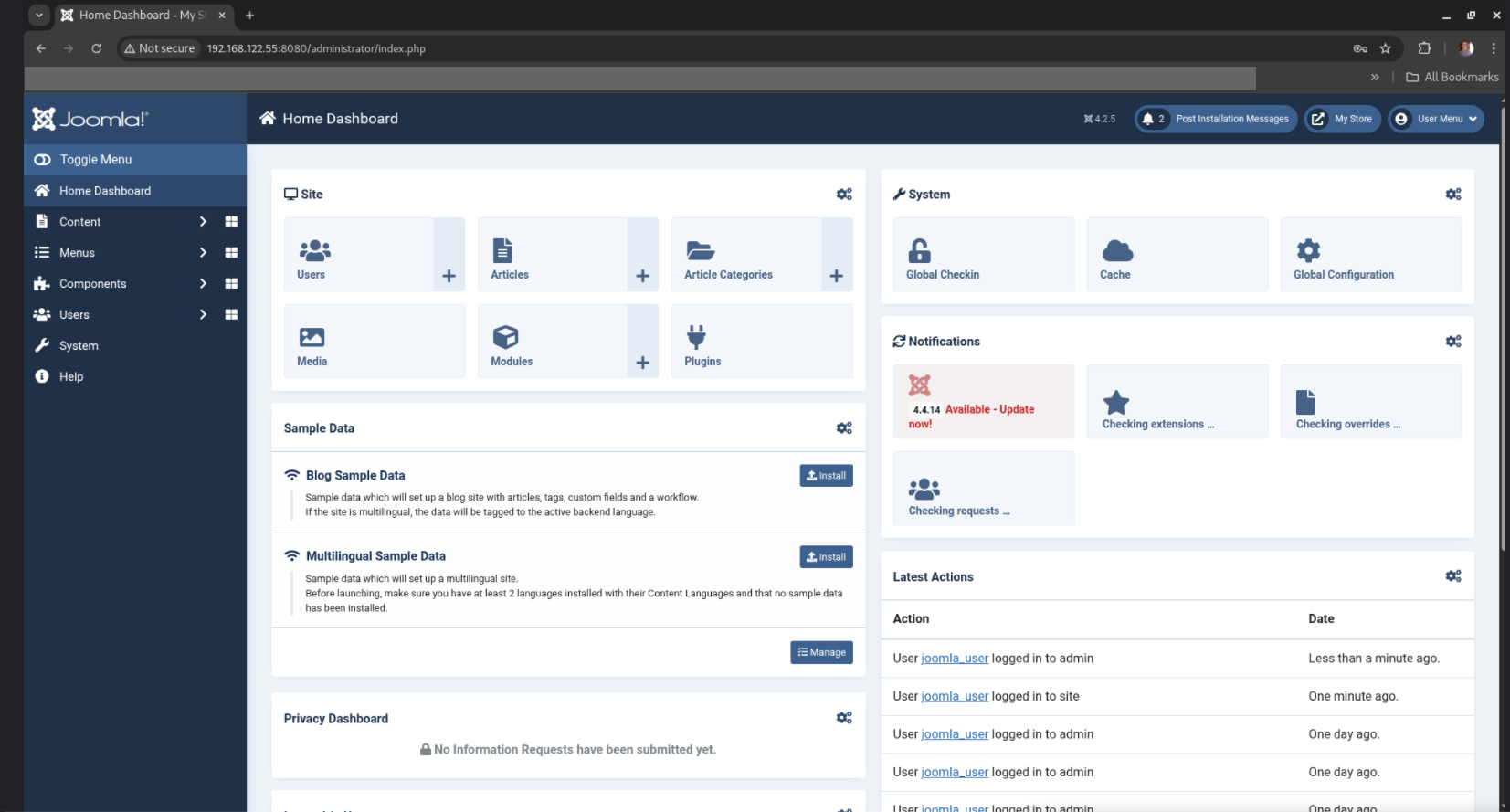
  1. Navigated to the Joomla administrator login dashboard (/administrator).
  2. Tested the extracted database password against the Admin login panel.
  3. Successfully authenticated as the Super User, gaining full administrative access to the CMS core configuration without triggering any alerts.
Joomla Admin dashboard login screenshot

📝 Phase 5: Remediation & Mitigation

To secure the system against CVE-2023-23752:

  • Update: Upgrade Joomla to version 4.2.8 or higher immediately.
  • Network Security: Restrict access to the /api endpoints using Web Application Firewalls (WAF) or server-level configuration blocks.
Download Tool