 mandiant/ghidrathon
The FLARE team's open-source extension to add Python 3 scripting to Ghidra.





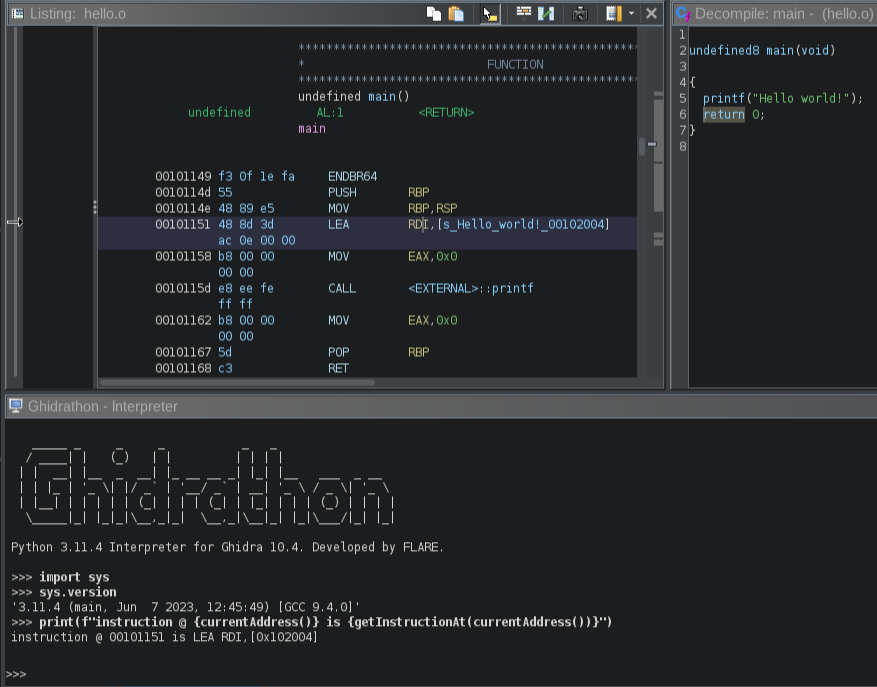
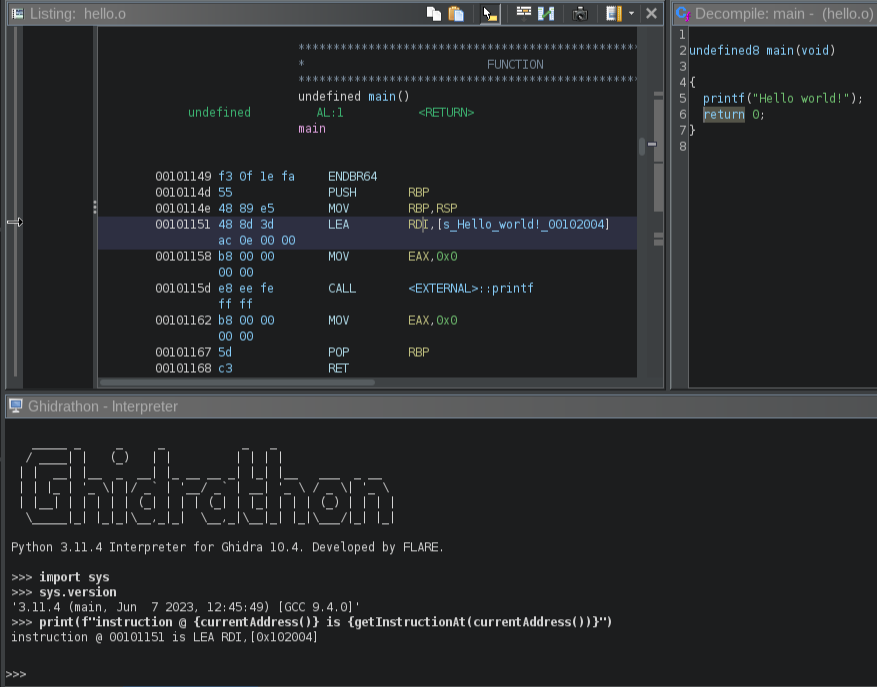
Ghidrathon is a Ghidra extension that adds Python 3 scripting capabilities to Ghidra. Why? Ghidra natively supports scripting in Java and Jython. Unfortunately, many open-source analysis tools, like capa, Unicorn Engine, angr, etc., are written in Python 3 making it difficult, and in some cases, impossible to use these tools in Ghidra. More so the security community has released several great plugins for other SRE frameworks like IDA Pro and Binary Ninja, but again, because many of these plugins use Python 3 it is difficult to port them to Ghidra. Ghidrathon helps you use existing and develop new Python 3 tooling in Ghidra and script Ghidra using modern Python in a way that tightly integrates with Ghidra's UI. It replaces the existing Python 2.7 extension implemented via Jython. This includes the interactive interpreter window, integration with the Ghidra Script Manager, and script execution in Ghidra headless mode.
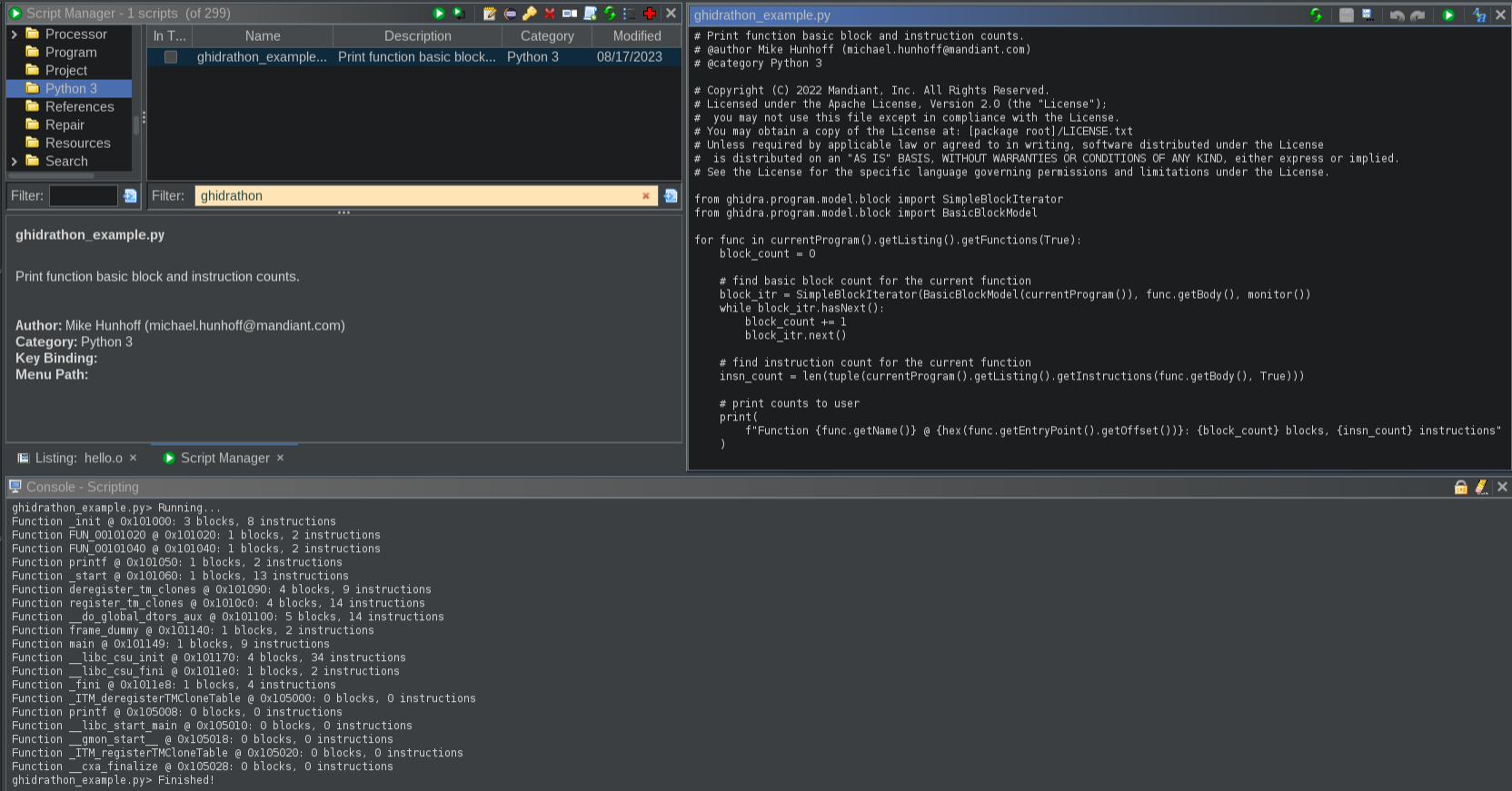
Please see our Ghidra Python 3 script example here for a closer look at writing Python 3 scripts for Ghidra.
Check out:
| Tool | Version | Source |
|---|---|---|
| Ghidrathon | >= 4.0.0 | https://github.com/mandiant/Ghidrathon/releases |
| Python | >= 3.8.0 | https://www.python.org/downloads |
| Jep | == 4.2.0 | https://pypi.org/project/jep |
| Ghidra | >= 10.3.2 | https://github.com/NationalSecurityAgency/ghidra/releases |
| Java | >= 17.0.0 | https://adoptium.net/temurin/releases |
Use the following steps to install Ghidrathon to your Ghidra environment:
$ python -m pip install -r requirements.txt
$ python ghidrathon_configure.py <absolute_path_to_ghidra_install_dir>
Note: ghidrathon_configure.py by default attempts to write a file named ghidrathon.save to <absolute_path_to_ghidra_install_dir>. You can specify the path where this file is written by setting the GHIDRATHON_SAVE_PATH environment variable before running ghidrathon_configure.py and Ghidra:
$ export GHIDRATHON_SAVE_PATH="/path/to/custom/dir" # Linux/MacOS
$ set GHIDRATHON_SAVE_PATH="C:\path\to\custom\dir"  # Windows
Note: you may be prompted to set an environment variable named JAVA_HOME. This should reference the absolute path of the JDK that you have configured for your Ghidra install.
.zip) into Ghidra:
File > Install Extensions...+ button.zip)OkInstall Anyway if prompted by Extension Version Mismatch window.zip) to <absolute_path_to_ghidra_install_dir>\Ghidra\ExtensionsYou can switch Ghidrathon to use a different Python interpreter by executing step 2 using the new Python interpreter.
You can use a Python virtual environment with Ghidrathon by executing step 2 from the virtual environment. To switch to a different virtual environment, simply execute step 2 from the new virtual environment.
The interpreter window provides interactive access to your Python 3 interpreter. Click "Window" and select "Ghidrathon" to open the interpreter window.
Ghidrathon integrates directly with the Ghidra Script Manager enabling you to create, edit, and execute Python 3 scripts within Ghidra. Click "Create New Script" and select "Python 3" to create a new Python 3 script. Click "Run Script" or "Run Editors's Script" to execute your Python 3 script and check the Ghidra Console window for script output.
Ghidrathon helps you execute Python 3 scripts in Ghidra headless mode. Execute the analyzeHeadless script located in your Ghidra installation folder, specify your Python 3 script, and check the console window for script output.
$ analyzeHeadless C:\Users\wampus example -process example.o -postScript ghidrathon_example.py
[...]
INFO  SCRIPT: C:\Users\wampus\.ghidra\.ghidra_10.0.3_PUBLIC\Extensions\Ghidrathon-master\ghidra_scripts\ghidrathon_example.py (HeadlessAnalyzer)
Function _init @ 0x101000: 3 blocks, 8 instructions
Function FUN_00101020 @ 0x101020: 1 blocks, 2 instructions
Function __cxa_finalize @ 0x101040: 1 blocks, 2 instructions
Function printf @ 0x101050: 1 blocks, 2 instructions
Function _start @ 0x101060: 1 blocks, 13 instructions
Function deregister_tm_clones @ 0x101090: 4 blocks, 9 instructions
Function register_tm_clones @ 0x1010c0: 4 blocks, 14 instructions
Function __do_global_dtors_aux @ 0x101100: 5 blocks, 14 instructions
[...]
INFO  REPORT: Post-analysis succeeded for file: /example.o (HeadlessAnalyzer)
INFO  REPORT: Save succeeded for processed file: /example.o (HeadlessAnalyzer)
For more information on running Ghidra in headless mode check out <absolute_path_to_ghidra_install_dir>/support/analyzeHeadlessREADME.html.
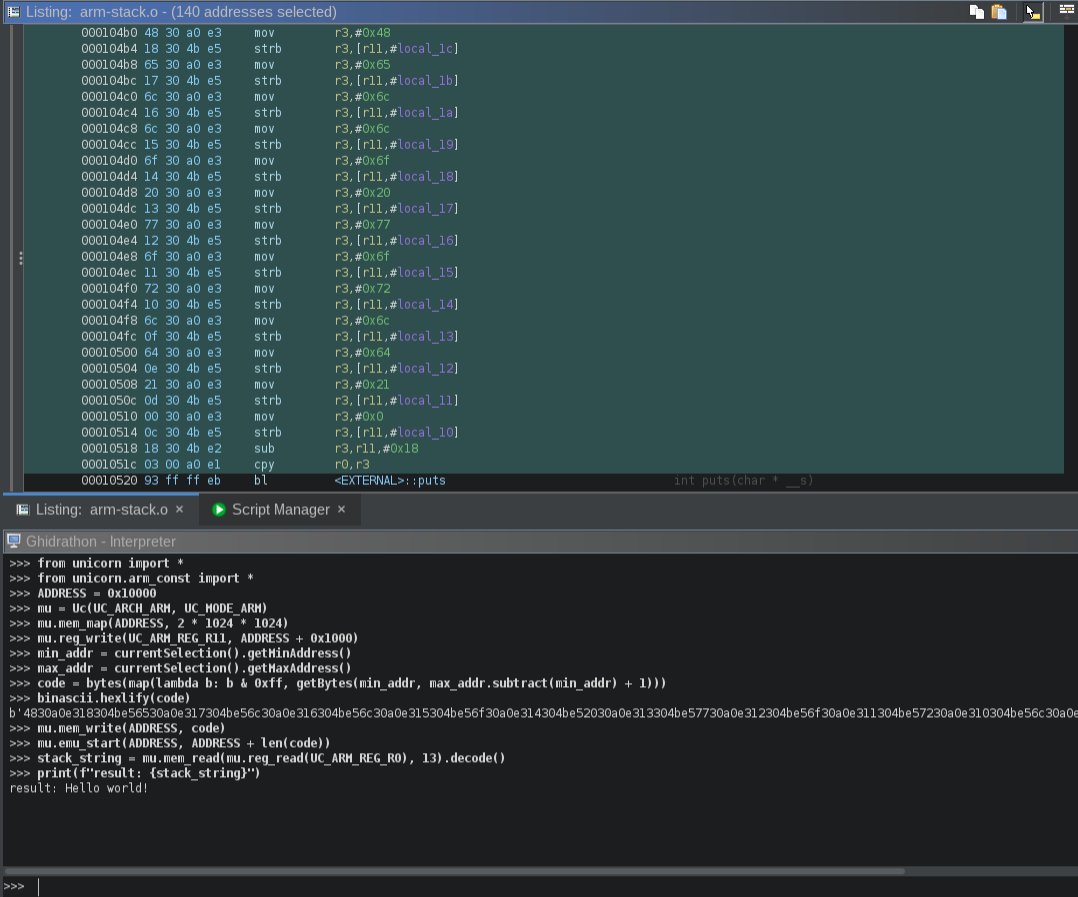
One of our biggest motivations in developing Ghidrathon was to enable use of third-party Python 3 modules in Ghidra. You can install a module and start using it inside Ghidra just as you would a typical Python setup. This also applies to modules you have previously installed. For example, we can install and use Unicorn to emulate ARM code inside Ghidra.