 malienist/lupo
WinDbg plugin for automated malware dynamic analysis and IOC extraction. Executes within the debugger to collect predefined indicators and writes them to disk for incident response and containment.

Debugging module for Malware Analysis Automation
For a step by step post on how to use Lupo, with images and instructions, please see this post: https://medium.com/@vishal_thakur/lupo-malware-ioc-extractor-cc86ae76b85d
Working on security incidents that involve malware, we come across situations on a regular basis where we feel the need to automate parts of the analysis process as complete manual analysis is, more often than not, not possible for every case due to many factors (time, skills, scale etc.).
I wrote Lupo mainly to automate and accelerate the process as much as possible. Lupo is a dynamic analysis tool that can be used as a module with the debugger. The first version works with the popular Windows Debugger — WinDbg. I’ll release versions for other debuggers in the future.
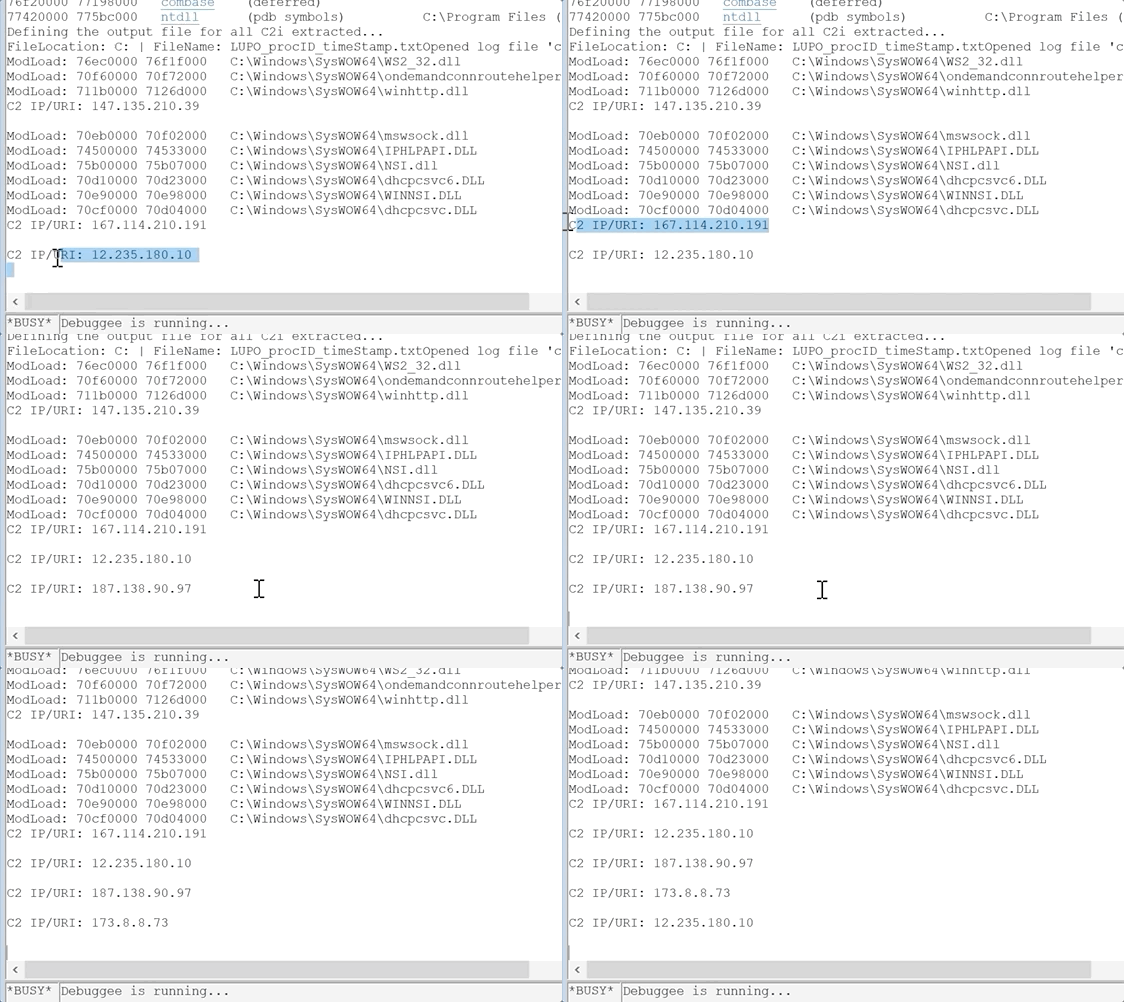
The way the tool works is pretty straight forward. You load Lupo into the debugger and then execute it. It runs through the malware and collects predefined IOC and writes them to a text file on the disk. You can then use this information to contain and neutralise malware campaigns or simply respond to the security incident that you are working on.
I’ll give some more details on the tool itself but not too much to the inner workings of it, at least not here. We need to keep in mind that the malware authors are smart enough to quickly tweak the code to create problems for us!
The tool is written in C++ and uses the Windows Debugging framework to execute the code. It can be used with WinDbg as a ‘plugin’ in order to help automate the analysis process.
If you want to know more about the tool, feel free to contact me or comment below.
Download all the DLLs from this repo. You also need all the VC++ dependencies, the easiest way to do that is to install Visual Studio (Community version works) and select all the C++ components.
Using the tool is very easy. It works in this way:
Save the Lupo extension in your extensions dir (default: sdk\samples\exts subdirectory of the installation directory). You can also define the extensions path by using the command ‘.extpath[+] [Directory[;…]]’.
Start the debugger
Attach the process to be debugged (malware in this case)
Load Lupo using the ‘.load’ command.
Execute Lupo by using this command: ‘lupo.go’
All results will be displayed in the console and also written to a new textfile on the disk. Path and name of this textfile will be displayed in console as well. All done!
You can optionally use the results from Lupo with this other tool that I wrote — Ragno, to advance your research and response by aggregating OSINT for the wider footprint of the campaign you are possibly dealing with. You can read about Ragno in another post here: https://medium.com/@vishal_thakur/introducing-ragno-ioc-multiplier-9b75834353bb
