 maldev-academy/embedpayloadinpng
Embed a payload inside a PNG file

Embed a payload within a PNG file by splitting the payload across multiple IDAT sections. Each section is encrypted individually using its own 16-byte key with the RC4 encryption algorithm.
This repository consists of two implementations:
EmbedPayloadInPng.py - Python script to embed an input payload to a specified PNG file.FetchPayloadFromPng - Extract the payload from EmbedPayloadInPng.py's outputted PNG file, and decrypt it using the ExtractDecryptedPayload function.EmbedPayloadInPng.py to create the embedded payload PNG file: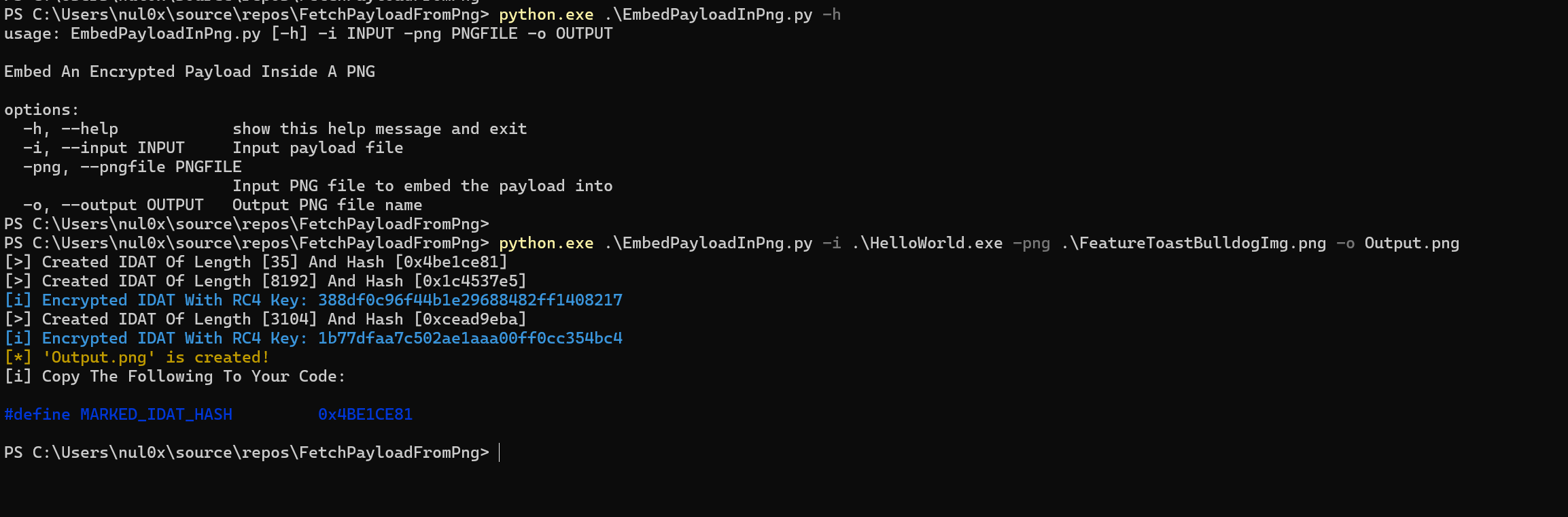
The payload-embedded PNG file Output.png file is the same .PNG file as the original one.
https://github.com/user-attachments/assets/bec6f597-9955-4552-80f7-f484bd5754c3
MARKED_IDAT_HASH macro definition outputted by EmbedPayloadInPng.py and replace it with the existing one in the FetchPayloadFromPng project here.As mentioned earlier, EmbedPayloadInPng.py is responsible for embedding the payload file within a PNG one. Below is the structure of a payload-embedded PNG file.
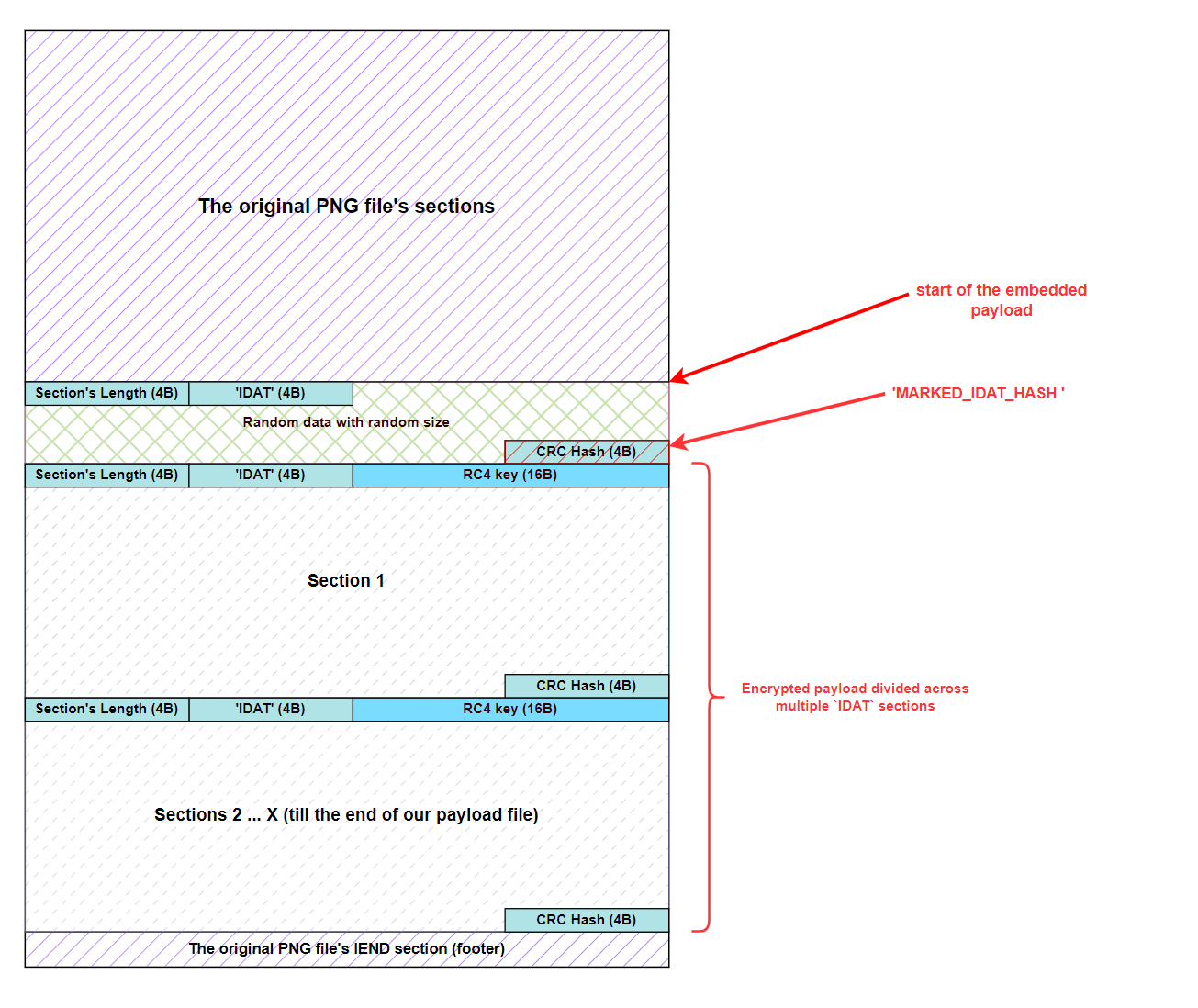
Since the maximum size of an IDAT section is 8192 bytes, our payload is chunked to multiple IDAT sections. Each section has a size equivalent to (8192 - 16 [RC4 key length]). Furthermore, The last IDAT section will contain the remaining bytes of the payload.
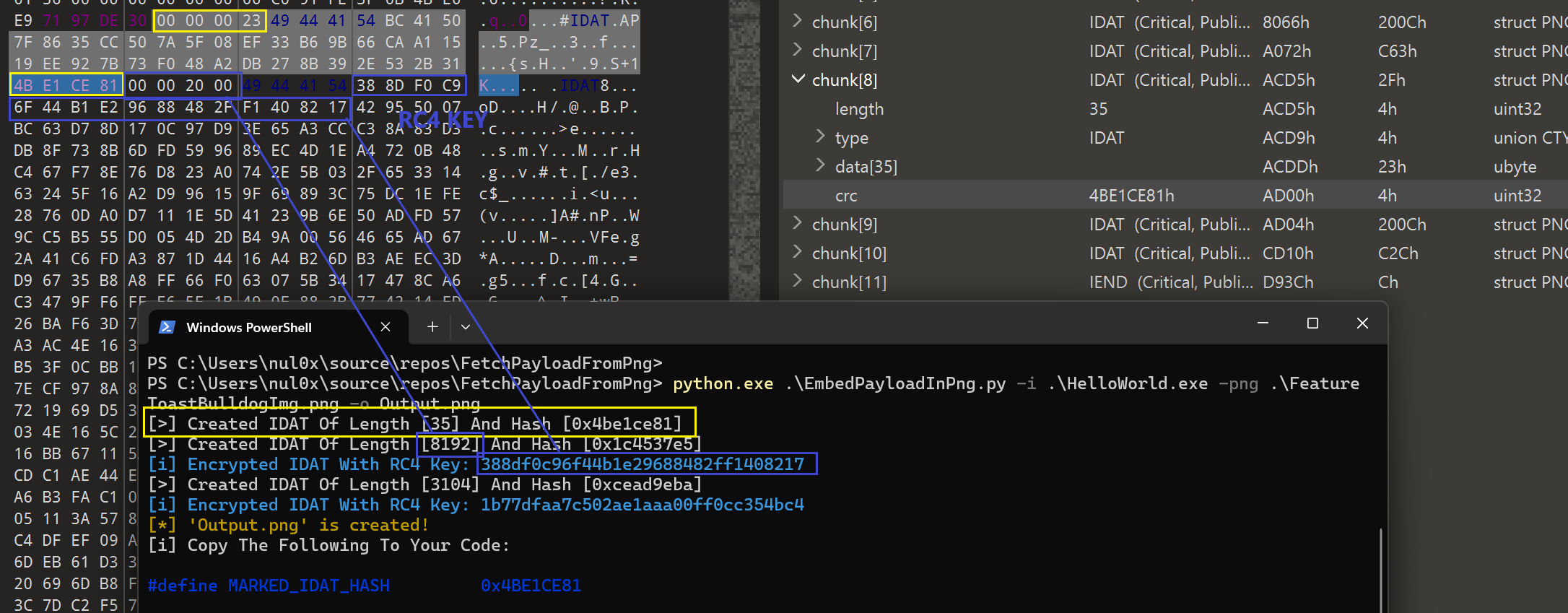
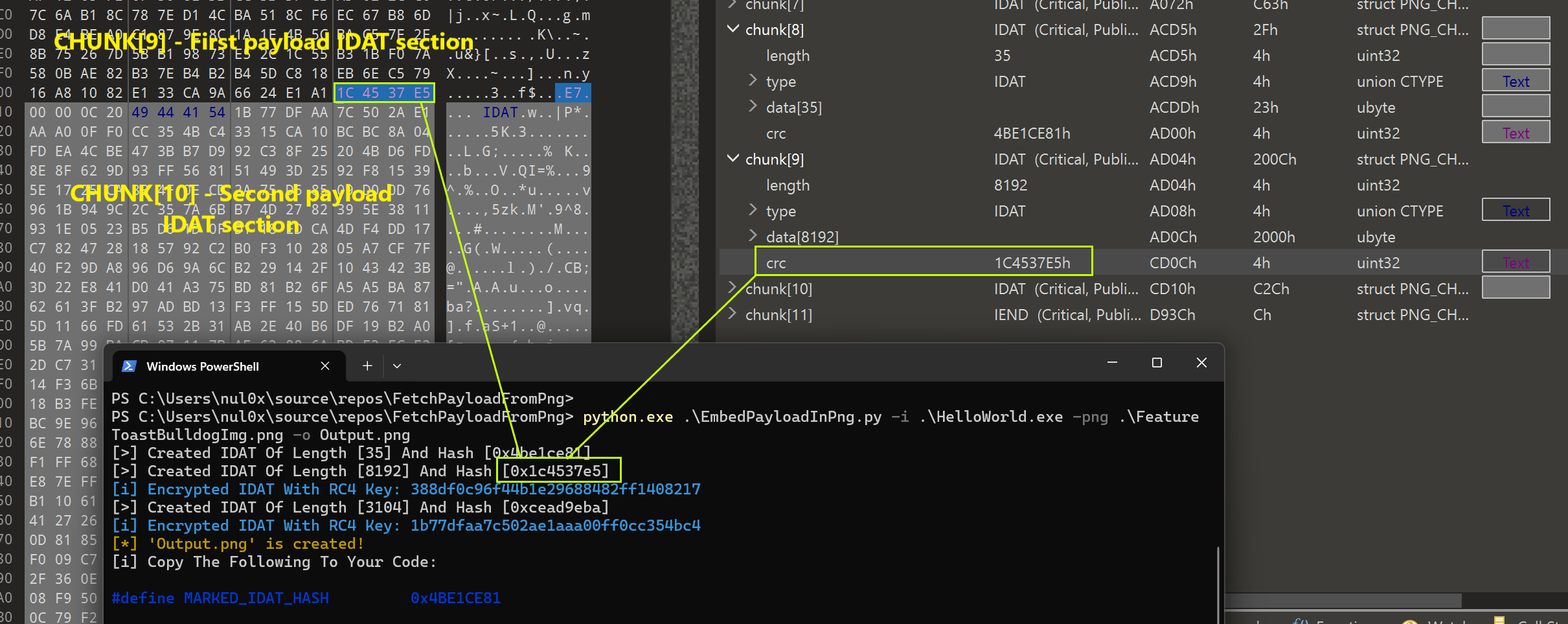
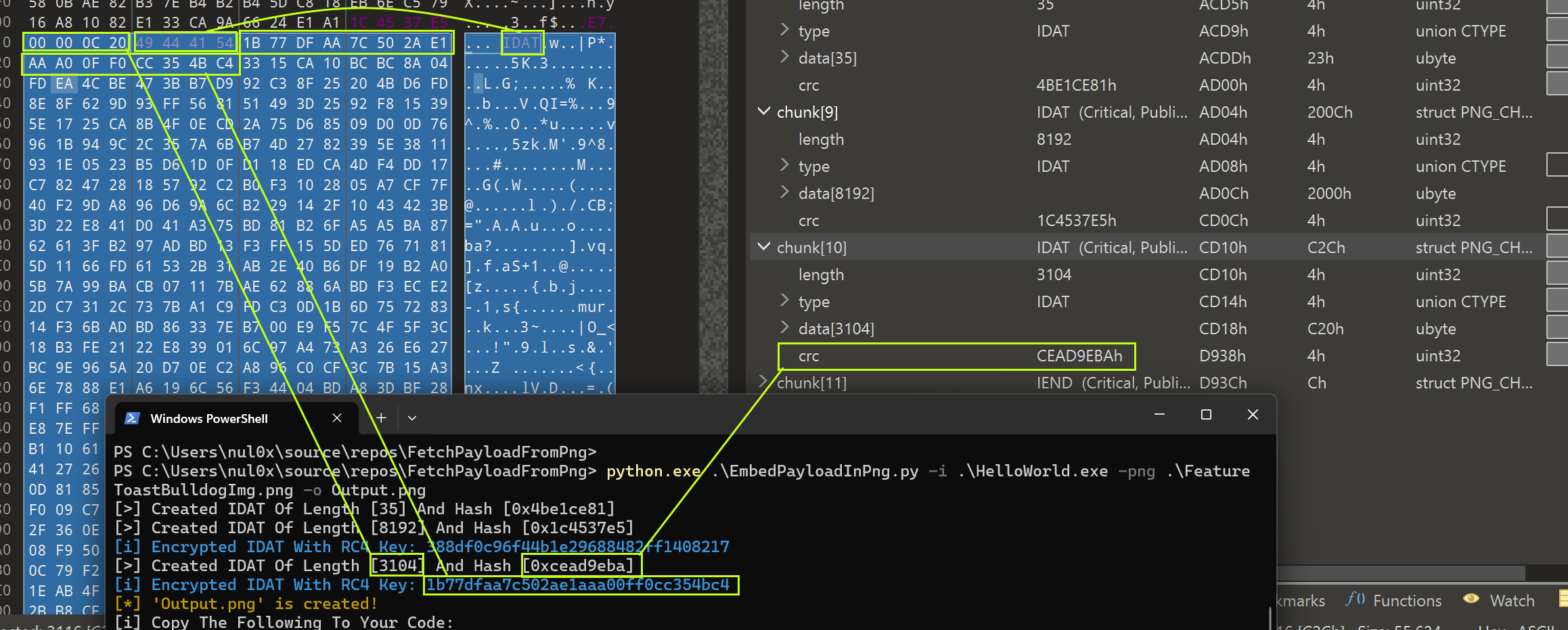
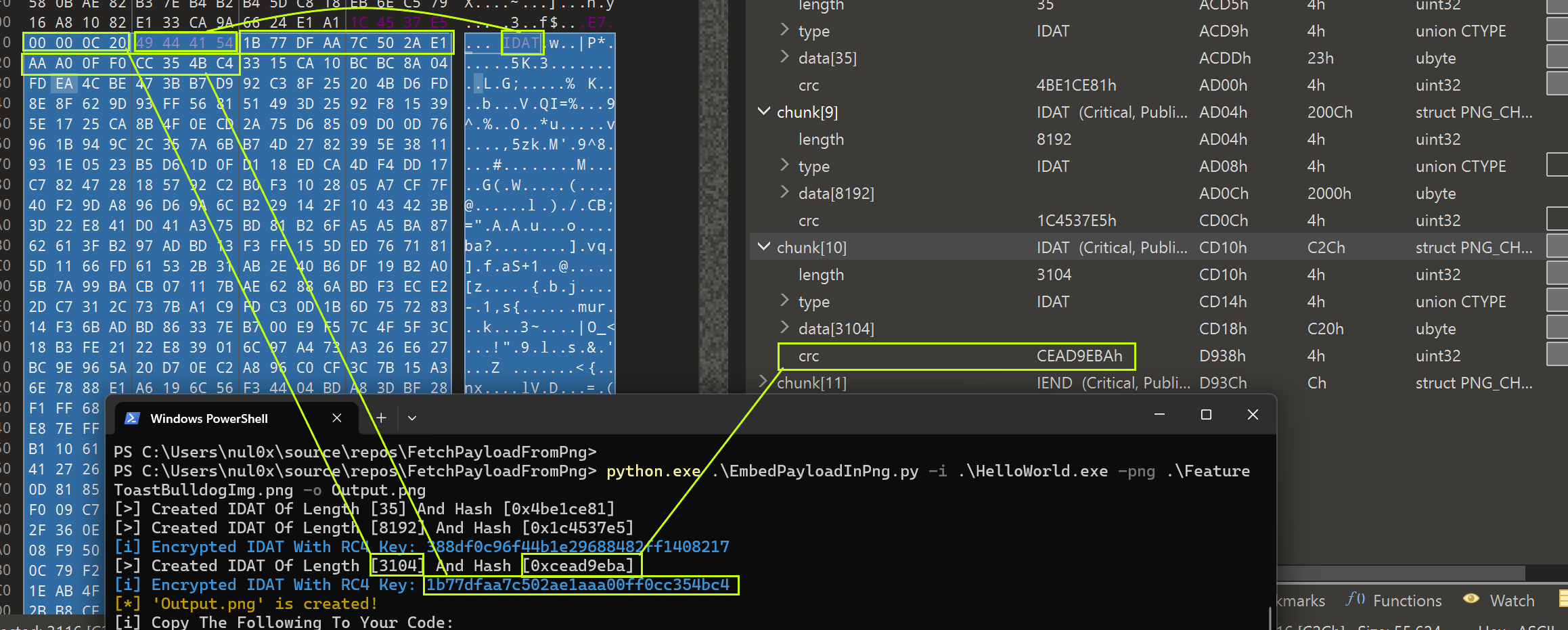
The following images explain EmbedPayloadInPng.py's output and compare it to the structure of the created PNG file:
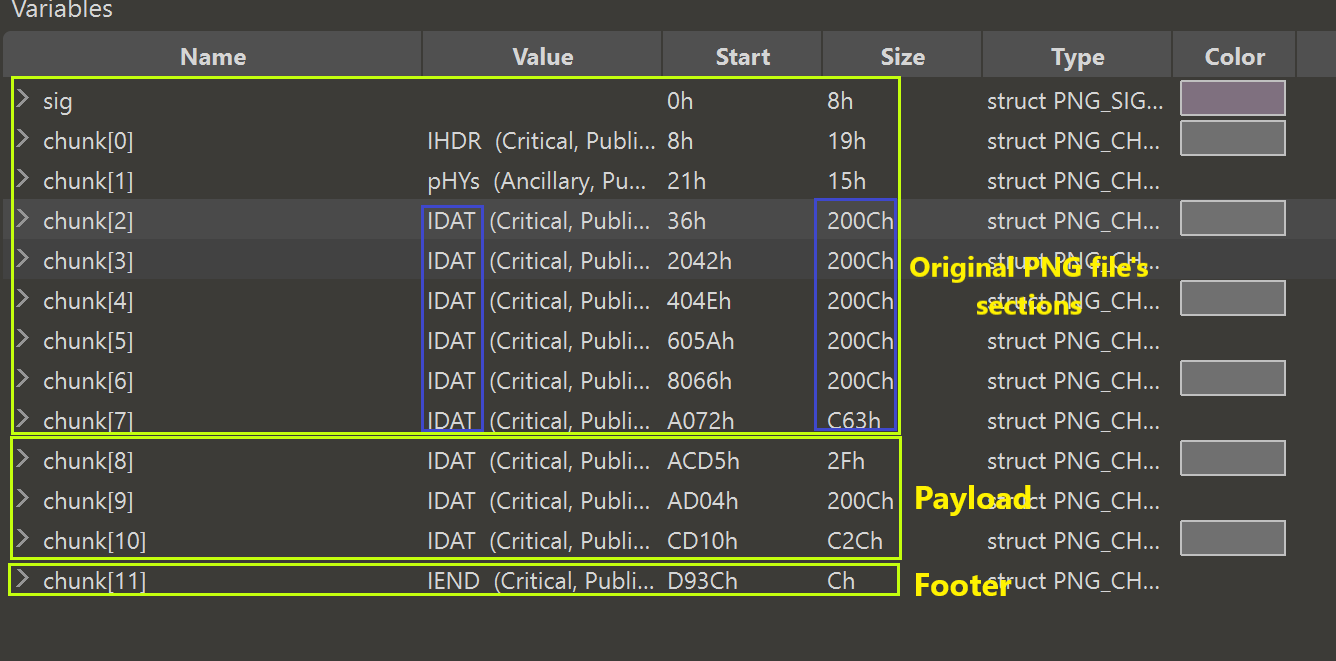
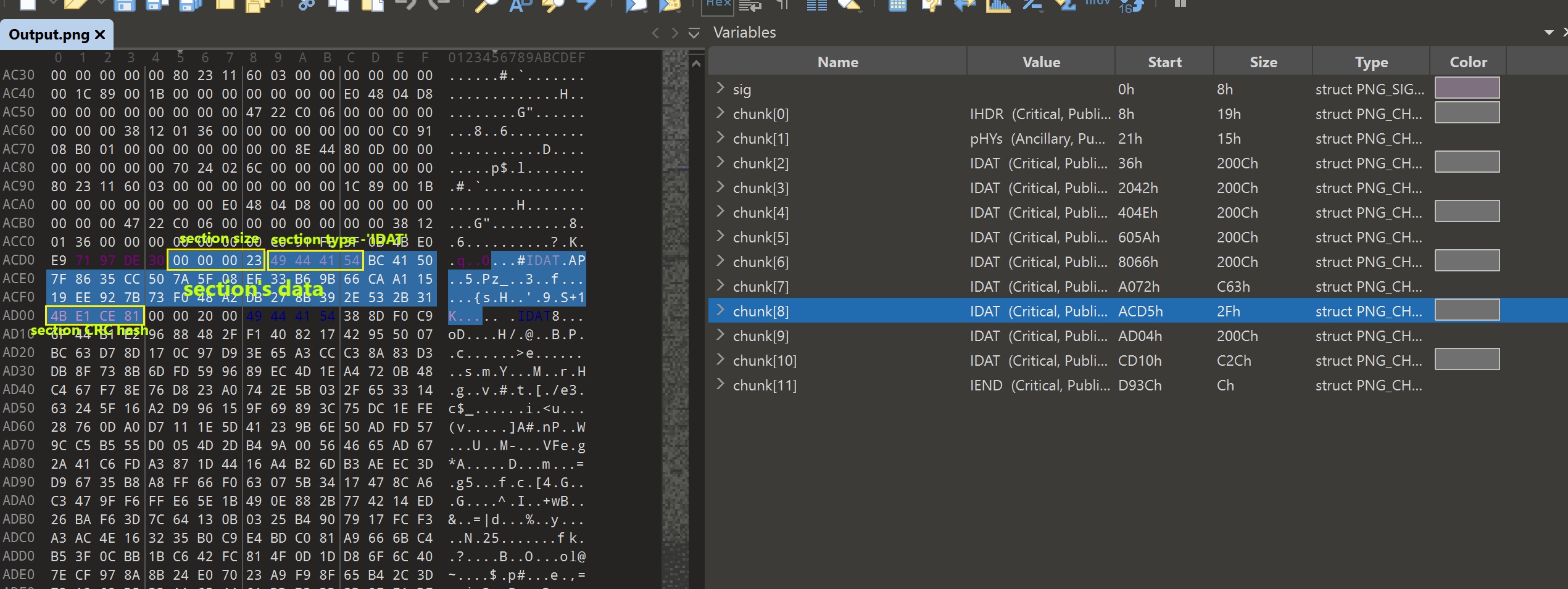
IDAT section, following our random section (in blue). This image also demonstrates the position of the CRC hash and the size of the randomized IDAT section beforehand (in yellow).