 luuanhduc/cve-2021-35042
Django SQL injection vulnerability

Django is an open-source Web Application Framework written in Python, built according to the MVC (Model - View - Controller) model. It was originally built to manage news content websites owned by the Lawrence publishing corporation, as CMS (Content Management System) software.
Django versions 3.1.x through 3.1.13 and versions 3.2.x through 3.2.5 contain an SQL injection vulnerability.
The cause of this vulnerability is that the input data filtering function for user-controlled data in QuerySet.order_by() is insufficient to prevent SQL injection attacks. This vulnerability can be exploited to allow attackers to perform unauthorized actions, leading to the leak of sensitive data.
| CVE - ID | CVE-2021-35042 |
|---|---|
| Severity | 9.8 - CRITICAL |
| CWE - ID | CWE-89: Improper Neutralization of Special Elements used in an SQL Command ('SQL Injection') |
| Vulnerability Publication Date | 1/7/2021 |
| Affected Software | 3.1.x < 3.1.13, 3.2.x < 3.2.5 |
| Requires Authentication | Not required |
In Django, creating tables and defining the fields in the database is done by declaring a model class in the models.py file. In this example, we declare a table named Wolf and a field named name.
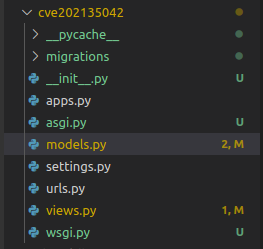
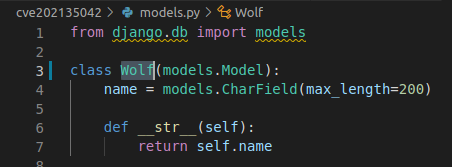
Django's built-in ORM framework is used to interact with the database, and the result of a query is a set, which is a QuerySet.
order_by(fields)
By default, order_by() returns a QuerySet sorted in an order specified in the ordering option in the Model's Meta. We can override the order_by condition in each query by using the order_by() method.
Example
wolves = Wolf.objects.order_by('-name', 'id')
The result of the above query will be sorted in descending order by the name field, then ascending by id. The minus sign before the field name name indicates that the results are sorted in descending order.
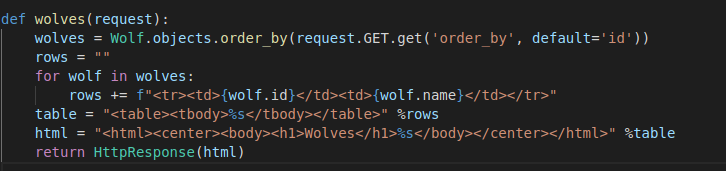
The following example sorts the returned results by the field received from the user; if no value is passed in, it will sort by the
idfield.
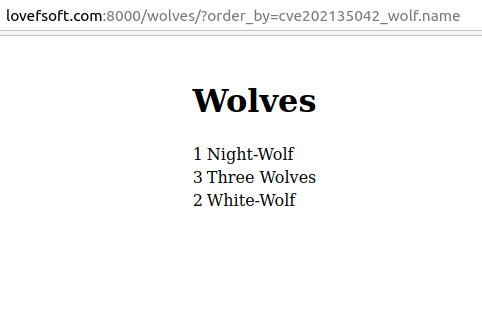
Result
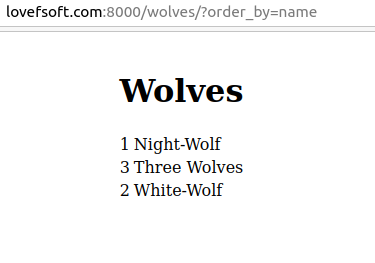
In versions 3.1 and 3.2, Django allows combining query methods with table names in the order_by query. This is also the main cause of this vulnerability.
Passing a table name gives us the same result as passing a field name as usual
cve202135042_wolf is the table name
First, the application directly calls the order_by() function; the code that handles the order_by() function is defined at:
django/db/models/query.py
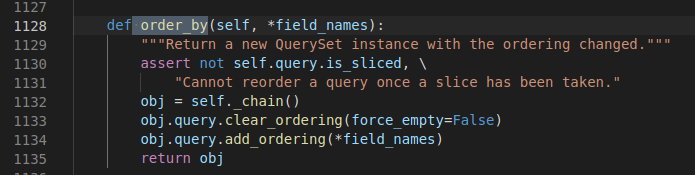
The order_by() function does 2 things
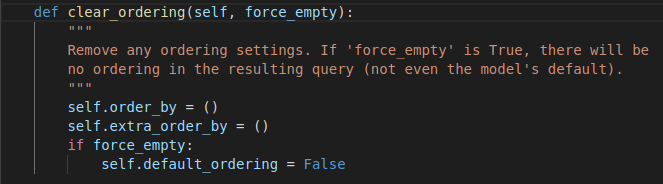
- Clears all current methods being called by order_by() and removes the default parameter passed in when order_by receives a different value.
- Passes the parameter into order_by. The
add_ordering()function performs this task
def add_ordering(self, *ordering):
        """
        Add items from the 'ordering' sequence to the query's "order by"
        clause. These items are either field names (not column names) --
        possibly with a direction prefix ('-' or '?') -- or OrderBy
        expressions.

        If 'ordering' is empty, clear all ordering from the query.
        """
        errors = []
        for item in ordering:
            if isinstance(item, str):
                if '.' in item:
                    warnings.warn(
                        'Passing column raw column aliases to order_by() is '
                        'deprecated. Wrap %r in a RawSQL expression before '
                        'passing it to order_by().' % item,
                        category=RemovedInDjango40Warning,
                        stacklevel=3,
                    )
                    continue
                if item == '?':
                    continue
                if item.startswith('-'):
                    item = item[1:]
                if item in self.annotations:
                    continue
                if self.extra and item in self.extra:
                    continue
                # names_to_path() validates the lookup. A descriptive
                # FieldError will be raise if it's not.
                self.names_to_path(item.split(LOOKUP_SEP), self.model._meta)
            elif not hasattr(item, 'resolve_expression'):
                errors.append(item)
            if getattr(item, 'contains_aggregate', False):
                raise FieldError(
                    'Using an aggregate in order_by() without also including '
                    'it in annotate() is not allowed: %s' % item
                )
        if errors:
            raise FieldError('Invalid order_by arguments: %s' % errors)
        if ordering:
            self.order_by += ordering
        else:
            self.default_ordering = False
The parameter passed to add_ordering() is an array.
For example, when the parameter is passed in as follows:
wolves = Wolf.objects.order_by( 'name' , 'id' )Then, the application will convert it into the following database query:
SELECT "cve202135042_wolf"."id", "cve202135042_wolf"."name" FROM "cve202135042_wolf" ORDER BY "cve202135042_wolf"."name" ASC, "cve202135042_wolf"."id" ASC
When passed in, the add_ordering function will check each element in the array; if it is a string, it will be checked against the following 5 cases:
if '.' in item:It checks whether it is a query with a column name and whether that column has a table name specified in the SQL statement. If so, it issues a warning andcontinues.if item == '?':If the element value is the '?' sign, the output results will be sorted randomly, thencontinue.if item.startswith('-'):If the item starts with the '-' character, the query results will be sorted DESC (Descending).if item in self.annotations:It checks whether it contains a comment; if so,continue.if self.extra and item in self.extra:Determines whether there are extras; if so,continue.
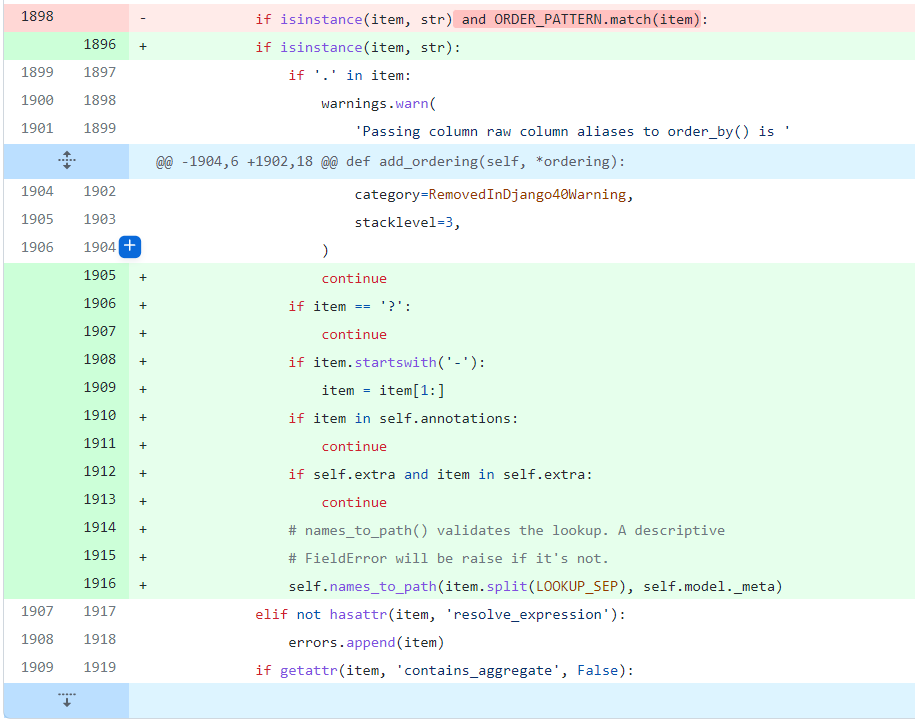
After the 5 checks, the parameter is then passed to the function self.names_to_path(item.split(LOOKUP_SEP), self.model._meta) to continue checking whether it is a valid column name; then, if valid, it is added to self.ordering of the Query class for further processing.
Django's ORM filters the data inserted into queries very strictly, but this source code change leading to SQL injection is because the author hypothesized that if the column name is a UUID (Universal Unique Identifier) column, the order_by query could not be executed.
That is, if the input data is xxx-xxx-xxx-xxx (UUID format), the query cannot be executed.