 lusensec/cve-2025-30208
CVE-2025-30208 检测工具。python script && nuclei template

Vite Arbitrary File Read Vulnerability Analysis and Reproduction (CVE-2025-30208)
This tool is used to detect whether a target system is vulnerable to CVE-2025-30208. This vulnerability allows an attacker to read sensitive files (such as /etc/passwd or C:\windows\win.ini) on the server via a specific path. The tool supports single URL detection and batch detection, with optional HTTP/HTTPS proxy support.
Here is an introduction to the relationship between the payloads ?raw?? and ?import?raw??. The first payload is suitable for reading files without an extension, the second is more flexible.
The payload is CVE-2025-30208.yaml, which can be used directly with nuclei for detection. Alternatively, you can use yakit for detection.
The template source is from nuclei-templates, URL: https://github.com/projectdiscovery/nuclei-templates/pull/11828/files
Before running the tool, ensure that Python 3 and the requests library are installed. If requests is not installed, install it with the following command:
pip install requests
python cve_2025_30208_checker.py [-u URL | -f FILE] [-p PROXY]
| Parameter | Abbreviation | Description |
|---|---|---|
--url | -u | Specify a single target URL for vulnerability detection. |
--file | -f | Specify the path to a file containing multiple target URLs, one per line. |
--proxy | -p | Optional parameter to specify an HTTP/HTTPS proxy address (e.g., http://127.0.0.1:8080). |
Single target detection
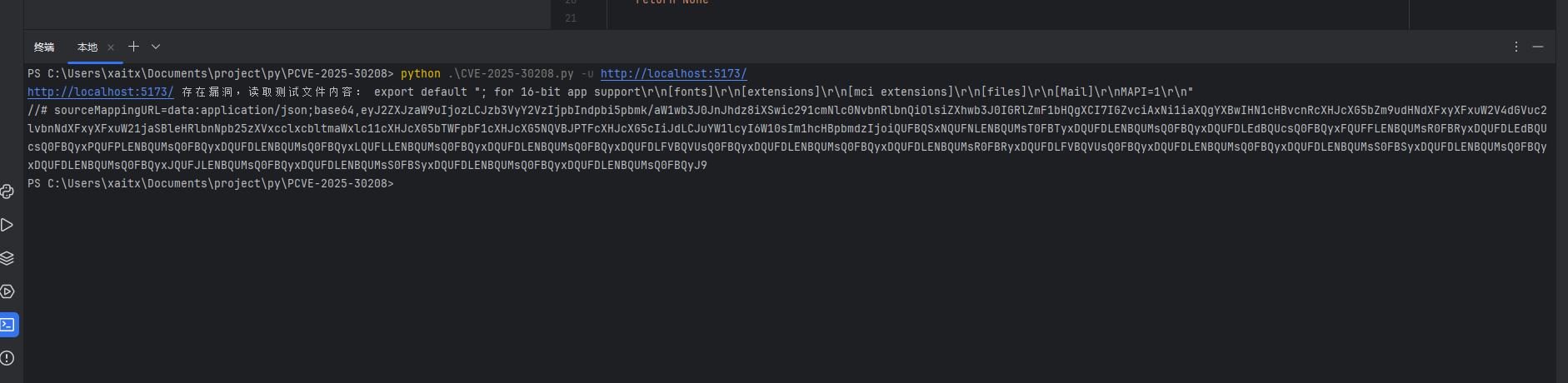
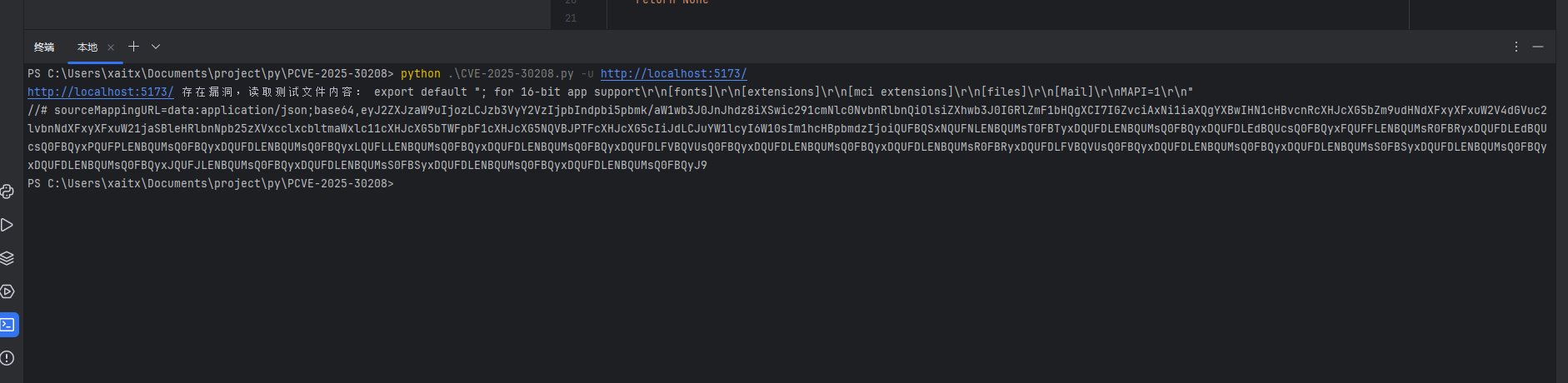
python cve_2025_30208_checker.py -u http://example.com
Batch detection
Create a file containing target URLs (e.g., targets.txt), one per line:
http://example1.com
http://example2.com
http://example3.com
Then run:
python cve_2025_30208_checker.py -f targets.txt
Using a proxy
If you need to send requests through a proxy, add the -p parameter:
python cve_2025_30208_checker.py -u http://example.com -p http://127.0.0.1:8080
Legal Disclaimer
Ensure you have legal authorization to test the target system. Unauthorized vulnerability detection may violate applicable laws and regulations.
SSL Verification
The tool disables SSL verification by default (verify=False) to avoid request failures due to certificate issues. To enable SSL verification, change verify=False to verify=True in the code.
Proxy Configuration
If using a proxy, ensure the proxy service is running correctly and adjust the proxy protocol (e.g., http or socks5) as needed.
File Format
For batch detection, ensure the input file contains properly formatted URLs, with one URL per line.
If you find any issues or wish to improve this tool, please submit an Issue or Pull Request. We welcome any form of contribution!
This tool is intended for security research and authorized penetration testing only. The author is not responsible for any illegal use. Please comply with applicable laws and regulations.
Hopefully this template meets your needs! If you have any other requirements, feel free to let us know.
