
Centralized domain portfolio manager with auto-fetched WHOIS, DNS, SSL data, expiry alerts, uptime monitoring, and visual analytics. Self-hostable with Docker.
The Central Hub for all your Domain Names
🌐domain-locker.com

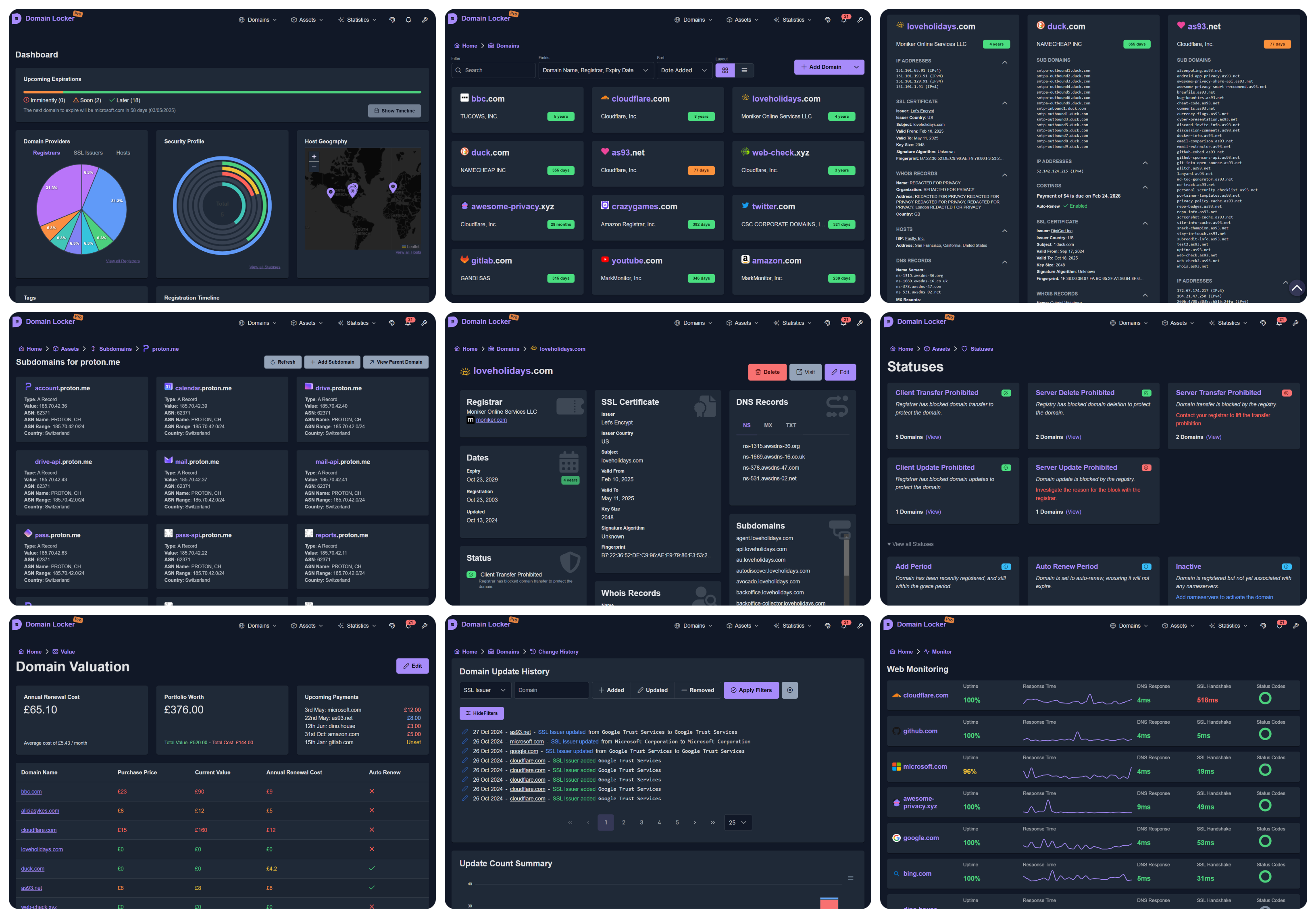
The aim of Domain Locker, is to give you complete visibility of your domain name portfolio, in once central place.
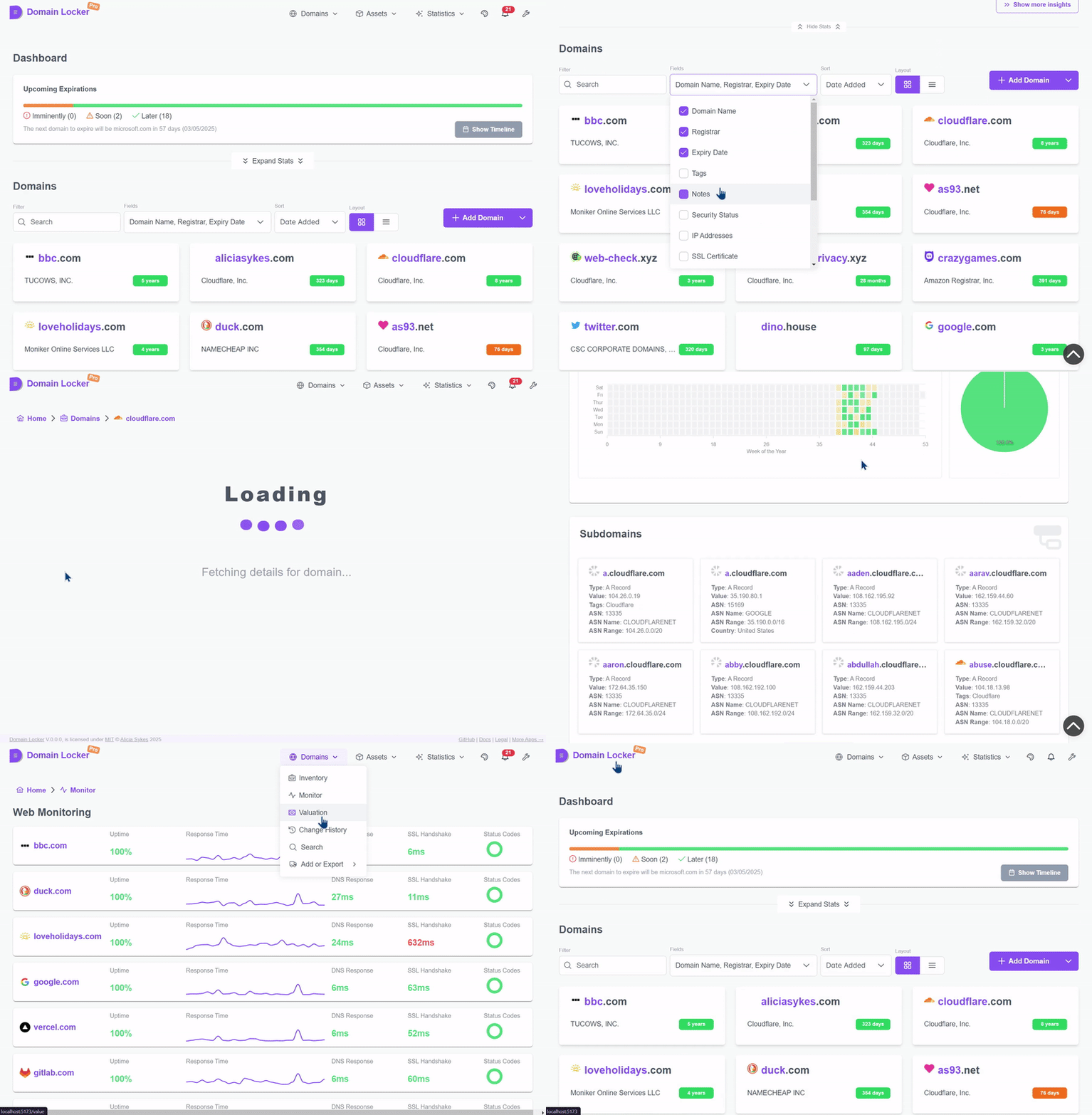
For each domain you add, we analyse it and fetch all associated data. We then continuously monitor your domains, and notify you (according to your preferences) when something important changes or when it's soon to expire. So you'll get detailed domain analysis, security insights, change history, recent performance, valuation data and much more.
With Domain Locker, you'll never again loose track of your domains, miss an expiration, or forget which registrar and providers each domain uses.
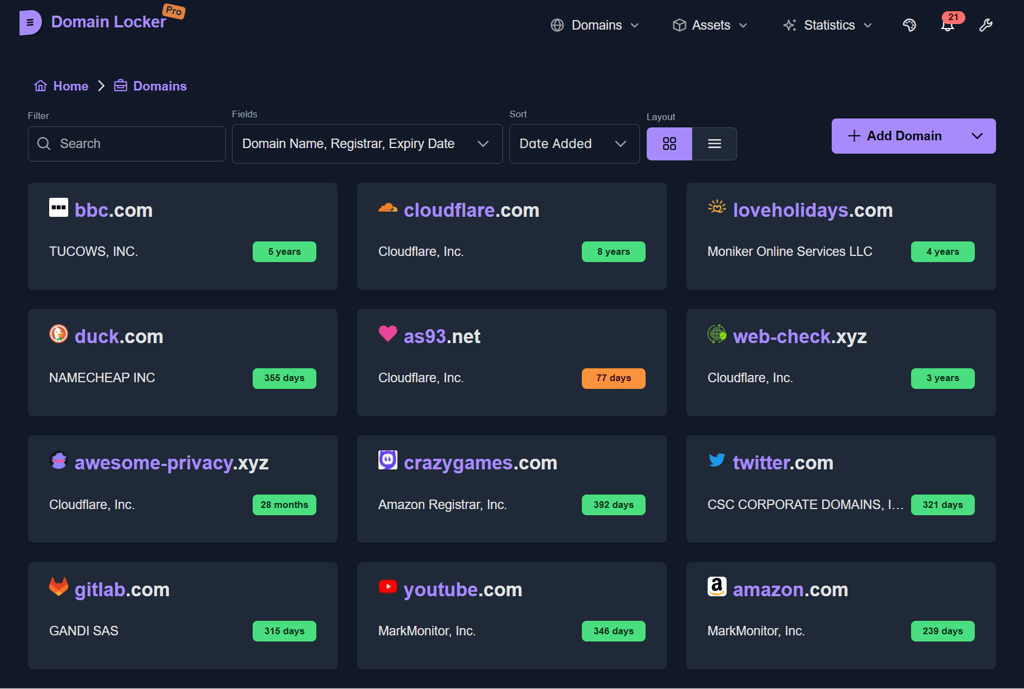
(Sorry about the 5fps, I wanted to keep file size down!)
%%{init: {"theme": "default"}}%%
kanban
🌐 Domain Data
🛰️ Auto-fetch assets: SSL, hosts, registrars, IPs, DNS, subdomains
🔎 Detailed domain data like SSL, hosts, registrars, IPs and more
🏷️ Enrich data with tags, notes, costs, and other metadata to track
🖇️ Connection with external tools for more data
📊 Metrics
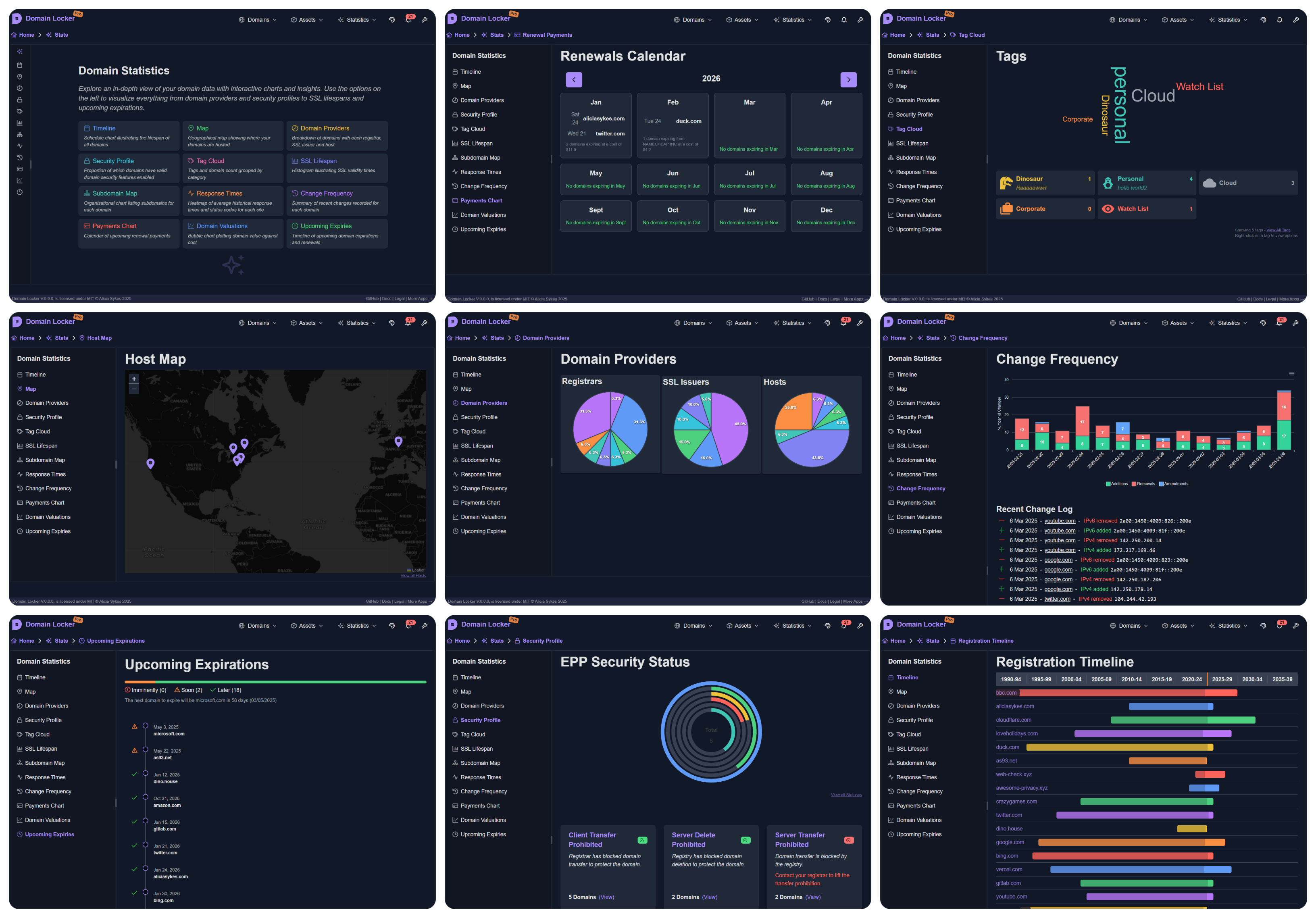
🗂️ Breakdown of domain providers: registrars, SSL, hosts
🕒 Timeline of registrations and upcoming expirations
📶 Monitor domain uptime, performance and health
💹 Record valuation, purchase prices and renewal costs
🔔 Notifications
⏱️ Get notified before your domain is due to expire
📲 Configurable alerts for monitoring changes in domain config
📬 Multiple channels: webhook, email, SMS, Slack, Telegram, WhatsApp and more
🛤️ Track change history of each domain
🛡️ Data
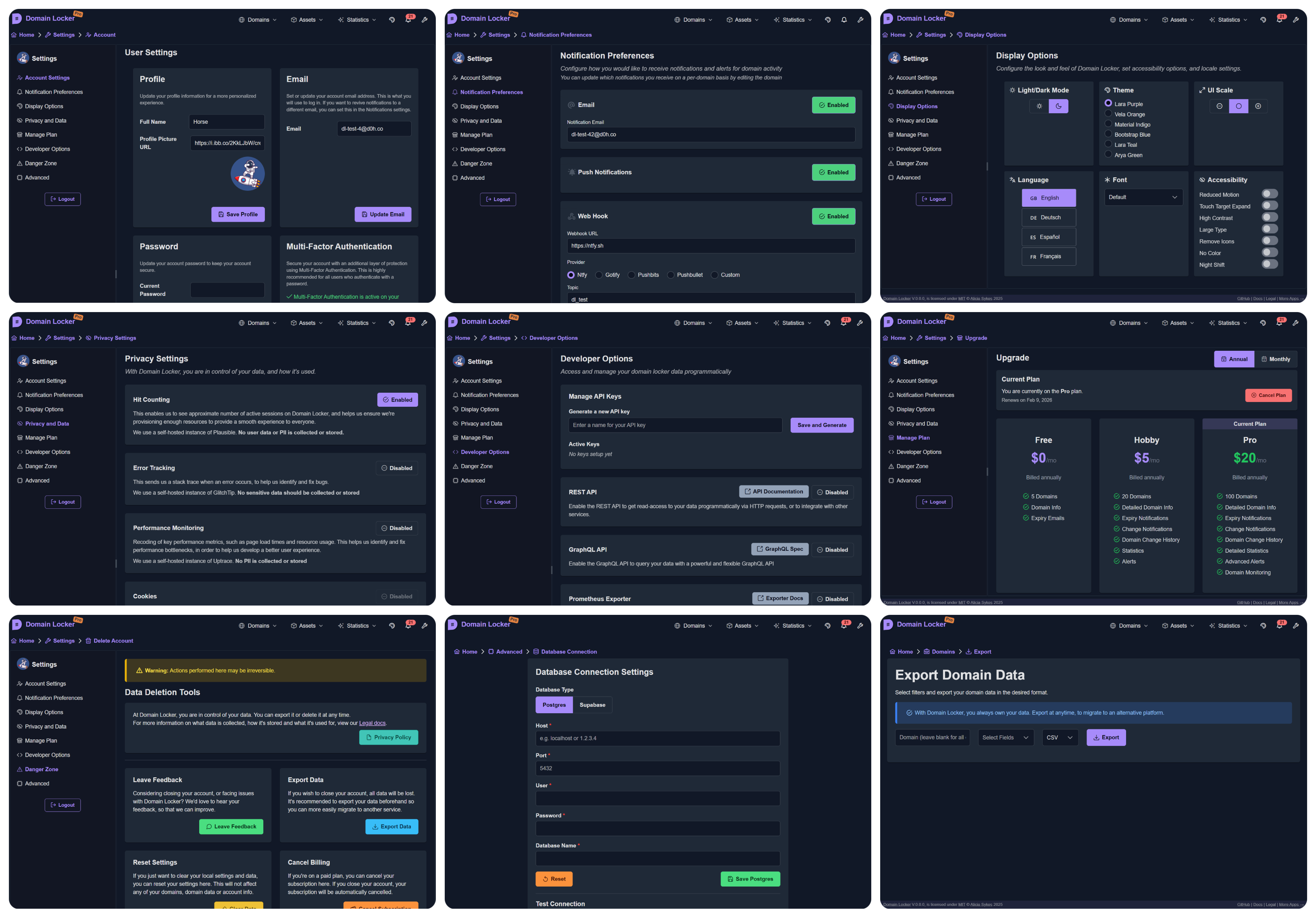
💽 Own your data: Export, import, delte at any time
⌨️ Programatic access via a REST or GraphQL API, or with RSS, iCal, Prometheus integrations
📈 Keep detailed change logs of all domain updates
🔐 Transparent privacy policy
🛠️ Customization
👤 SSO and 2FA supported
🎨 Custom themes, fonts, light/dark mode
🌍 Multi-language support
💻 Open-source and self-hostable
✅ Accessible, responsive, and well-documented
Try the live demo to demo.domain-locker.com
(Username: [email protected] Password: domainlocker)
To use Domain Locker, you have two options:
Head to our website, and sign up with Google, GitHub or your email.
The starter plan is free, and no setup is required. Just sign in, add your domains, and start tracking them.
curl -fsSL https://install.domain-locker.com | bash
Use the one-liner abover, or use the docker-compose.yml
Prerequisites:
Containers:
lissy93/domain-locker.postgres:15-alpine container.Environment:
3000 in the container, to your host PORT (defaults to 3000).DL_PG_HOST, DL_PG_PORT, DL_PG_USER, DL_PG_PASSWORD and DL_PG_NAME.Volumes:
/var/lib/postgresql/data to persist your Postgres dataCrons
/api/domain-updater - Execute this daily, to keep domain data up-to-date and trigger notifications/api/domain-monitor - Execute this every 15 minutes, to monitor website uptime and performance/api/cleanup-monitor-data - Execute this weekly, to aggregate old monitoring dataExample:
docker-compose.yml file.flowchart TB
subgraph Volume Mounts
direction TB
Vpostgresdata([📦 postgres_data]) x-. /var/lib/postgresql/data .-x postgres[(🐘 PostgreSQL DB)]
Vdbschemasql{{📄 ./db/schema.sql}} -. Mounted on Init .-> postgres
end
subgraph Network
direction TB
domainlockernetwork[/🌐 domain_locker_network/]
end
postgres -.- domainlockernetwork
subgraph app[⚙️ App Container]
SSR[HTTP Server]
CLIENT[Client App]
API[API Endpoints]
SSR --> CLIENT
SSR --> API
end
app -.- domainlockernetworkgit clone [email protected]:Lissy93/domain-locker.git # Get the code
cd domain-locker # Navigate into directory
npm install --legacy-peer-deps # Install dependencies
cp .env.example .env # Set environmental variables
npm run dev # Start the dev server
.env.sample file includes the public creds for our Supabase dev instancenpm run build, then run with npm startdocker build -t domain-locker .Domain Locker is made up of an app, database and some API endpoints.
While the self-hosted instance is intended to be deployed stand-alone, the managed version however depends on a few additional third-party services, which you can see below, the docs of which are here.
You can view docs for the technologies and services used here
The architecture is pretty simple. We have an app (consisting of a frontend and API endpoints), where the user can read and write to the database (through adapters). Then a cron service will periodically call API endpoints to keep domain data up-to-date, track changes, monitor health, and trigger notifications on certain changes (according to user preference) or before an upcoming expiration.
graph TD;
subgraph User Interactions
User[👤 User] -->|Enter domain| WebApp[🌐 Frontend];
WebApp -->|Send API request| API[⚙️ Nitro API];
API -->|Auth Check| Auth[🔐 Auth Service];
API -->|Store domain info| Database[🗄️ PostgreSQL / Supabase];
end
subgraph Automated Cron Jobs
CronService[⏳ Cron Service] -->|Trigger Updates| EdgeFunctions[⚡ Edge Functions];
EdgeFunctions -->|Fetch WHOIS, DNS, SSL| ExternalAPIs[🌎 Analysis Services];
EdgeFunctions -->|Store Data| Database;
CronService -->|Monitor Uptime| WebsiteMonitor[📡 Uptime Monitor];
WebsiteMonitor -->|Store Metrics| Database;
CronService -->|Check Expirations| ExpiryChecker[📆 Expiration Check];
ExpiryChecker -->|Update Status| Database;
CronService -->|Send Notifications| NotificationService[🔔 Notification System];
NotificationService -->|Email| Resend[📧 Resend];
NotificationService -->|SMS| Twilio[📱 Twilio];
end
Database -->|Serve Data| WebApp;A database is needed to store all your domains and associated info. Domain Locker supports both Supabase and standard Postgres for storing data. The db used will depend on which env vars are set.
SUPABASE_URL and SUPABASE_ANON_KEY environmental variablesschema.sql
psql -h $DL_PG_HOST -U $DL_PG_USER -d $DL_PG_NAME -f ./db/schema.sqlsetup-postgres.sh (requires superuser access)DL_PG_HOST, DL_PG_PORT, DL_PG_USER, DL_PG_PASSWORD, DL_PG_NAMEclassDiagram
class users {
uuid id
text email
timestamp created_at
timestamp updated_at
}
class domains {
uuid id
uuid user_id
text domain_name
date expiry_date
text notes
timestamp created_at
timestamp updated_at
uuid registrar_id
timestamp registration_date
timestamp updated_date
}
class registrars {
uuid id
text name
text url
uuid user_id
}
class tags {
uuid id
text name
text color
text description
text icon
uuid user_id
}
class domain_tags {
uuid domain_id
uuid tag_id
}
class notifications {
uuid id
uuid user_id
uuid domain_id
text change_type
text message
boolean sent
boolean read
timestamp created_at
}
class billing {
uuid id
uuid user_id
text current_plan
timestamp next_payment_due
text billing_method
timestamp created_at
timestamp updated_at
jsonb meta
}
class dns_records {
uuid id
uuid domain_id
text record_type
text record_value
timestamp created_at
timestamp updated_at
}
class domain_costings {
uuid id
uuid domain_id
numeric purchase_price
numeric current_value
numeric renewal_cost
boolean auto_renew
timestamp created_at
timestamp updated_at
}
class domain_hosts {
uuid domain_id
uuid host_id
}
class domain_links {
uuid id
uuid domain_id
text link_name
text link_url
timestamp created_at
timestamp updated_at
text link_description
}
class domain_statuses {
uuid id
uuid domain_id
text status_code
timestamp created_at
}
class domain_updates {
uuid id
uuid domain_id
uuid user_id
text change
text change_type
text old_value
text new_value
timestamp date
}
class uptime {
uuid id
uuid domain_id
timestamp checked_at
boolean is_up
integer response_code
numeric response_time_ms
numeric dns_lookup_time_ms
numeric ssl_handshake_time_ms
timestamp created_at
}
class ssl_certificates {
uuid id
uuid domain_id
text issuer
text issuer_country
text subject
date valid_from
date valid_to
text fingerprint
integer key_size
text signature_algorithm
timestamp created_at
timestamp updated_at
}
class whois_info {
uuid id
uuid domain_id
text country
text state
text name
text organization
text street
text city
text postal_code
}
class user_info {
uuid id
uuid user_id
jsonb notification_channels
timestamp created_at
timestamp updated_at
text current_plan
}
class hosts {
uuid id
inet ip
numeric lat
numeric lon
text isp
text org
text as_number
text city
text region
text country
uuid user_id
}
class ip_addresses {
uuid id
uuid domain_id
inet ip_address
boolean is_ipv6
timestamp created_at
timestamp updated_at
}
class notification_preferences {
uuid id
uuid domain_id
text notification_type
boolean is_enabled
timestamp created_at
timestamp updated_at
}
class sub_domains {
uuid id
uuid domain_id
text name
timestamp created_at
timestamp updated_at
jsonb sd_info
}
users --> domains : user_id
registrars --> domains : registrar_id
users --> registrars : user_id
users --> tags : user_id
domains --> domain_tags : domain_id
tags --> domain_tags : tag_id
users --> notifications : user_id
domains --> notifications : domain_id
users --> billing : user_id
domains --> dns_records : domain_id
domains --> domain_costings : domain_id
domains --> domain_hosts : domain_id
hosts --> domain_hosts : host_id
domains --> domain_links : domain_id
domains --> domain_statuses : domain_id
domains --> domain_updates : domain_id
users --> domain_updates : user_id
domains --> uptime : domain_id
domains --> ssl_certificates : domain_id
domains --> whois_info : domain_id
users --> user_info : user_id
users --> hosts : user_id
domains --> ip_addresses : domain_id
domains --> notification_preferences : domain_id
domains --> sub_domains : domain_idYou can download the schema from db/schema.sql
Contributions, of any kind are always welcome, and very much appreciated! 💗
If you're new to Git, the general flow of contributing, is as follows:
git clone [email protected]:[your_username]/domain-locker.git)git checkout -b feature-branch, then git add your changes and git commit using conventional commits, before git pushing to your branchmain branch. Don't forget to include what you changed, why and link to any associated issues.%%{init: {"theme": "default"}}%%
gitGraph
commit id: "Initial commit"
branch trunk
commit id: "Feature A"
commit id: "Feature B"
commit id: "v1.0.0 (Tag)"
branch demo
checkout main
commit id: "Feature C"
commit id: "v1.1.0 (Tag)"
checkout demo
merge main id: "Merge main into demo"
checkout main
commit id: "Feature D"
commit id: "v1.2.0 (Tag)"
checkout demo
merge main id: "Merge main into demo (v1.2.0)"
checkout main
branch feature-branch-1
commit id: "Contributor Feature 1"
checkout main
merge feature-branch-1 id: "Merge contributor feature 1"
commit id: "v1.3.0 (Tag)"
checkout demo
merge main id: "Merge main into demo (v1.3.0)"
checkout main
branch feature-branch-2
commit id: "Contributor Feature 2"
checkout main
merge feature-branch-2 id: "Merge contributor feature 2"
commit id: "v1.4.0 (Tag)"
checkout demo
merge main id: "Merge main into demo (v1.4.0)"
Lissy93/Domain-Locker is licensed under MIT © Alicia Sykes 2025.
For information, see TLDR Legal > MIT
The MIT License (MIT)
Copyright (c) Alicia Sykes <[email protected]>
Permission is hereby granted, free of charge, to any person obtaining a copy
of this software and associated documentation files (the "Software"), to deal
in the Software without restriction, including without limitation the rights
to use, copy, modify, merge, publish, distribute, sub-license, and/or sell
copies of the Software, and to permit persons to whom the Software is furnished
to do so, subject to the following conditions:
The above copyright notice and this permission notice shall be included install
copies or substantial portions of the Software.
THE SOFTWARE IS PROVIDED "AS IS", WITHOUT WARRANTY OF ANY KIND, EXPRESS OR IMPLIED,
INCLUDING BUT NOT LIMITED TO THE WARRANTIES OF MERCHANT ABILITY, FITNESS FOR A
PARTICULAR PURPOSE AND NON INFRINGEMENT. IN NO EVENT SHALL THE AUTHORS OR COPYRIGHT
HOLDERS BE LIABLE FOR ANY CLAIM, DAMAGES OR OTHER LIABILITY, WHETHER IN AN ACTION
OF CONTRACT, TORT OR OTHERWISE, ARISING FROM, OUT OF OR IN CONNECTION WITH THE
SOFTWARE OR THE USE OR OTHER DEALINGS IN THE SOFTWARE.
© Alicia Sykes 2025
Licensed under MIT

Thanks for visiting :)