 lavamoat/lavadome
Secure DOM trees isolation and encapsulation leveraging ShadowDOM

⚠️ EXPERIMENTAL [WIP] - USE AT YOUR OWN RISK (learn more)
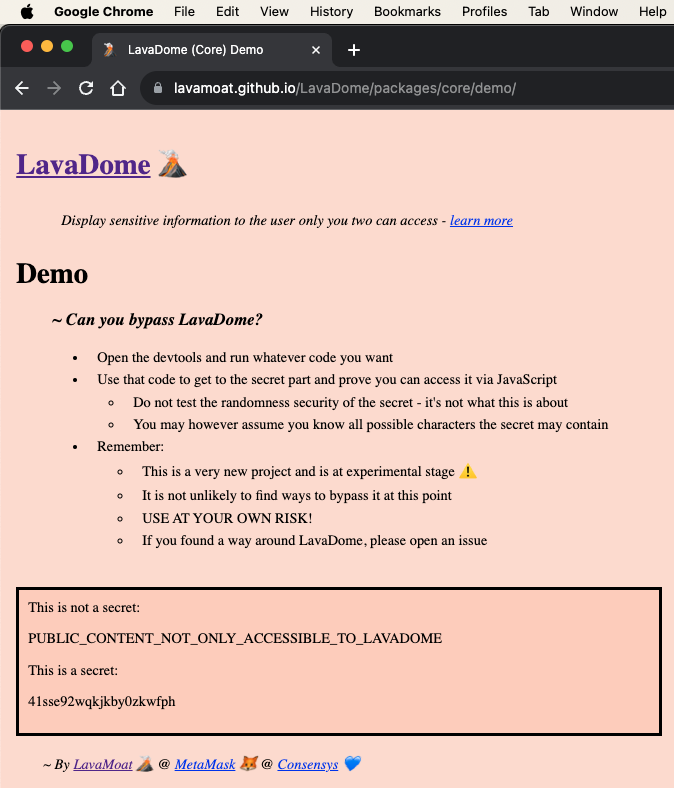
Take a crack at LavaDome - visit the demo app, open the console, and do whatever in your power to steal the secret from within the LavaDome instance (report your success)
Under today's web standards, there is no established way to selectively isolate DOM subtrees in a secured manner. In other words, we can't control access to sections of the DOM by granting access for some parties while blocking access for others if they share the same JavaScript execution environment.
We live in a world where we can no longer trust the code in our own apps, and same-origin execution does not guarantee safety. To secure secrets in the frontend, we must be able to present content to the user while ensuring that it cannot be compromised by JavaScript code running under the same origin.
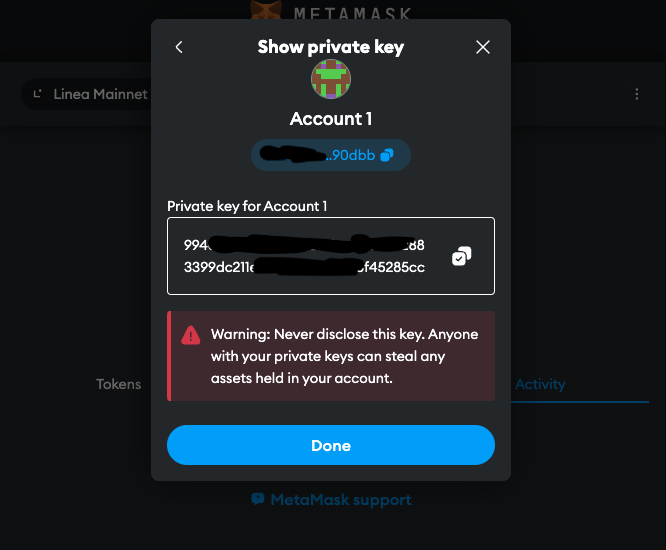
Currently, this sensitive content is simply attached to the DOM once it is exported, making it fully accessible to all entities running in the same app. That is, sections of the code that shouldn't have access to the private key could easily extract it in plaintext, so long as the malicious code has access to the DOM.
But rest assured. We believe this is a solvable problem 👇
LavaDome currently supports Vanilla JavaScript and React (with more on the way)
import { LavaDome as LavaDomeJavaScript } from '@lavamoat/lavadome-javascript';

const root = document.getElementById('root');
const lavadome = new LavaDomeJavaScript(root);
lavadome.text(secret);
lavadome.copy(); // copy to clipboard
import { LavaDome as LavaDomeReact, toLavaDomeToken } from '@lavamoat/lavadome-react';

function Secret({ text }) {
    const {token, copy} = toLavaDomeCapabilities(text);
    return <>
        <a onClick={copy}> copy to clipboard </a>
        <LavaDomeReact token={token} />
    </>;
}
In addition to the root node, all constructors accept optional options 2nd argument:
// javascript
new LavaDomeJavaScript(root, {
    // boolean
    unsafeOpenModeShadow: false,
});

// react
function Secret({ text }) {
    const {token} = toLavaDomeCapabilities(text);
    return <LavaDomeReact
        token={token}
        // boolean
        unsafeOpenModeShadow={false}
    />
}
Due to web core limitations, in order to integrate LavaDome securely, there are a few things to be aware of that require some active effort by the integrating developer:
LavaDome, like any other JavaScript security software, is always vulnerable to code running before it does.
This means that except for code we absolutely trust, LavaDome must be the first piece of code to load in the web application program.
While this doesn't mean that the developer must make use of it immediately (but rather only when they need to), they do however must include the program as soon as possible.
In order to do so correctly (safely), it must be the first import/require declaration in the entire program:
import '@lavamoat/lavadome-react';
import 'other-stuff';

console.log('Program starts here');
That way we guarantee LavaDome gets to prepare itself for safe usage.
Note that this applies similarly to the rest of the LavaDome packages and not just @lavamoat/lavadome-react (so importing more than one of them is unnecessary).
Jump over to Security(defensive-coding) to learn more.
Due to side channeling attacks and web limitations, importing remote fonts can be a successful technique against LavaDome. Since embedded in the realms of CSS, addressing this issue via LavaDome isn't possible currently.
Luckily, this can be effectively addressed using CSP's font-src directive.
To mitigate this form of attack, make sure your web app does not allow fetching fonts from unknown servers.
Jump over to Security(side-channeling) to learn more.
Text provided to LavaDome by the developer must be 100% unpredictable, otherwise can be attacked and leaked.
So if your app should present "your key is 234789", this means your DOM structure should be:
<span>your key is <lavadome>234789</lavadome> </span>
and must not be:
<span> <lavadome>your key is 234789</lavadome> </span>
Jump over to Security(findability) to learn more.
Integrating LavaDome could be tricky in context of testing it, because since LavaDome does a good job in hiding the secret, it hides it pretty well from your tests too!
To successfully integrate LavaDome into your testing environment, you might need some help from LavaDomeDebug which is exported by @lavamoat/lavadome-core:
// IMPORT/USE FOR TESTING/DEBUGGING PURPOSES ONLY - NEVER IN PRODUCTION!
import { LavaDomeDebug } from '@lavamoat/lavadome-core';
Here are some of the debugging util methods LavaDomeDebug exports that can assist you in testing LavaDome based components:
getTextByRoot()Given a LavaDome attached root, getTextByRoot() will recursively extract and reconstruct the inner secret. In order to allow that, the LavaDome instance must be initiated originally with the UNSAFE option @unsafeOpenModeShadow, which makes LavaDome's inner shadows accessible from outside.
Naturally, this is UNSAFE and leaves LavaDome fully vulnerable, but makes sense to use for testing/debugging purposes only - makes sure to never enable this option in production!
new LavaDomeJavaScript(root, {
    unsafeOpenModeShadow: isThisTestingEnv, // boolean
}).text('123456');
LavaDomeDebug.getTextByRoot(root) === '123456'; // true
stripDistractionFromText()When using web drivers for testing and instructing those to extract the inner text of a LavaDome instance root, they will return a string containing both the secret and LavaDomes distraction text.
The distraction text is important for security (see Security(side-channeling)), but makes web driver extract characters that aren't really part of the secret.
To solve that, given the text obtained by the web driver, stripDistractionFromText() will strip the distraction text from it, leaving only the exact string your tests expect to find.
