 l3cr0f/dccwbypassuac
Windows 8.1 and 10 UAC bypass abusing WinSxS in "dccw.exe".

This exploit abuses the way "WinSxS" is managed by "dccw.exe" by means of a derivative Leo's Davidson "Bypass UAC" method so as to obtain an administrator shell without prompting for consent. It supports "x86" and "x64" architectures. Moreover, it has been successfully tested on Windows 8.1 9600, Windows 10 14393, Windows 10 15031 and Windows 10 15062.
If you want to see how to execute the script, take a look at the usage section. Also, you can execute it in Metasploit and getting a Meterpreter session with administrator rights.
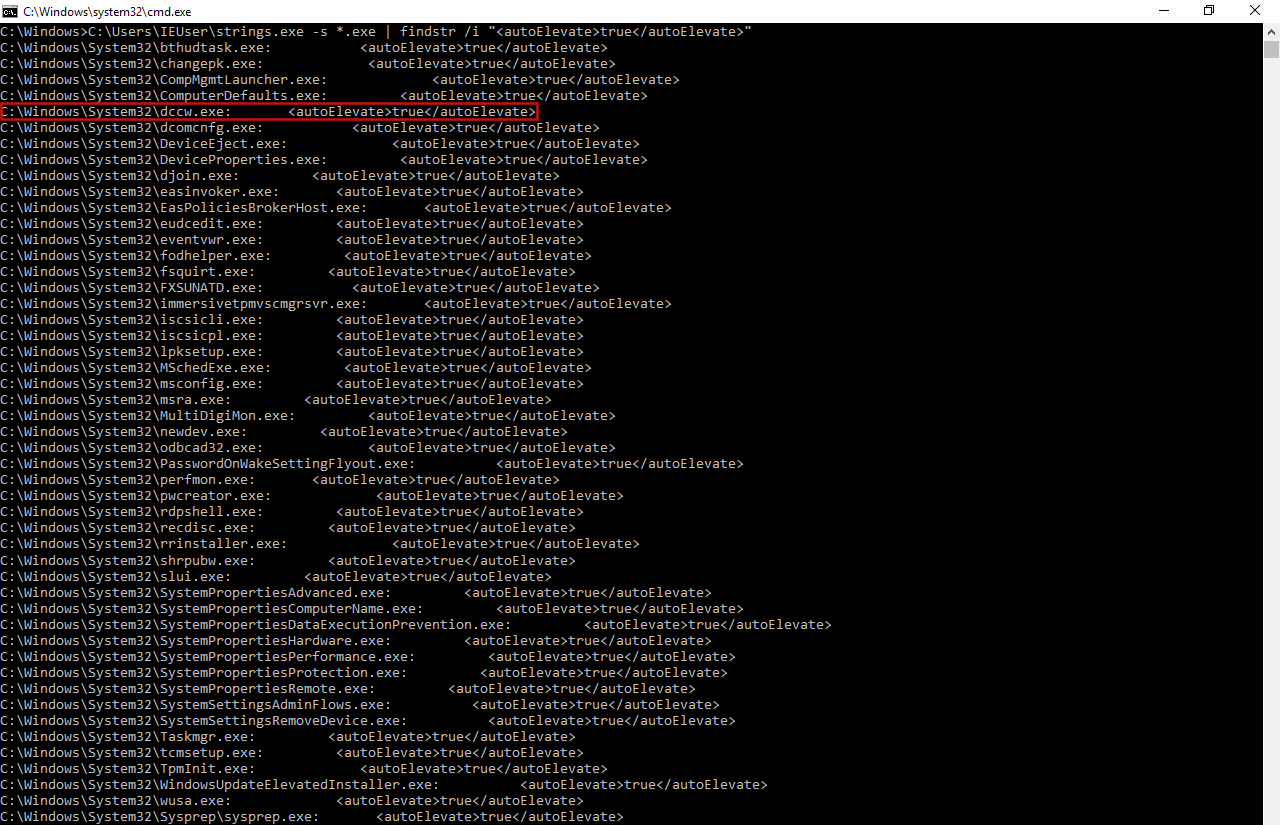
To develop a new bypass UAC, first we have to find a vulnerability on the system and, to be more precise, a vulnerability in an auto-elevate process. To get a list of such processes we used the Sysinternals' tool called Strings. After that, we could see some auto-elevate processes like "sysprep.exe", "cliconfig.exe", "inetmgr.exe", "consent.exe" or "CompMgmtLauncher.exe" that had (some of them still have) vulnerabilities that allow the execution of a "bypass UAC". So, we started to study how other auto-elevate processes worked with the Sysinternals' application called Process Monitor (ProcMon), but focusing on "dccw.exe" process.
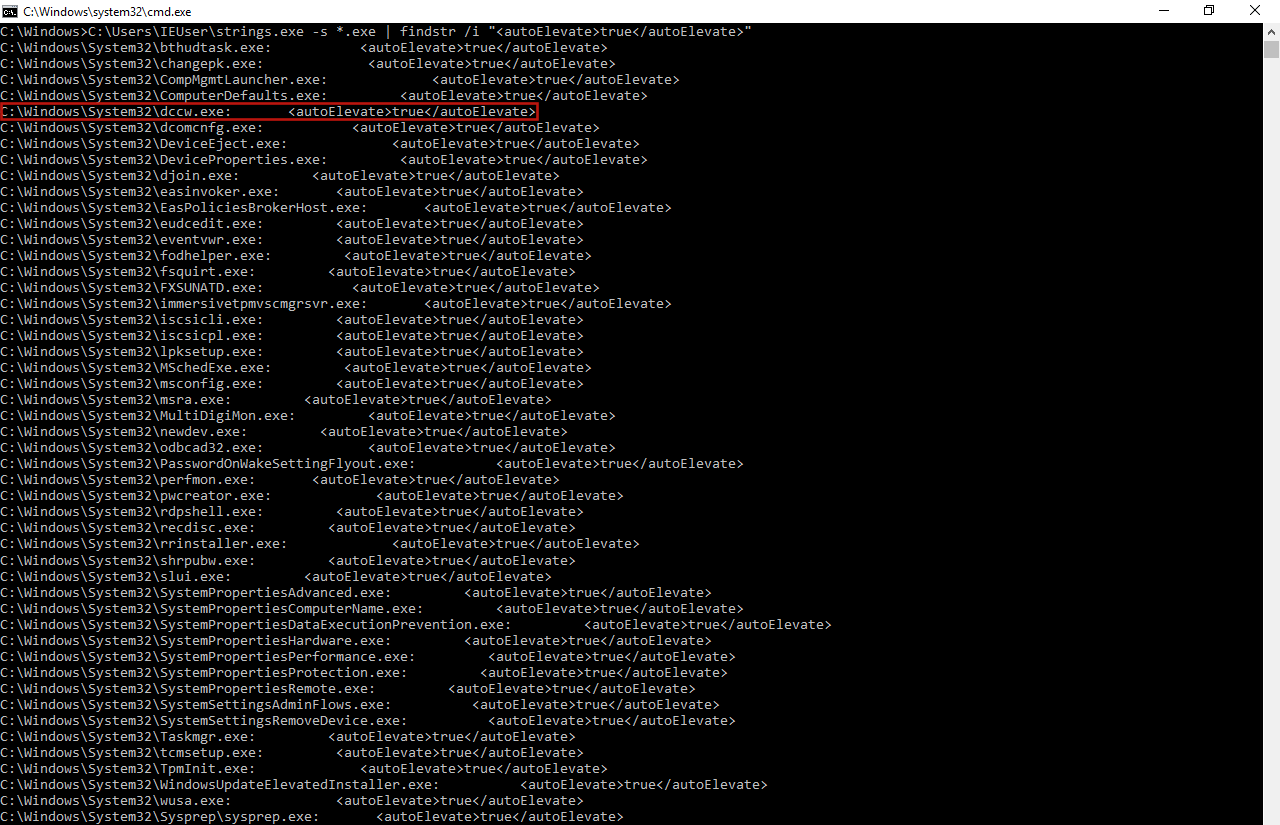
However, before starting with ProcMon, first we checked the manifest of such applications with another Sysinternals' application called Sigcheck, and, of course, in our case "dccw.exe" is an auto-elevate process.
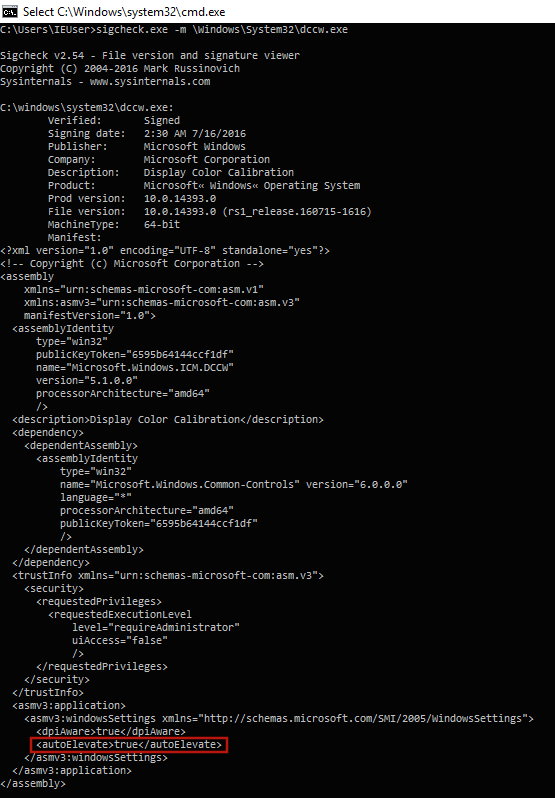
Then, we could start to follow the execution flow of "dccw.exe" with ProcMon to see fn something strange occurs, something we checked immediately. At some point, if we have executed "dccw.exe" as a 64 bits process in a 64 bits Windows machine it looks for the directory "C:\Windows\System32\dccw.exe.Local\" to load a specific DLL called "GdiPlus.dll", the same as it were executed in a 32 bits Windows machine, whereas if we execute it as a 32 bits in the same machine, the process will look for the directory "C:\Windows\SysWOW64\dccw.exe.Local\". Then, due to the fact that it does not exist, the process always looks for a folder in the path "C:\Windows\WinSxS\" to get the desired DLL, this folder has a name with the following structure:
[architecture]_microsoft.windows.gdiplus_[sequencial_code]_[Windows_version]_none_[sequencial_number]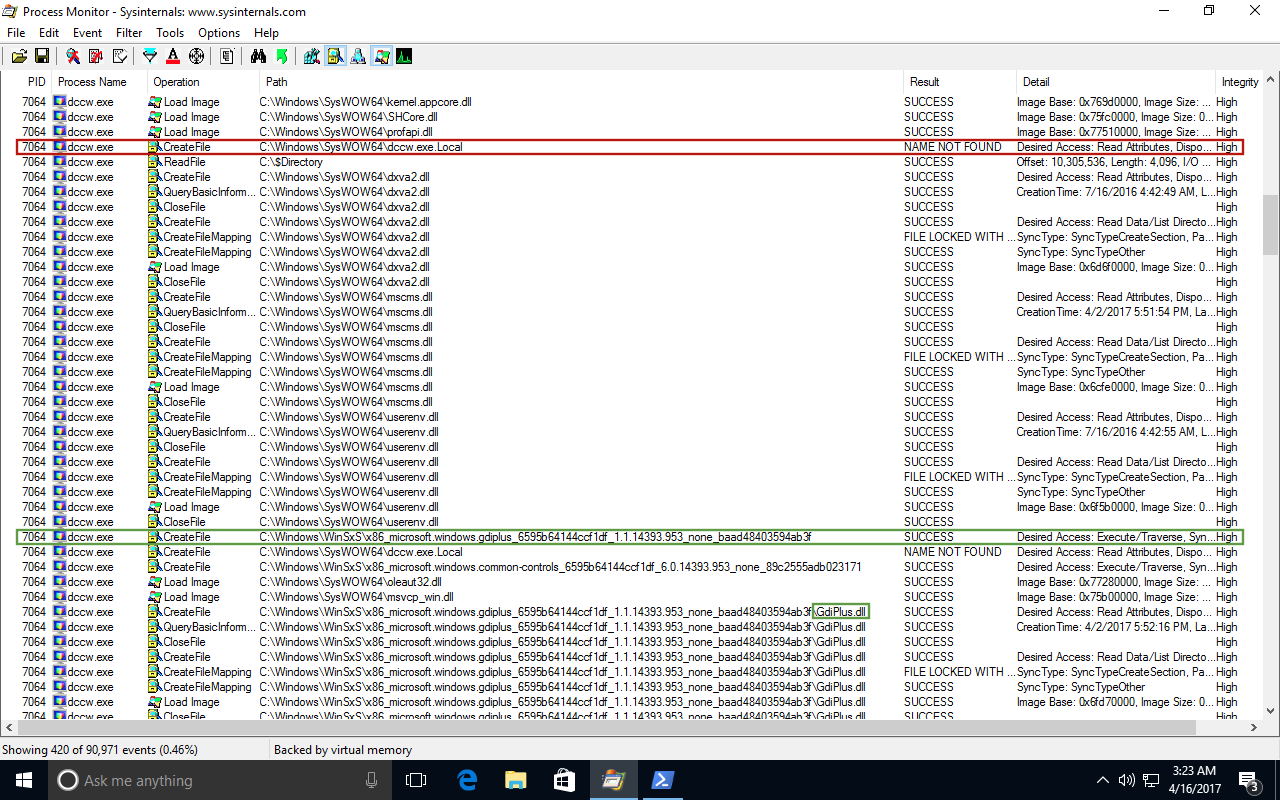
If we take a look into "WinSxS" directory, we could see more than one folder that matches with this structure, this means that "dccw.exe" can load the desired DLL from any of these folders. The only thing we are sure is that if the application is invoked as a x86 process, the folder name will start with the string "x86", while if we execute it as a x64 process, its name will start with the string "amd64".

This situation can be abused to perform a DLL hijacking and then execute code with high integrity without prompting for consent.
Once we have found one error during the execution of an auto-elevate process, we need to verify whether it can be abused or not. To do this, we just created the folder "dccw.exe.Local" in the desired path and, into that folder, we created the folders located in "WinSxS" that could be invoked by the process to load "GdiPlus.dll", but without such DLL.
Now, if we execute "dccw.exe" we will see that the process has found the folder "dccw.exe.Local" and one of the "WinSxS" folders, but not the desired DLL, something that throws an error. This is what we expected, due to that situation can be exploited by an attacker as we mentioned before.
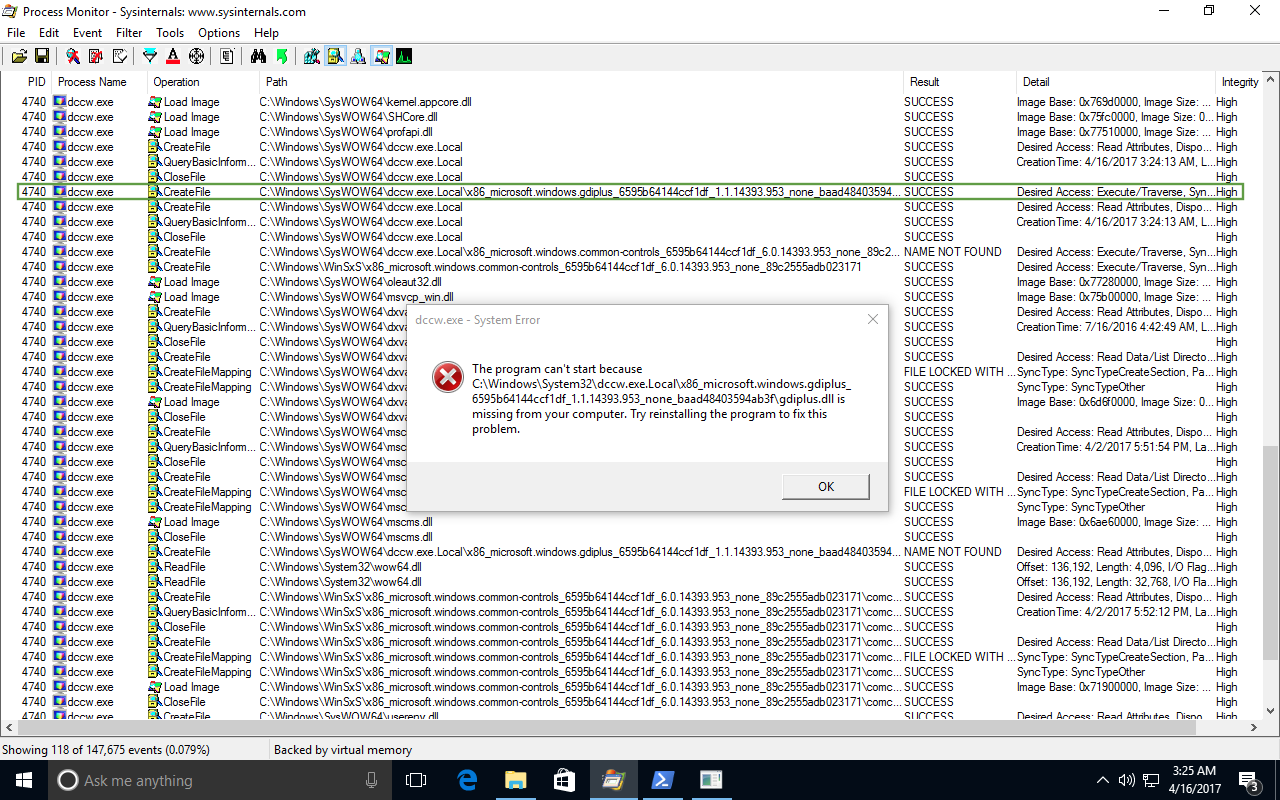
At this point, we already know that we can perform a bypass UAC on Windows 10 abusing "dccw.exe", but how?
The most used method to bypass UAC is that one developed by Leo Davidson. However, it performs a process injection to invoke the IFileOperation COM object, which can be detected by some antivirus software, so a better approach to use it is that one called Masquerade PEB used by Cn33liz in its own bypass UAC.
Also, we have to modify the way IFileOperation is invoked in newer Windows 10 versions, since Leo Davidson method triggers UAC from build 15002. So, the way we have to invoke such operation is the same as the original, but without the operation flags "FOF_SILENT", "FOFX_SHOWELEVATIONPROMPT" and "FOF_NOERRORUI".
Before executing the exploit, it is important to check some aspects to not execute it unsuccessfully and therefore trigger some alarms. The first thing we check is the Windows build version, since some versions are not vulnerable to our exploit (those with a build version lower than 7600). After that, we verify that we do not have administrator rights yet, if it is not the case, there is no reason to execute the script. Then, we check the UAC settings so as to confirm that it is not set to "Always notify", since if it were set to that value, our exploit would be useless. Finally, we verify if the user belongs to the administrators group, because, if not, the exploit would be unsuccessful.
When an exploit is developed is important that can work in as many systems as possible, this includes 32 bits Windows systems. To achieve this, we need to compile our exploit for such systems, since we can also execute it in 64 bits systems.
When our 32 bits exploit is executed in a 64 bits Windows machine, the way "dccw.exe" operates is a bit different due to the invocation of WOW64 (Windows subsystem that allows 64 bits machines to run 32 bits applications). This means the folder "dccw.exe.Local" will be looked for in "C:\Windows\SysWOW64\" directory, instead of "C:\Windows\System32\", but also the targeted "GdiPlus.dll" will be a 32 bits DLL, which implies that it will be looked for in a folder that matches with that name pattern "C:\Windows\WinSxS\x86_microsoft.windows.gdiplus_*". However, if it is executed in a 32 bits Windows system, the exploit will work as expected.
Finally, it is important to remark that we need to consider all the paths that matches with the pattern "C:\Windows\WinSxS\x86_microsoft.windows.gdiplus_*" when the DLL hijack is performed in order to assure a 100% of effectiveness.
