 ksharinarayanan/sourcewolf
Amazingly fast response crawler to find juicy stuff in the source code! 😎🔥






Tested environments: Windows, MAC, linux, and windows subsystem for linux (WSL)
Support this project by becoming a sponsor. Checkout these awesome sponsors:
Oxylabs provides premium proxies with 100M+ IPs across 195 countries and ready-to-use Scraper APIs. You can use this unique promo code boost35 to get 35% off Residential, Mobile proxies, Web Unblocker, and Scraper APIs.

Crawl through responses to find hidden endpoints, either by sending requests, or from the local response files (if any).
Create a list of javascript variables found in the source
Extract all the social media links from the websites to identify potentially broken links
Brute forcing host using a wordlist.
Get the status codes for a list of URLs / Filtering out the live domains from a list of hosts.
All the features mentioned above execute with great speed.
SourceWolf uses the Session module from the requests library, which means, it reuses the TCP connection, making it really fast.
SourceWolf provides you with an option to crawl the responses files locally so that you aren't sending requests again to an endpoint, whose response you already have a copy of.
The final endpoints are in a complete form with a host like https://example.com/api/admin are not as /api/admin. This can come useful, when you are scanning a list of hosts.
> python3 sourcewolf.py -h

-l LIST, --list LIST  List of javascript URLs
-u URL, --url URL     Single URL
-t THREADS, --threads THREADS
                      Number of concurrent threads to use (default 5)
-o OUTPUT_DIR, --output directory-name OUTPUT_DIR
                      Store URL response text in a directory for further analysis
-s STATUS_CODE_FILE, --store-status-code STATUS_CODE_FILE
                      Store the status code in a file
-b BRUTE, --brute BRUTE
                      Brute force URL with FUZZ keyword (--wordlist must also be used along with this)
-w WORDLIST, --wordlist WORDLIST
                      Wordlist for brute forcing URL
-v, --verbose         Verbose mode (displays all the requests that are being sent)
-c CRAWL_OUTPUT, --crawl-output CRAWL_OUTPUT
                      Output directory to store the crawled output
-d DELAY, --delay DELAY
                      Delay in the requests (in seconds)
--timeout TIMEOUT     Maximum time to wait for connection timing out (in seconds)
--headers HEADERS     Add custom headers (Must be passed in as {'Token': 'YOUR-TOKEN-HERE'}) --> Dictionary format
--cookies COOKIES     Add cookies (Must be passed in as {'Cookie': 'YOUR-COOKIE-HERE'}) --> Dictionary format
--only-success        Only print 2XX responses
--local LOCAL         Directory with local response files to crawl for
--no-colors           Remove colors from the output
--update-info         Check for the latest version, and update if required
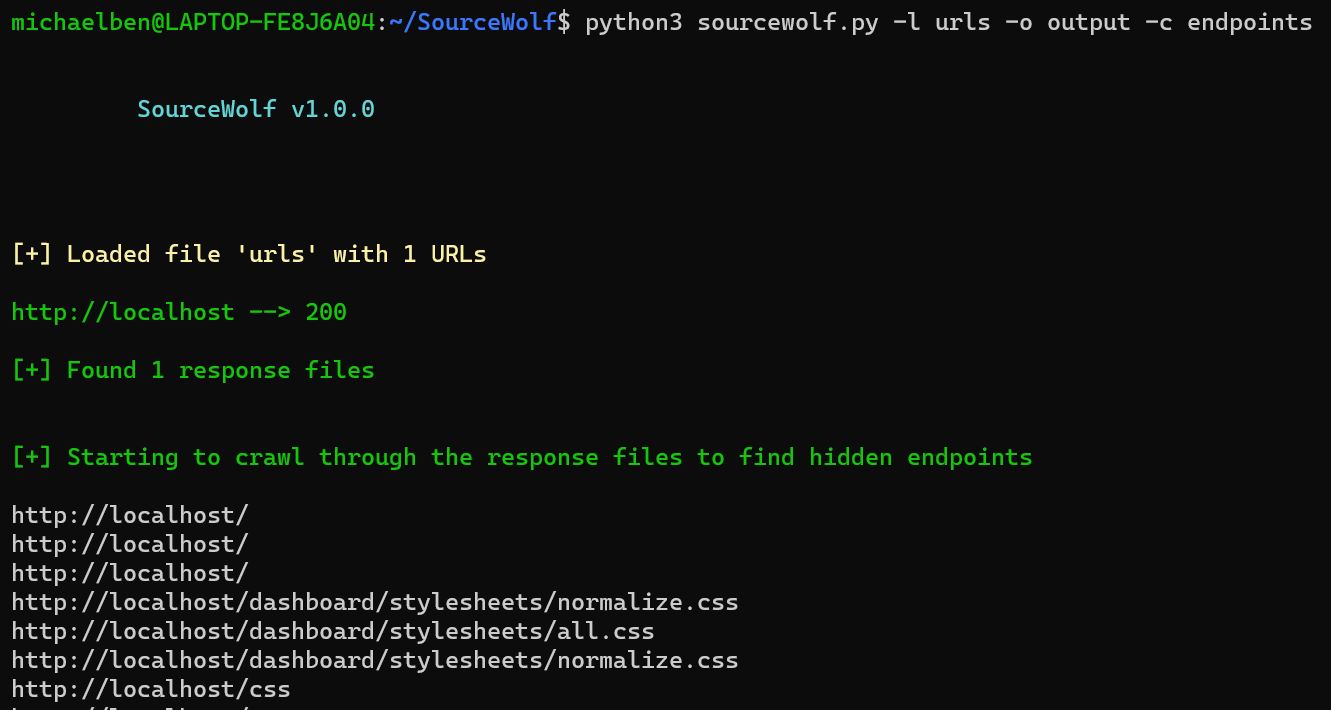
Complete usage:
python3 sourcewolf.py -l domains -o output/ -c crawl_output
domains is the list of URLs, which you want to crawl in the format:
https://example.com/
https://exisiting.example.com/
https://exisiting.example.com/dashboard
https://example.com/hitme
output/ is the directory where the response text files of the input file are stored.
They are stored in the format output/2XX, output/3XX, output/4XX, and output/5XX.
output/2XX stores 2XX status code responses, and so on!
crawl_output specified using the -c flag is used to store the output, inside a directory which SourceWolf produces by crawling the HTTP response files, stored inside the output/ directory (currently only endpoints)
The crawl_output/ directory contains:
endpoints - All the endpoints found
jsvars - All the javascript variables
The directory will have more files, as more modules, and features are integrated into SourceWolf.
(OR)
For a single URL,
python3 sourcewolf.py -u example.com/api/endpoint -o output/ -c crawl_output
Only the flag -l is replaced by -u, everything else remains the same.
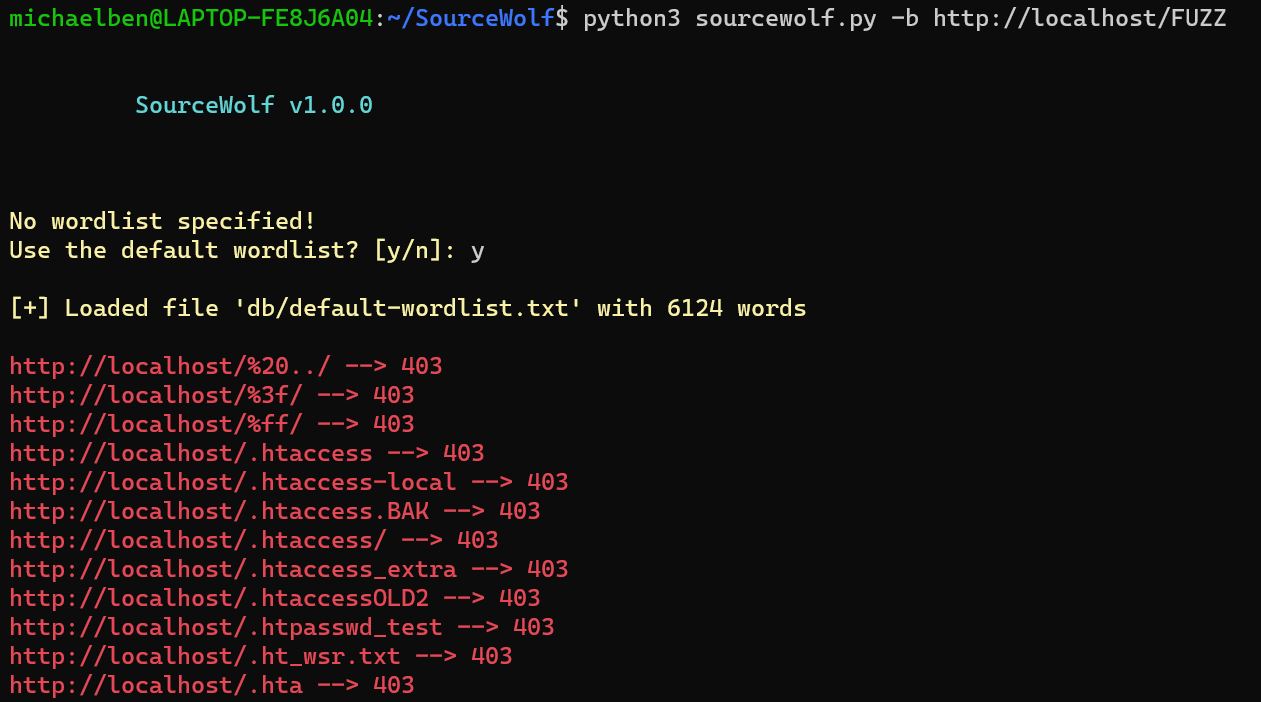
python3 sourcewolf.py -b https://hackerone.com/FUZZ -w /path/to/wordlist -s status
-w flag is optional. If not specified, it will use a default wordlist with 6124 words
SourceWolf replace the FUZZ keyword from the -b value with the words from wordlist, and sends the requests. This enables you to brute force get parameter values as well.
-s will store the output in a file called status
Screenshot not included as the output looks similar to
crawl responsemode.
python3 sourcewolf -l domains -s live
The domains file can have anything like subdomains, endpoints, js files.
The -s flag write the response to the live file.
Both the brute force and probing mode prints all the status codes except 404 by default. You can customize this behavior to print only
2XXresponses by using the flag--only-success
SourceWolf also makes use of multithreading.
The default number of threads for all modes is 5. You can increase the number of threads using the -t flag.
In addition to the above three modes, there is an option crawl locally, provided you have them locally, and follow sourcewolf compatible naming conventions.
Store all the responses in a directory, say responses/
python3 sourcewolf.py --local responses/
This will crawl the local directory, and give you the results.
Subdomain enumeration
|
|
SourceWolf
|
|
Filter out live subdomains
|
|
Store responses and find hidden endpoints / Directory brute forcing
