 ksgassama-lab/vulnerability-remediation-cve-2013-3900
End-to-end remediation of CVE-2013-3900 using PowerShell and Tenable. Demonstrates vulnerability identification, registry hardening, and automated verification in an Azure environment

This project demonstrates a real-world Vulnerability Management Workflow. Using an Azure VM, I hunted down a high-severity signature validation flaw, confirmed it manually via PowerShell, and deployed a registry-based fix to harden the system against unauthorized code execution.
The WinVerifyTrust function in Windows had a sneaky flaw (CVE-2013-3900). Attackers could "hitchhike" malicious code onto a signed file without breaking the digital signature. This means a file could look "trusted" even if it was carrying malicious code, allowing it to bypass security checks.
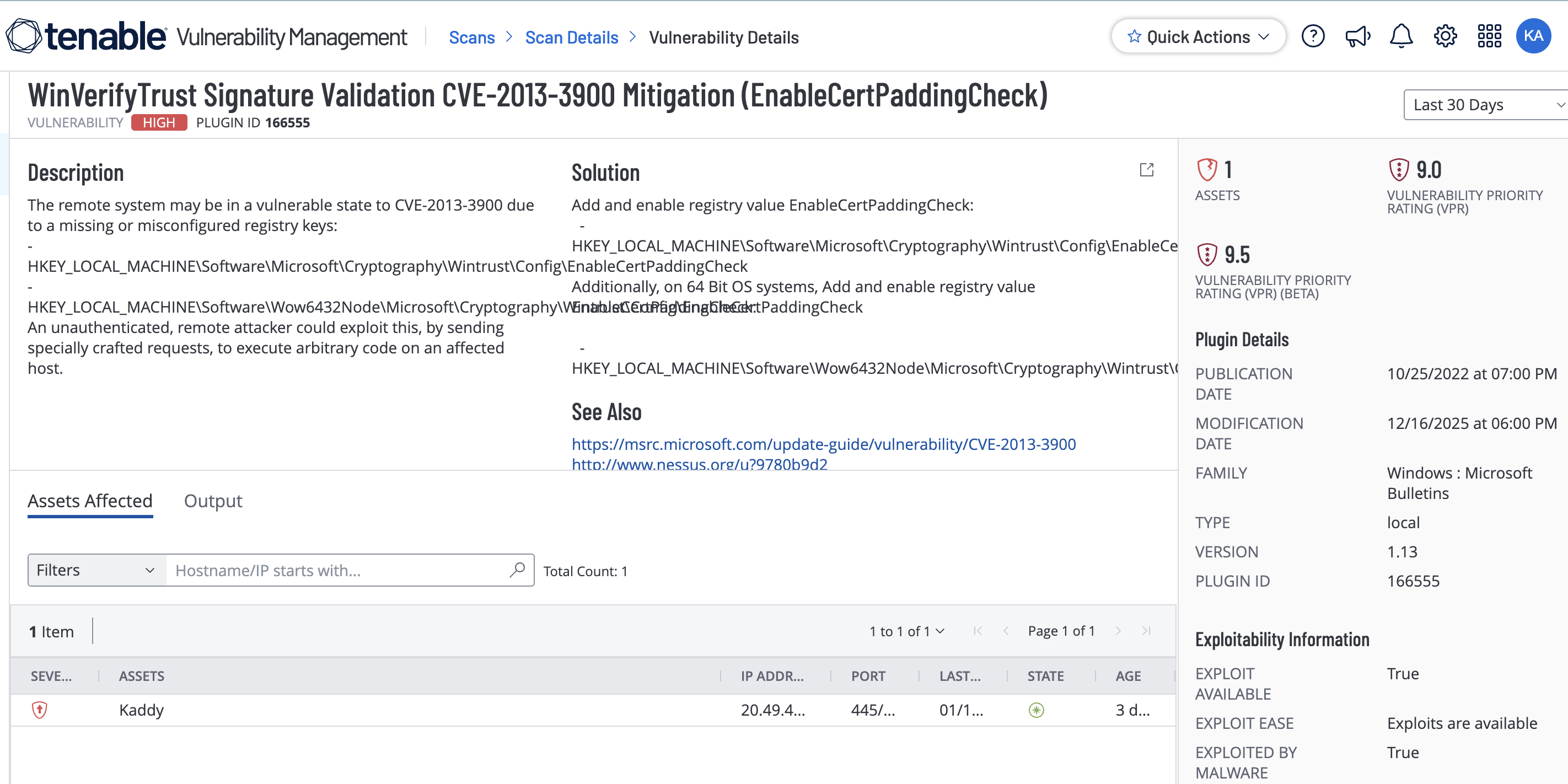
I started by running a Tenable scan on my Azure VM (Host: Kaddy). The scan flagged a "High" severity vulnerability (VPR 9.0) because the system was missing a specific security setting called EnableCertPaddingCheck.
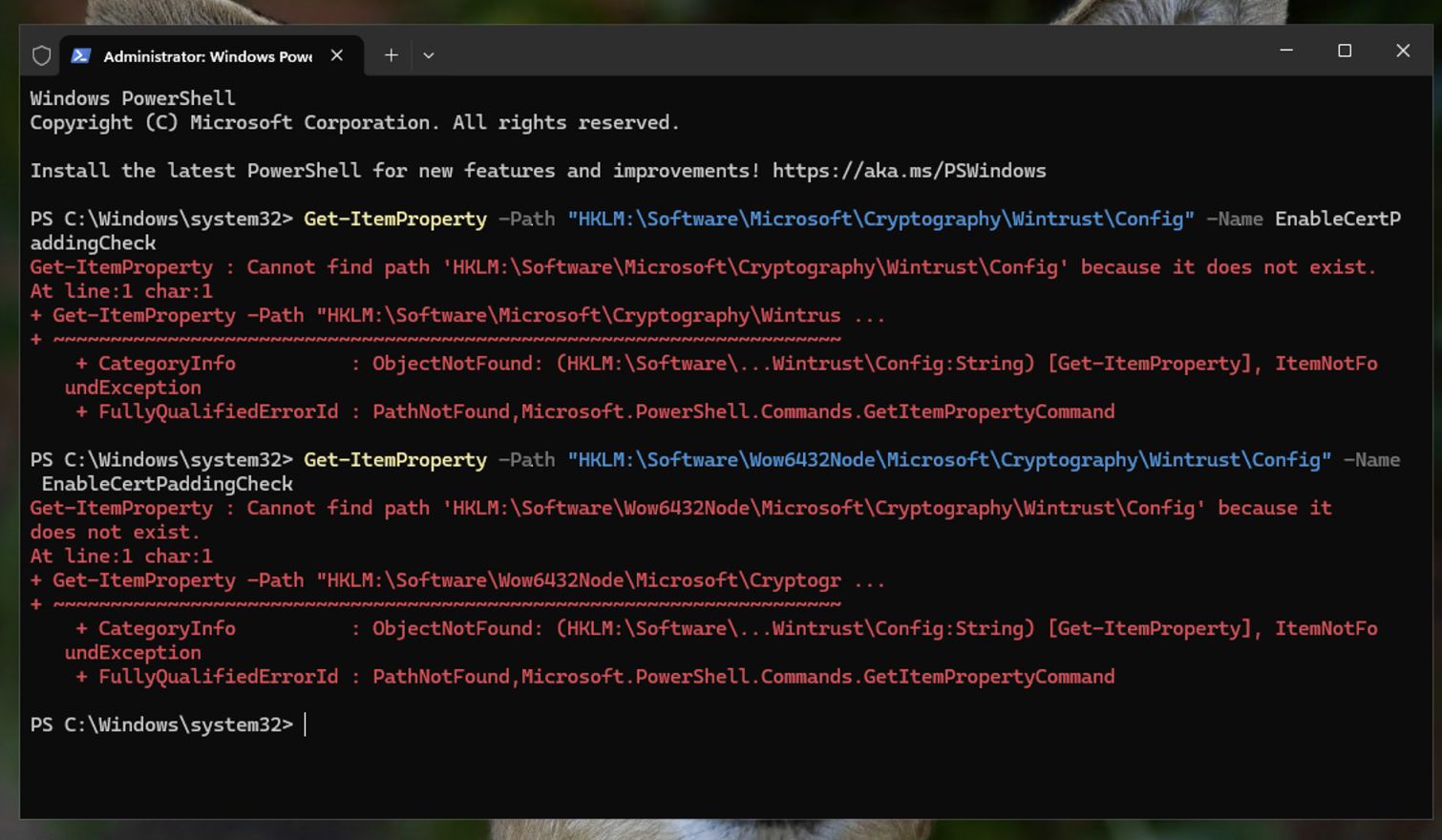
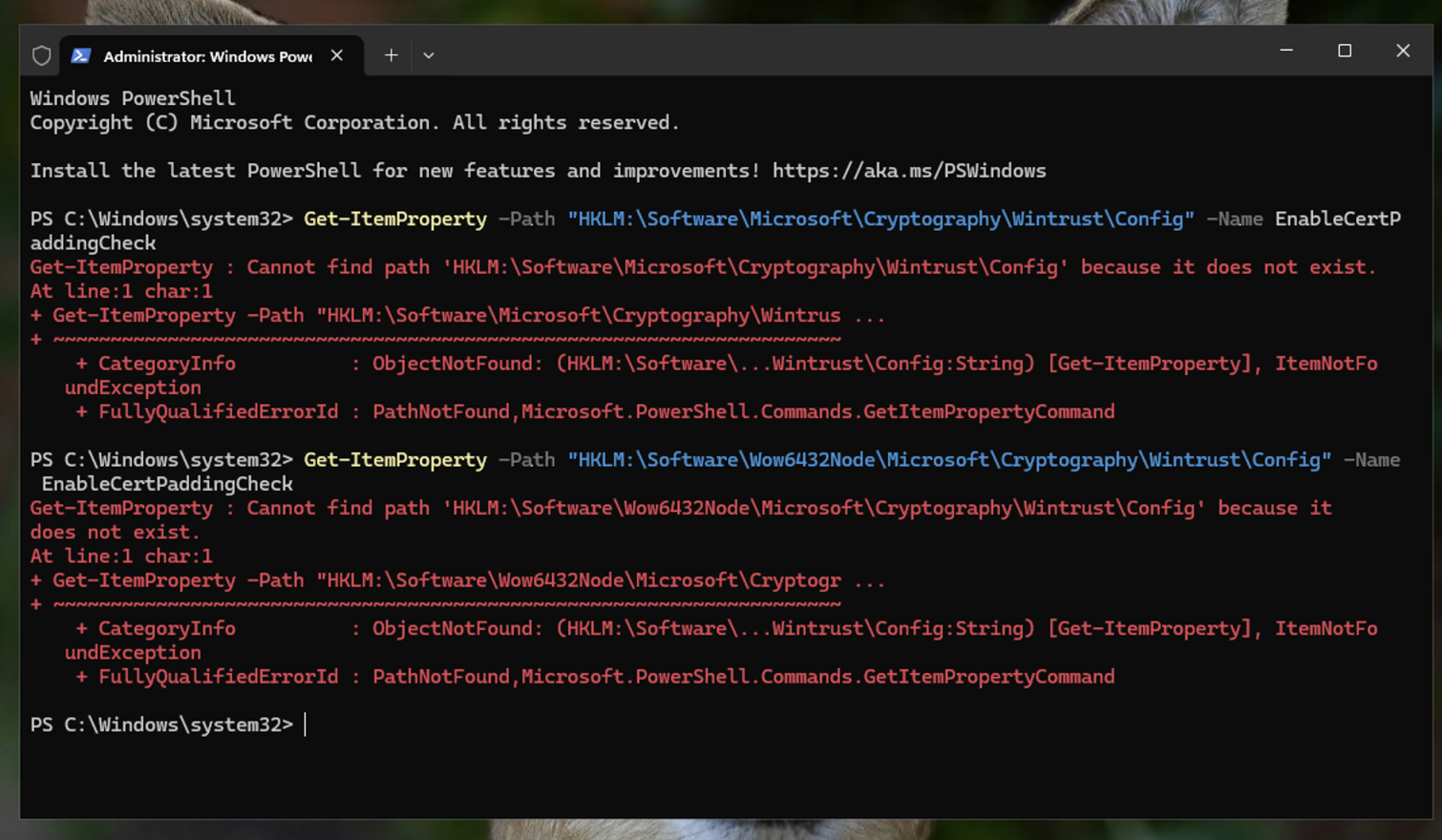
I didn't just take the scanner's word for it. I used PowerShell to check if the registry key actually existed
powershell Get-ItemProperty -Path "HKLM:\Software\Microsoft\Cryptography\Wintrust\Config" -Name EnableCertPaddingCheck
Result: The command failed with a "Path does not exist" error. This confirmed the system was wide open to this specific exploit.
Instead of manually editing the Registry (RegEdit), I used a PowerShell script to apply the fix. This is faster, repeatable, and safer, especially for hundreds of machines.
I applied the fix to both:
Standard registry path
32-bit (WoW6432Node) path
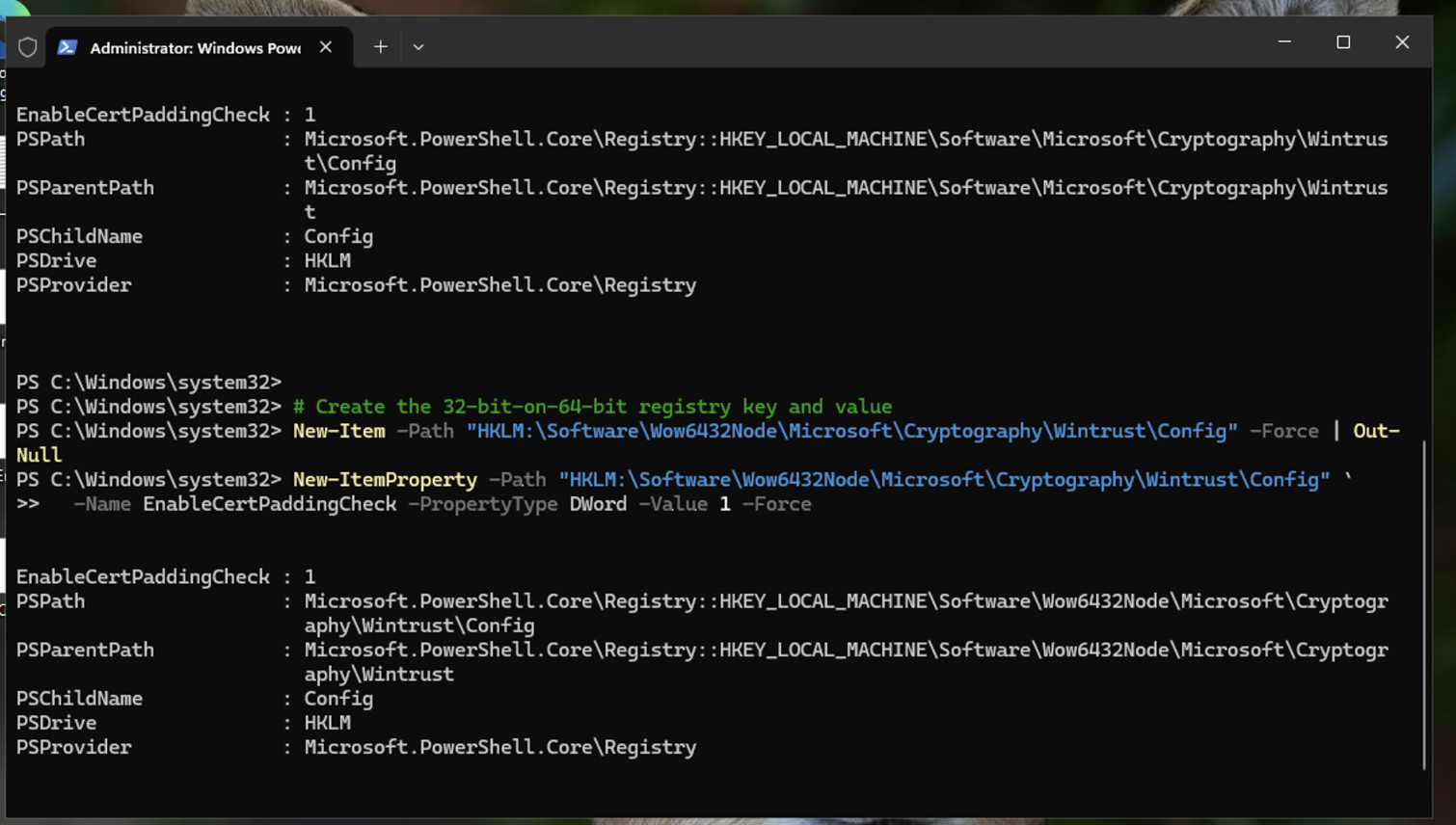
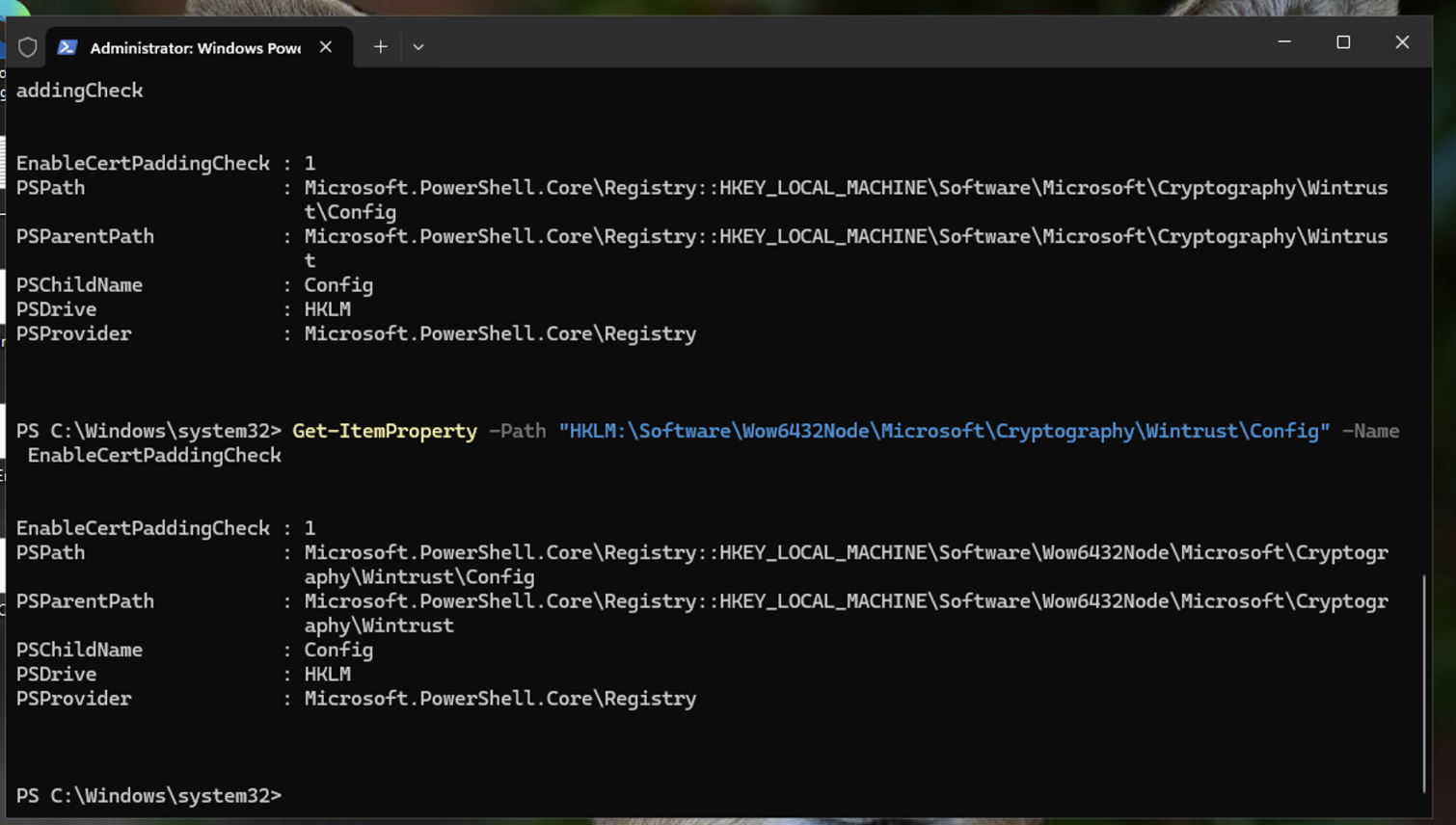
After the script finished, I ran the verification check again. As shown in the final logs, the EnableCertPaddingCheck value is now set to 1. The system now strictly validates certificate padding, effectively closing the security hole.
Beyond Patching: I learned that some vulnerabilities aren't fixed by just running "Windows Update." Sometimes you have to get your hands dirty in the registry to actually harden a system.
Registry Hardening: Mastering HKLM via PowerShell is essential for security professionals who manage systems at scale.
