 ksgassama-lab/msteams---vulnerability---remediation
Automated remediation of CVE-2025-53783 (Teams RCE) using PowerShell

This project demonstrates a Vulnerability Management Workflow. Using an Azure VM, I identified a high-severity "Remote Code Execution" (RCE) flaw in Microsoft Teams, verified its existence through PowerShell, and deployed a programmatic fix using the Windows Package Manager.
Microsoft Teams for Desktop (versions prior to 25122.1415.3698.6812) contained a heap-based buffer overflow vulnerability. This allowed unauthorized attackers to execute malicious code over a network—essentially giving them a "backdoor" into the system.
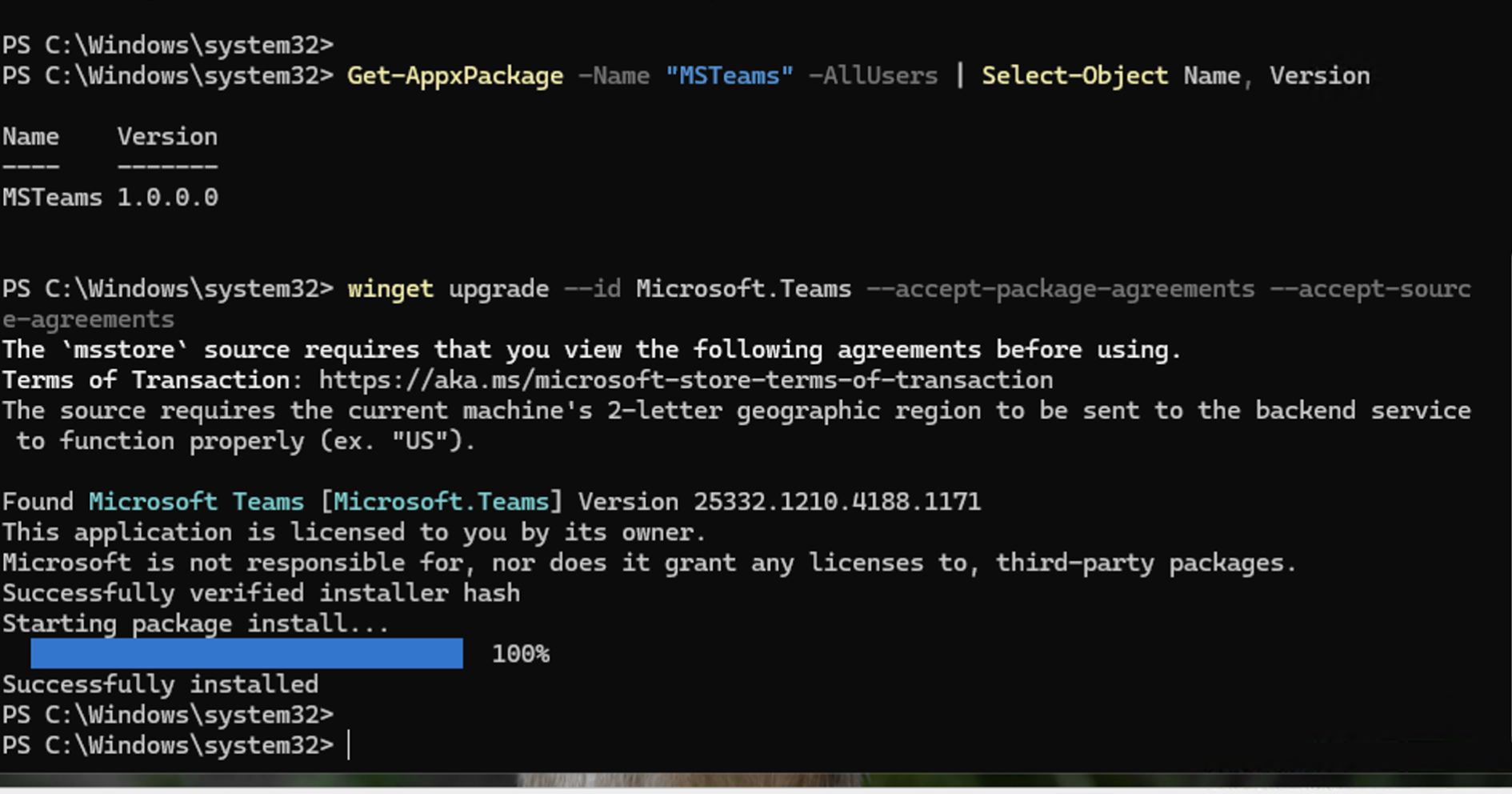
I started by running a Tenable scan on my Azure VM. The scan flagged a Remote Code Execution (RCE) vulnerability because my Teams version was way out of date.
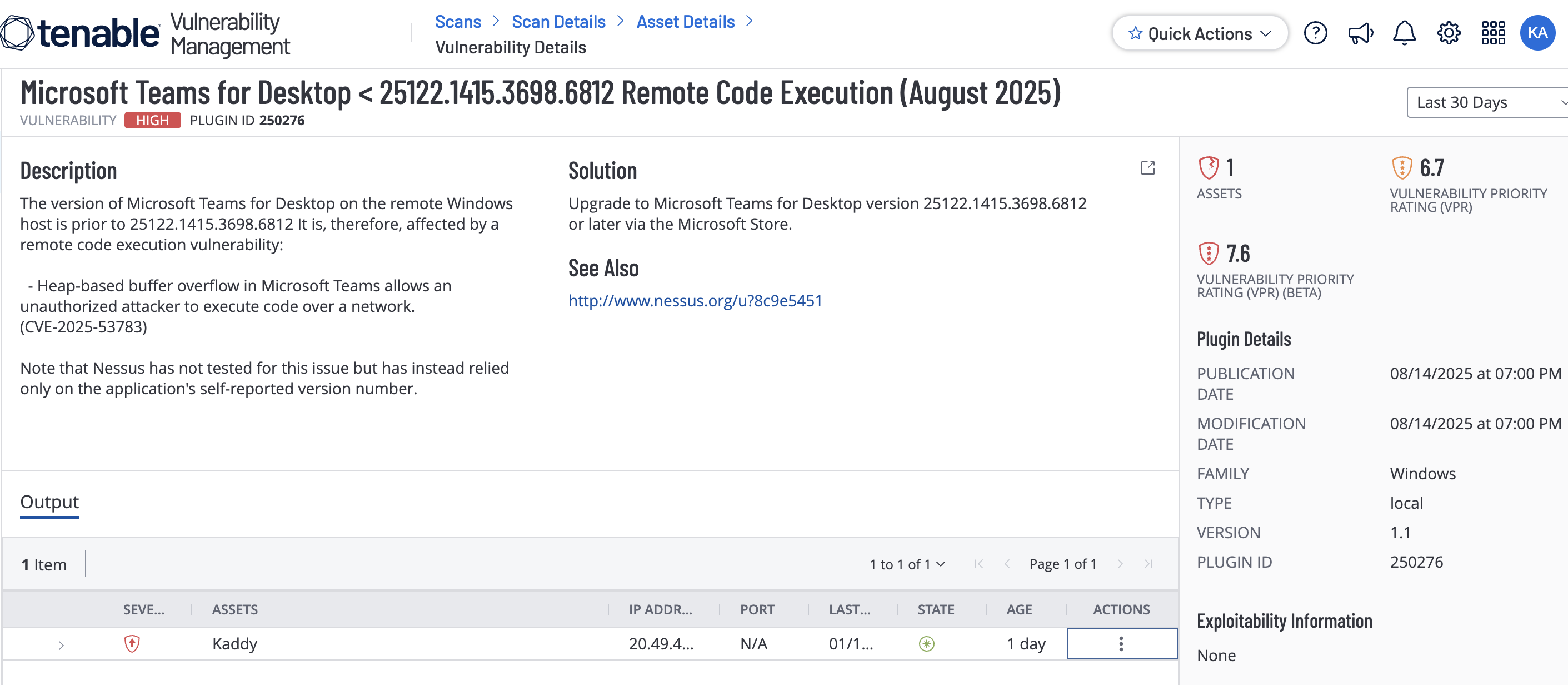
I ran a PowerShell command to check the version of the "New Teams" client. It showed version 1.0.0.0—definitely vulnerable!
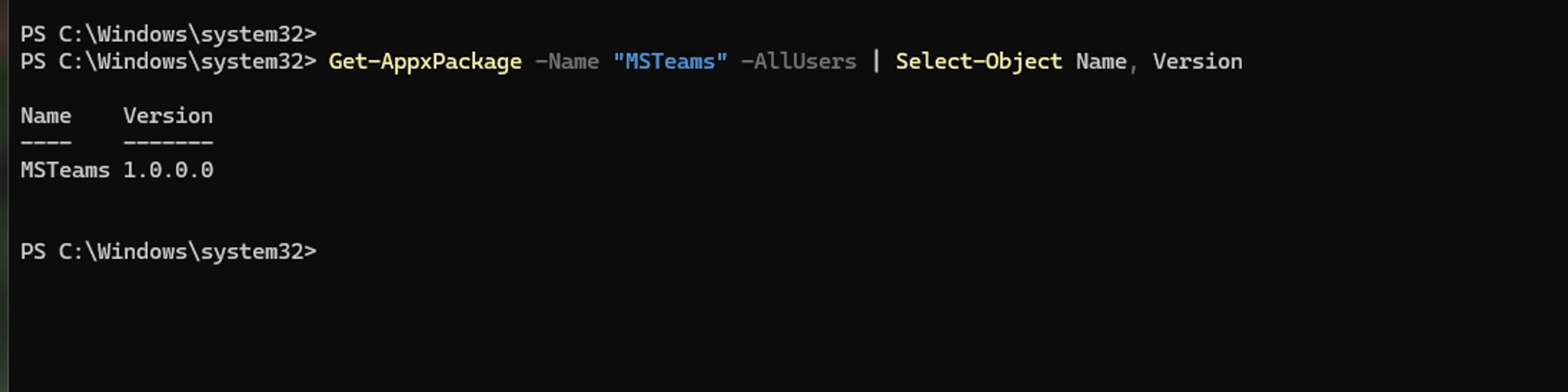
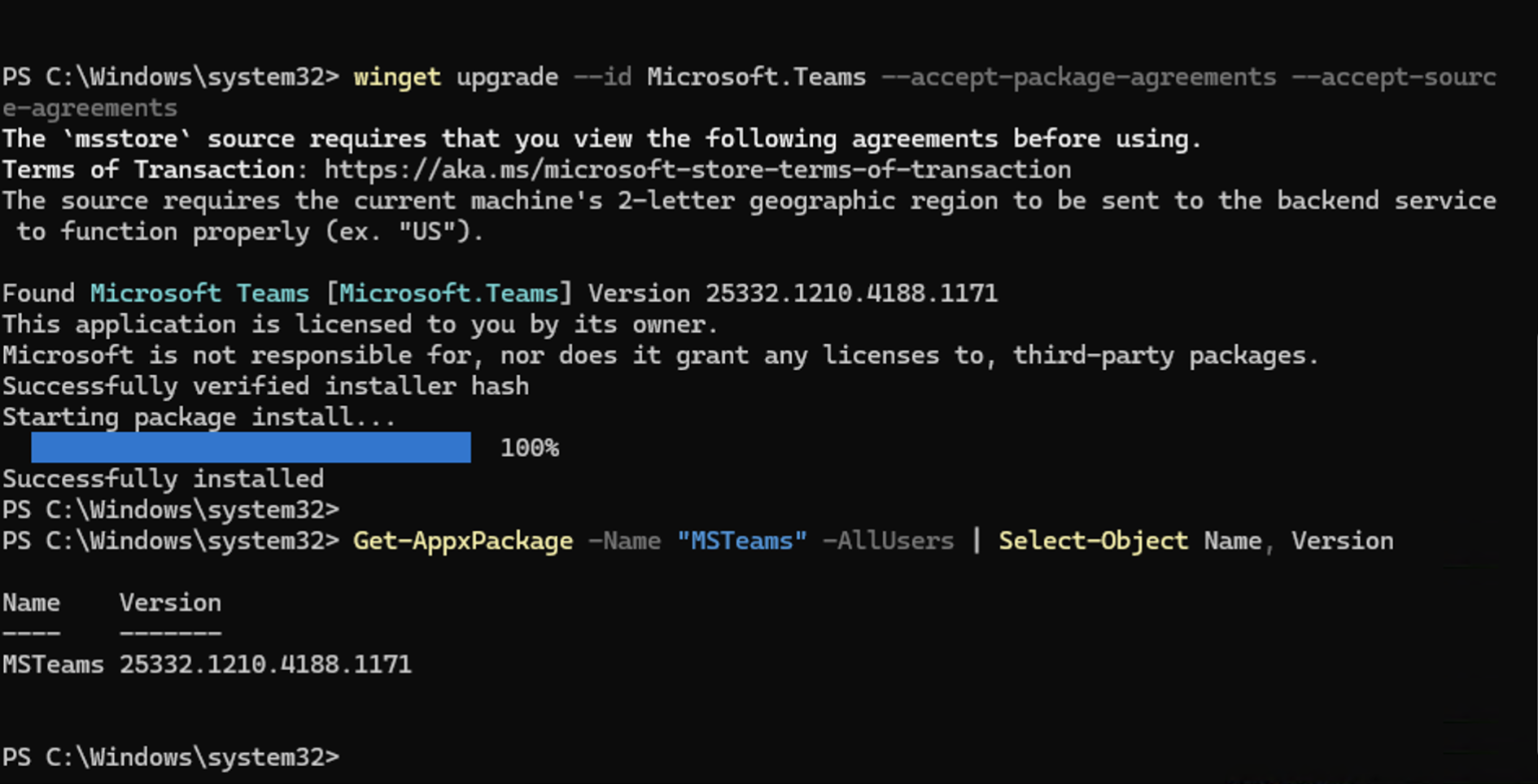
I used a powerhell script to handle it. This is faster and works even if you have hundreds of computers to fix. I used winget to pull the latest secure version directly from Microsoft.
Command used:
winget upgrade --id Microsoft.Teams
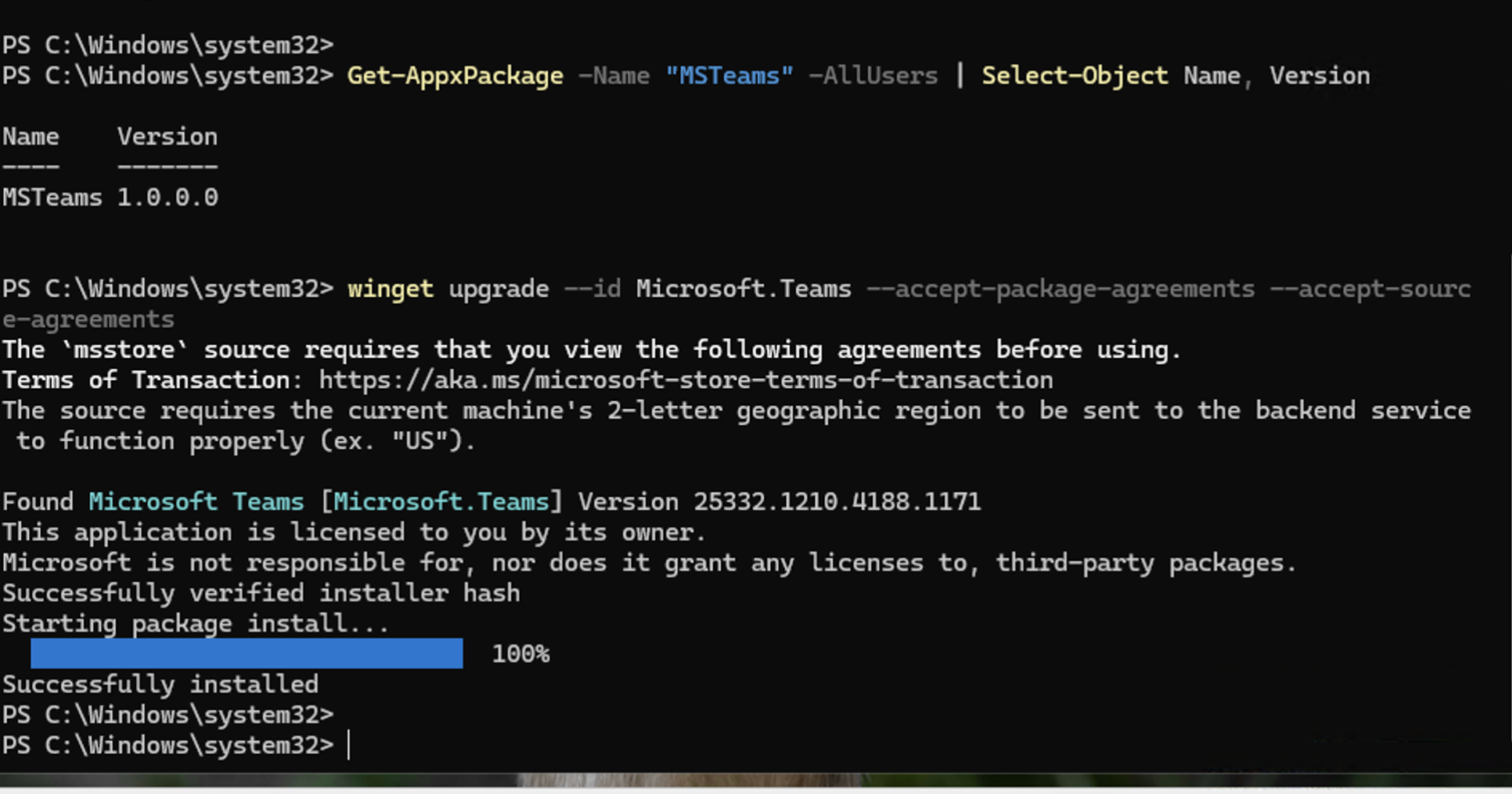
After the script finished, I ran the version check again. As you can see below, the version is now updated and the "hole" is closed!
Key Takeaways & Lessons Learned Placeholder Risks: Freshly deployed Azure VMs often contain "vulnerable-by-default" app stubs (v1.0.0.0). Security teams must patch these immediately upon deployment.
Scripting > GUI: Using PowerShell and winget allows for "Silent" remediation, which is essential for professional IT environments where manual clicking isn't an option.
Continuous Monitoring: Security is a cycle. This project followed the industry-standard loop of Identify → Verify → Fix → Audit.
