
Skip to content
KitploitKITPLOIT
ToolsBlog
Submit
ToolsBlog
Submit

Hacking, PenTest, and Cybersecurity Tools for Your Security Arsenal!

Kitploit is a directory of hacking, cybersecurity, and pentesting tools. Discover the latest project updates to find vulnerabilities, analyze systems, automate testing, and strengthen your security.

··Feeds·Contact·Privacy·© 2026 Kitploit

Tool Directory

Categories

View all categories
Loading categories
Tools/GitHubGitHub/krishnakanthb13/password_generator
General Purpose UtilitiesPassword CrackingEncryption/Decryption ToolsCryptographyUtilities & FrameworksAuthentication
GitHubkrishnakanthb13/password_generator

password_generator

A production-ready, cryptographically secure password generator CLI with 17 generation modes, entropy transparency, and comprehensive customization options.

View Repository
24417 months agoReviewed by Kitploit

Most Popular

View all →

Discover the most used tools by our community.

Explore all tools

Browse our collection of tools

View all tools →
Share

PassForge - All-in-One Password Generator CLI

A production-ready, cryptographically secure password generator CLI with 17 generation modes, entropy transparency, and comprehensive customization options.
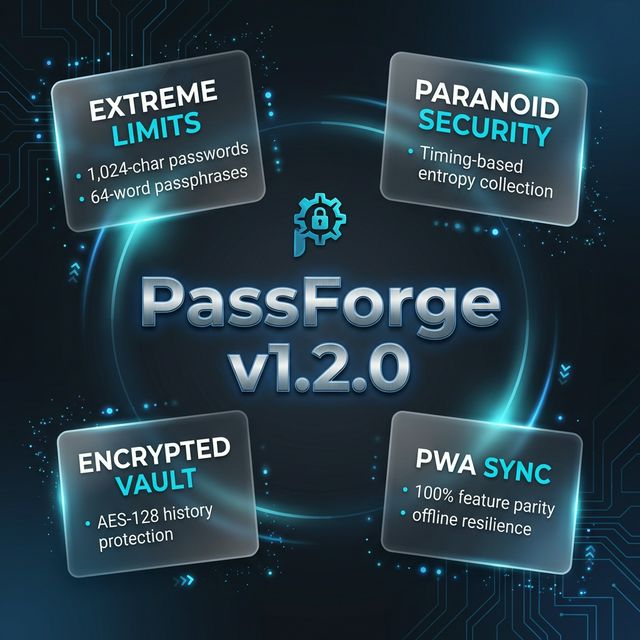
PassForge_v1.2.0

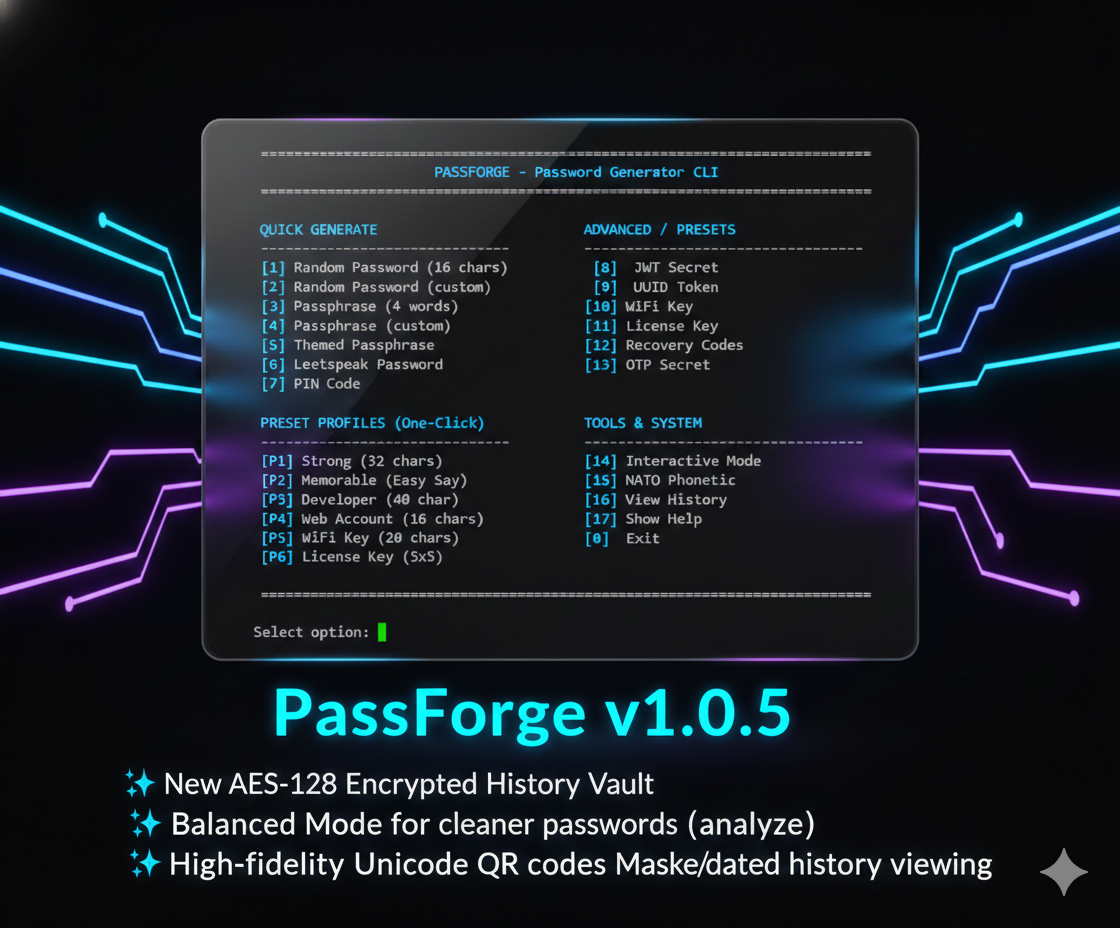
PassForge_v1.0.5

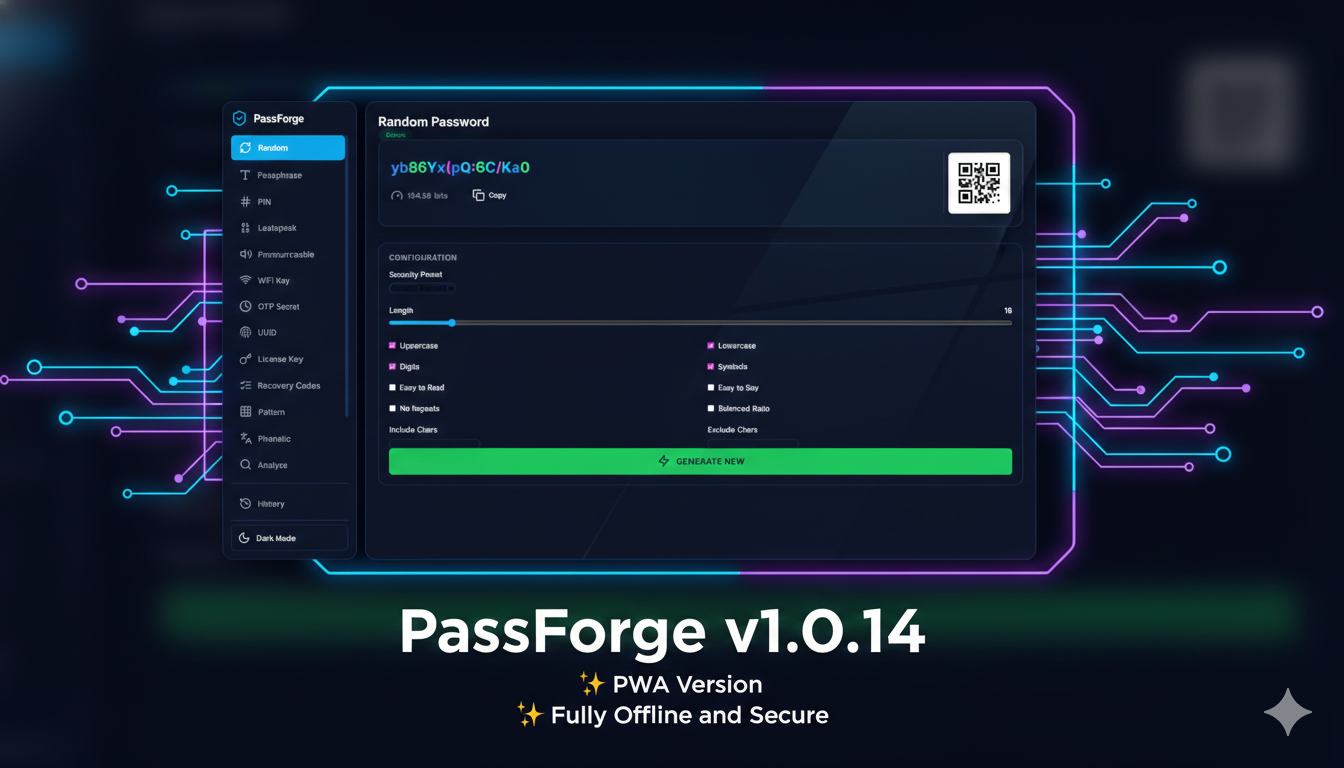
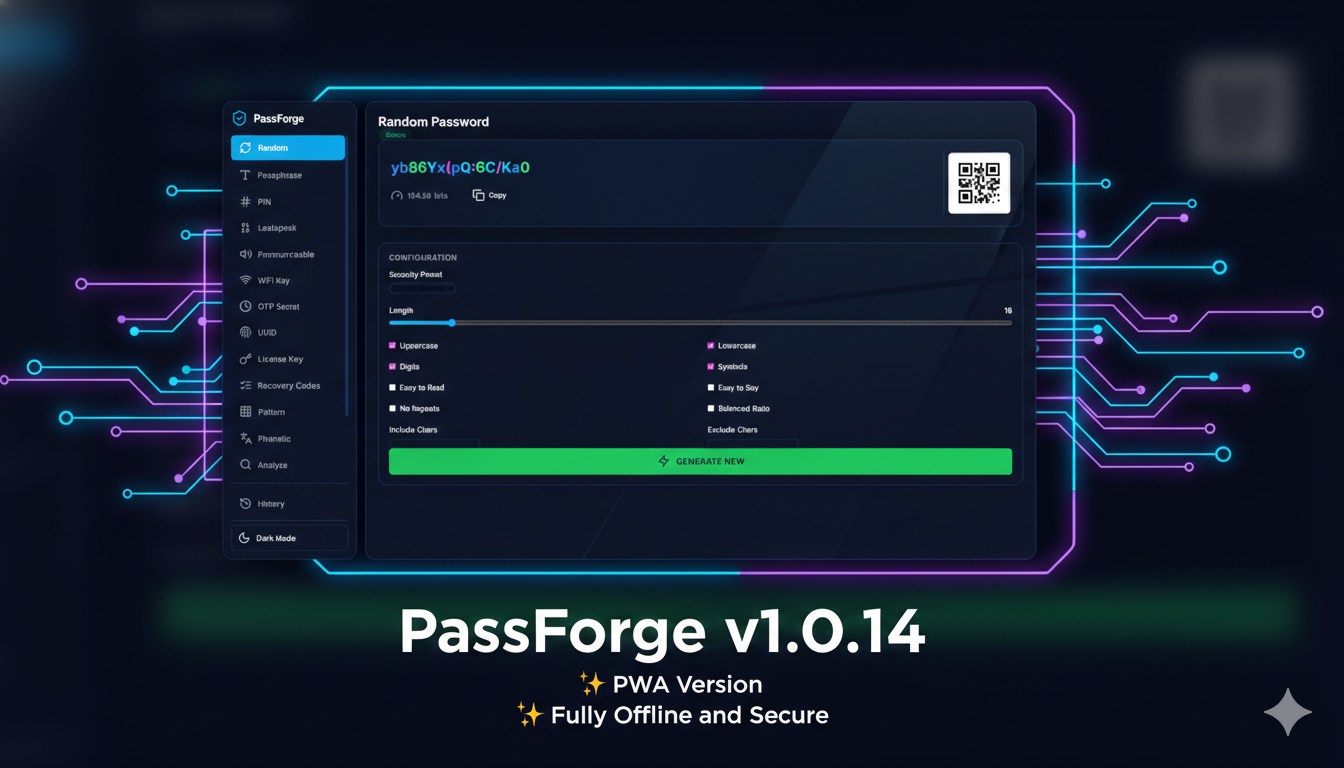
PassForge_v1.0.14

Features

17 Generation Modes

GeneratorCommandDescription
Randomrandom, rCryptographically secure random character passwords
Passphrasephrase, pWord-based passphrases using EFF wordlist
Leetspeakleet, lPassphrases with character substitution (A→4, E→3, etc.)
PINpinNumeric PINs of configurable length
Pronounceablepronounce, prEasy-to-speak syllable-based passwords
UUIDuuid, uRFC 4122/9562 UUIDs (v1, v4, v7) & Short (Base58)
Base64base64, b64URL-safe base64-encoded secrets
JWT SecretjwtHigh-entropy secrets for JWT signing (HS256/384/512)
WiFi KeywifiWPA2/WPA3 compatible keys (8-63 chars)
License KeylicenseSoftware license keys (AXB format, e.g. 5x5)
Recovery Codesrecovery2FA backup codes (numeric or word-based)
OTP Code/SecretotpTOTP/HOTP codes & secrets with otpauth URI
PatternpatternVisual grid-based pattern passwords
Themed Phrasephrase (custom)Passphrases from themed wordlists (animals, sci-fi, etc.)
NATO Phoneticphonetic, phConvert text/passwords to NATO alphabet (Alpha-Bravo)
Analyzeanalyze, checkAnalyze strength of an existing password
HistoryhistoryView password generation history (defaults to 10 entries)
  • Preset Profiles: One-click generation for common use cases (Strong, Memorable, Dev, etc.)
  • Interactive Menu: Full-featured menu for guided generation
  • Platform Launchers: Dedicated .bat and .sh scripts with interactive menus
  • Cryptographic Security: Uses Python's secrets module for CSPRNG
  • Entropy Transparency: Real-time entropy calculation and strength analysis
  • zxcvbn Analysis: Pattern-based password strength checking (dictionary attacks, sequences)
  • Secure Clipboard: Auto-wipe clipboard after configurable timeout
  • Live OTP Codes: Generates current 6/8 digit TOTP codes alongside the secret
  • QR Codes for OTP: Scannable QR codes for authenticator apps
  • Color-Coded Output: Visual distinction between character types
  • JSON Export: Machine-readable output for scripting
  • Balanced Mode: Ensures readable distribution (60% Letters, 20% Digits, 20% Symbols)
  • Generator Guide: Comprehensive documentation for all 14 generator types.
  • Encrypted History (Vault): Automatically encrypts saved passwords using AES-128 (Fernet).
  • Secure Vault Storage: Dedicated vault handles cryptographic keys via .env (recommended) or legacy .vault.key with strict 0600 file permissions
  • Zero-Leakage Architecture: 🛡️ Source code and logs are blocked from browser access in PWA mode; sensitive inputs are masked in CLI mode for entropy analysis.
  • Redacted Exports: Security-first history export with automatic password redaction by default
  • Zero-Indentation UI: Clean, professional left-aligned output for all modes
  • Smart Leetspeak: Probabilistic substitution for more natural, readable passwords
  • Robust Validation: Interactive prompts with default values and recursive error handling
  • Defensive PWA Frontend: 🛡️ Built-in safety checks for CDN assets to prevent initialization crashes.
  • Global Modifiers: --easy-read and --easy-say modes
  • Paranoid Mode: Optional manual entropy collection via keyboard timing jitter for maximum security.

Installation

root@kitploit:~
# Clone the repository
git clone https://github.com/krishnakanthb13/password_generator.git
cd password_generator

# Install dependencies (colorama, cryptography, pyperclip, etc.)
pip install -r requirements.txt

Quick Start

root@kitploit:~
# Generate a 20-character random password
python main.py random -l 20

# Generate a 4-word passphrase
python main.py phrase -w 4 --capitalize

# Generate a leetspeak passphrase
python main.py leet -w 3 -s _

# Generate with entropy analysis
python main.py --show-entropy random -l 16

# Launch interactive mode
python main.py --interactive

# Use a preset profile (Strong)
python main.py --preset strong --show-entropy

Usage Examples

Random Passwords

root@kitploit:~
# Basic 16-character password
python main.py random

# 24-character, letters only
python main.py random -l 24 --no-symbols --no-digits

# Easy to read (no 0/O, 1/l/I)
python main.py --easy-read random -l 20

# With minimum requirements
python main.py random -l 16 --min-upper 2 --min-digits 2 --min-symbols 1

# Balanced mode (mostly letters, fewer symbols)
python main.py random -l 24 --balanced

Passphrases

root@kitploit:~
# Standard 4-word passphrase
python main.py phrase -w 4

# Capitalized with underscore separator
python main.py phrase -w 5 -s _ --capitalize

# Alternate case (High Entropy)
python main.py phrase -w 4 -s . --alternate
# Output: aPpLe.bAnAnA.cHeRrY.dAtE

# Uppercase with hyphen separator (High Entropy)
python main.py phrase -w 4 -s . --uppercase
# Output: APPLE-BANANA-CHERRY-DATE

# Leetspeak version (Smart 50% substitution)
python main.py leet -w 4 -s -
# Output: 4PPl3.8@N@[email protected]

# Themed Passphrase (using 'animals.txt')
python main.py phrase -w 4 --capitalize --wordlist data/wordlists/animals.txt
# Output: Tiger-Falcon-Shark-Wolf

Software Keys (A x B)

root@kitploit:~
# 5 segments of 5 characters
python main.py license --segments 5 --segment-length 5

# 4 segments of 8 characters
python main.py license --segments 4 --segment-length 8

Developer Tokens

root@kitploit:~
# JWT secret for HS256
python main.py jwt --bits 256

# Base64 API key
python main.py base64 -b 32 --url-safe

# UUID token (v4 Random)
python main.py uuid --upper

# UUID v7 (Time-based, sortable)
python main.py uuid --ver 7
# Or shortcut
python main.py uuid --v7

# Short UUID (Base58 encoded, ~22 chars)
python main.py uuid --short

# Generate a v7 UUID using the shortcut
python main.py u --v7

# Generate 10 short v4 UUIDs
python main.py uuid --v4 --short -n 10

# NATO Phonetic Conversion
python main.py phonetic --text "PassForge"
# Output: Papa-Alpha-Sierra-Sierra-Foxtrot-Oscar-Romeo-Golf-Echo

Security & Logging

root@kitploit:~
# Analyze an existing password
python main.py analyze "p@ssword123"

# Log to history
python main.py --log random -l 16

# View last 10 history entries (default)
python main.py history

# View all history entries (decrypted on the fly)
python main.py history --all

# View history with redacted passwords
python main.py history --redact

# Export history (Redacted by default)
python main.py history --export backup.json

# Export history (Plaintext - requires caution)
python main.py history --export secrets.csv --no-redact

# JSON output for scripts
python main.py --json jwt --bits 256

Command Reference

FlagDescription
--presetUse a predefined security profile (strong, memorable, dev, pin, web, wifi, key)
-i, --interactiveLaunch interactive menu mode
--paranoidEnable Paranoid Mode (manual entropy collection)
--jsonOutput in JSON format
--show-entropyDisplay entropy analysis (enabled by default in launchers)
--check-strengthRun zxcvbn pattern analysis
-c, --clipboardCopy result to clipboard
--confirm-copyPrompt to confirm copying result to clipboard
--clipboard-timeoutAuto-wipe clipboard after N seconds (default: 30)
--logLog password to history (AES-128 encrypted)
--no-colorDisable colored output
--easy-readExclude ambiguous characters (0/O, 1/l/I)
--easy-sayOnly pronounceable characters (no symbols)

Generator-Specific Options

Random (random, r)

FlagDefaultDescription
-l, --length16Password length (4-1024)
--no-uppercase-Exclude uppercase letters
--no-lowercase-Exclude lowercase letters
--no-digits-Exclude digits
--no-symbols-Exclude symbols
--include-Additional characters to include
--exclude-Characters to exclude
--no-repeats-No repeated characters
--min-upper0Minimum uppercase characters
--min-lower0Minimum lowercase characters
--min-digits0Minimum digits
--min-symbols0Minimum symbols
--balanced-Balanced ratio (60/20/20)
-n, --count1Number to generate

Passphrase (phrase, p)

FlagDefaultDescription
-w, --words4Number of words (2-64)
-s, --separator-Word separator
--capitalize-Capitalize each word
--uppercase-All words in uppercase
--alternate-Alternate case (aLtErNaTe)
--wordlist-Path to custom wordlist
-n, --count1Number to generate

Leetspeak (leet, l)

FlagDefaultDescription
-w, --words3Number of words (2-64)
-s, --separator-Word separator ( - _ . , )
-n, --count1Number to generate

PIN (pin)

FlagDefaultDescription
-l, --length6PIN length (4-64)
-n, --count1Number to generate

Pronounceable (pronounce, pr)

FlagDefaultDescription
-l, --length12Password length (4-128)
-n, --count1Number to generate

UUID (uuid)

FlagDefaultDescription
--ver4UUID Version (1, 4, 7)
--short-Short format (Base58)
--upper-Uppercase output (hex only)
-n, --count1Number to generate

Base64 (base64, b64)

FlagDefaultDescription
-b, --bytes32Number of random bytes
--url-safe-Use URL-safe characters

JWT Secret (jwt)

FlagDefaultDescription
--bits256Bit length (256, 384, 512)
--hex-Output as hex string

WiFi Key (wifi)

FlagDefaultDescription
-l, --length24Key length (8-63, default: 24)
--simple-Alphanumeric only (no symbols)

License Key (license)

FlagDefaultDescription
--segments4Number of segments (2-64)
--segment-length4Characters per segment (2-32)

Recovery Codes (recovery)

FlagDefaultDescription
-n, --count10Number of codes (5-20, default: 10)
-l, --length10Code length (digits or words, default: 10/3)
--words-Use word-based codes

OTP Secret (otp)

FlagDefaultDescription
--digits6Code length (6 or 8)
--period30Time period in seconds
--qr-Show QR code in terminal

Pattern (pattern)

FlagDefaultDescription
--grid3Grid size (e.g. 3x3)

Phonetic (phonetic, ph)

FlagDefaultDescription
--text-Text to convert to NATO alphabet
-l, --length8Random sequence length (4-64)

History (history)

FlagDefaultDescription
--last10Show last N entries (1-100, default: 10)
--all, -a-Show all history entries (overrides --last)
--search-Filter history by keyword
--redact-Redact passwords in terminal output
--export-Export history to file (JSON/CSV)
--no-redact-Do not redact passwords in export (Caution!)
--clear-Clear all history entries

Entropy Guide

PassForge provides a comprehensive Entropy Report including the raw character pool size, Shannon bits, and brute-force time estimates.

Entropy (bits)StrengthUse Case
< 28Very WeakNever use
28-36WeakLow-security only
36-60ReasonableStandard accounts
60-80StrongSensitive data
80-128Very StrongHigh-security systems
> 128ExcellentCritical infrastructure

Note: For a detailed explanation of each generator type, see LITERATURE.md.

Project Structure

root@kitploit:~
password_generator/
├── main.py                 # Entry point
├── requirements.txt        # Dependencies
├── src/
│   ├── __init__.py
│   ├── cli.py                # Argument parser & banner
│   ├── command_handler.py    # Command routing
│   ├── interactive.py        # Interactive menu
│   ├── generators/           # All password generators
│   │   ├── base.py           # Abstract base class
│   │   ├── random_password.py # Random password generator
│   │   ├── passphrase.py     # Passphrase generator
│   │   ├── leetspeak.py      # Leetspeak generator
│   │   ├── pin.py            # PIN generator
│   │   ├── pronounceable.py  # Pronounceable password generator
│   │   ├── uuid_token.py     # UUID token generator
│   │   ├── base64_secret.py  # Base64 secret generator
│   │   ├── jwt_secret.py     # JWT secret generator
│   │   ├── wifi_key.py       # WiFi key generator
│   │   ├── license_key.py    # License key generator
│   │   ├── recovery_codes.py # Recovery codes generator
│   │   ├── otp.py            # OTP generator
│   │   ├── pattern.py        # Pattern generator
│   │   └── phonetic.py       # NATO Phonetic generator
│   ├── security/
│   │   ├── entropy.py        # Entropy calculator
│   │   ├── strength_checker.py # zxcvbn integration
│   │   └── vault.py          # Secure history encryption
│   ├── output/
│   │   ├── formatter.py      # Color-coded output
│   │   ├── logger.py         # History logging
│   │   ├── clipboard.py      # Secure clipboard handling
│   │   └── qrcode_gen.py     # QR code generation for OTP
│   ├── config/
│   │   ├── loader.py         # YAML/JSON config loader
│   │   └── presets.py        # Predefined security profiles
├── data/
│   └── wordlists/            # Themed wordlists (animals.txt, biology.txt, etc.)
└── tests/

Testing

root@kitploit:~
# Run all tests
python -m pytest tests/ -v

# Run specific test class
python -m pytest tests/test_generators.py::TestRandomPasswordGenerator -v

# Run with coverage
python -m pytest tests/ --cov=src --cov-report=html

All 53 unit tests cover:

  • All 15 specialized generator modes
  • Entropy and zxcvbn strength calculators
  • Clipboard auto-wipe and secure storage
  • QR code ASCII generation logic
  • Configuration loading and presets

Configuration

PassForge supports configuration files in YAML or JSON format.

Config File Locations (searched in order):

  1. ./passforge.yaml or ./passforge.json
  2. ./.passforge.yaml or ./.passforge.json
  3. ~/.passforge/config.yaml or ~/.passforge/config.json

Example Configuration

root@kitploit:~
{
  "random": {
    "length": 20,
    "easy_read": true
  },
  "passphrase": {
    "words": 5,
    "capitalize": true
  },
  "output": {
    "show_entropy": true
  }
}

See passforge.example.json for all available options.

Building Standalone Executable

PassForge can be compiled to a single standalone executable using PyInstaller.

Windows

root@kitploit:~
# Using the build script
passforge_build.bat

# Or manually
pip install pyinstaller
pyinstaller --onefile --name passforge --console main.py

Linux/macOS

root@kitploit:~
# Using the build script
chmod +x passforge_build.sh
./passforge_build.sh

# Or manually
pip install pyinstaller
pyinstaller --onefile --name passforge --console main.py

The executable will be created in the dist/ folder (~7MB, zero dependencies).

🌐 PassForge Web (PWA Add-on)

PassForge now includes a modern, responsive Web Interface (PWA) that provides a visual way to generate and manage passwords while maintaining full parity with the CLI version.

Key Features

  • Sidebar Interface: Easy navigation between all generator types.
  • Visual Sliders: Adjust lengths and word counts with interactive sliders.
  • QR Support: Instant QR code generation for sharing passwords or OTP secrets.
  • Dark/Light Mode: Premium aesthetics with system-aware theme switching.
  • Installable: Support for PWA installation on Windows, Linux, and mobile.
  • Shared History: Utilizes the same encrypted log file as the CLI.

Launching the PWA

To start the web interface, run the launcher script for your OS:

  • Windows: passforge_pwa.bat
  • Linux/macOS: passforge_pwa.sh

[!IMPORTANT] Security Hardening (v34+): The PWA now utilizes a SecureStaticFiles handler that explicitly blocks browser access to Python source files, logs, and cryptographic keys. History access is protected via an internal API Key handshake. Frontend logic also includes defensive wrappers for external CDN assets to ensure functionality even if a CDN is blocked.

[!TIP] Build Availability: The PWA files are included in the Source Code and ZIP/Tarball distributions. The PWA is not embedded in the single-file .exe binary.

The launcher will automatically install necessary dependencies (fastapi, uvicorn), start a local server at http://127.0.0.1:8093, and open your browser.

License

GPL v3 License - see LICENSE for details.

Contributing

Contributions are welcome! Please read our contributing guidelines before submitting PRs.

Download Tool