 kingsrule50/nessus-vulnerability-scanning-lab
Enterprise vulnerability management on Azure — Terraform-deployed Nessus scanner, credentialed scanning, CVE-2013-3900 remediation with verified re-scan






Full vulnerability management lifecycle — scan, find, fix, verify — executed against my live Azure Active Directory lab environment using a dedicated, Terraform-deployed Nessus scanner.
I deployed a dedicated Ubuntu 24.04 scanner VM into my existing Azure AD lab environment, ran an unauthenticated baseline scan and a credentialed scan against a domain controller, a file server, and a domain-joined client, analyzed the results, remediated a High-severity finding (CVE-2013-3900) via PowerShell registry hardening, and verified the fix with a re-scan. This is the complete workflow enterprise vulnerability management programs run continuously.
| Unauthenticated Baseline | Credentialed Scan | |
|---|---|---|
| Findings | 35 | 64 |
| Visibility | External attack surface only — the attacker's view | Inside the OS — patch levels, registry configuration, local checks |
| Authentication | Fail (all 3 hosts) | Windows credentials via NTLMv2, never sent in the clear |
| Scan time | 15 minutes | 23 minutes |
That jump in findings is the entire argument for credentialed scanning — the High-severity CVE-2013-3900 finding I remediated in this lab is a local check that the unauthenticated scan could not see at all.
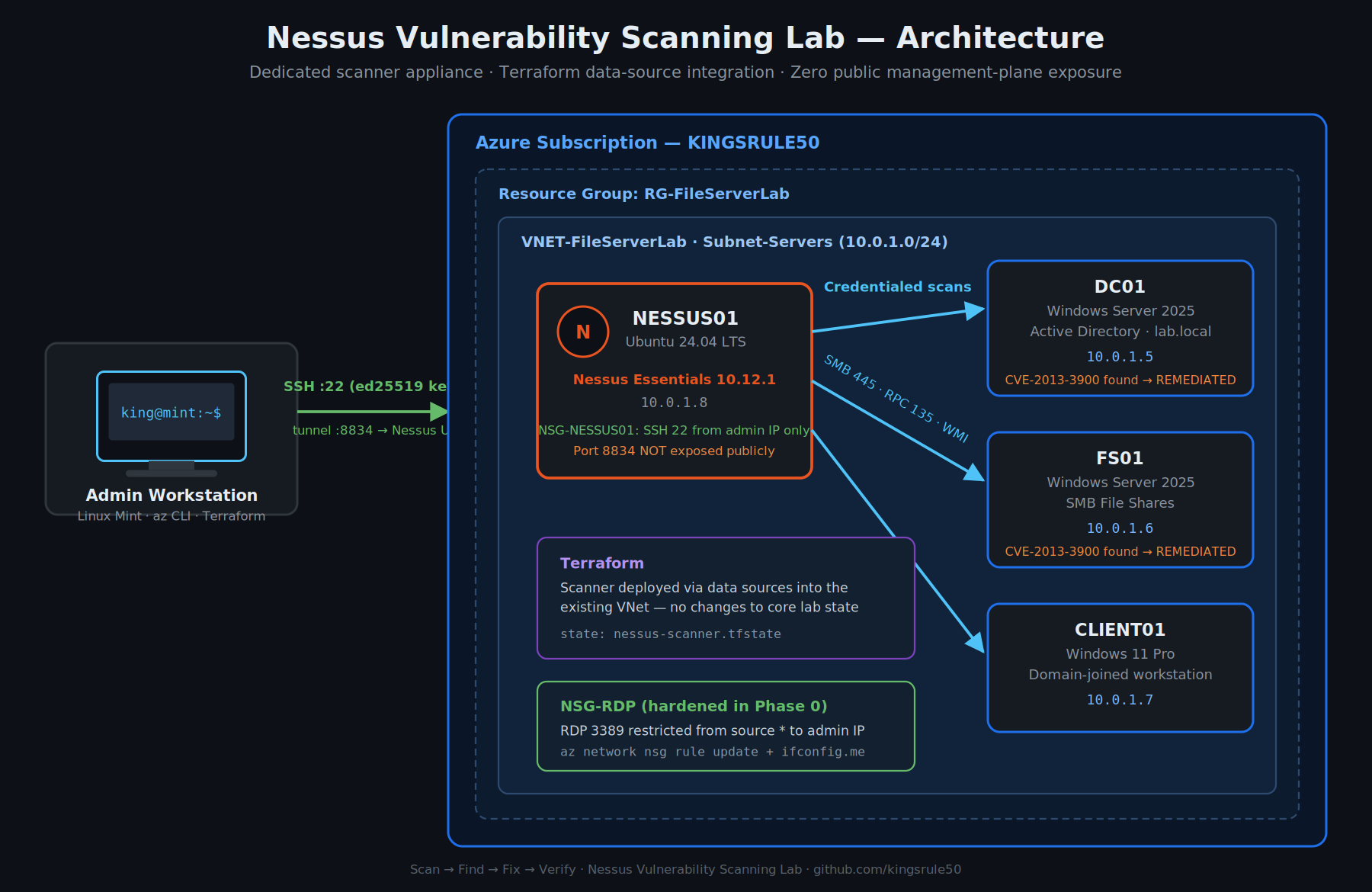 Dedicated NESSUS01 scanner appliance on Subnet-Servers with credentialed scan paths to all three Windows targets. Management plane reachable only via SSH tunnel from the admin workstation — port 8834 is never exposed publicly.
The scanner joins the existing lab VNet from my Enterprise Azure Infrastructure Automation series, deployed as an independent Terraform configuration with its own remote state.
| Host | Role | OS | Private IP |
|---|---|---|---|
| NESSUS01 | Vulnerability scanner | Ubuntu 24.04 LTS | 10.0.1.8 |
| DC01 | Domain controller (lab.local) | Windows Server 2025 | 10.0.1.5 |
| FS01 | File server | Windows Server 2025 | 10.0.1.6 |
| CLIENT01 | Domain-joined workstation | Windows 11 Pro | 10.0.1.7 |
Design decisions I made:
data blocks rather than duplicating them, with state isolated in its own nessus-scanner.tfstate key so the scanner can be created and destroyed without touching the core lab state.ssh -L 8834:localhost:8834). Management-plane exposure is the number one way scanner appliances get compromised.Before deploying anything, I audited the existing NSG rules — and found exactly the kind of misconfiguration this lab exists to catch: the RDP rule allowed source * (any IP on the internet).
 Pre-flight audit:
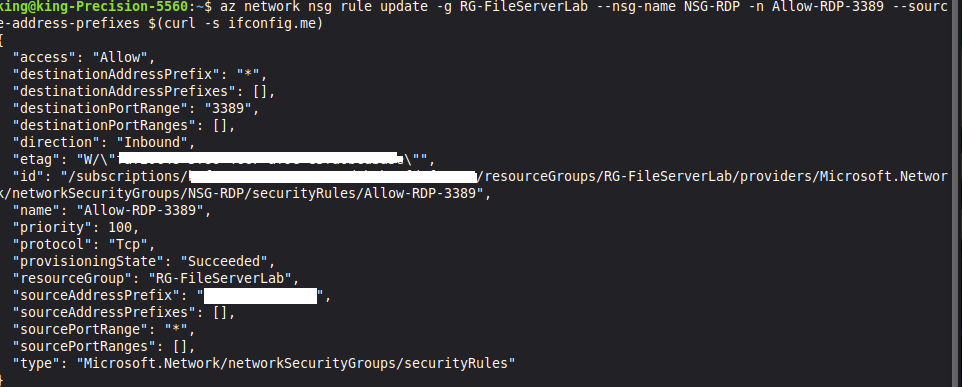
 az network nsg list query exposes Allow-RDP-3389 open to any source (*).
I tightened it to my current public IP before proceeding:
az network nsg rule update -g RG-FileServerLab --nsg-name NSG-RDP \
  -n Allow-RDP-3389 --source-address-prefixes $(curl -s ifconfig.me)
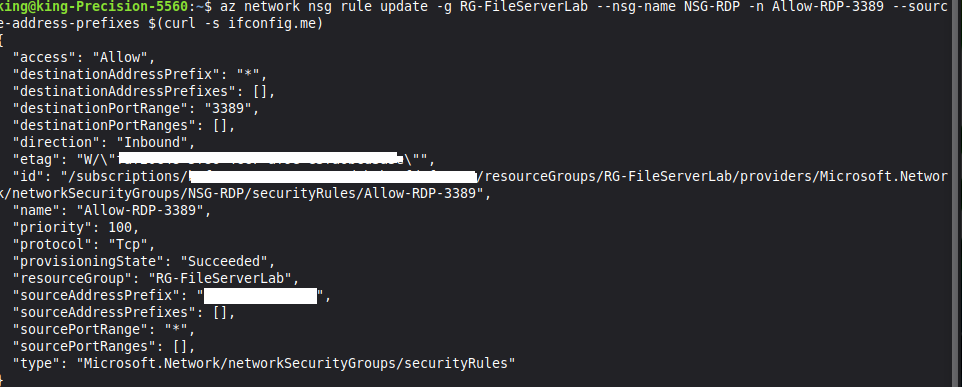 The same rule after remediation — source restricted to a single admin IP.
Finding and fixing an exposure in your own environment before pointing a scanner at it is the mindset shift from "running a tool" to "doing security."
Five resources — public IP, NSG, NIC, NSG association, and the Ubuntu VM — deployed in under two minutes:
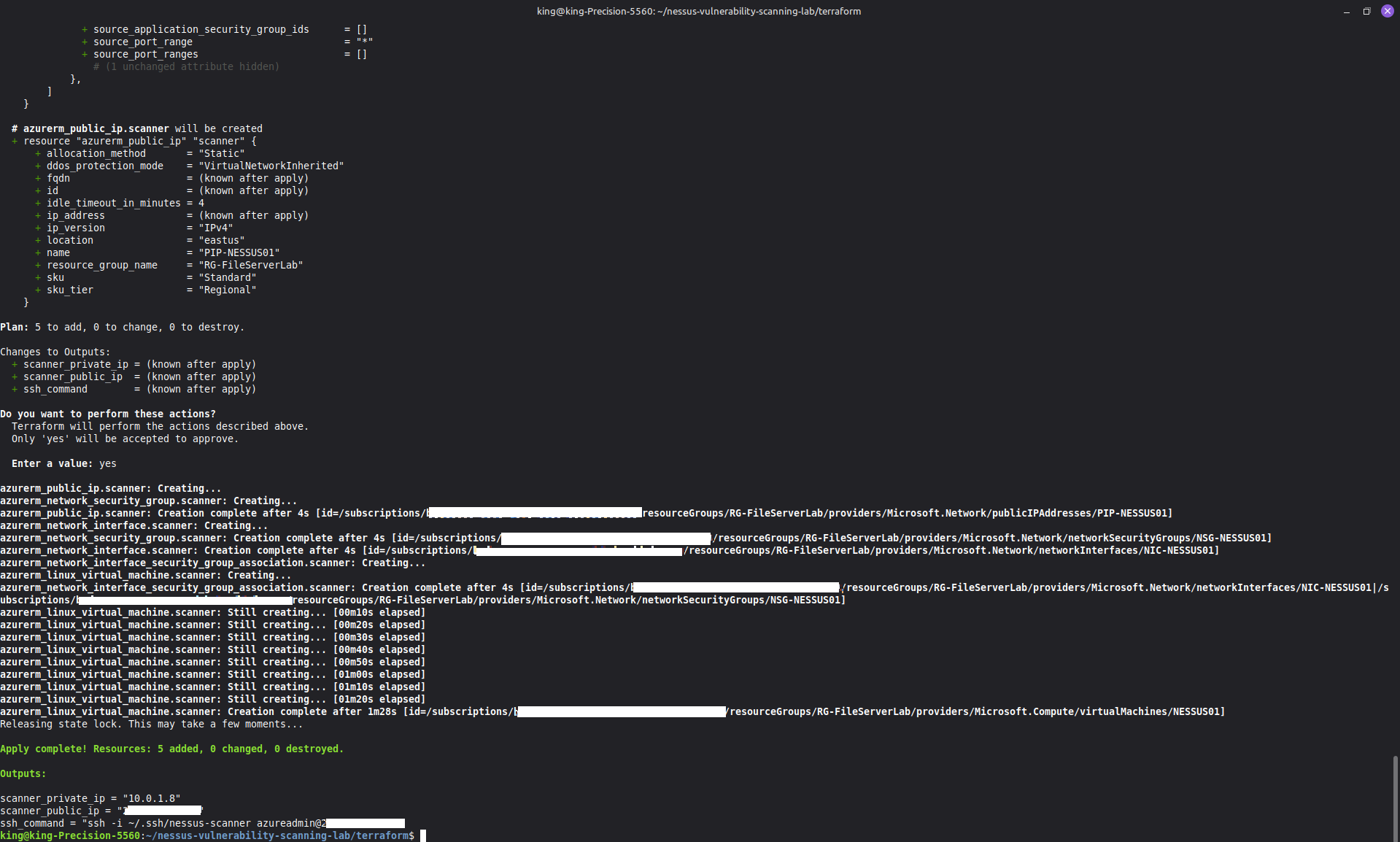
terraform apply: 5 added, 0 changed, 0 destroyed. Outputs include the ready-to-use SSH command.
I then connected over SSH and performed the headless Nessus Essentials 10.12.1 install:
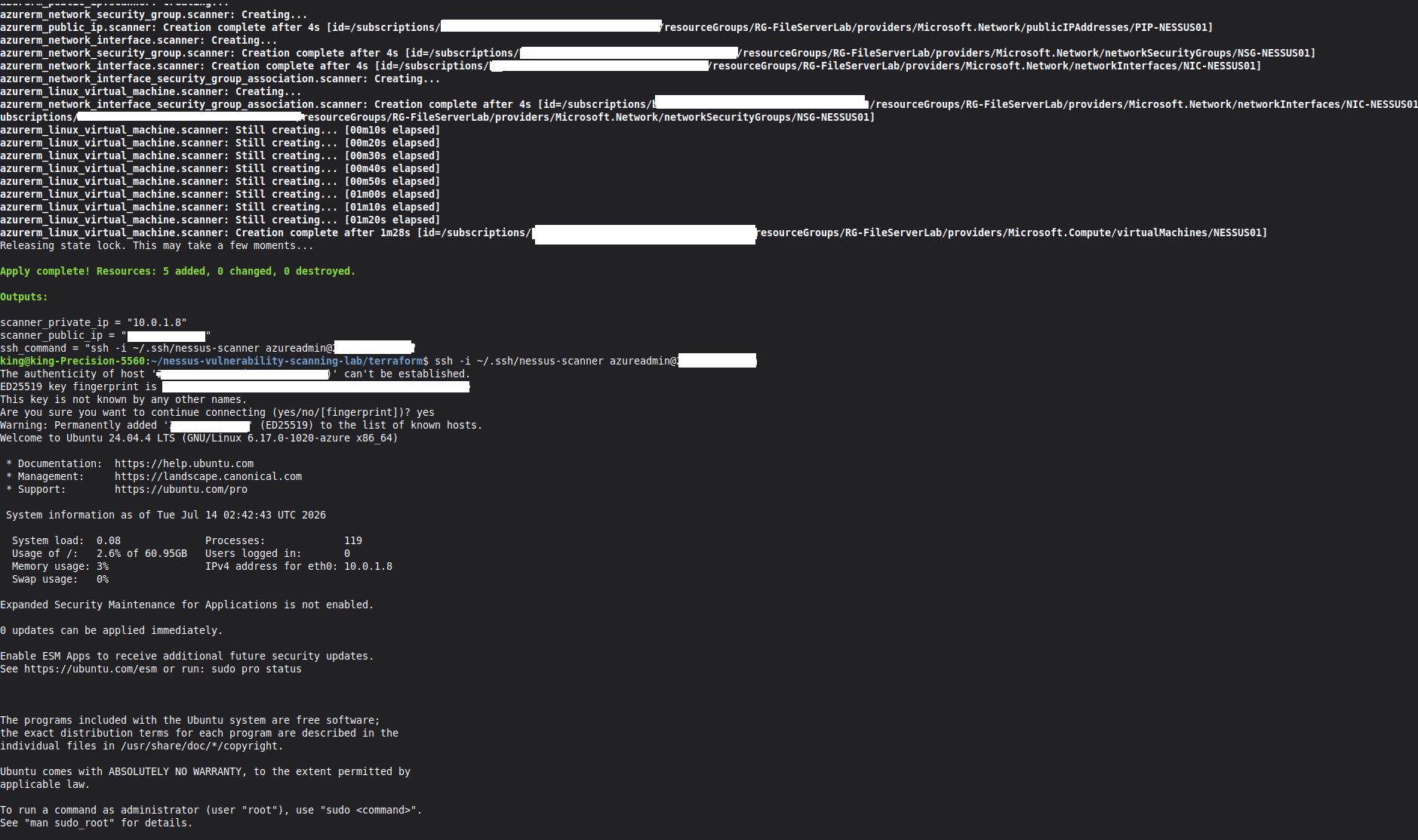 First SSH connection to NESSUS01 with key-based auth — Ubuntu 24.04 up at 10.0.1.8, ready for the headless Nessus install.
First scan: no credentials — this is what an attacker on the network segment sees.
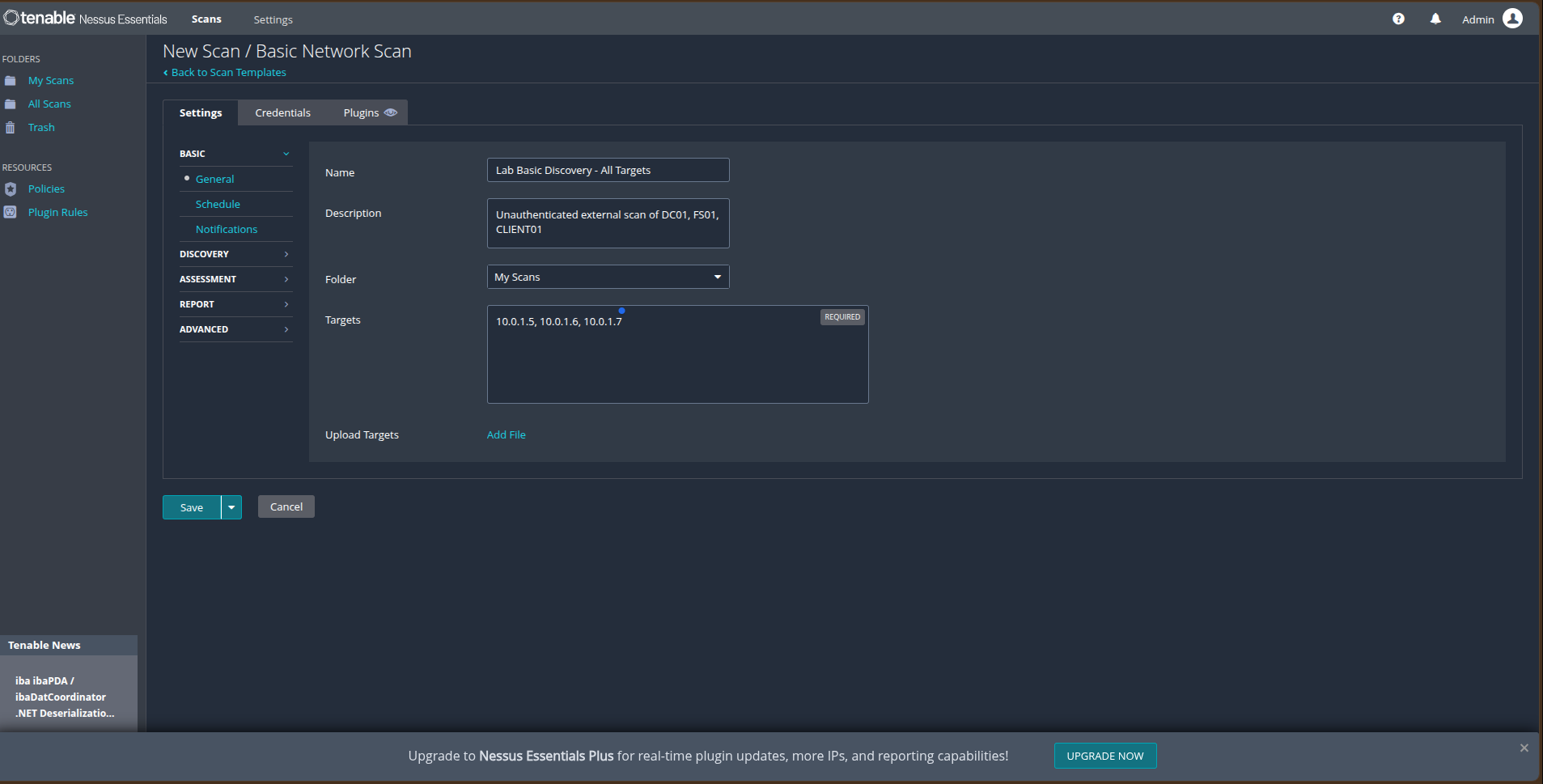 Basic Network Scan targeting all three hosts: 10.0.1.5, 10.0.1.6, 10.0.1.7.
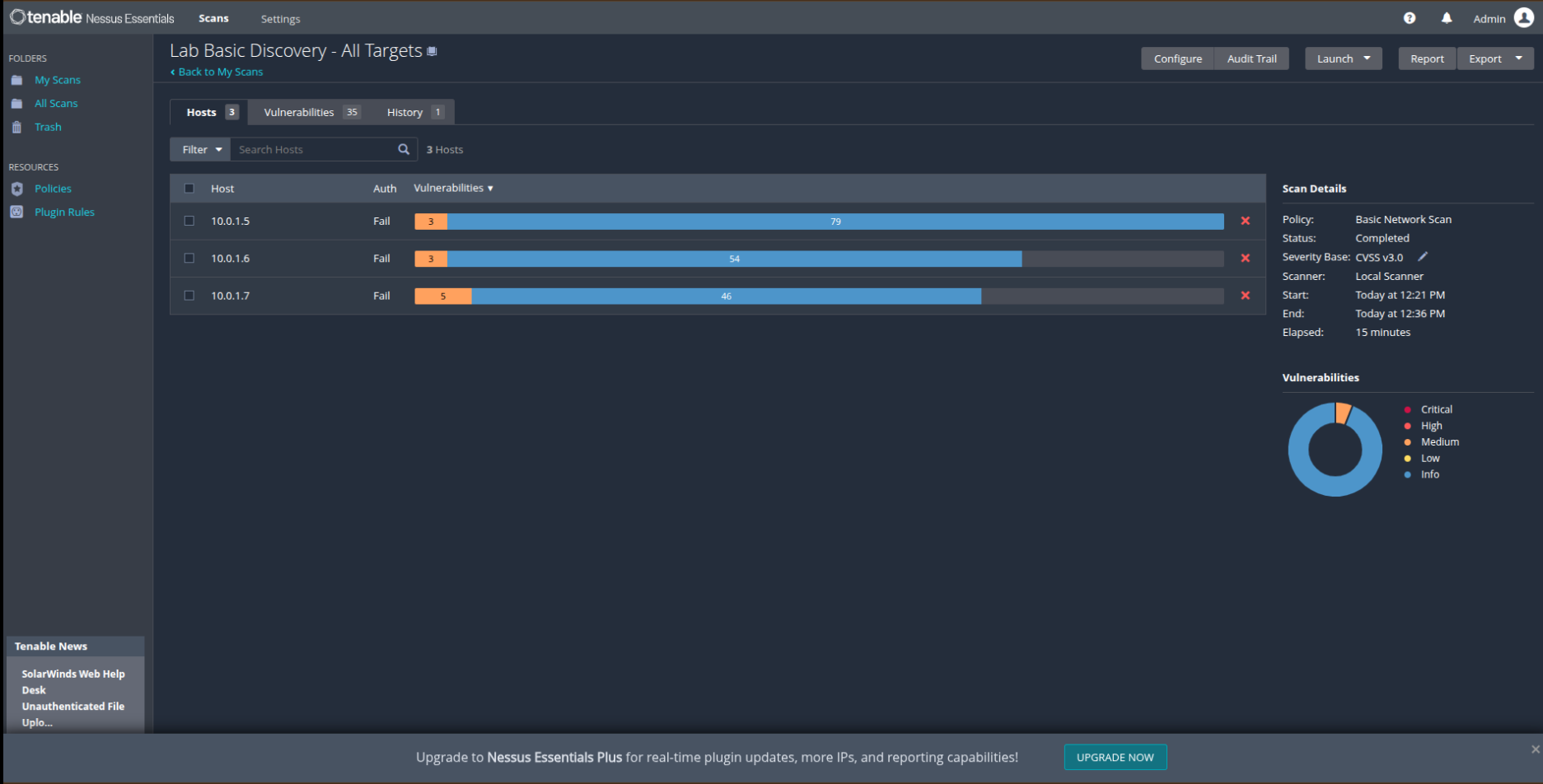 Baseline results: 35 findings across 3 hosts, Auth column showing Fail — Nessus could not log in, so every result comes from external observation only.
Credentialed scanning is the enterprise standard for internal vulnerability management. I prepared the Windows targets by enabling the Remote Registry service and opening the required firewall rule groups on the Domain profile:
Set-Service -Name RemoteRegistry -StartupType Automatic
Start-Service RemoteRegistry
Set-NetFirewallRule -DisplayGroup "File and Printer Sharing" -Enabled True -Profile Domain
Set-NetFirewallRule -DisplayGroup "Windows Management Instrumentation (WMI)" -Enabled True -Profile Domain
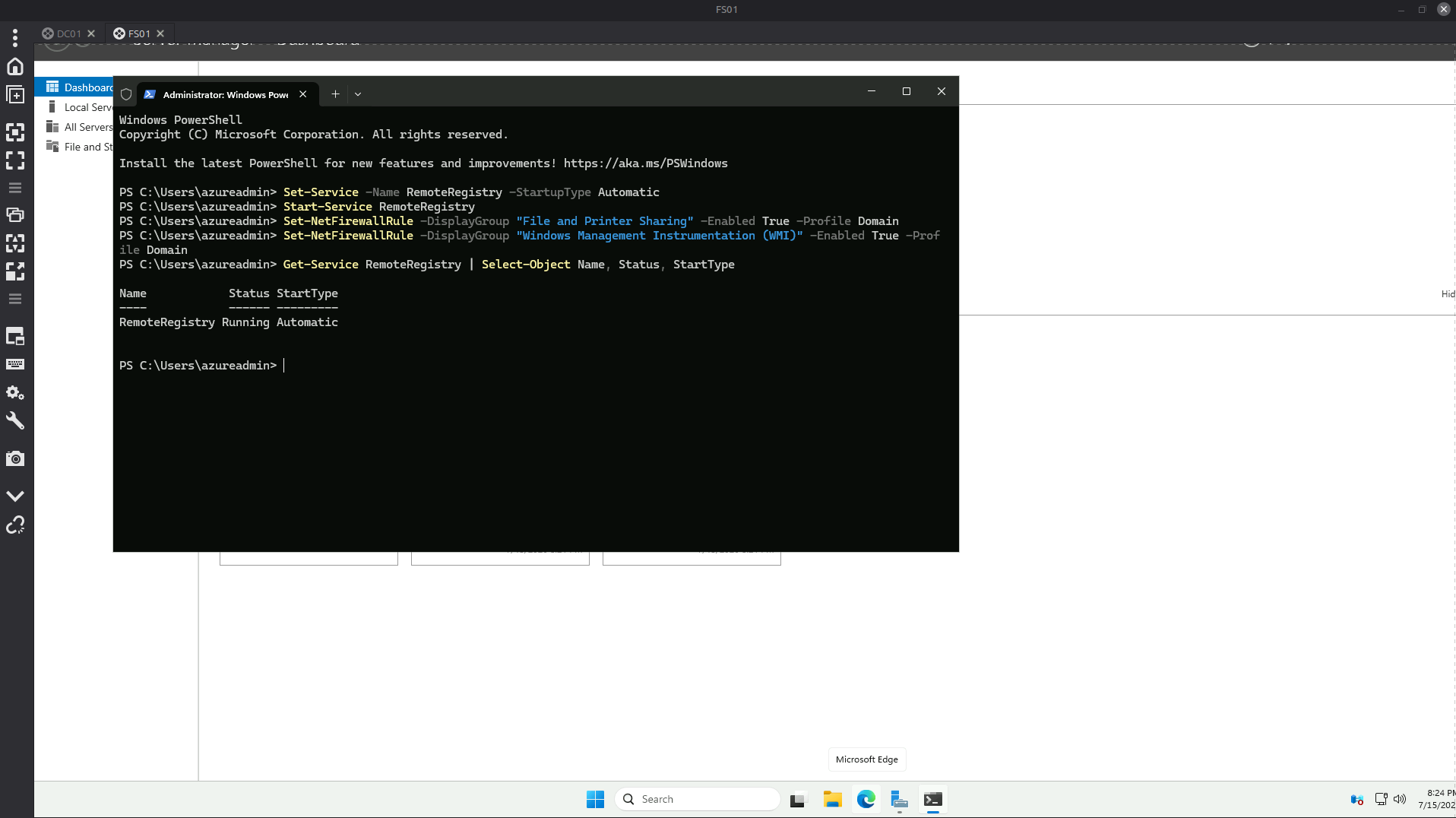 Target preparation on FS01 — RemoteRegistry running with Automatic startup, WMI and File & Printer Sharing rules enabled for the Domain profile.
I configured Windows credentials in the scan with the security options enterprises require: never send credentials in the clear, and NTLMv2 only.
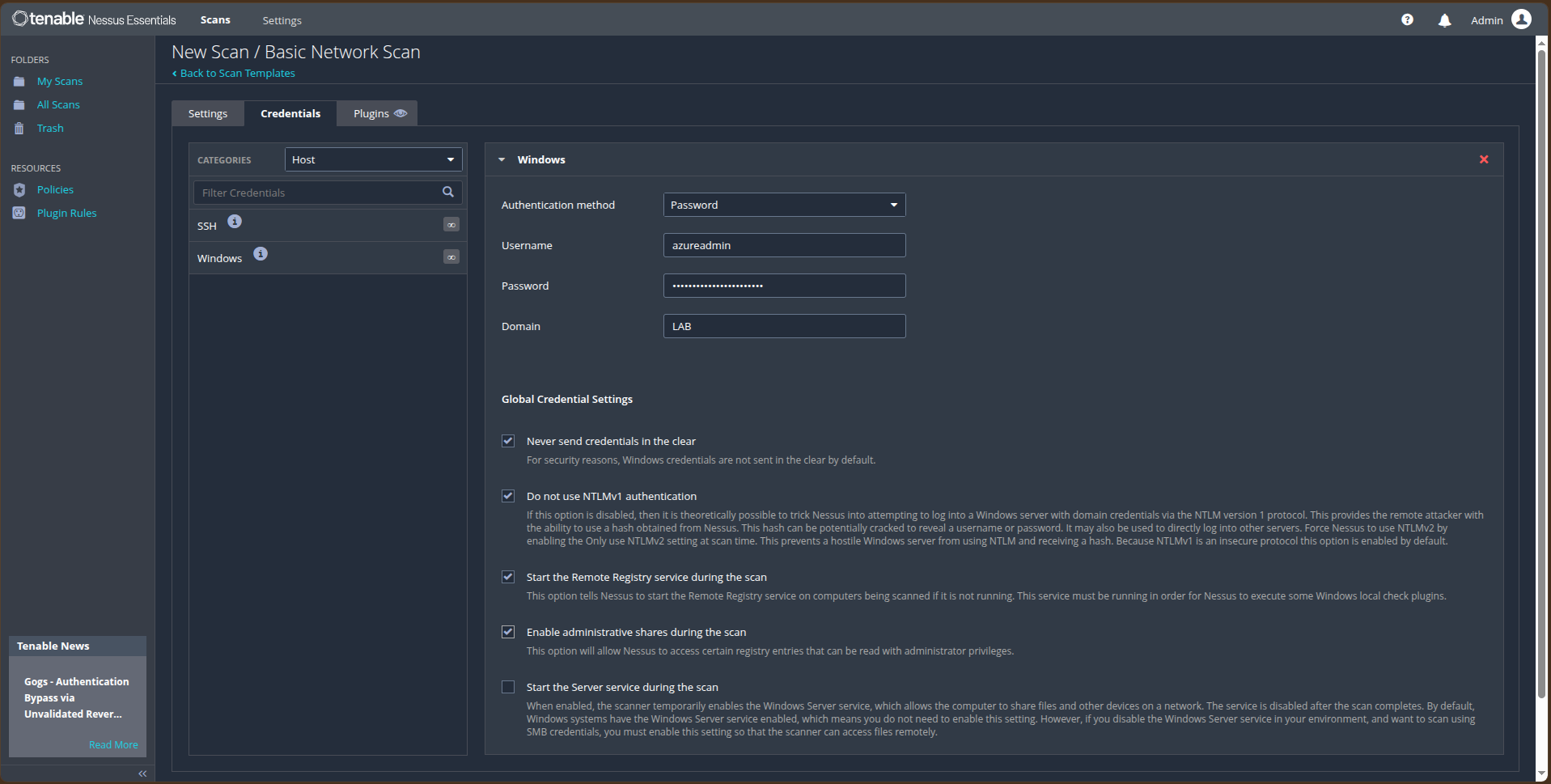 Windows credential configuration — domain LAB, NTLMv1 disabled, cleartext credential transmission disabled, Remote Registry auto-start enabled for the scan.

