
 khast3x/redcloud
Automated Red Team Infrastructure deployement using Docker





Early release. Follow me on Twitter to stay updated on Redcloud's development.
💁☁️🐚🌱
Quick Start - Architecture - Use-cases - Screenshots
Redcloud is a powerful and user-friendly toolbox for deploying a fully featured Red Team Infrastructure using Docker. Harness the cloud's speed for your tools. Deploys in minutes. Use and manage it with its polished web interface.
Ideal for your penetration tests, shooting ranges, red teaming and bug bounties!
Self-host your attack infrastructure painlessly, deploy your very own live, scalable and resilient offensive infrastructure in a matter of minutes.

The following demo showcases deployment of Redcloud through ssh, followed by Metasploit. We then look at Traefik and a live volume attached to Metasploit. Finally, we check that Metasploit's DB is functional with the web terminal, delete the container, and terminate Redcloud.
Setup:
# If deploying using ssh
> cat ~/.ssh/id_rsa.pub | ssh root@your-deploy-target-ip 'cat >> .ssh/authorized_keys'

# If deploying using docker-machine, and using a machine named "default"
> eval (docker-machine env default)

# Check your Python version
# Use python3 if default python version is 2.x
> python --version
Deploy:
> git clone https://github.com/khast3x/redcloud.git
> cd redcloud
> python redcloud.py
Redcloud uses PyYAML to print the list of available templates. It's installed by default on most systems.
If not, simply run:
# Use pip3 if default python version is 2.x
> pip install -r requirements.txt
Redcloud has 3 different deployment methods:
authorized_keys file.eval (docker-machine env deploy_target) line to preload your env with your docker-machine, and run redcloud.py. Redcloud should automatically detect your docker-machine, and highlight menu items relevant to a docker-machine deployment.
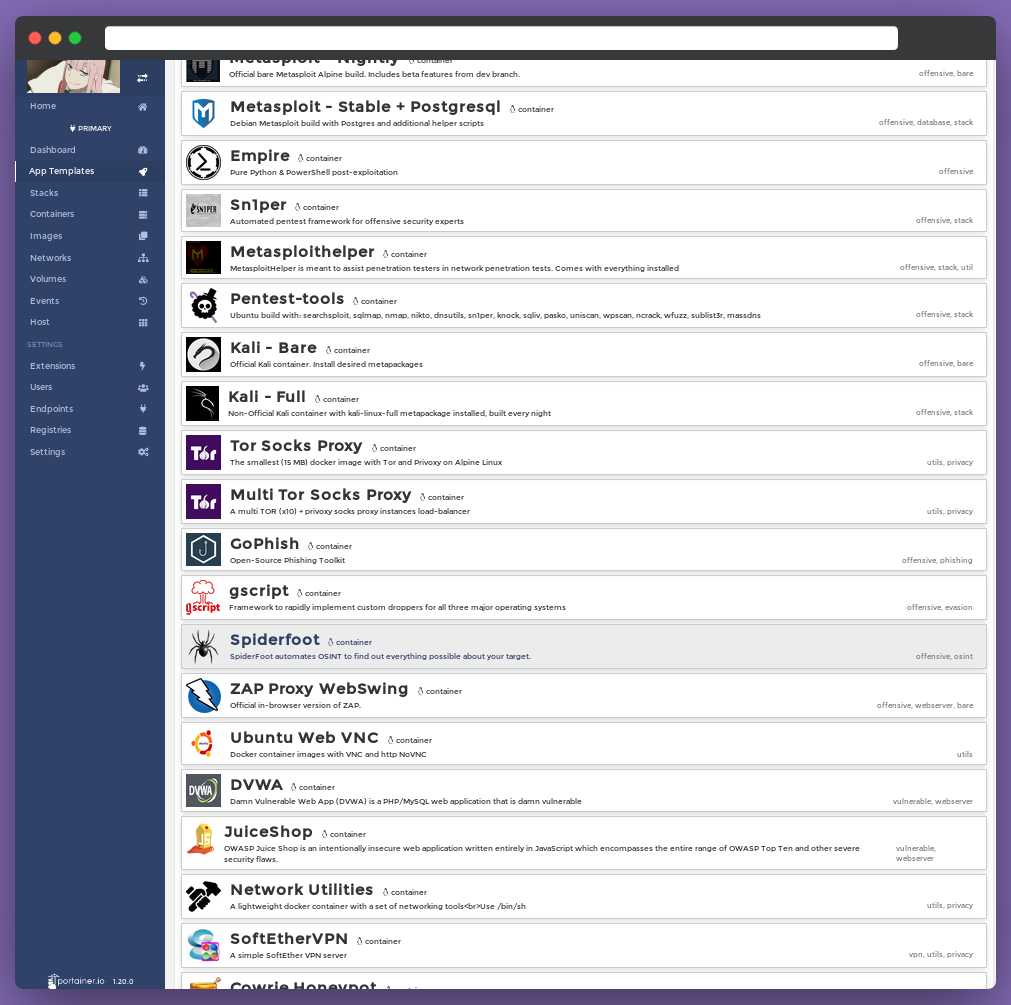
Briefly,
redcloud.py deploys a Portainer stack, preloaded with many tool templates for your offensive engagements, powered by Docker. Once deployed, control Redcloud with the web interface. Uses Traefik as reverse-proxy. Easy remote deploy to your target server using the system ssh or docker-machine.
Use the web UI to monitor, manage, and interact with each container. Use the snappy web terminal just as you would with yours. Create volumes, networks and port forwards using Portainer's simple UI.
Deploy and handle all your favorite tools and technics with the power of data-center-grade internet 🚀
In the following section, we'll be going more in-depth inside Redcloud's design concepts. You can get started without having to dive inside though.
redcloud.py: Starts/Stops the Web interface and App Templates, using Docker and Portainer.portainer: Portainer web interface.traefik: Traefik reverse-proxy container to the web interface, api and files containers. Some templates have pre-configured routes for convenience. See the templates.yml.templates: python3 http.server container that feeds the App Templates. Lives in an "inside" network.cert_gen: The omgwtfssl container that generates the SSL certificates using common best practices.redcloud_files volume. You can also access the redcloud_log container content, protected by the same .htpasswd as Traefik. Default credentials: admin:RedcloudRedcloud deployment workflow is as follows:
redcloud.py.redcloud.py automatically:
docker & docker-compose on target machine.docker & docker-compose if absent.docker-compose.redcloud.py will output the URL. Head over to https://your-deploy-machine-ip/portainer.