kaandemir993/formbook-payload-extraction-xor-decryption-net-assembly-analysis
Reverse engineering analysis of Formbook, an info-stealer that uses .NET assembly manipulation and XOR decryption. Full payload extracted via x32dbg, including the XOR decryption loop, CLR initialization, SQLExpress decoy, and keylogger/clipboard APIs.

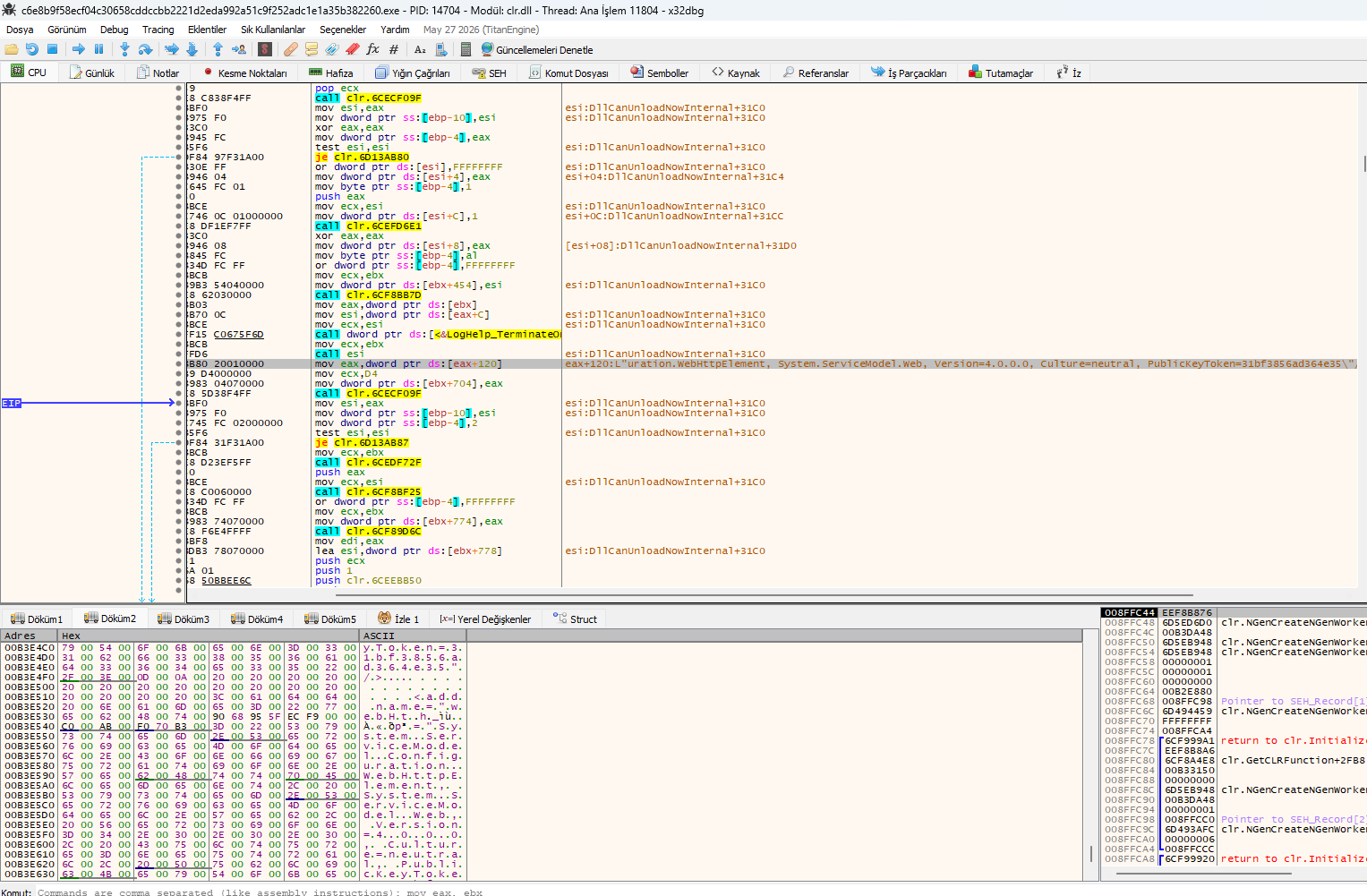
The x32dbg memory dump reveals that Formbook decrypts its configuration data and allocates memory for it using NtAllocateVirtualMemory.
NtAllocateVirtualMemory – Allocates memory for the decrypted payload.mov edx, dword ptr ds:[esi+1C] – Retrieves the size of the encrypted data from the ESI register.push 0x1000 – Uses MEM_COMMIT to allocate memory.push 0 – Specifies the allocation type or protection flag.mov edx, dword ptr ds:[esi+4] – Retrieves another configuration value.lea ecx, [ebp-4] – Loads a pointer to a local variable.test ecx, ecx – Checks if the pointer is valid.mov ecx, [esi+1C] – Retrieves the encrypted data size again.push 0x1000 – Repeats the MEM_COMMIT flag.push 0 – Repeats the allocation flag.ConnectionStrings – .NET configuration key for C2 addresses.system.data, DbProviderFactories – .NET configuration sections (likely decoy).system.serviceModel – .NET service model section.<DbProviderFactories /> – Empty XML element (decoy).ConnectionStrings likely contains C2 URLs.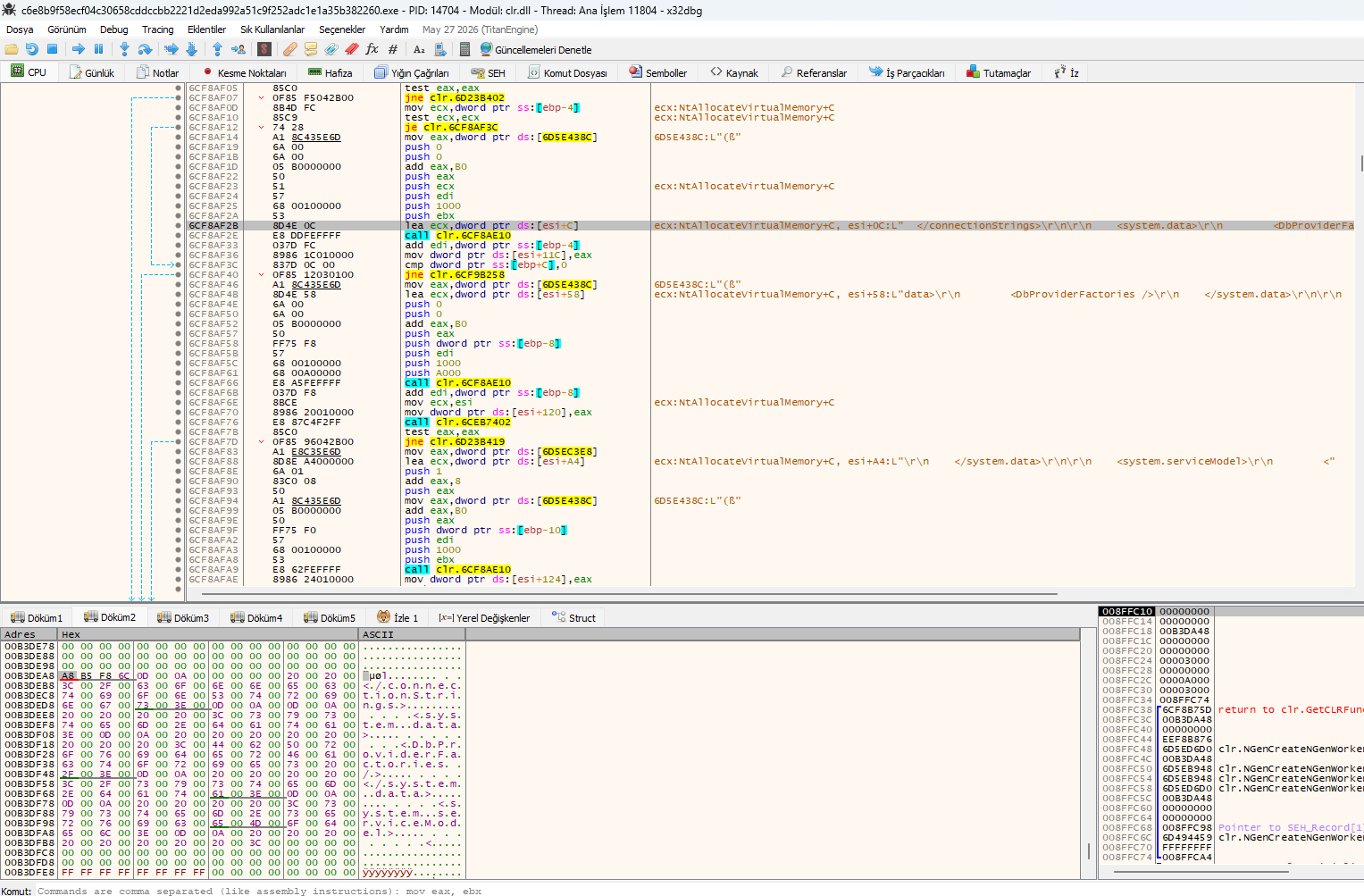 x32dbg view showing
 NtAllocateVirtualMemory and ConnectionStrings decryption.
This x32dbg view reveals that Formbook uses .NET assembly manipulation, XOR-based decryption, and CLR (Common Language Runtime) initialization to execute its payload.
xor eax, eax – Clears EAX, indicating XOR-based decryption.call 0x6C6E7F60 – Calls a decryption or processing function.call 0x6C6EE8B0 – Calls another processing function.DllCanUnloadNowInternal – Manages .NET assembly loading/unloading.PublicKeyToken=31bf3856ad364e35 – Impersonates a Microsoft assembly.system.serviceModel – .NET service model configuration (C2 communication).System.Web – .NET web configuration (HTTP-based C2).clr.NGenCreateNGenWorker – Creates a .NET Native Image Generator worker.clr.GetCLRFunction – Retrieves CLR functions.return to clr.Initialize – Initializes the .NET runtime.xor eax, eax and subsequent call functions confirm XOR-based decryption.PublicKeyToken makes it look like a Microsoft assembly.system.serviceModel and System.Web store C2 settings.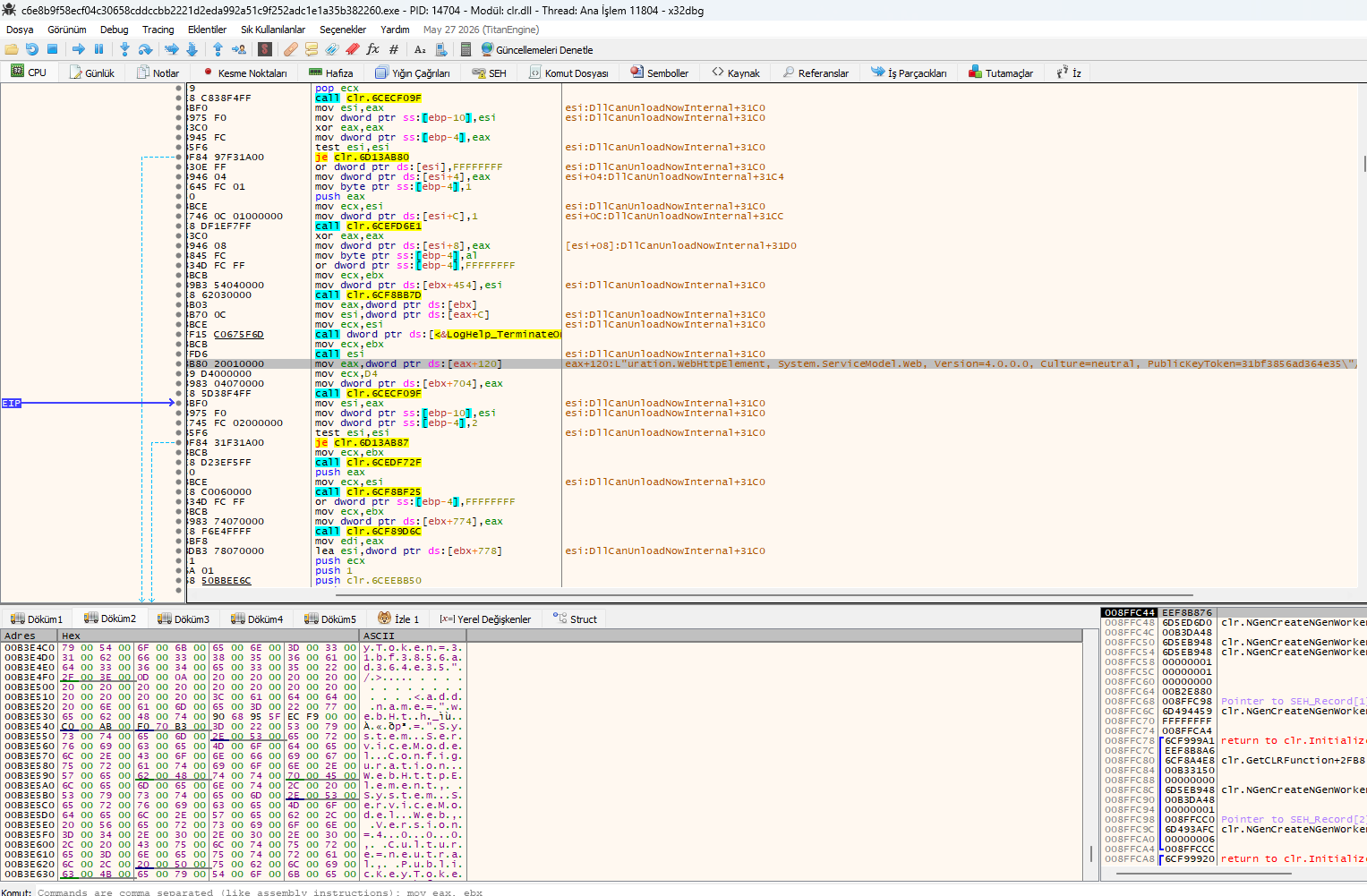 x32dbg view showing XOR decryption,
 DllCanUnloadNowInternal, and CLR initialization.
This x32dbg view reveals that Formbook uses a SQLExpress-related string as a decoy and initializes the .NET CLR to execute its payload.
L"ce=..\SQLEXPR" – A decoy string, not related to SQL data theft. It is used to make the malware look like a legitimate SQL Server Express componentclr.InitializeFusion – Initializes the .NET Fusion assembly loader, which is used to load the .NET payload into memory.clr.GetCLRFunction – Retrieves CLR functions to execute managed code.clr.NGenCreateNGenWorker – Creates a .NET Native Image Generator worker, allowing the payload to run without JIT compilation.return to clr.InitializeFusion+1751 – Returns to the CLR initialization routine.SQLEXPR string is a decoy to evade detection by security tools.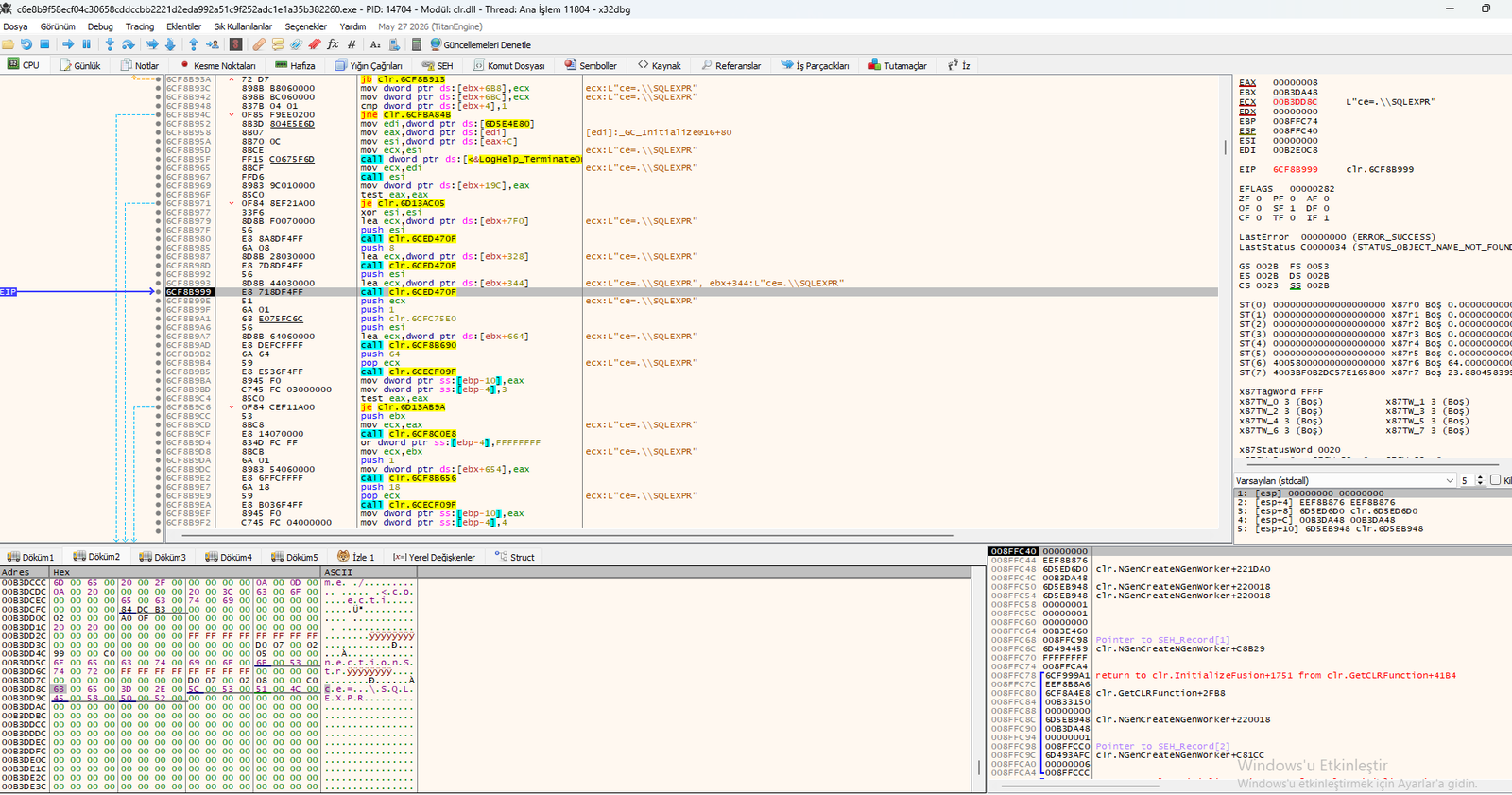 x32dbg view showing
 L"ce=..\SQLEXPR", clr.InitializeFusion, and CLR functions.
This x32dbg view reveals the start of Formbook's payload, located after the standard PE DOS stub message. The malware uses a XOR decryption loop to decrypt its payload in memory.
This program cannot be run in DOS mode – Standard PE DOS stub message.xor dword ptr ds:[edi], eax – XORs the data at EDI with EAX (decryption).mov al, byte ptr ds:[edi+1] – Loads a byte from EDI+1 into AL.xor al, byte ptr ds:[edx+1] – XORs AL with the byte at EDX+1 (decryption key).mov byte ptr ds:[edi], al – Writes the decrypted byte back to EDI.call ntdll.77DDE45C – Calls RtlIsCurrentThreadAttachExempt (anti-debug).cmp dword ptr ds:[esi+4], 0 – Checks if the counter (ESI+4) is zero.sub dword ptr ds:[esi+4], eax – Decrements the counter.test edx, edx – Tests EDX for zero.jne ntdll.77DDF9F4 – Loops back if not zero (decryption loop).RtlIsCurrentThreadAttachExempt to evade debuggers.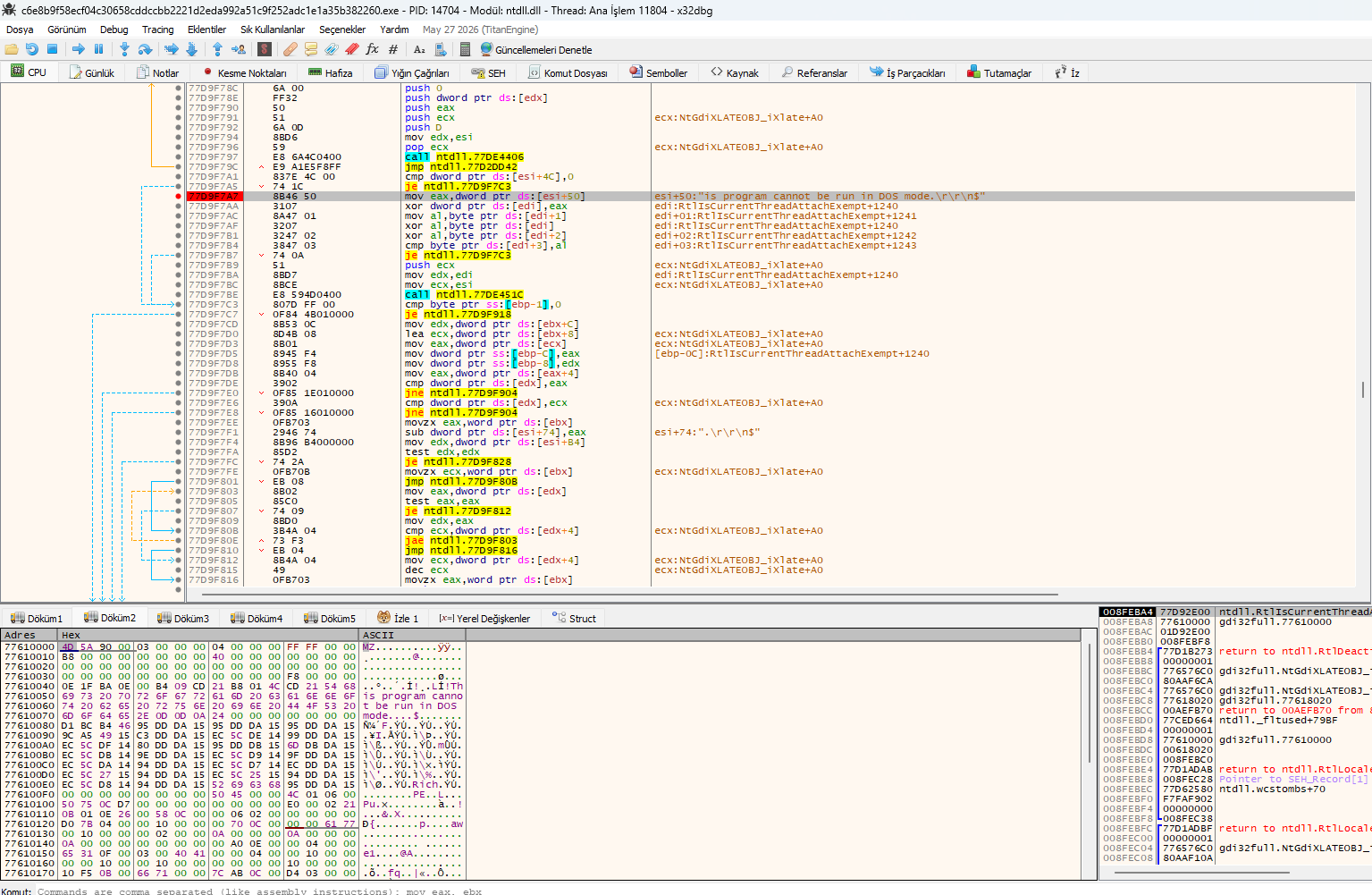 x32dbg view showing the XOR decryption loop after the standard PE DOS stub message.
Binary Ninja analysis of the extracted payload reveals a comprehensive list of APIs used by Formbook for keylogging, clipboard hijacking, and privilege escalation.
SetClipboardData, GetClipboardData – steals and replaces clipboard data.SetWindowsHookExW, SetWindowsHookExA – installs keyboard hooks.NtSetInformationProcess, NtCreateThreadEx, NtTerminateProcess.NtAdjustPrivilegesToken – adjusts token privileges.NtShutdownSystem, SystemParametersInfoA/W.MsInstallProductW/A – installs a product for persistence.CreateProcessInternalW – creates a new process.MsInstallProductW/A ensures the malware runs on startup.