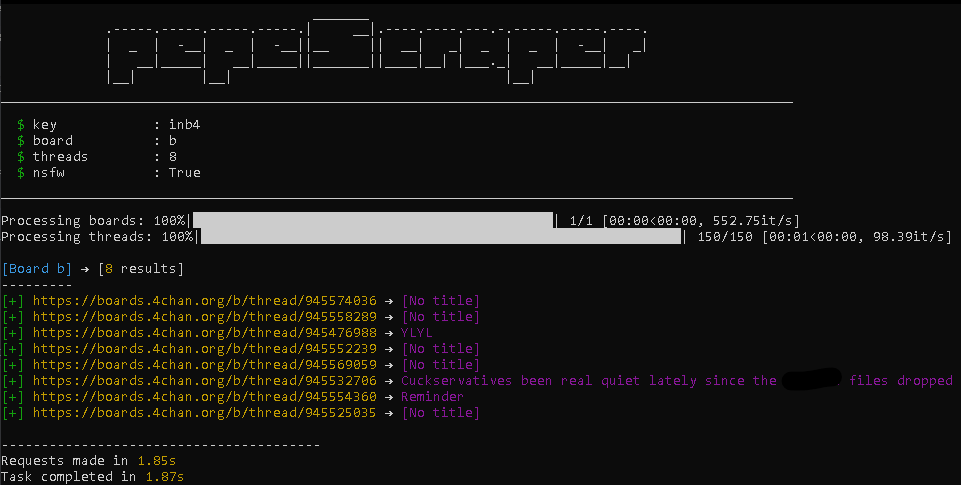
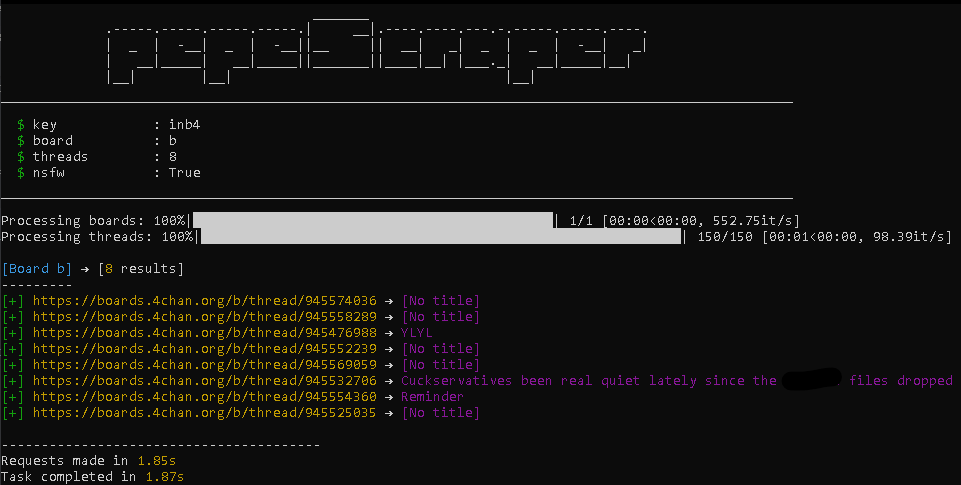
 juaanreis/pepescraper
4chan content scraper


A complete scraper for 4chan (Now that's fast.)
pepeScraper is a scraper that uses context for your searches and returns exactly what you want. (I'm learning how to make an item look cooler than it actually is)






If you use Windows, just go to releases and download the latest version and then install the dependencies. If you want to help and have access to the source code, use the code below.
    git clone https://github.com/JuaanReis/pepeScraper.git
    cd ./pepeScraper
    pip install -r requirements.txt
    py main.py --help
| Flag | Description | Example |
|---|---|---|
--key <w> | Keywords used as the base for search and scraping. | --key mustang |
--date <YYYY/MM/DD> | Exact date when the OP post was made. | --date 2024/01/10 |
--before <YYYY/MM/DD> | Posts before the given date up to today. | --before 2023/05/01 |
--after <YYYY/MM/DD> | Posts after the given date up to today. | --after 2024/02/01 |
--min-replies <n> | Minimum number of replies the thread must have. | --min-replies 10 |
--max-replies <n> | Maximum number of replies the thread can have. | --max-replies 200 |
--board <board_name> | Name(s) of the board(s) to search. | --board g |
-T <n> | Number of threads that the program will work with (changes speed, not the outcome). | -T 9 |
--op-only, -op | Only consider the original post (OP). | -op |
--no-op, -nop | Opposite of --op-only, ignores the OP. | -nop |
--nsfw, -n | Enable vulgar posts. | -n |
--nsfw-title, -nt | Enable vulgar titles. | -nt |
--output, -o | Save the results to a text file (links only). | -o results.txt |
--download_image, -di | Download all images from the thread. | -di |
--log <w> | Save logs in pepescraper/data/logs. | --log scan.log |
--all-boards, -ab | Show all boards. | -ab |
--proxy, -p <w> | Connect through a proxy. | -p http://127.0.0.1:8080 |
--title, -t | Apply the search term to the title. | -t |
--image, -i | Filter the search by keyword in the image. | -i |
I don't even know what this meme means (and fuck you if you do).
PepeScraper does NOT automatically store anything.
it only uses the API and creates a direct link to 4chan.
No logs, no history, no databases, no Facebook copy (maybe you understand).
You have the option to save images of the boards, logs, and output results, but nothing is automatic
(unless you choose this option in the configuration file)
Everything is stored in RAM and deleted when the program finishes. (That's right, your mom won't find out what you searched for.)
Please don't sue me, I don't have the money to pay a lawyer. (Sometimes there isn't even enough money to buy food.)
I'm serious, pornography can destroy your brain, your body, and your family (no matter how many times I write this, you'll ignore it).
python main.py --keyword "pepe" --date 01/01/2025
This can make your research perhaps safer (I don't know if I programmed this right).

