 jsa2/caoptics
CA Optics - Azure AD Conditional Access Gap Analyzer

Project archived due to shifting development priorities and refocusing my community efforts to other areas (PoCs, other tools and demos/presentation), project is set to read-only.
Azure AD Conditional Access Gap Analyzer is a solution for scanning gaps that might exist within complex Azure Active Directory Conditional Access Policy setups.
If you are new to Conditional Access we recommend that you review the following Microsoft article: https://docs.microsoft.com/en-us/azure/active-directory/conditional-access/overview
One-liner to run this tool: (if this is the only part you are planning to read, and have completed installation)
node ./ca/main.js --mapping --skipObjectId=259fcf40-ff7c-4625-9b78-cd11793f161f --clearPolicyCache --clearTokenCache --clearMappingCache
After completing the pre-requisites and reading this readme file, consider following:
reportOnly policies are not considered terminating:
Read: scope
run each scan with --clearPolicyCache
run each scan with --clearMappingCache if you do changes in the groups / users related to policies
only policies targeting users and apps are in scope (this is the most common scope, but means for example, that security registration policy is not evaluated)
Read: scope
Start with test environment so you get some experience and can set expectations about the tool mechanics
if you have known group or users that are excluded from policies define with --skipObjectIds objects to be excluded from the scan unless you are looking to confirm the exclusions
If you are running scans in multiple environments ensure: logins and caches are removed before running new scans
Read:parameters
az account clear and new perform new login to the environment you are planning to scan with az loginRelease notes: 0.7.1
- Updated depedencies and report text outputs
Release notes: 0.7
- Uses beta endpoint now by default, --expand option now expands the results to report regardless of the use of --allTerminations
Release notes: 0.6.9
- using --expand=9c06d103-f5b0-4404-bb25-aec4636912cd,47087cd3-64e9-470b-980a-5662f498e016 and expand 10 group members to for separate inspection.
Release notes: 0.6.8
- When you update policy with any guest conditions in GUI that policy will be only available from the beta endpoint after the update (during preview).
- This update brings normalization for policies that are transfered to beta endpoint due to this behavior.
- The policy will be evaluated like the previous guest conditions, as long as the following conditions are included "internalGuest,b2bCollaborationGuest,b2bCollaborationMember" and no tenants are excluded from the policy. In order to evaluate transferred policies,
- use '--allowPreviewPolicies' when running CaOptics to account for this behavior
Release notes: 0.6.6-7 beta
- Allow use of different login endpoints for login and graph with params: --altLogin --altGraph
- Allow use of custom filtering for policies (this only recommended, when the policies do not adhere to expected schema)
Release notes: 0.6.5 beta
- Added counter to reporting when high number of permutations is also added to report (default is to add only unterminated)
- Minor code fixes changing <var> to <let>
- Report filename now includes day, month, year and tenantId e.g. report_day_4_month_9_year_2022-tenant_48f55450-183a-45d6-a9ce-68f3cbc68947.csv
Release notes: 0.6.4 beta
- Get more groups per single call (less batching)
- Fix race condition detected when generally using for await loops
- Enclose values with "" between delimitters (CSV)
Release notes: 0.6.3 beta
- Optimizations to way the mapped objects are handled.
- Mapped objects are cached. You can recreate the object mapping by using parama 'clearMappingCache'
- Lookup keys will start from 'user/group/role' conditions always first
- Added possibility to populate usermap with random UUID's to test for performance impact (this just debug option, and not really something that would be in non-beta versions)
Release notes: 0.6.2 beta
- Separated cache params into separate functions -> (clearTokenCache and ClearPolicyCache)
- Added possibility of running pre-optimized algorithm on permutations with param --aggressive (High memory consumption, only here for A/B testing)
- merge completed.
Release notes: 0.6.1 beta
- Basic version of CSV reporting added
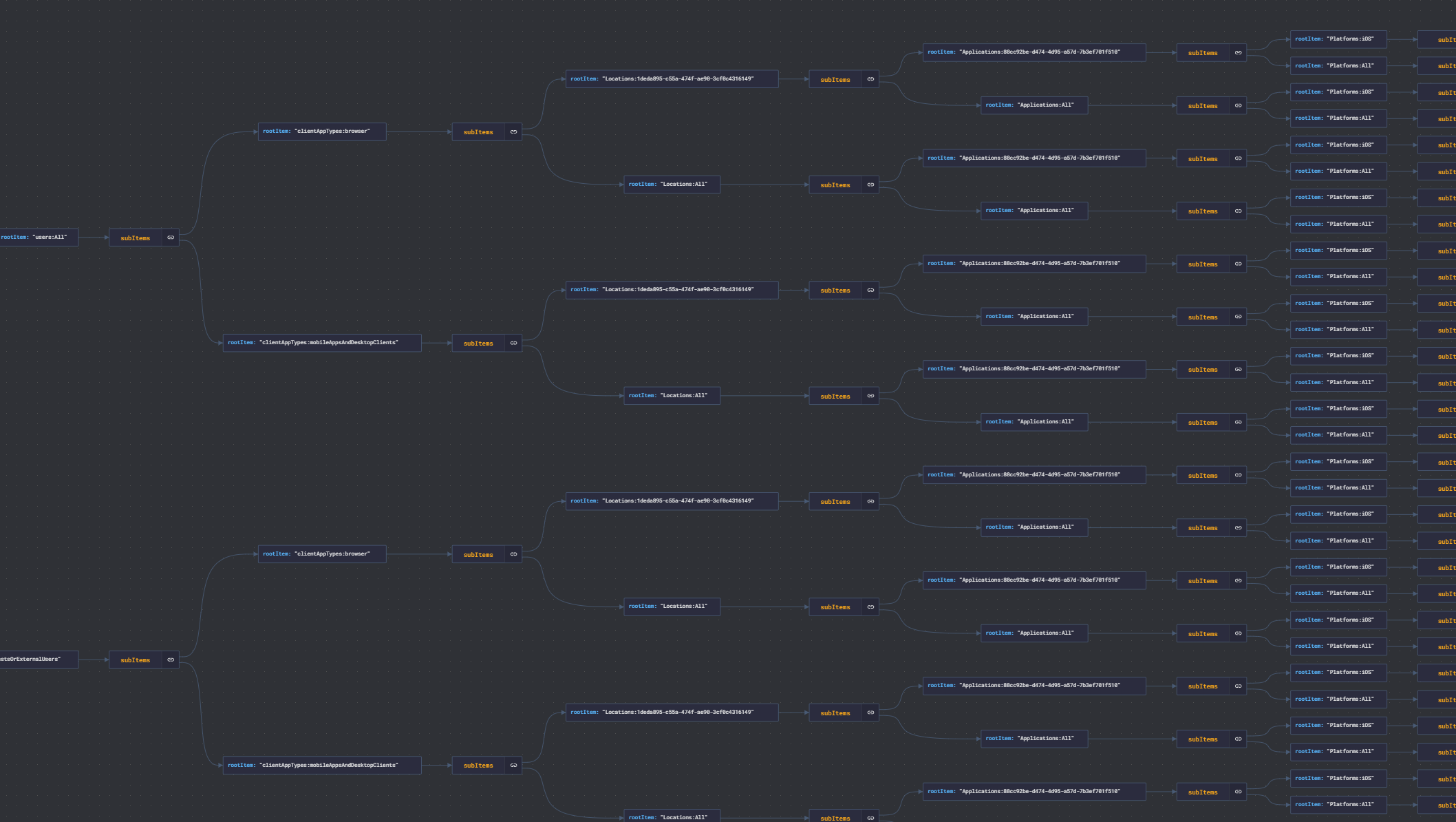
- Streamlined permutation generation to ensure essential permutations are generated, and some permutations are are terminated earlier on the lookups
Release notes: 0.6 beta (first non "silent" release)
- App displayNames added to MD report. Object type added to the user type
Release notes: 0.5.2,0.5.1,0.5 beta (see previous branches for release notes)
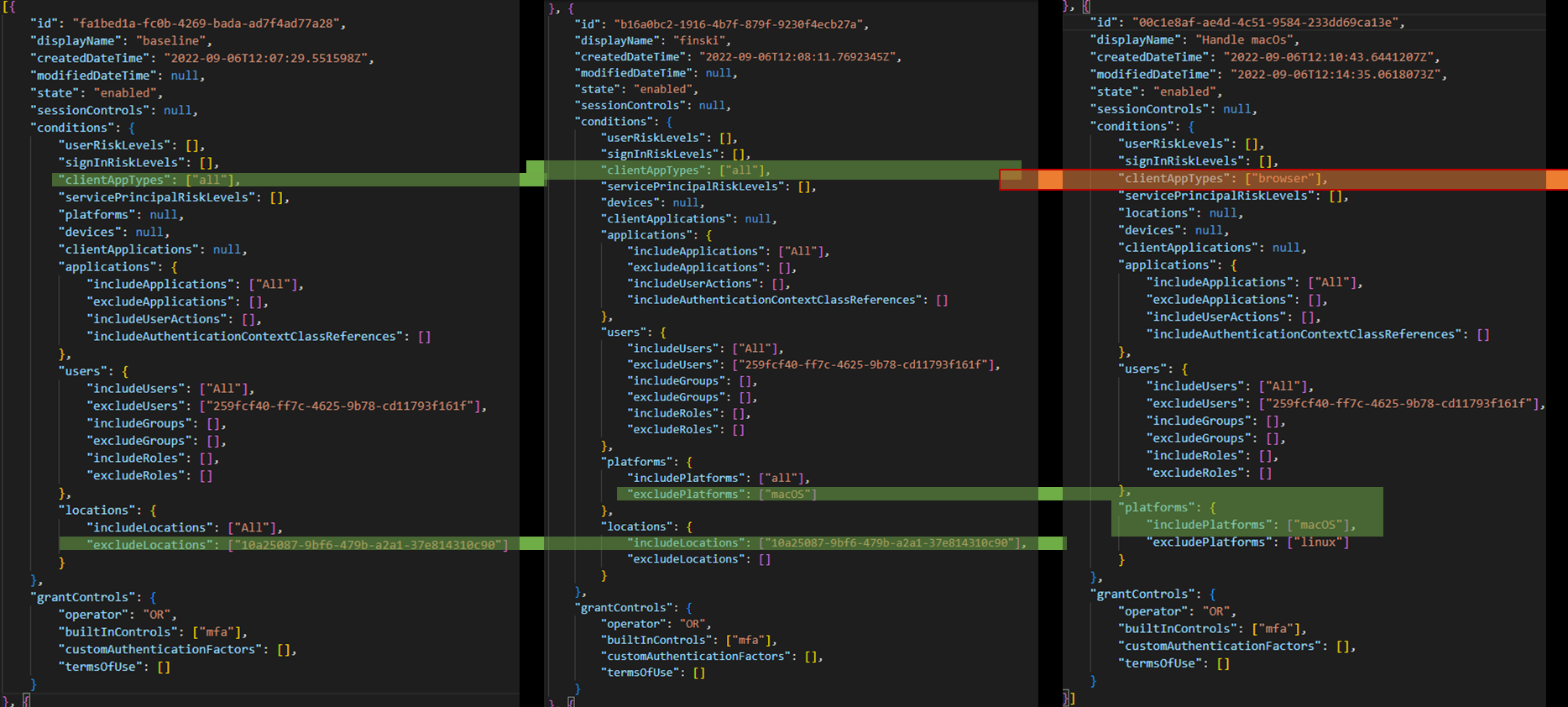
Example of cross-policy detection
❌ Any permutation with value 0 means that no policies was terminated for that particular combination of conditions.
| Policy | Terminations | lookup |
|---|---|---|
| All | 0 | Applications:88cc92be-d474-4d95-a57d-7b3ef701f510 -> Locations:finland -> users:GuestsOrExternalUsers |
| All | 0 | Applications:88cc92be-d474-4d95-a57d-7b3ef701f510 -> Locations:finland -> users:Jane Doe |
| All | 0 | Applications:88cc92be-d474-4d95-a57d-7b3ef701f510 -> Locations:finland -> users:John Doe |
✅ Read detailed description of detection in docs/example.md
Permutation are generated by getPol2.js
