 jorianwoltjer/shodan-favicon-preimage
Generate a favicon that results in any target hash on Shodan

Generate a favicon that results in any target hash on Shodan
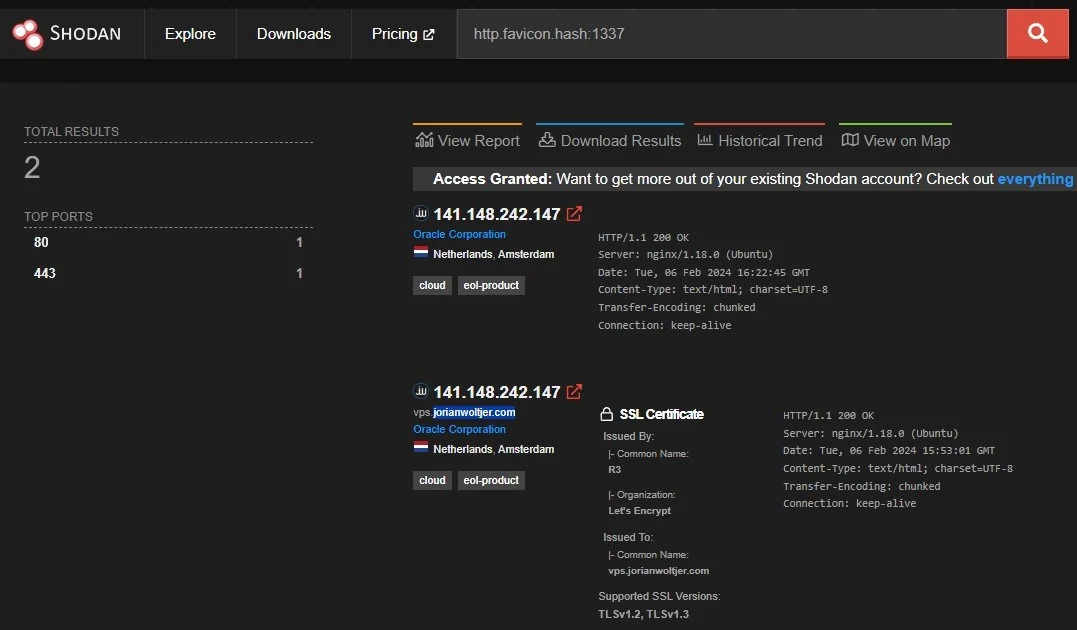
This tool implements a brute force method of generating any preimage for the Shodan http.favicon.hash algorithm. You can, for example, make your site show up when searching for a specific hash of your choosing:
Read more about the method and implementation in my blog post here:
"How I got a Shodan Favicon Hash = 1337"
First, install Rust, the programming language this project is made it to build it from source. Then these commands turn it into an optimized executable:
git clone https://github.com/JorianWoltjer/shodan-favicon-preimage.git && cd shodan-favicon-preimage
cargo build --release
./target/release/shodan-favicon-preimage --help
Usage: shodan-favicon-preimage [OPTIONS] <INPUT> [TARGET]

Arguments:
  <INPUT>   File to compute hash on
  [TARGET]  The target hash to find (32 bits) [default: 1337]

Options:
  -o, --output <OUTPUT>  Output file to store the base64 encoded content [default: output.b64]
  -h, --help             Print help
Take any existing .ico file, and pass it as the first argument. Optionally, choose a different target hash than the default 1337:
$ shodan-favicon-preimage favicon.ico 31337
Aligning input...
State: 2363324422 @ 20948 bytes
Starting search...
SUCCESS: Found hash=31337 for input 4107189463 ("17zO9A==\n")
Wrote result to "output.b64"
Decode it using `base64 -di "output.b64" > output.ico`
The output.b64 file will be the encoded form that MurmurHash3's into your target hash, but you can decode it into a regular .ico file too. Then verify.py can be used to check if the hash is indeed correct:
$ base64 -di "output.b64" > output.ico
$ ./verify.py output.ico
31337
