
Skip to content
KitploitKITPLOIT
ToolsBlog
Submit
ToolsBlog
Submit

Hacking, PenTest, and Cybersecurity Tools for Your Security Arsenal!

Kitploit is a directory of hacking, cybersecurity, and pentesting tools. Discover the latest project updates to find vulnerabilities, analyze systems, automate testing, and strengthen your security.

··Feeds·Contact·Privacy·© 2026 Kitploit

Tool Directory

Categories

View all categories
Loading categories
Tools/GitHubGitHub/jenderal92/massive-subdomain-enumerator
ReconnaissanceDNS & Subdomain EnumerationInformation GatheringNetwork SecurityDNS Analysis
GitHubjenderal92/massive-subdomain-enumerator

Massive-Subdomain-Enumerator

This tool uses a combination of dictionary-based wordlists (brute-force) and DNS resolution checks to verify the existence of subdomains.

View Repository

Most Popular

View all →

Discover the most used tools by our community.

Explore all tools

Browse our collection of tools

View all tools →
Share
63 months agoNot yet reviewed

Massive-Subdomain-Enumerator

This tool uses a combination of dictionary-based wordlists (brute-force) and DNS resolution checks to verify the existence of subdomains.
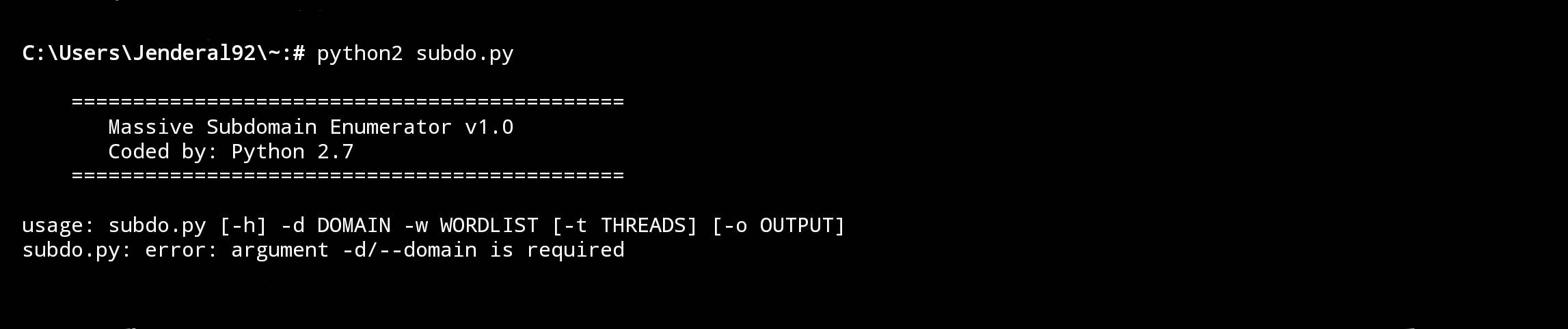
Massive-Subdomain-Enumerator Jenderal92

Features

  • Wordlist Processing: Capable of handling large wordlists efficiently.
  • Multi-threading: Boosts search speed by using multiple threads.
  • DNS Validation: Displays only valid and active subdomains.
  • Output to File: Saves the enumeration results to a file for further analysis.

How to Use

  1. Download and Install Python

    Ensure Python 2.7 is installed on your system. You can download it from the official Python website: https://www.python.org.

  2. Prepare the Wordlist

    Create a text file containing the list of subdomains you want to test. Example content for wordlist.txt:

    root@kitploit:~
    www
    mail
    ftp
    admin
    dev
            
  3. Run the Script

    Use the following command to execute the script:

    root@kitploit:~
    python2 massive_subenum.py -d target.com -w wordlist.txt -t 20 -o results.txt
    • -d: Target domain.
    • -w: Path to the wordlist.
    • -t: Number of threads (optional, default: 10).
    • -o: Output file to save the results (optional).

Disclaimer !!!

I have written the disclaimer on the cover of Jenderal92. You can check it HERE !!!

Download Tool