 jalvarezz13/krb5roastparser
KrbRoastParser is a tool for parsing Kerberos packets from pcap files to extract AS-REQ, AS-REP and TGS-REP hashes

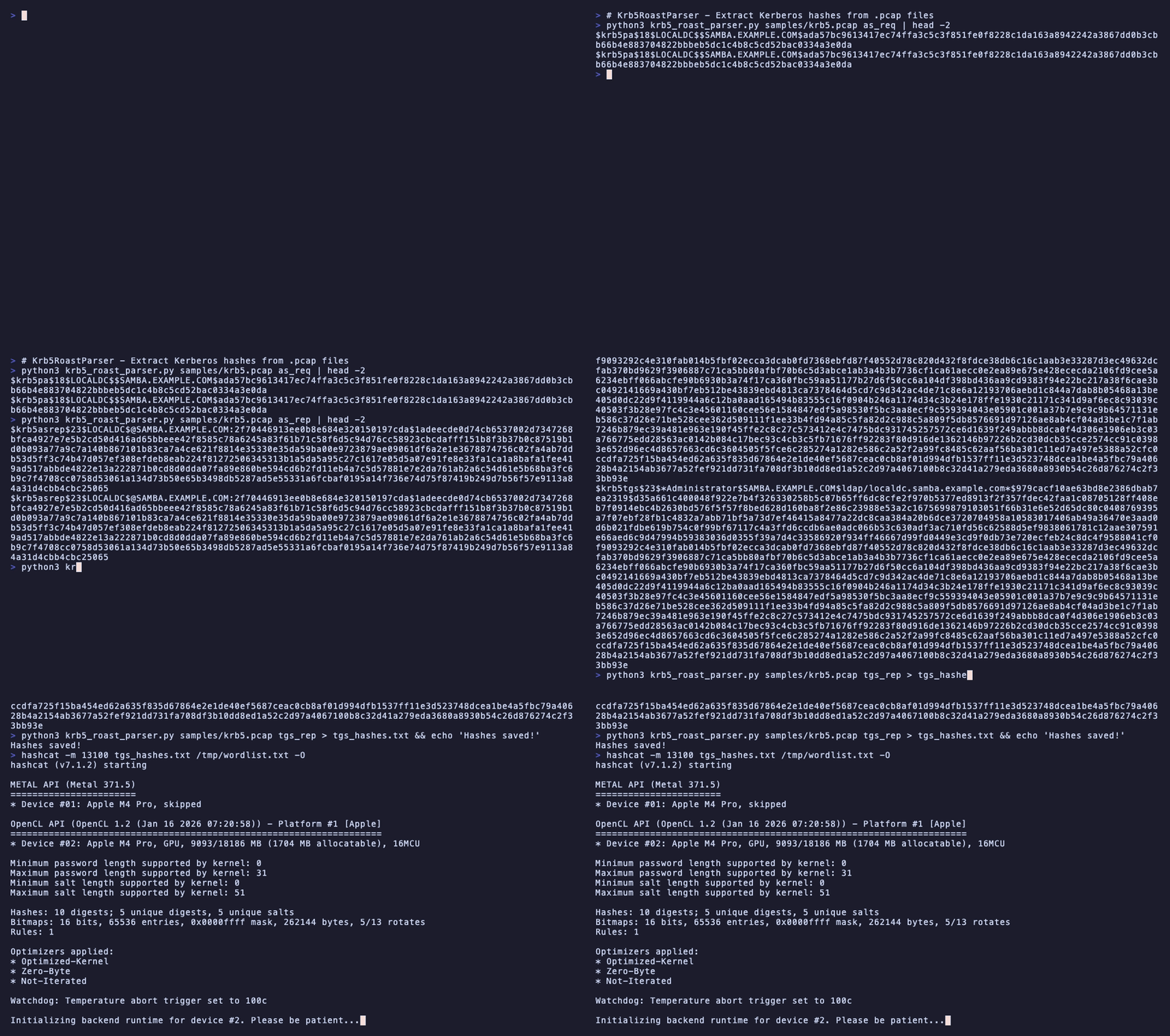
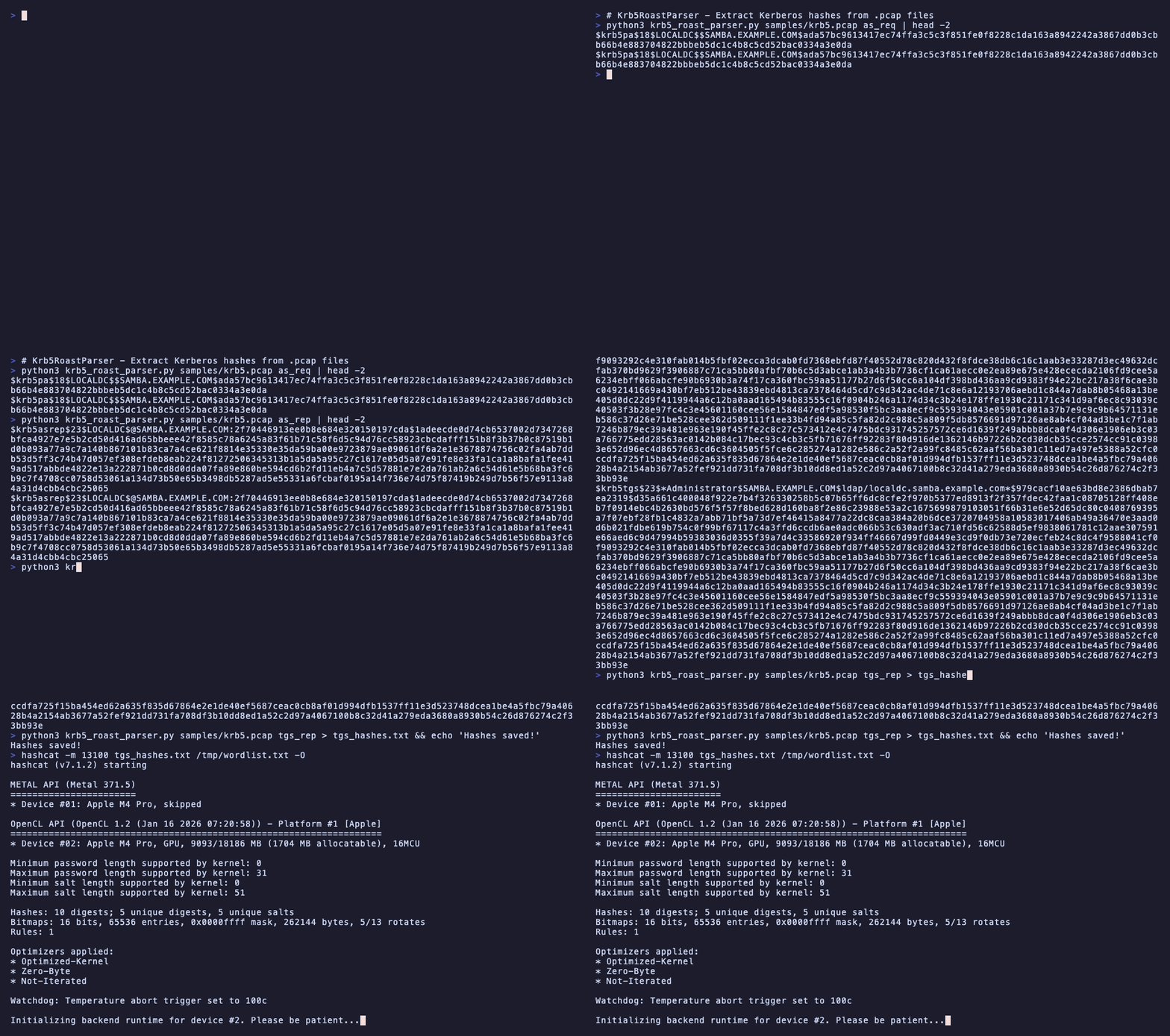
Krb5RoastParser is a tool designed to parse Kerberos authentication packets (AS-REQ, AS-REP and TGS-REP) from .pcap files and generate password-cracking-compatible hashes for security testing. By leveraging tshark, Krb5RoastParser extracts necessary details from Kerberos packets, providing hash formats ready for tools like Hashcat.
.pcap files.john).Ensure you have:
tshark installed and accessible in your PATHTo install tshark (if not already installed):
# On Debian/Ubuntu
sudo apt update
sudo apt install tshark -y

# On macOS (using Homebrew)
brew install wireshark

# On Windows is included in the Wireshark installation
git clone https://github.com/jalvarezz13/Krb5RoastParser.git
cd Krb5RoastParser
To run Krb5RoastParser, use the following syntax:
python krb5_roast_parser.py <pcap_file> <as_req/as_rep/tgs_rep>
<pcap_file>: The path to the .pcap file containing Kerberos packets.<as_req/as_rep>: Specify the type of Kerberos packet to parse.
as_req for AS-REQ packetsas_rep for AS-REP packetstgs_rep for TGS-REP packetsParse AS-REQ packets:
python krb5_roast_parser.py sample.pcap as_req
Parse AS-REP packets:
python krb5_roast_parser.py sample.pcap as_rep
Parse TGS-REP packets:
python krb5_roast_parser.py sample.pcap tgs_rep
as_req: The output will be in $krb5pa$18$... format.as_rep: The output will be in $krb5asrep$23$... format.tgs_rep: The output will be in $krb5tgs$23$... format.These outputs are compatible with Hashcat hash modes.
[!NOTE]
By the moment, the tool only supports these hash formats. If you need support for other hash formats, feel free to open an issue or submit a pull request.
Once you have the generated hashes, you can use Hashcat to attempt to crack them.
For AS-REQ hashes, use Hashcat mode 19900:
hashcat -m 19900 <hashfile> <wordlist>
For AS-REP hashes, use Hashcat mode 18200:
hashcat -m 18200 <hashfile> <wordlist>
For TGS-REP hashes, use Hashcat mode 13100:
hashcat -m 13100 <hashfile> <wordlist>
Replace <hashfile> with the file containing the extracted hashes and <wordlist> with your wordlist file.
This project is licensed under the MIT License. See the LICENSE file for more information.
