 jaidedai/easyocr
Ready-to-use OCR with 80+ supported languages and all popular writing scripts including Latin, Chinese, Arabic, Devanagari, Cyrillic and etc.





Ready-to-use OCR with 80+ supported languages and all popular writing scripts including: Latin, Chinese, Arabic, Devanagari, Cyrillic, etc.
Integrated into Huggingface Spaces 🤗 using Gradio. Try out the Web Demo:
24 September 2024 - Version 1.7.2
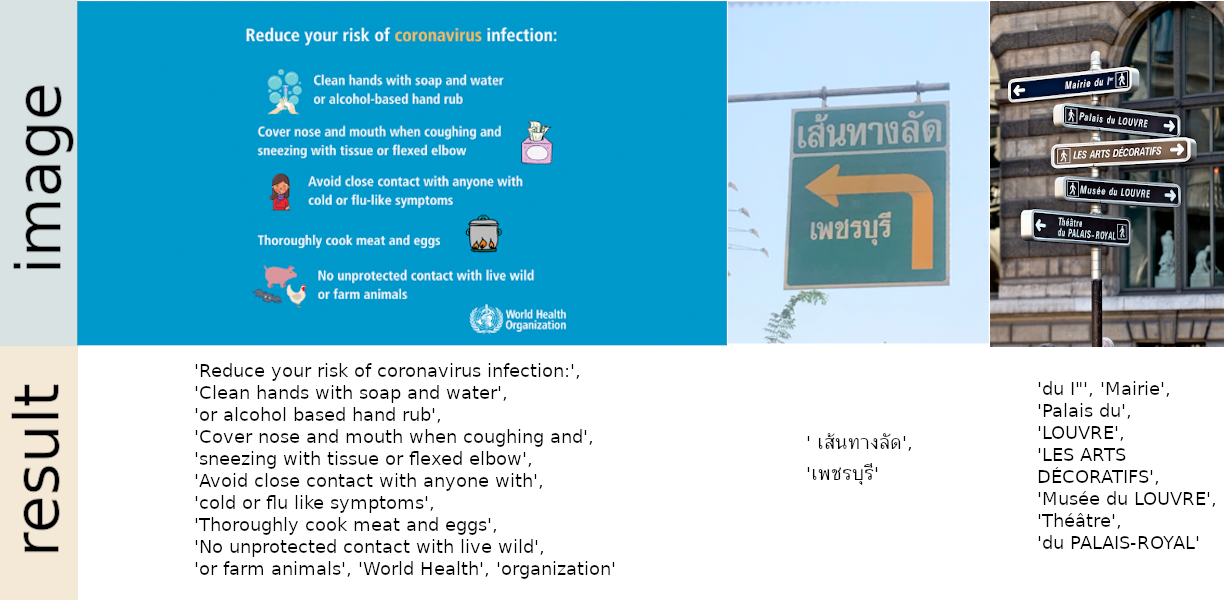
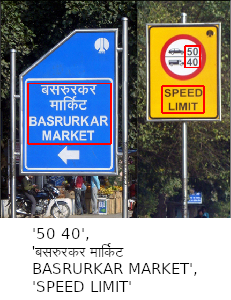
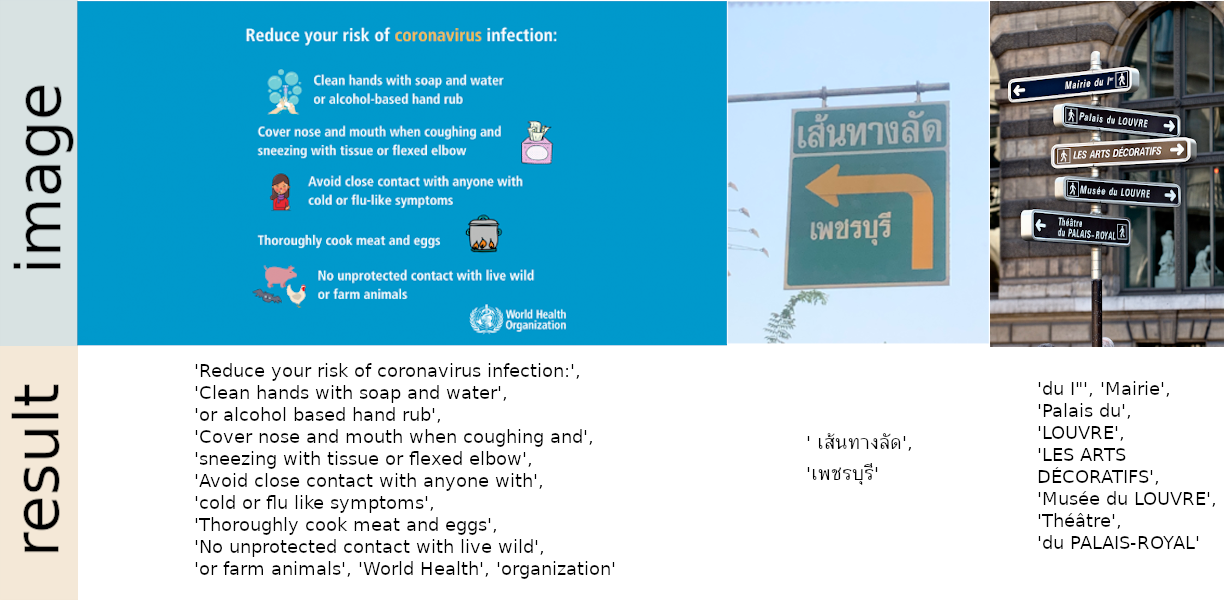
Install using pip
For the latest stable release:
pip install easyocr
For the latest development release:
pip install git+https://github.com/JaidedAI/EasyOCR.git
Note 1: For Windows, please install torch and torchvision first by following the official instructions here https://pytorch.org. On the pytorch website, be sure to select the right CUDA version you have. If you intend to run on CPU mode only, select CUDA = None.
Note 2: We also provide a Dockerfile here.
import easyocr
reader = easyocr.Reader(['ch_sim','en']) # this needs to run only once to load the model into memory
result = reader.readtext('chinese.jpg')
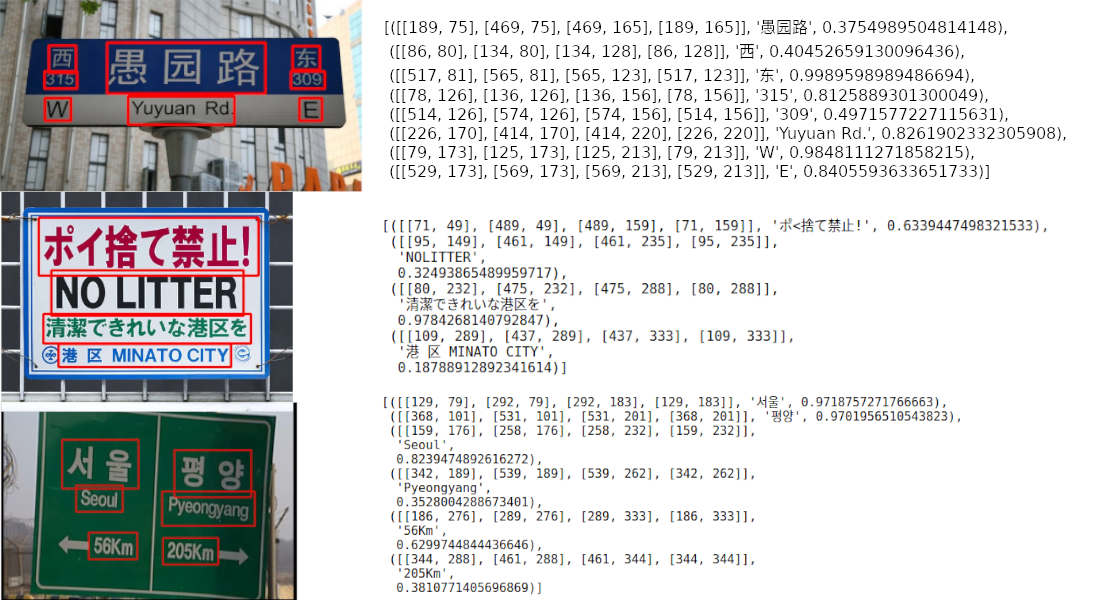
The output will be in a list format, each item represents a bounding box, the text detected and confident level, respectively.
[([[189, 75], [469, 75], [469, 165], [189, 165]], '愚园路', 0.3754989504814148),
 ([[86, 80], [134, 80], [134, 128], [86, 128]], '西', 0.40452659130096436),
 ([[517, 81], [565, 81], [565, 123], [517, 123]], '东', 0.9989598989486694),
 ([[78, 126], [136, 126], [136, 156], [78, 156]], '315', 0.8125889301300049),
 ([[514, 126], [574, 126], [574, 156], [514, 156]], '309', 0.4971577227115631),
 ([[226, 170], [414, 170], [414, 220], [226, 220]], 'Yuyuan Rd.', 0.8261902332305908),
 ([[79, 173], [125, 173], [125, 213], [79, 213]], 'W', 0.9848111271858215),
 ([[529, 173], [569, 173], [569, 213], [529, 213]], 'E', 0.8405593633651733)]
Note 1: ['ch_sim','en'] is the list of languages you want to read. You can pass
several languages at once but not all languages can be used together.
English is compatible with every language and languages that share common characters are usually compatible with each other.
Note 2: Instead of the filepath chinese.jpg, you can also pass an OpenCV image object (numpy array) or an image file as bytes. A URL to a raw image is also acceptable.
Note 3: The line reader = easyocr.Reader(['ch_sim','en']) is for loading a model into memory. It takes some time but it needs to be run only once.
You can also set detail=0 for simpler output.
reader.readtext('chinese.jpg', detail = 0)
Result:
['愚园路', '西', '东', '315', '309', 'Yuyuan Rd.', 'W', 'E']
Model weights for the chosen language will be automatically downloaded or you can download them manually from the model hub and put them in the '~/.EasyOCR/model' folder
In case you do not have a GPU, or your GPU has low memory, you can run the model in CPU-only mode by adding gpu=False.
reader = easyocr.Reader(['ch_sim','en'], gpu=False)
For more information, read the tutorial and API Documentation.
$ easyocr -l ch_sim en -f chinese.jpg --detail=1 --gpu=True
For recognition model, Read here.
For detection model (CRAFT), Read here.
reader = easyocr.Reader(['en'], detection='DB', recognition = 'Transformer')
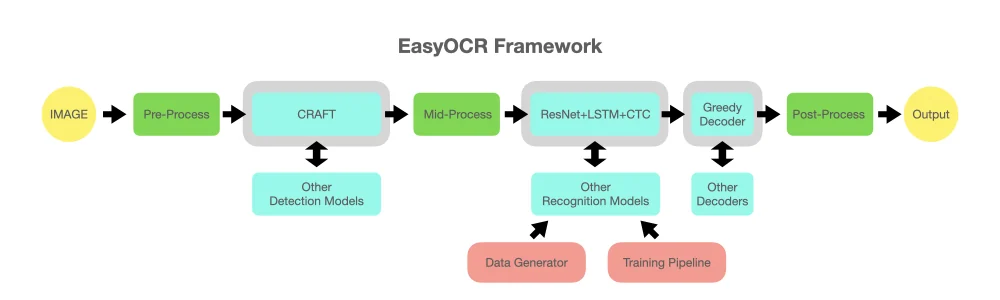
The idea is to be able to plug in any state-of-the-art model into EasyOCR. There are a lot of geniuses trying to make better detection/recognition models, but we are not trying to be geniuses here. We just want to make their works quickly accessible to the public ... for free. (well, we believe most geniuses want their work to create a positive impact as fast/big as possible) The pipeline should be something like the below diagram. Grey slots are placeholders for changeable light blue modules.
This project is based on research and code from several papers and open-source repositories.
All deep learning execution is based on Pytorch. ❤️
Detection execution uses the CRAFT algorithm from this official repository and their paper (Thanks @YoungminBaek from @clovaai). We also use their pretrained model. Training script is provided by @gmuffiness.
The recognition model is a CRNN (paper). It is composed of 3 main components: feature extraction (we are currently using Resnet) and VGG, sequence labeling (LSTM) and decoding (CTC). The training pipeline for recognition execution is a modified version of the deep-text-recognition-benchmark framework. (Thanks @ku21fan from @clovaai) This repository is a gem that deserves more recognition.
Beam search code is based on this repository and his blog. (Thanks @githubharald)
Data synthesis is based on TextRecognitionDataGenerator. (Thanks @Belval)
And a good read about CTC from distill.pub here.

