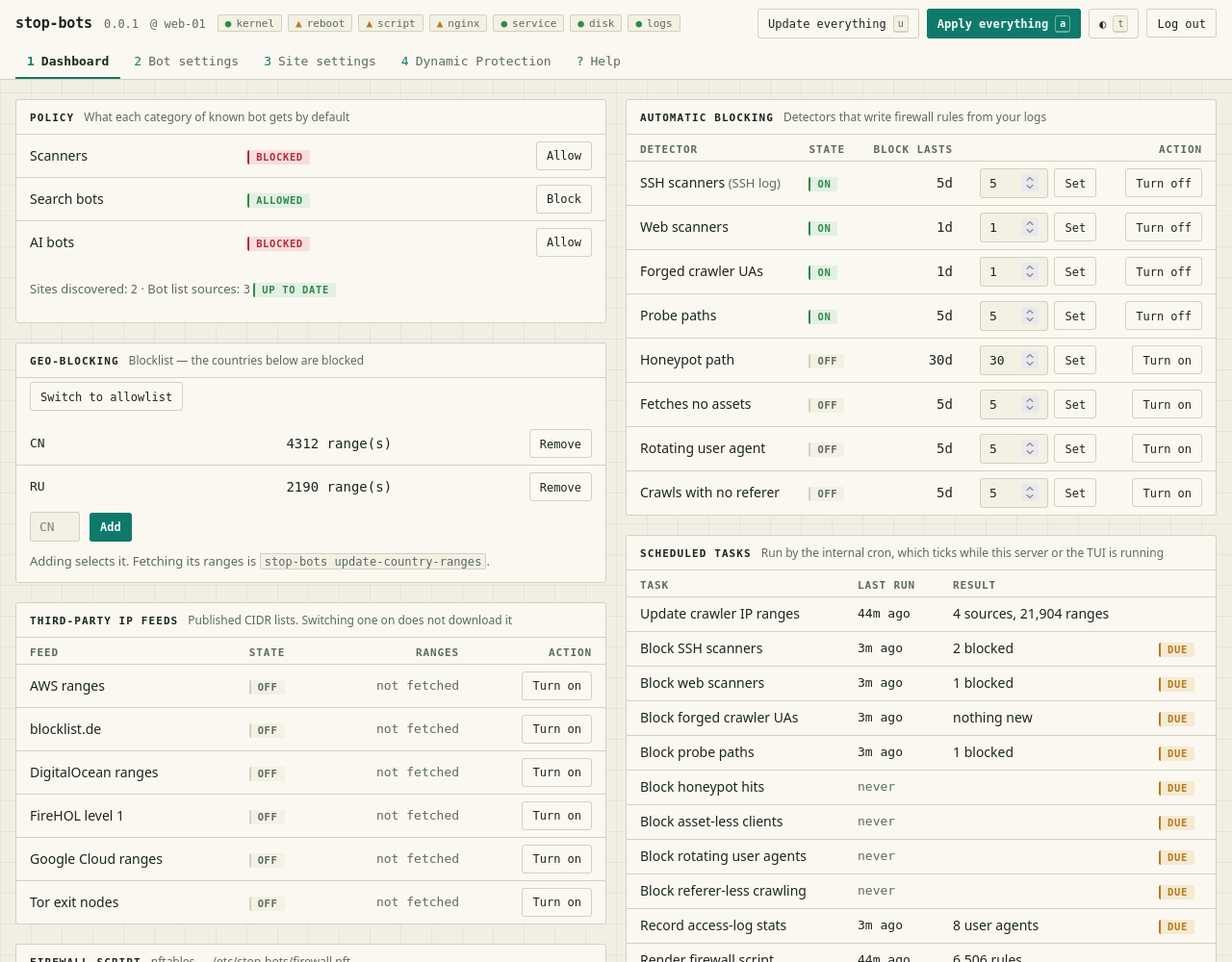
 ivankovic/stop-bots
Automate stopping bad bots from accessing your server




A TUI, a web console and a CLI that help you configure your server to stop bad bots without hiding behind a CDN.
It works alongside NGINX and your existing firewall (nftables or iptables):
The app tries its best to not lock you out of the server, but you use it on your own risk. And note that it is licensed under AGPL, so if you are using it commercially, make sure you obey the license.
On Debian or Ubuntu, from the APT repository:
curl -fsSL https://ivankovic.github.io/stop-bots/key.gpg \
  | sudo tee /usr/share/keyrings/stop-bots.gpg > /dev/null
echo "deb [signed-by=/usr/share/keyrings/stop-bots.gpg] \
https://ivankovic.github.io/stop-bots stable main" \
  | sudo tee /etc/apt/sources.list.d/stop-bots.list
sudo apt update && sudo apt install stop-bots
The package brings man stop-bots (and a page per verb, such as man stop-bots-batch) and
bash, zsh and fish completions. It installs no service and starts nothing.
Or from crates.io, with Rust 1.88 or newer:
cargo install stop-bots
Or download a static binary for x86_64 or aarch64 Linux from the GitHub
releases.
install refuses a
host that is not Debian or a derivative.nft, or iptables-restore and ip6tables-restore, for the
firewall; nginx for the rest. NGINX in a container works too — see
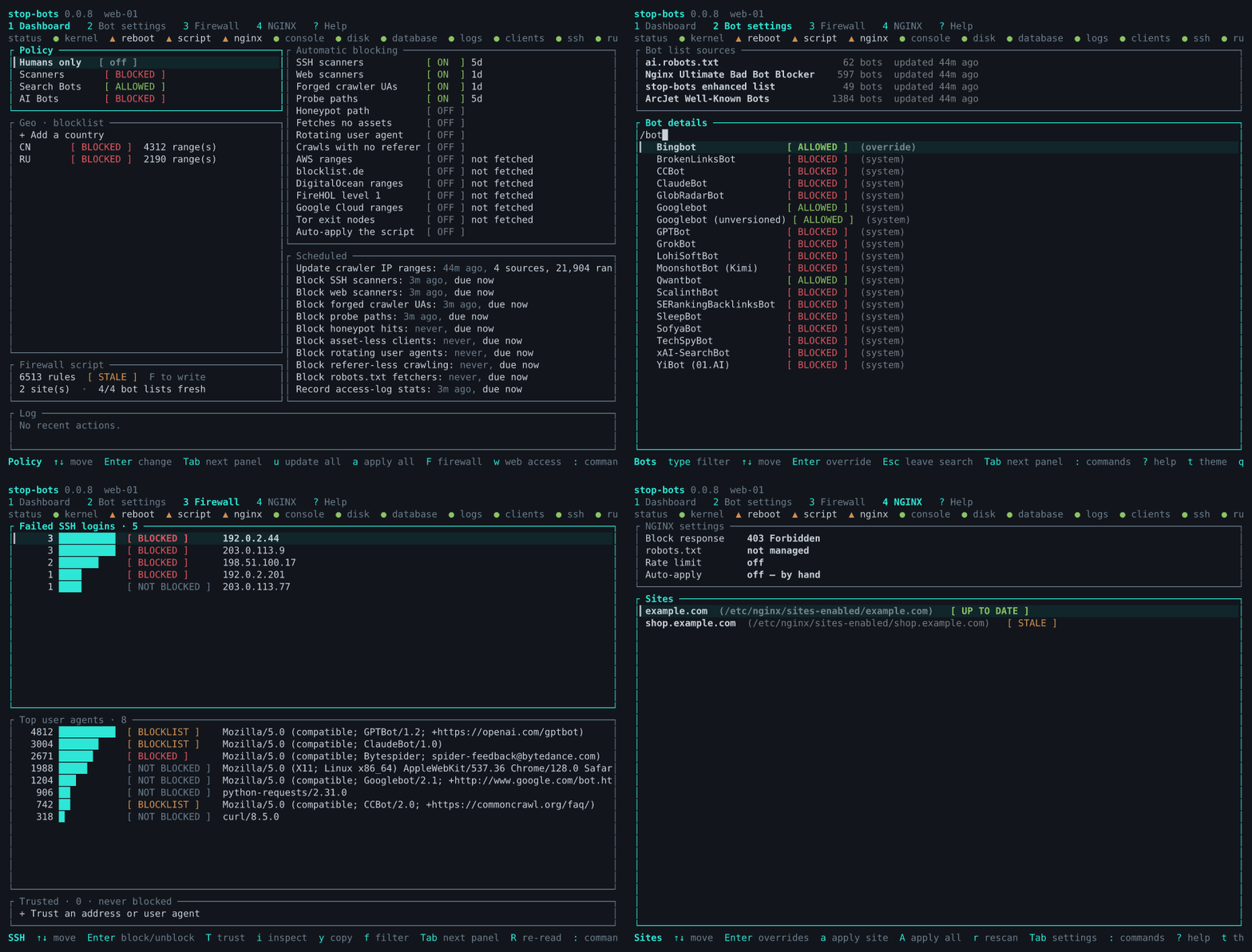
Running NGINX in a container.sudo stop-bots starts the TUI. It needs root: it rewrites /etc/nginx and loads firewall
rules.u downloads every list: bot lists, crawler IP ranges, and any feed or country you
switched on.1) holds the host-wide policy: which bot categories are blocked,
countries, and the detectors that read your logs. On the NGINX screen (4), r finds your
sites. The Blocks screen (5) lists every rule the detectors or you added, and why.a applies everything. It first shows what would change — the files, the rules added and
removed, and the lockout check's verdict (d for the diff) — and asks.sudo stop-bots install firewall makes the applied rules survive a reboot. Without it, a
reboot comes back with no rules at all.sudo stop-bots status checks the kernel, the units and the files, and says what is
missing.sudo stop-bots status
sudo stop-bots batch --dry-run --diff
sudo stop-bots batch --apply
sudo stop-bots install firewall
sudo stop-bots status
batch --dry-run downloads and scans nothing: on a brand-new install it shows the NGINX
blocks from the bot list built into the binary, and no firewall rules yet, because nothing
has been read from your logs. sudo stop-bots batch without --apply does the downloads
and scans and writes the files for review without enforcing them. See
Unattended, from cron for what batch does.
sudo stop-bots uninstall all --dry-run
sudo stop-bots uninstall all
The first lists every step, the second takes them. See Upgrading and uninstalling.
Known bots, by category (scanner / search engine / AI crawler), sourced from
ArcJet's Well-Known Bots,
ai.robots.txt and the
NGINX Ultimate Bad Bot Blocker
list. Blocking a category injects an if ($http_user_agent ...) rule into each site's NGINX
config.
Too many requests, via NGINX's own rate limiting.
Politely, first — a generated robots.txt listing every bot you're blocking, for the
crawlers that honour it, plus the honeypot path below.
Except where you say otherwise — per-site path exemptions, and trusted addresses and
user agents (trust), which no block, list or rate limit applies to.
Requests that don't look like a browser, per site. Six independent rules, each its own toggle and each off by default — one switch per rule so that if something of yours stops working, you can tell which rule did it:
| Rule | Turns away, besides bots |
|---|---|
| HTTP/1.0 and HTTP/1.1 | crawlers and API clients that don't speak HTTP/2 |
No Accept header | some API clients send none |
No Accept-Language | privacy tooling strips it |
Empty/absent User-Agent | scripts and health checks often omit it |
Host is a bare IP | breaks reaching the site by IP |
| TLS 1.0 / 1.1 | very old clients only |
There are seven choices:
| Option | What it's for |
|---|---|
403 Forbidden (default) | says the block was deliberate; the only one a wrongly-caught human can act on |
404 Not Found | hides that anything was blocked at all |
410 Gone | asks well-behaved crawlers to drop the URL for good — prefer this over 403 when you're turning away crawlers rather than attackers |
429 Too Many Requests | tells a polite client to back off and retry |
418 I'm a teapot | RFC 2324's joke. It works; it just isn't IANA-registered, and NGINX sends it with an empty body |
444 close connection | no reply at all; cheapest, but indistinguishable from the server being down |
Tarpit | answers 403 but trickles the body at one byte per second, so the client waits instead of moving on |
The tarpit is the gentlest option for a false positive — a wrongly caught client is slowed,
not refused — and the harshest on cost for a bot, whose connection sits idle. One thing to
know before choosing it: it holds one of your worker connections for the duration too, so
a flood of tarpitted clients competes with real visitors for worker_connections.
Each of these is an independent switch on the Dashboard's "Automatic blocking" panel, or
set-detector on the CLI. Each adds a timed firewall block. With nftables the kernel lifts
it when it runs out; with iptables it stays until the script is next applied.

