 infobyte/faraday-cli
Faraday's Command Line Interface

Use faraday directly from your favorite terminal
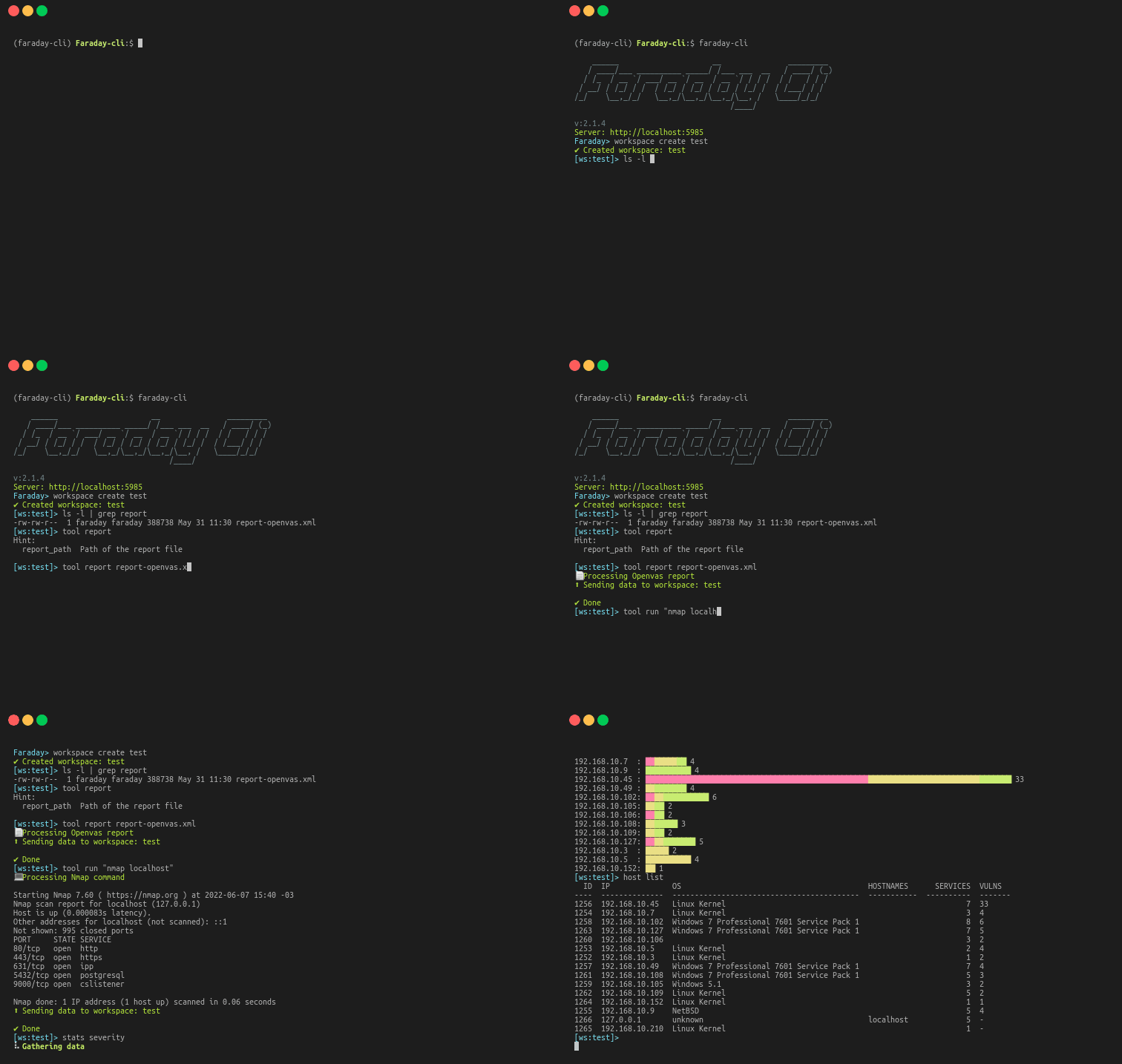
faraday-cli is the official client that make automating your security workflows, easier.
Before installing, we recommend creating and activating a Python virtual environment to avoid affecting your system Python packages. For example:
python3 -m venv .venv
source .venv/bin/activate
You can also use virtualenv if you prefer. Once the virtual environment is active, run the installation commands below.
pip install faraday-cli
git clone https://github.com/infobyte/faraday-cli.git
cd faraday-cli
pip install .
For more info you can check our documentation
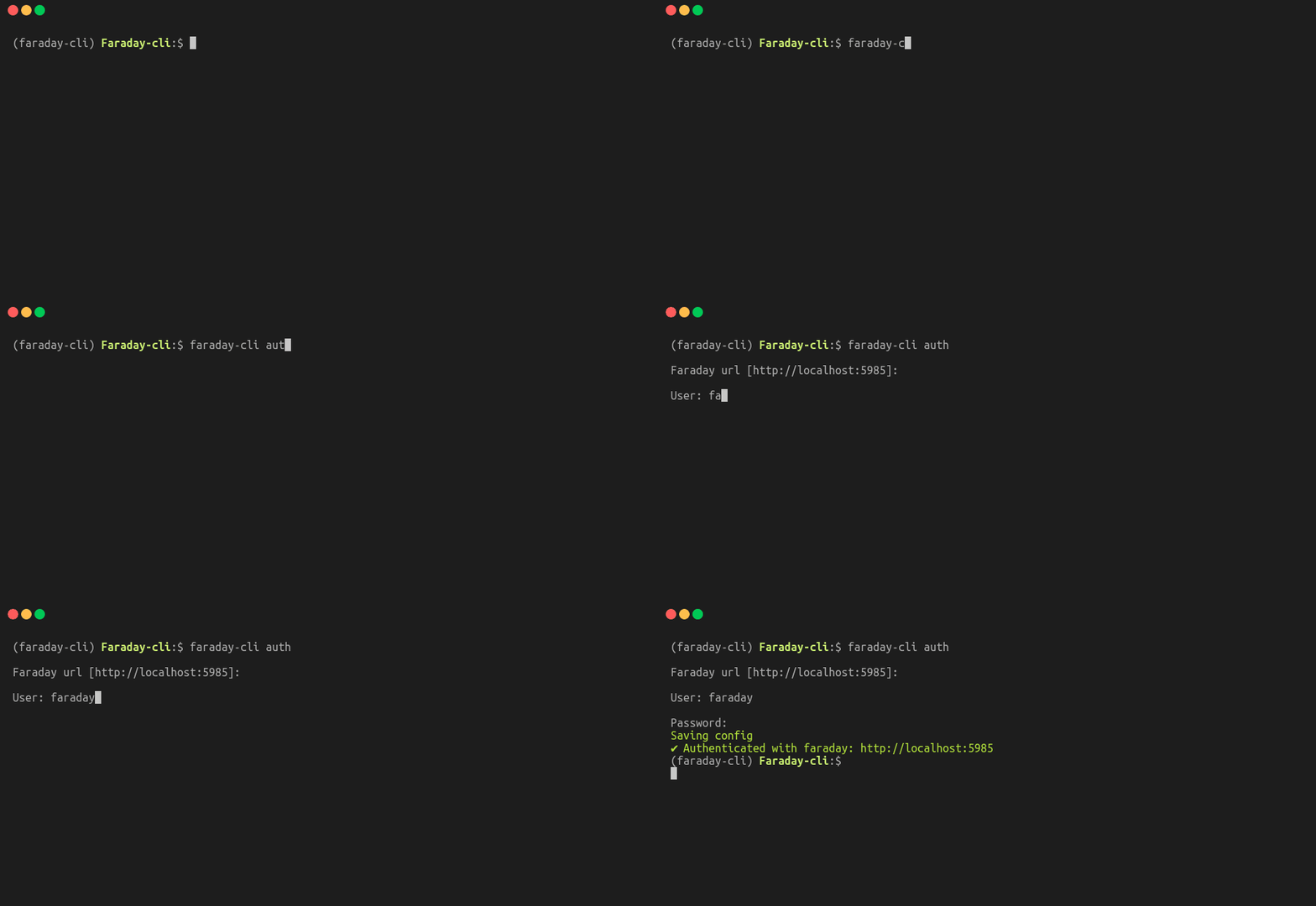
Configure auth for farday-cli
$ faraday-cli auth
When you create a workspace by default is selected as active, unless you use the "-d" flag
$ faraday-cli workspace create some_name
✔ Created workspace: some_name
$ faraday-cli workspace select some_name
✔ Selected workspace: some_name
$ faraday-cli list_ws
NAME         HOSTS    SERVICES    VULNS  ACTIVE    PUBLIC    READONLY
---------  -------  ----------  -------  --------  --------  ----------
some_name       14          13       39  True      False     False
$ faraday-cli host list
  ID  IP           OS       HOSTNAMES          SERVICES  VULNS
----  -----------  -------  ---------------  ----------  -------
 574  127.0.0.1    unknown                            1  3
 566  127.0.0.10   unknown                            1  3
 569  127.0.0.11   unknown                            1  3
 568  127.0.0.12   unknown                            1  3
 570  127.0.0.13   unknown                            1  3
 576  127.0.0.2    unknown                            1  3
 565  127.0.0.3    unknown                            1  3
 572  127.0.0.4    unknown                            1  3
 573  127.0.0.5    unknown                            1  3
 567  127.0.0.6    unknown                            1  3
 571  127.0.0.7    unknown                            1  3
 564  127.0.0.8    unknown                            1  3
 575  127.0.0.9    unknown                            1  3
 590  58.76.184.4  unknown  www.googlec.com           0  -
$ faraday-cli host get 574

$ faraday-cli host get 574
Host:
  ID  IP         OS       HOSTNAMES    OWNER    OWNED      VULNS
----  ---------  -------  -----------  -------  -------  -------
 574  127.0.0.1  unknown               faraday  False          3

Services:
  ID  NAME    DESCRIPTION    PROTOCOL      PORT  VERSION    STATUS      VULNS
----  ------  -------------  ----------  ------  ---------  --------  -------
2638  ssh                    tcp             22  unknown    open            2

Vulnerabilities:
   ID  NAME                                      SEVERITY    STATUS    CONFIRMED    TOOL
-----  ----------------------------------------  ----------  --------  -----------  -------
13509  SSH Weak Encryption Algorithms Supported  MED         opened    False        Openvas
13510  SSH Weak MAC Algorithms Supported         LOW         opened    False        Openvas
13511  TCP timestamps                            LOW         opened    False        Openvas
$ faraday-cli host create -d \''[{"ip": "stan.local", "description": "some server"}]'\'
Or pipe it
$ echo '[{"ip": "1.1.1.5", "description": "some text"}]' | faraday-cli host create --stdin
The escaping of the single quotes (\') is only needed when using it as a command. In the shell or using pipes it not necessary
$ faraday-cli tool report "/path/to/report.xml"

$ faraday-cli ping -c 1 www.google.com

$ faraday-cli agent list
  id  name      active    status    executors
----  --------  --------  --------  -----------
   8  internal  True      online    nmap
$ faraday-cli agent run -a 1 -e nmap -p \''{"target": "www.google.com"}'\'
Run executor: internal/nmap [{'successful': True}]
Faraday-cli can be used as a shell and have all the same commands you have as a cli

For example run nmap for all the hosts in faraday that listen on the 443 port and import the results back to faraday
$ faraday-cli host list --port 443 -ip | nmap -iL - -oX /tmp/nmap.xml && faraday-cli process_report /tmp/nmap.xml
Use a tool like assetfinder to do a domains lookup, scan them with nmap and send de results to faraday
$ assetfinder -subs-only example.com| sort | uniq |awk 'BEGIN { ORS = ""; print " {\"target\":\""}
{ printf "%s%s", separator, $1, $2
separator = ","}END { print "\"}" }' | faraday-cli  agent run  -a 1 -e nmap --stdin
