
Skip to content
KitploitKITPLOIT
ToolsBlog
Submit
ToolsBlog
Submit

Hacking, PenTest, and Cybersecurity Tools for Your Security Arsenal!

Kitploit is a directory of hacking, cybersecurity, and pentesting tools. Discover the latest project updates to find vulnerabilities, analyze systems, automate testing, and strengthen your security.

··Feeds·Contact·Privacy·© 2026 Kitploit

Tool Directory

Categories

View all categories
Loading categories
Static-Malware-Analysis-Follina-CVE-2022-30190 — Static Malware Analysis of Follina (CVE-2022-30190) from Blue Team Labs Online | Kitploit
Tools/GitHubGitHub/imvihanga03/static-malware-analysis-follina-cve-2022-30190
Static AnalysisVulnerability AnalysisExploitationMalware AnalysisDigital ForensicsLearning & EducationLabs & Practice
GitHubimvihanga03/static-malware-analysis-follina-cve-2022-30190

Most Popular

View all →

Discover the most used tools by our community.

Explore all tools

Browse our collection of tools

View all tools →
Share

Static-Malware-Analysis-Follina-CVE-2022-30190

Static Malware Analysis of Follina (CVE-2022-30190) from Blue Team Labs Online

View Repository
14 months agoNot yet reviewed

Static-Malware-Analysis-Follina-CVE-2022-30190

Static Malware Analysis of Follina (CVE-2022-30190) from Blue Team Labs Online


Lab: Blue Team Labs Online – Follina Challenge

Analysis Type: Static Analysis

Tools Used: VirusTotal, Windows File Explorer


Introduction

As my Blue Team journey, I wanted to deeply understand real-world document-based attacks.
I came across a suspicious Microsoft Word document named sample.doc and decided to analyze it statically — without ever executing the file.

This write-up documents my complete static analysis process, key discoveries, and the important lessons I learned about the famous Follina exploit (CVE-2022-30190).
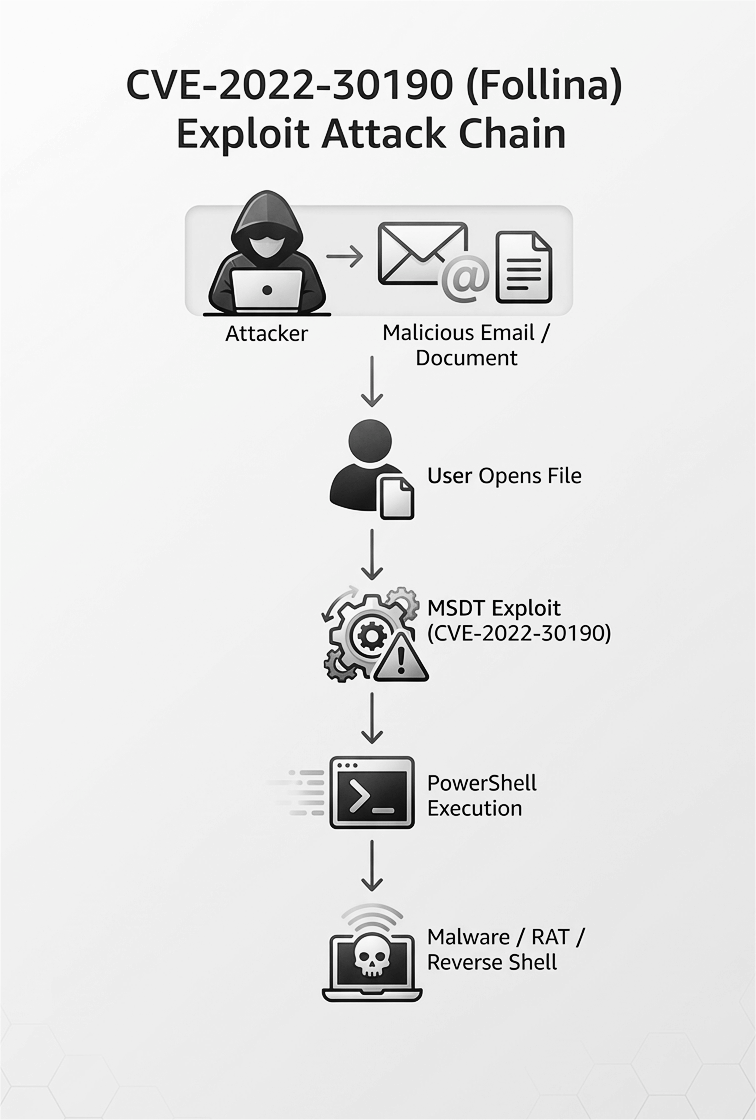
Follina Attack Flow

Step 1: Initial File Observation

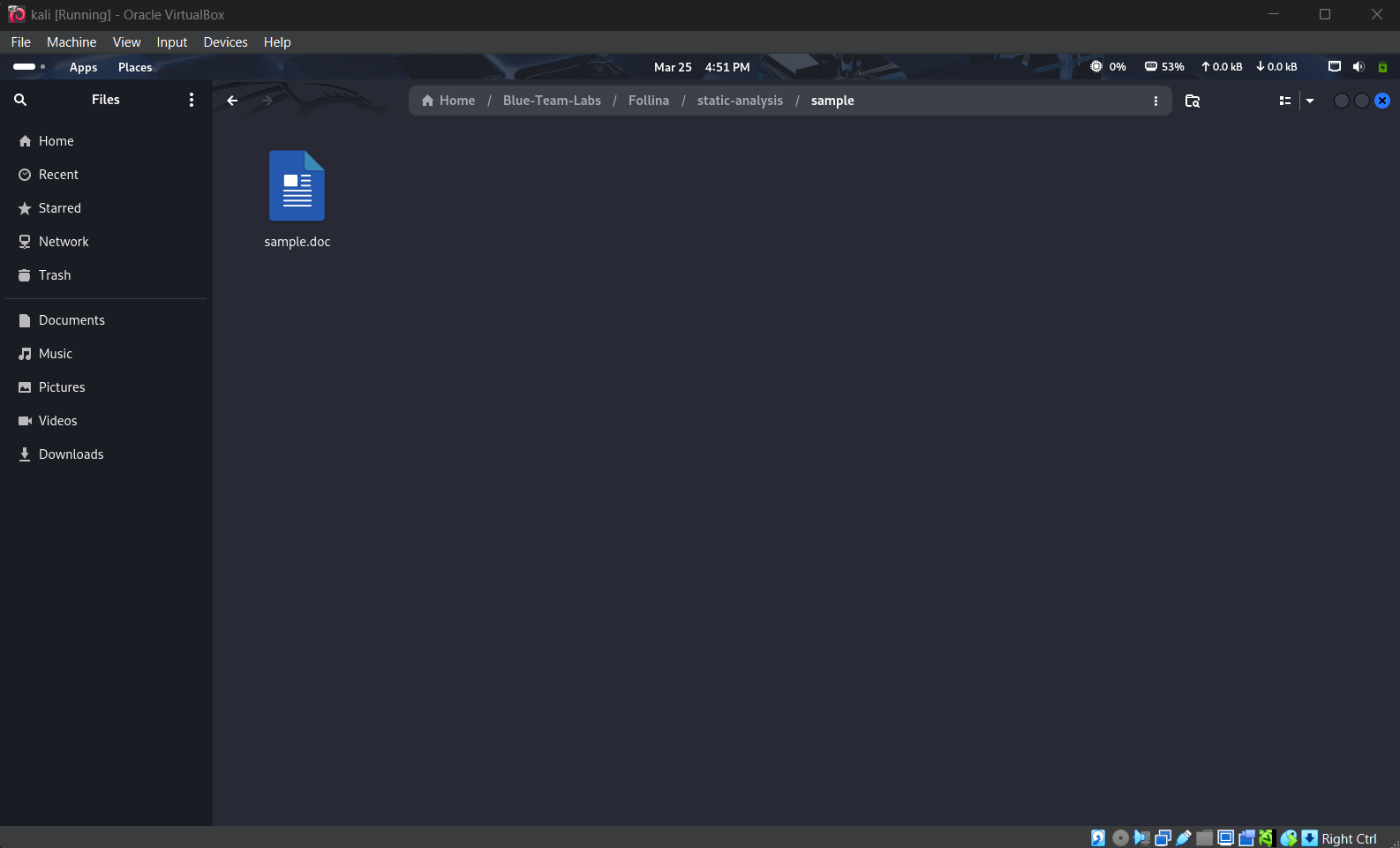
I started by examining the file in my file explorer.

  • File Name: sample.doc
  • Size: Approximately 10 KB
  • Appearance: Looked like a completely normal Word document

Sample file in File Explorer

Even though it looked harmless, I knew better than to open it. I moved straight to threat intelligence checking.

Step 2: VirusTotal Analysis

I uploaded the file to VirusTotal to get an immediate picture of its reputation.

Key Results:

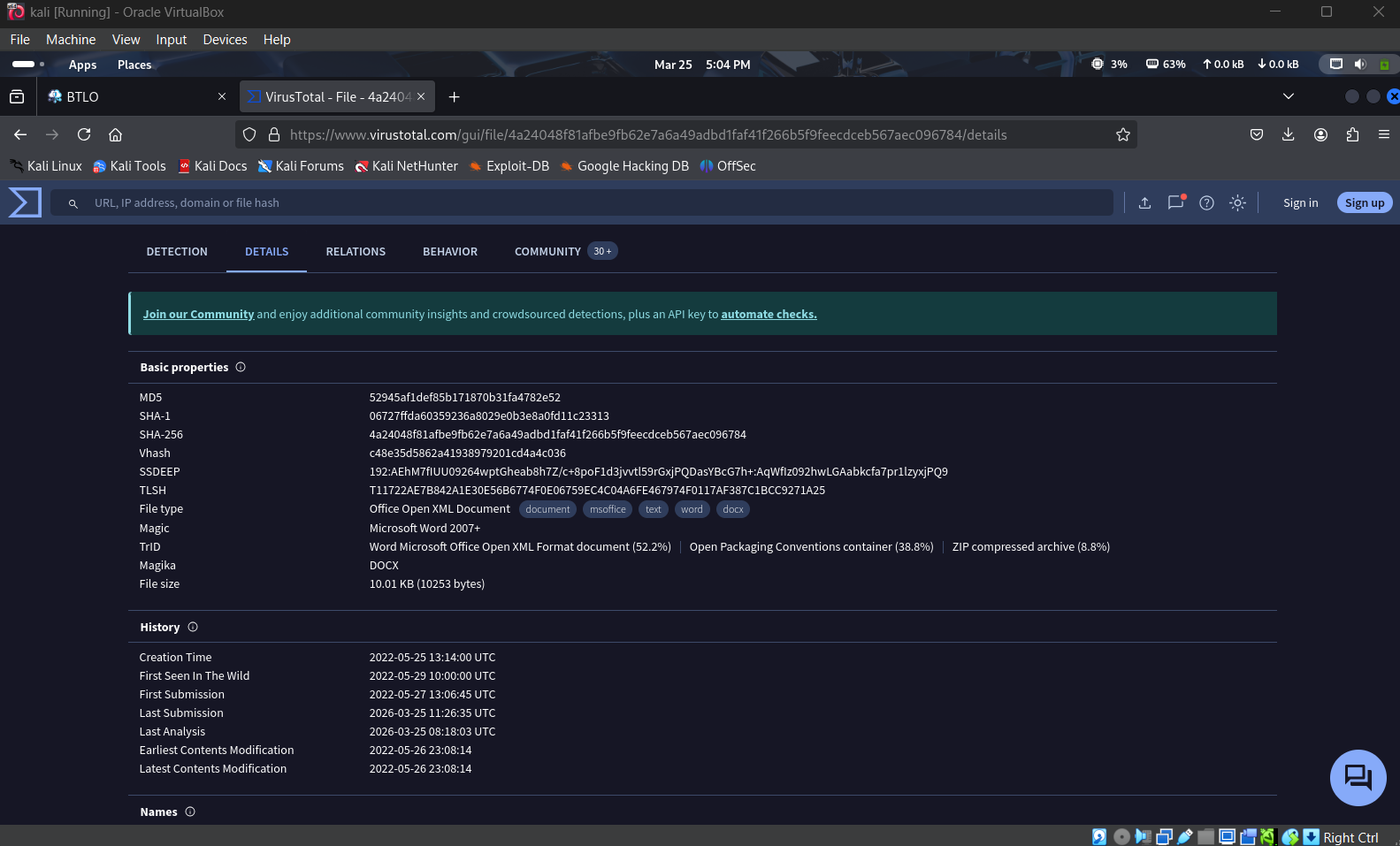
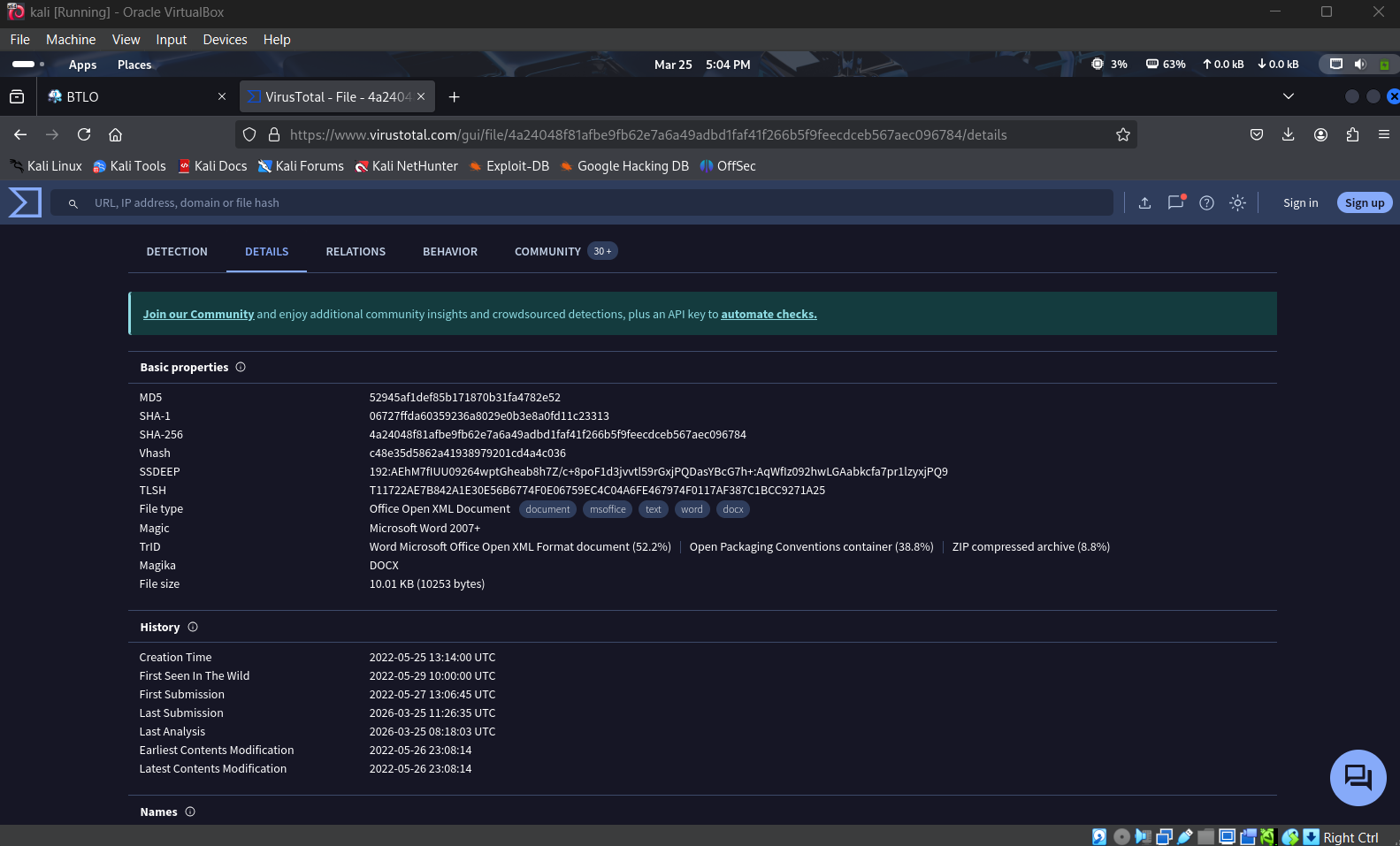
  • SHA-256: 4aa240481afbe9fb62e7a6a4a9adbd1faf41f266b5f9feecdeb567aec096784
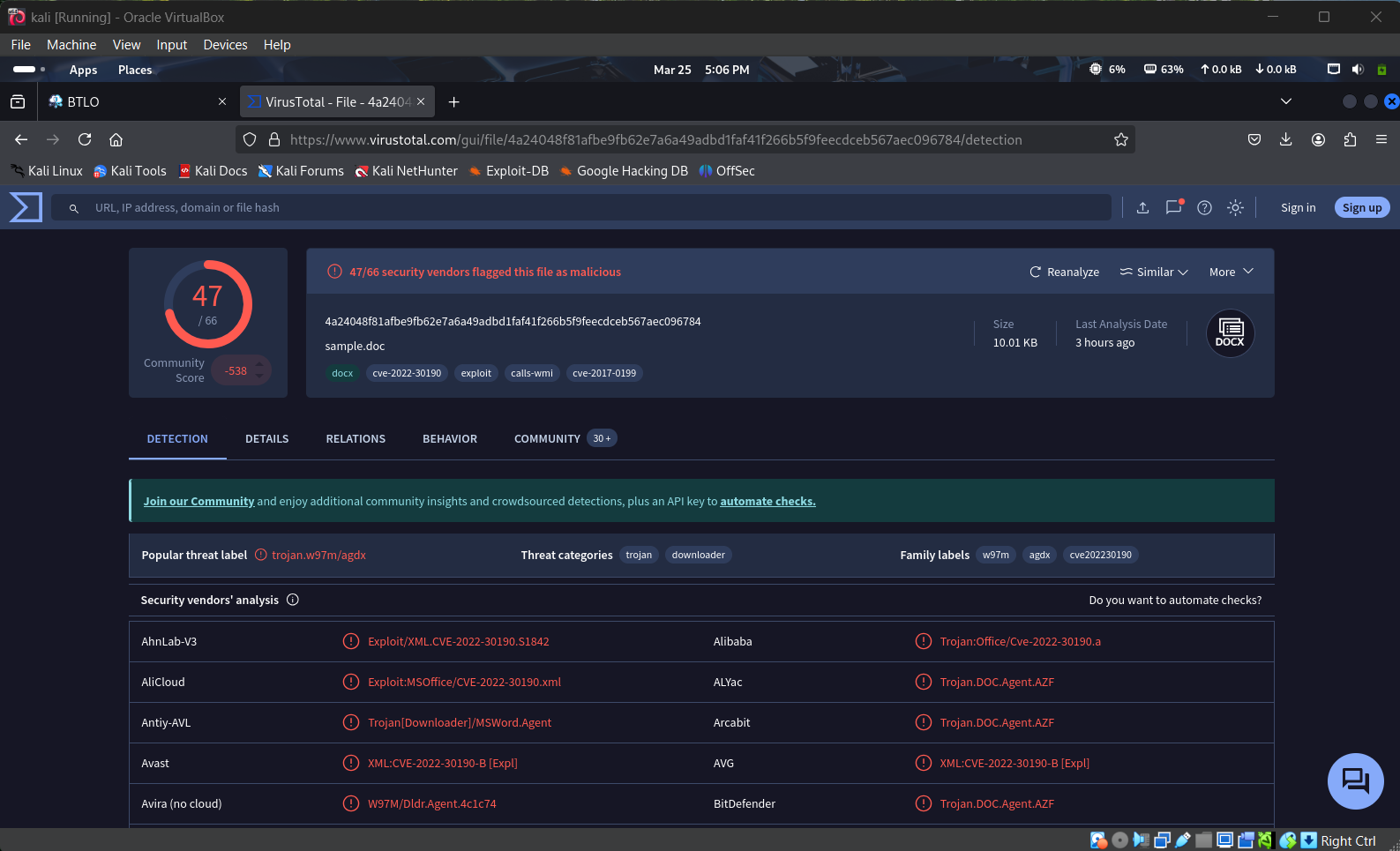
  • Detection Rate: 46 out of 65 security vendors flagged it as malicious
  • File Type: Office Open XML Document
  • Notable Tags: cve-2022-30190, exploit, calls-wmi

VirusTotal Overview - Hash & File Type

VirusTotal Detections

The high detection rate and CVE tag immediately told me this was not a simple macro virus.

Step 3: MITRE ATT&CK Techniques

I explored the Behavior tab to understand the techniques this sample uses.

Main techniques observed:

  • T1203 – Exploitation for Client Execution
  • T1559 – Inter-Process Communication
  • T1059 – Command and Scripting Interpreter

These techniques are classic signs of the Follina attack chain.
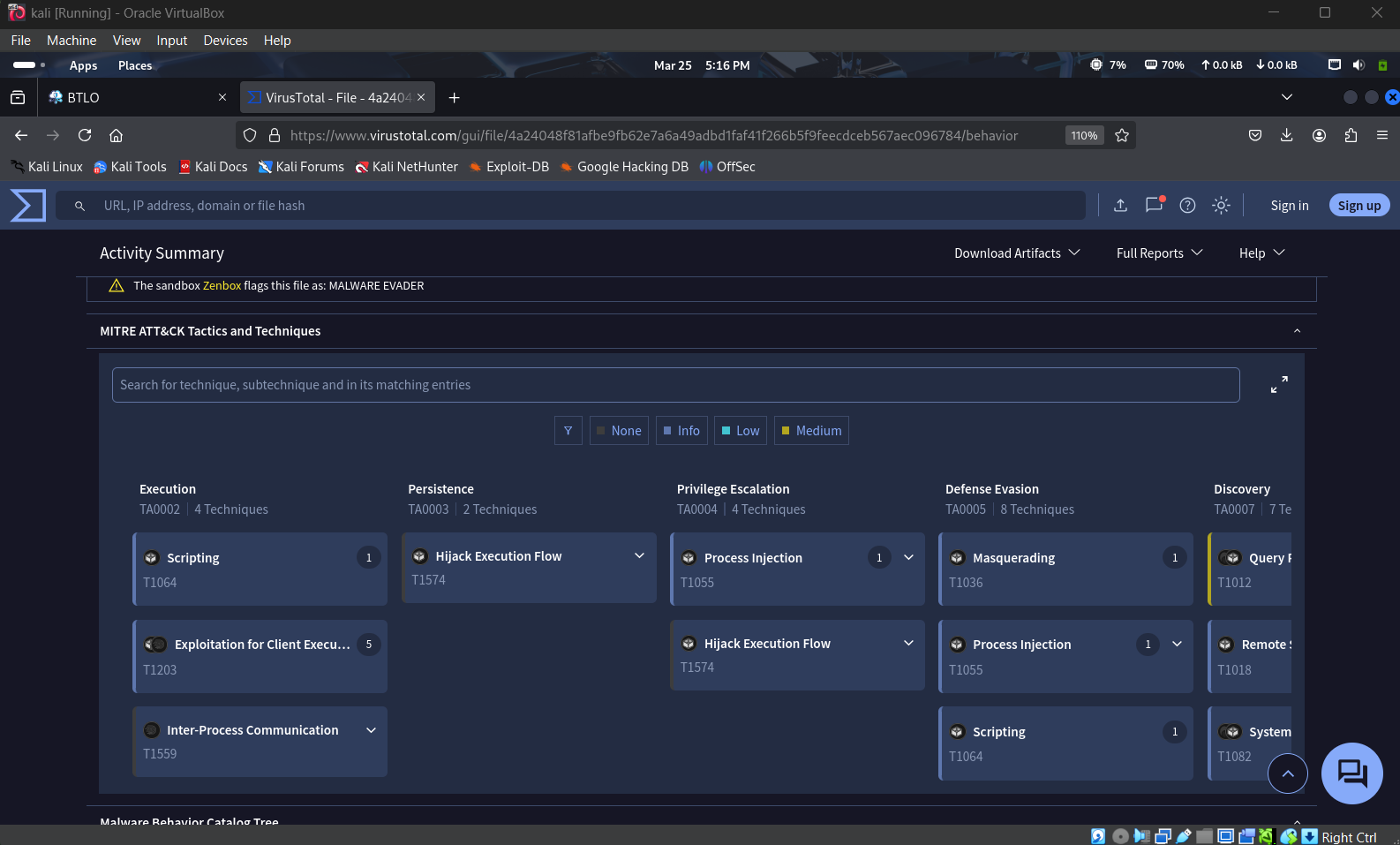
MITRE ATT&CK Techniques

Step 4: Contacted URLs & External Relationships

The most interesting part was in the Relations → Contacted URLs section.

The document attempts to reach suspicious domains under xmlformats.com (a clear spoof of legitimate Microsoft domains) and requests a file named RDF842l.html.

This is the hallmark of the Follina exploit — using external XML relationships to trigger the ms-msdt: protocol.
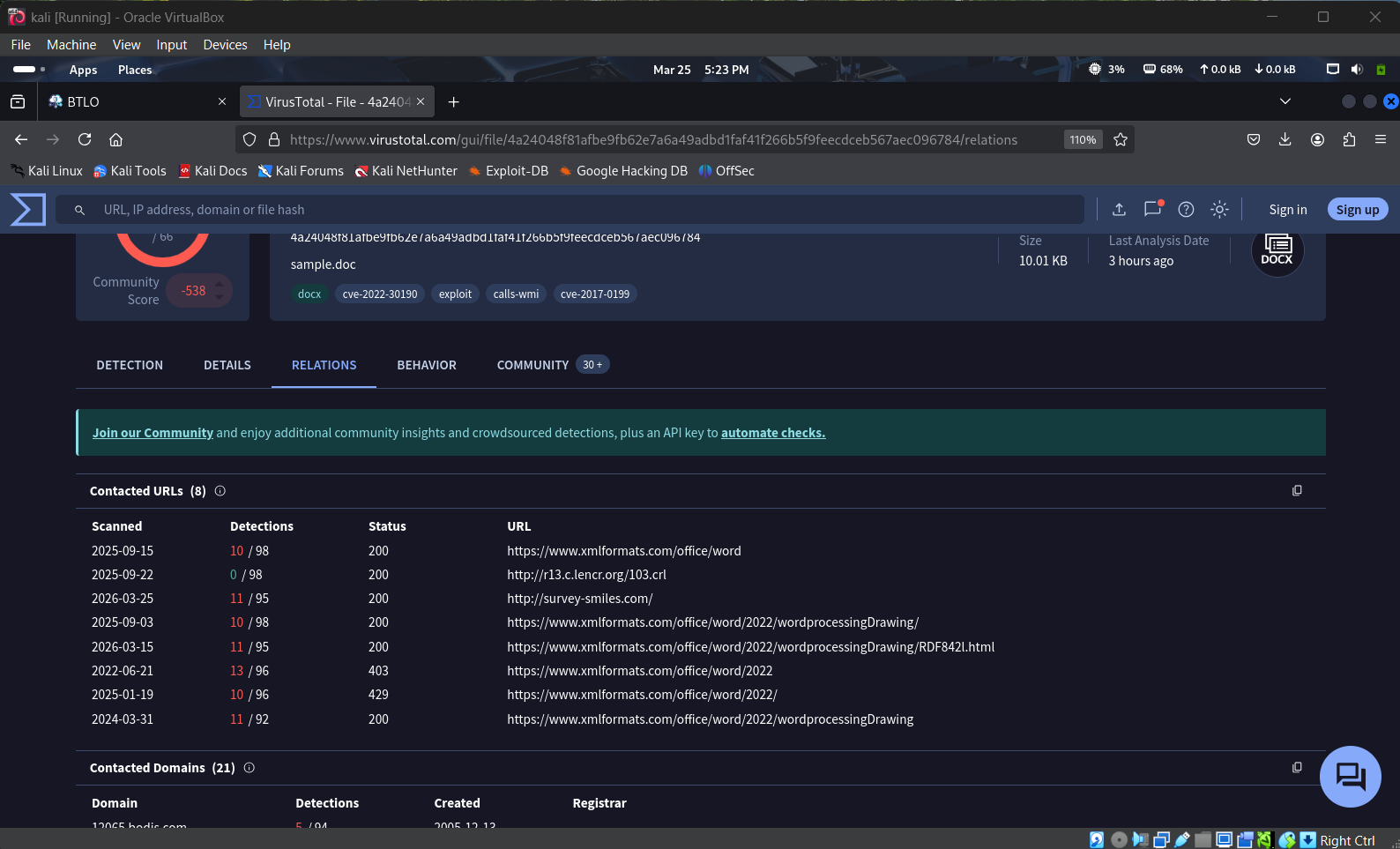
Contacted URLs

Key Takeaways from This Analysis

  • Follina is a dangerous exploit that works without macros.
  • Attackers can hide malicious behavior inside Office document relationships.
  • Always verify suspicious documents using static analysis before opening them.
  • External references in .rels files are a red flag that should never be ignored.

What I Learned

This was my first real malware analysis lab, and it taught me how sophisticated modern document exploits have become.
I now have a much better understanding of how attackers bypass common security controls and why static analysis is such an important skill for every Blue Teamer.

I’m excited to continue this journey and analyze more complex samples in the future.


🛡️ Vihanga | Aspiring Blue Teamer

Connect with me on LinkedIn Open to feedback, suggestions, and discussions!

Download Tool