 improjtech/notamy
Terminal-based note manager with hierarchical tagging and file linking

| 🇬🇧 Inglese | 🇮🇹 Italiano |
|---|
NotaMy is a hierarchical terminal-based technical note manager designed to reduce the mental cost of context switching for those working on long-term analysis tasks (pentesting, reverse engineering, wargames).
When I started working on pentesting activities and binary analysis, I quickly realized something:
The problem is not taking notes — it's managing them over time.
An analysis can last days or months. During that time, you accumulate memory addresses, test outputs, disassemblies, suspicious behaviors, failed attempts, ideas to verify — and all of this often ends up scattered across files and folders.
The result? Confusion. Continuously searching for information across scattered files interrupts mental flow and slows down the investigation.
NotaMy was created to remove this friction: reducing the cost of context switching while keeping all information shell-accessible, organized, and searchable.
NotaMy is not a text editor. It is not a markdown system. It is not a graphical application.
It is a minimal, terminal-first system for organizing technical knowledge into note files (contexts) and hierarchical tree structures of nodes/tags.
Each note file represents a project or investigation. Switching files means switching mental space.
Example:
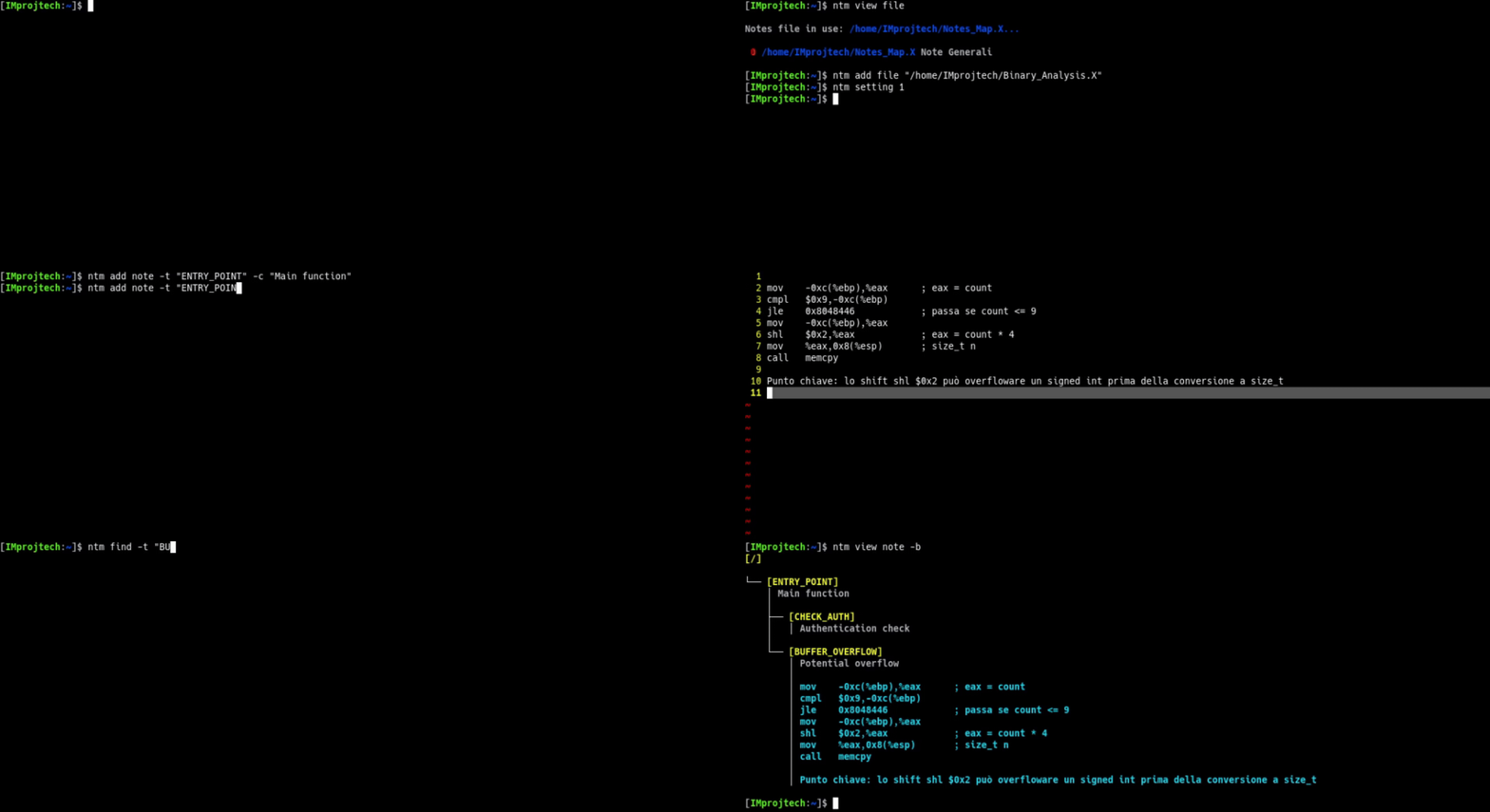
ntm view file

You can switch context with:
ntm setting 2
Notes are organized as nodes in a tree. Each node can contain:
You can store a post-it or an entire book. All in the same place.
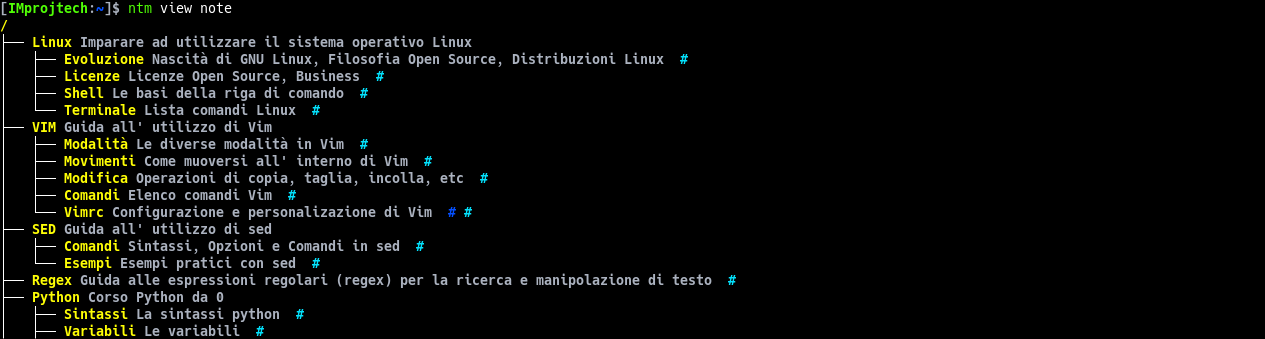
Example:
ntm view note
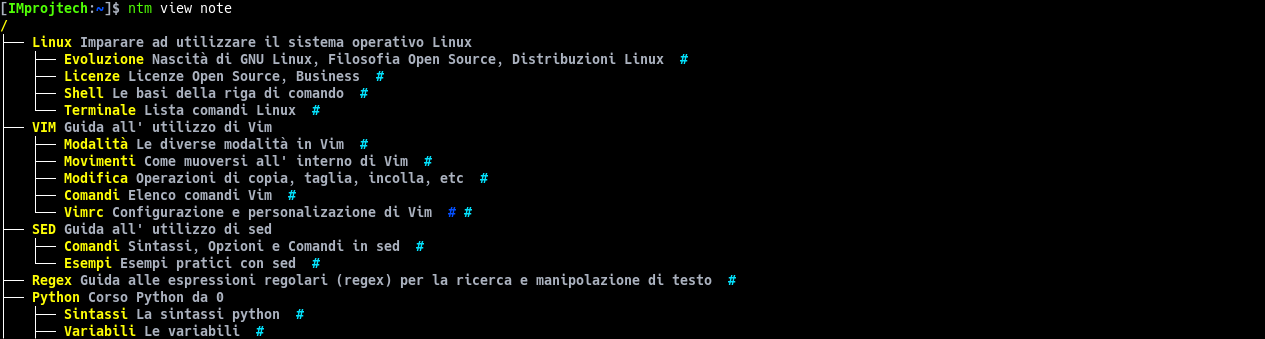
# indicates that the note contains expandable text.
You can expand each node to view its content:
ntm view note -b

ntm add note -t "TAG" -c "Short comment"
ntm add note -t "TAG" -c "Comment" -b
The editor opens, I save and exit, and the body is inserted into the note.
NotaMy is designed for those who:
It’s probably not for you if:
NotaMy is minimal and focused.
NotaMy was born from a personal need:
To reduce the mental cost of context switching.
Notes are not the problem. Complexity is.
In 2020, I started with a basic version called "Note Management": simple structured text. It was already useful. Then came MemoKeeper and MemoKeeperX, with separate files and tags. Over time, it became part of my daily workflow: pentesting, studying, ideas, and small projects.
NotaMy is the mature version of that workflow: minimal, reliable, and adapted to the way I work.
Want to know why and how NotaMy was born? Read the project's PHILOSOPHY.
git clone https://github.com/IMprojtech/NotaMy.git
cd NotaMy
make
./bin/ntm
NotaMy to Your PATHAfter compiling ntm, you may want to run it from anywhere without typing the full path. Here’s a common approach:
sudo cp ./bin/ntm /usr/local/bin/
sudo cp ./bin/ntm_nc /usr/local/bin/
Or, if you prefer a local installation (without sudo):
mkdir -p "$HOME/.local/bin"
cp ./bin/ntm "$HOME/.local/bin/"
cp ./bin/ntm_nc "$HOME/.local/bin/"
Make sure that directory is in your PATH. Most Linux distributions include /usr/local/bin by default. If you used ~/.local/bin, ensure your shell initialization file adds it to the PATH. For example, in ~/.bashrc or ~/.zshrc:
# Add this if not already present:
export PATH="$HOME/.local/bin:$PATH"
Alternatively, you can directly add the bin directory to your shell initialization file:
export PATH="$HOME/path/to/NotaMy/bin:$PATH"
NotaMy provides an optional Zsh wrapper that enhances the user experience without modifying the core C program.
The wrapper adds:
ntm command with improved output handlingbatfview function for interactive note viewing (fzf + bat)nocolor function to remove ANSI escape sequencesThe wrapper allows you to temporarily switch the active file by placing its number before the command:
ntm 1 view note
Add the plugin file to your ~/.zshrc:
source /path/to/NotaMy/shell/zsh/notamy.plugin.zsh
Then reload your shell:
source ~/.zshrc
⚠️ Zsh integration is completely optional. The core C application works independently.
A complete user manual is available with installation instructions, usage examples, and all supported commands:
This program is distributed under the terms of the GNU General Public License (GPL), ensuring the freedom to redistribute and modify the software according to free software standards.
Written by Catoni Mirko (IMprojtech)
